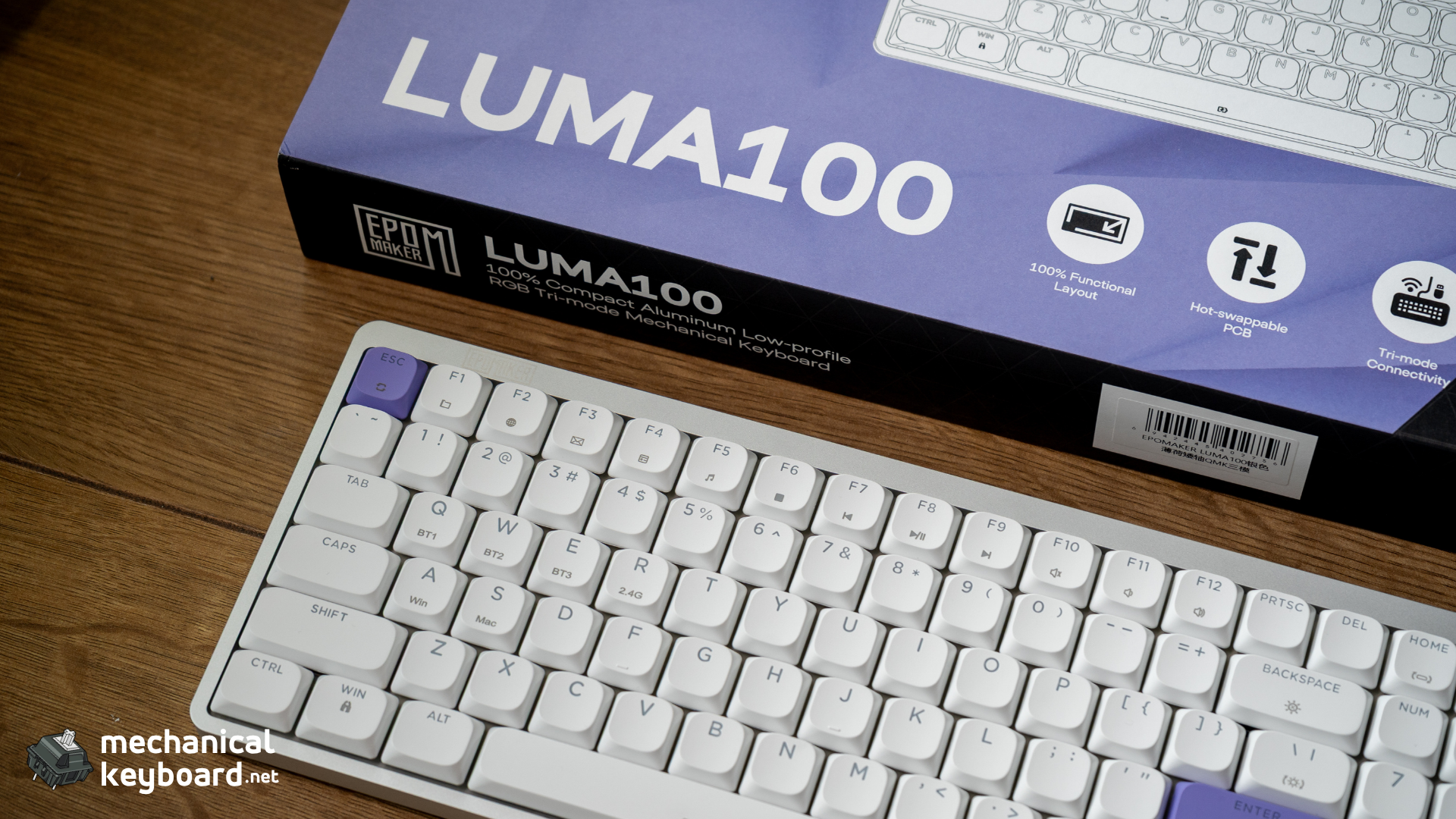
The Epomaker Luma100 is a 96% low-profile mechanical keyboard with 100 keys, an anodized aluminum case, gasket mount, Mint Low Profile switches, and a 3,000mAh battery. It costs $119. The defining feature is the height: 1.65cm at the spacebar, 2.55cm at the ESC row. That is roughly half the front height of a standard mechanical board.
- Specs at a Glance
- Unboxing and First Impressions
- Build Quality: Full-Size in a Low-Profile Body
- The Low-Profile Difference: What Changes When You Drop 2cm
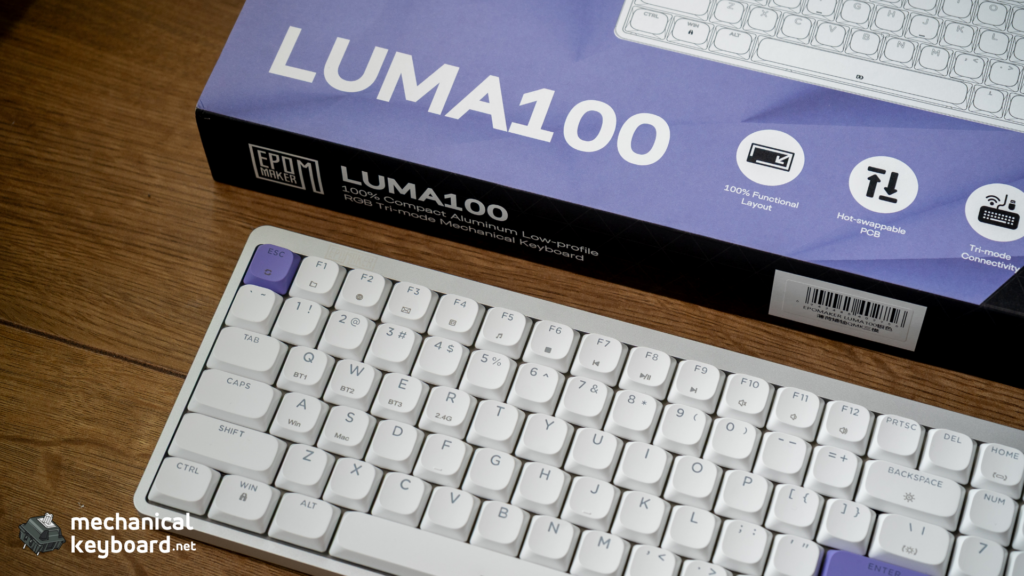
- Layout: 96% With a Numpad
- Mint Low Profile Switch Deep Dive
- DSA Keycaps: The Profile Nobody Explains
- Typing Experience and Sound
- Software: Epomaker’s Own App
- Wireless and Battery: The Honest Gap
- Portability
- How It Compares at $119
- Epomaker Luma 100 vs TH99 PRO and Luma 40
- Honest Critique: What the Other Reviews Skip
- Verdict: Is the Epomaker Luma100 Worth It?
- Where to Buy
- FAQs
Should I buy the Luma100? If you want a full-size layout with a numpad without giving up desk space or bag space, yes. It is one of very few boards in that niche done properly. If you do not care about low-profile, other boards at $119 offer better battery life and more polished software.
Best for: Spreadsheet and data workers who need a numpad. Travellers who want full-size typing on the move. Laptop users upgrading from a Magic Keyboard or MX Keys who want mechanical feel without the height.
Skip if: You want the quietest possible board (the TH99 PRO is quieter). You need verified long battery life (the 3,000mAh cell is mid-pack). You want polished, VIA-grade software.
One thing to know up front: This is a review unit provided by Epomaker. We do not accept payment for coverage, and Epomaker had no editorial input into what follows. Where we could not verify a number, we say so plainly rather than filling the gap with marketing copy.
Specs at a Glance
| Spec | Detail |
|---|---|
| Layout | 96% ANSI US (100 keys, numpad included) |
| Dimensions | 37.1cm x 12.85cm |
| Height | 2.55cm at the ESC row, 1.65cm at the spacebar row |
| Case | Anodized aluminum |
| Plate | PC (polycarbonate) |
| Mount | Gasket mount |
| Switches | Epomaker Mint Low Profile (custom Gateron LP linear) |
| Keycaps | DSA low-profile, double-shot ABS |
| Stabilizers | Gateron low-profile |
| Battery | 3,000mAh |
| Connectivity | Tri-mode: 2.4GHz / Bluetooth / USB-C |
| Dampening | 5-layer acoustic system |
| Compatibility | macOS / Windows / Android |
| Weight | 0.62kg |
| Price | $119 |
Unboxing and First Impressions
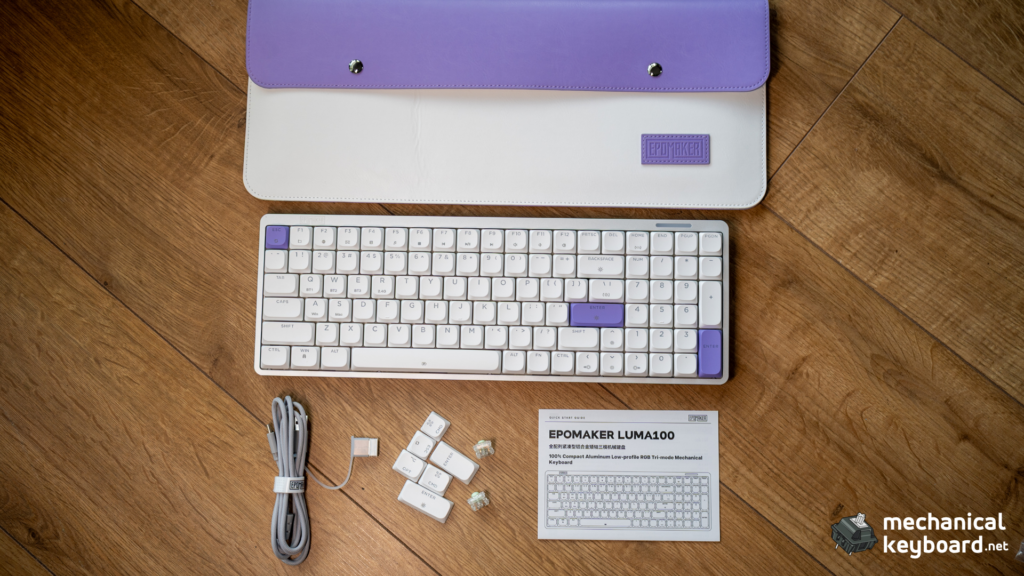
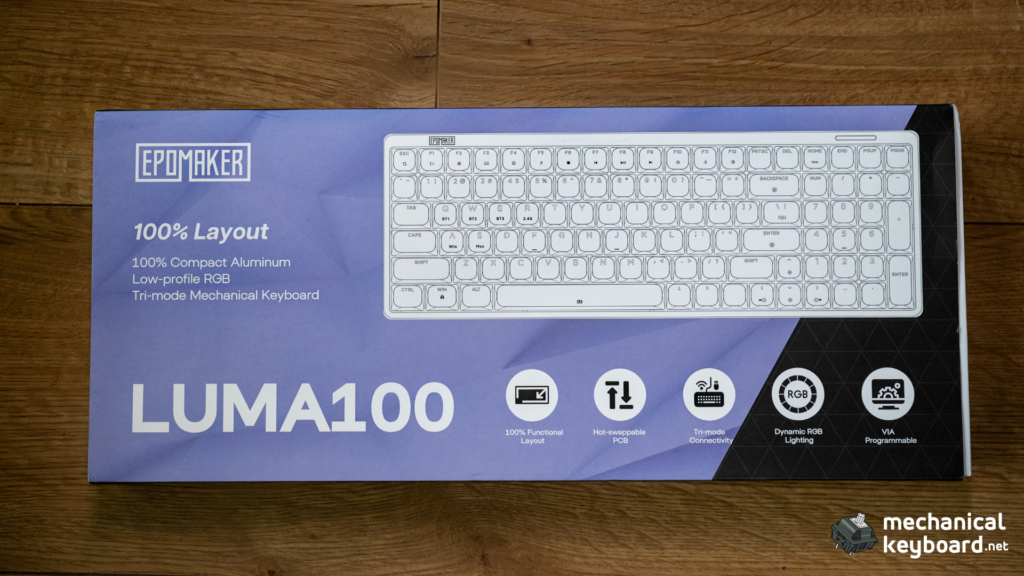
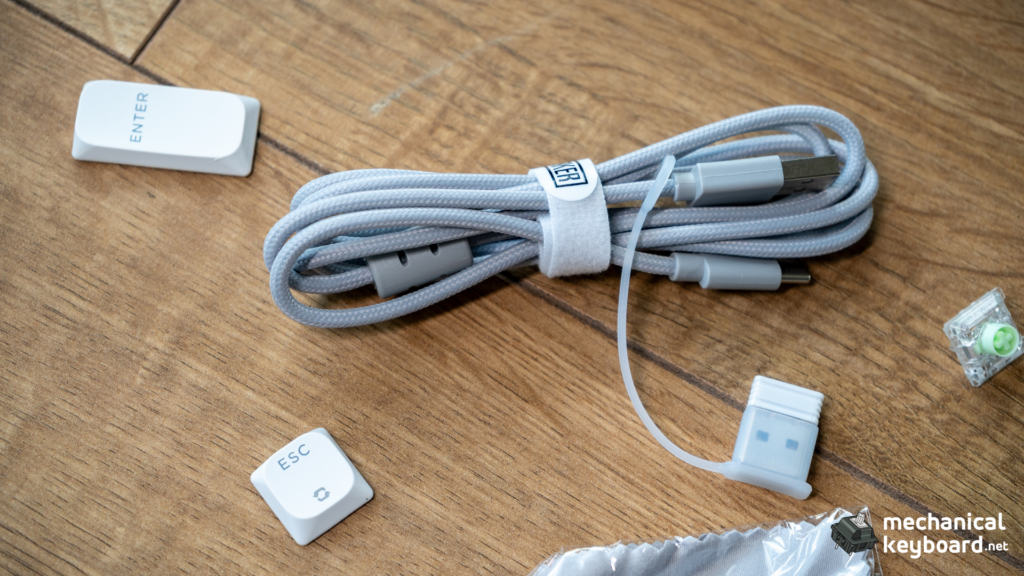
The packaging is clean purple-and-white branded, and the contents are sensible: the board, a braided USB-C cable, keycap and switch pullers, a manual, and a folio-style travel pouch that I did not expect at this price.
More Read

Two small design decisions stand out immediately.
The dongle is tethered to the cable. Instead of a slot in the case or a loose dongle in the box, the 2.4GHz receiver is attached to the USB cable with a small tie. That matters more than it sounds: Epomaker does not sell replacement dongles, so a physically attached one is close to impossible to lose.
The board is genuinely thin. Lifting it out of the box, the profile reads more like a premium laptop than a mechanical keyboard. The aluminum is cold in the hand and the board has real density at 0.62kg, which is surprising given the height.
Build Quality: Full-Size in a Low-Profile Body
This is the actual story of the Luma100, and it is not “another 96% board.” It is a 96% board that is 1.65cm to 2.55cm tall. For reference, most standard mechanical keyboards sit around 3.5cm to 4cm at the front. The Luma100 is roughly half that.
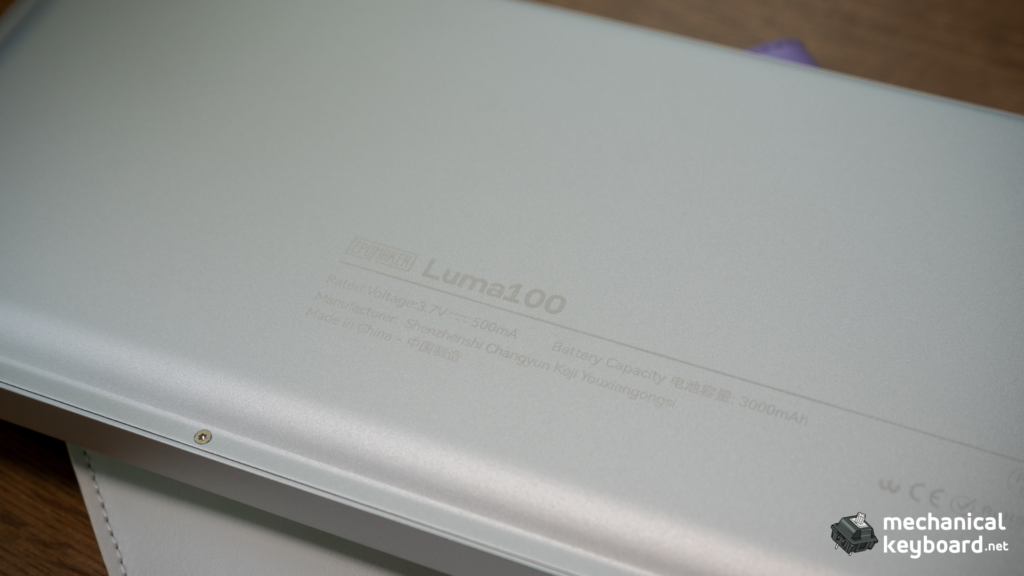
The case is anodized aluminum, and it does not feel like the thin, flexy aluminum some budget boards use to hit a low weight. At 0.62kg it has proper density in the hand, there is no creak when you twist it, and the finish is even across the top plate and edges. The anodizing has a slight texture that resists fingerprints, which the matte aluminum boards often do not.
The gasket mount shows up in the typing feel rather than the build. Press down on the centre of the plate and you get a soft, cushioned give rather than a hard stop. For a board this thin, that is an achievement.
The weight question: the manufacturer spec table lists 0.62kg, while a couple of published reviews report 0.73kg. We weighed our unit on a kitchen scale and got 0.62kg. Either way, it is light for an aluminum board and it travels well.
The Low-Profile Difference: What Changes When You Drop 2cm
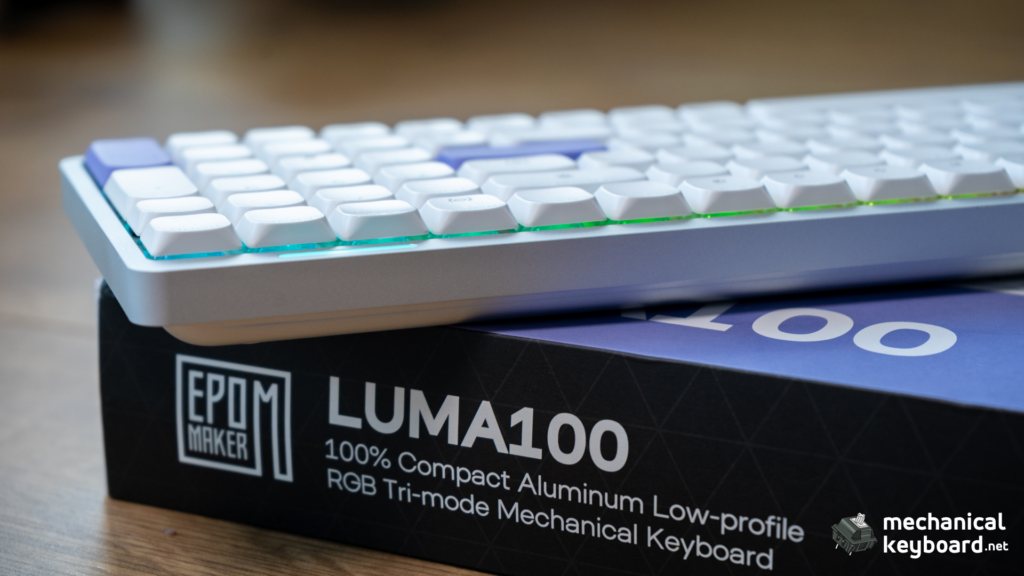
If you have never used a low-profile mechanical keyboard, the adjustment is real and worth understanding before you buy.
The height. A standard board puts your wrists at roughly 30mm to 40mm above the desk. The Luma100 puts the front row at about 17mm to 22mm. At a fixed desk and chair height, that reduces the upward bend at your wrist. If you have ever felt strain from a tall keyboard, this is the mechanical difference, and it is the main reason low-profile boards exist.
The travel. Low-profile mechanical switches travel around 3.0mm to 3.4mm. Standard MX switches travel 4.0mm. Laptop keyboards are typically 1.0mm to 1.5mm. The Luma100 sits in between: noticeably shorter than a standard mechanical board, but with roughly double the travel of a laptop and real tactile feedback at the bottom.
The honest caveat. Neither height is automatically ergonomic. A low-profile board is not a fix for bad posture, and a flat board with no height adjustment will not suit everyone. Expect an adaptation period of about a week: your error rate may go up 5% to 7% while your fingers relearn the shorter travel. It took me a few days to stop noticing it consciously, and after that it felt natural.
The finger-feel difference. DSA keycaps are uniform height across all rows, unlike sculpted profiles (OEM, Cherry, SA) that curve to match finger reach. Combined with the short travel, the typing surface feels flatter and less contoured under your fingers. It is not worse, it is different, and it is the trade-off for the height.
Layout: 96% With a Numpad
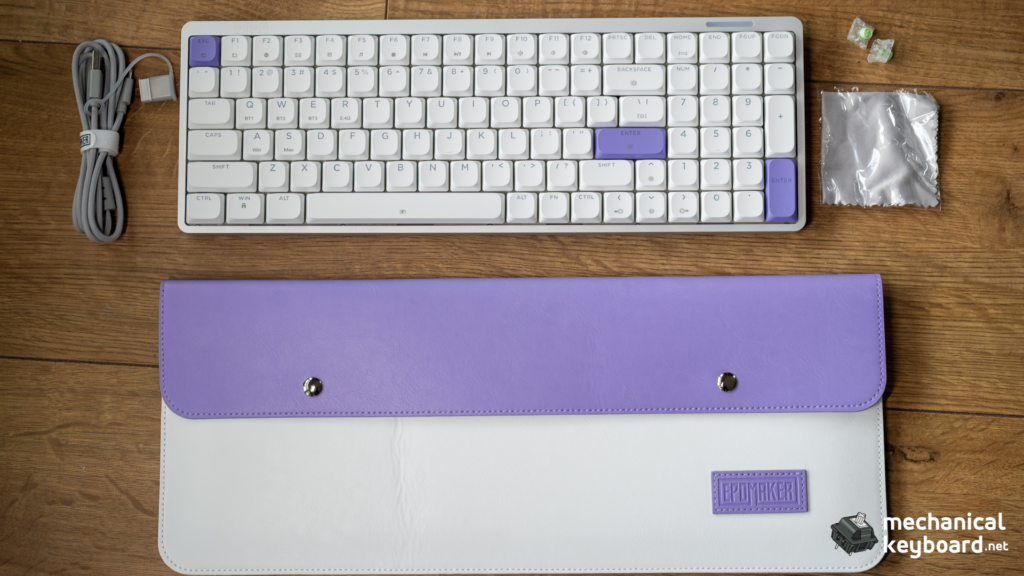
The Luma100 uses the 96% layout: 100 keys, including a full numpad, in a footprint that drops the dead space between clusters. It measures 37.1cm wide, compared to roughly 45cm for a standard full-size board. That is about 8cm saved, which is the difference between fitting a mouse comfortably and not.
If you work with numbers, this is the whole point. Community consensus on spreadsheet and data work is blunt: no numpad means the wrong tool, and a separate numpad is a device you will stop using. The 96% keeps the numpad where your hand expects it while pulling the mouse about 9cm closer than a full-size board would.
For the wider layout picture, our key count by size guide breaks down where 96% sits between 75% and full-size, and the TKL explainer covers the trimmer end of the spectrum.
What you give up: the gaps. On a standard full-size board, the arrow cluster and nav keys sit in their own block. On 96%, they are shoulder to shoulder with the numpad and the main alphas. It takes a day or two to adjust, and long-term users generally stop noticing.
Mint Low Profile Switch Deep Dive
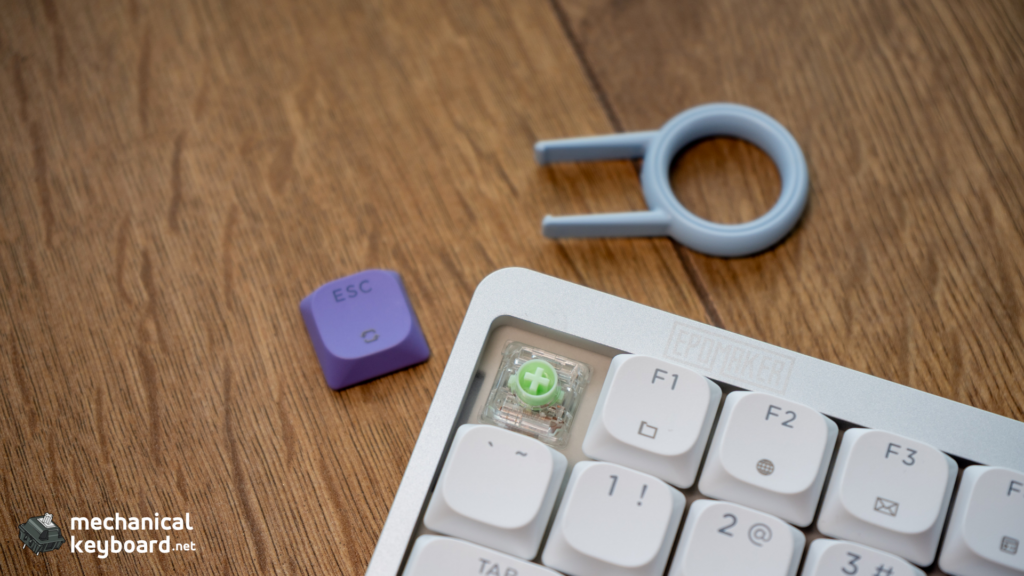
The Luma100 ships with the Epomaker Mint Low Profile switch, a custom-commissioned Gateron low-profile linear. It is Epomaker’s first low-profile switch, it is currently only available inside the Luma100, and no standalone set is sold.
| Spec | Value |
|---|---|
| Type | Low-profile linear |
| Actuation force | 50 ± 5 gf |
| Pre-travel | 1.2mm |
| Total travel | 3.2mm |
| Spring | 13mm |
| Rated life | 20 million cycles |
| Lube | Factory |
| Socket standard | Gateron LP 2.0 / KS-33 |
| Housing | Clear PC, light-green stem |
How it feels. Smooth and light. There is no scratchiness, no inconsistency between keys, and no spring ping. The 1.2mm pre-travel means the key registers quickly, which is why low-profile boards feel fast, and the 50gf actuation is heavy enough that I am not triggering keys by resting my fingers on them.
The 38gf confusion. Some spec sheets list the Mint at 38gf. That is almost certainly the actuation threshold being conflated with the bottom-out or operating force. At 50gf, the Mint is on the heavier side for a low-profile switch, and one published review called it the heaviest LP switch they have tested. That matches how it feels: light in travel, but not hair-trigger.
Sound. Epomaker positions the Mint as “creamy,” and reviewers describe it as quiet and muted. One review called it “quite scratchy,” which did not match our unit at all, and is the outlier across published coverage. Ours is smooth with no scratch.
What you need to know about LP switch compatibility. Low-profile switches live in three incompatible worlds: the Gateron/NuPhy LP standard (MX-style stems, cross-compatible with Keychron K-series and NuPhy Air boards), Kailh Choc v1 (its own stem, Choc-only keycaps), and Choc v2 (MX mount but short-skirt keycaps). The Mint is on the Gateron LP 2.0 / KS-33 standard, which is the most widely supported of the three. If you want the background on switch types generally, our switch guide and linear vs tactile vs clicky breakdown cover it.
The board is hot-swappable within that standard, so you can swap in other Gateron-standard LP switches later. You cannot put a standard MX switch in it.
DSA Keycaps: The Profile Nobody Explains
The Luma100 ships with DSA-profile low-profile keycaps in double-shot ABS. This is worth its own section, because DSA is the least understood part of the board and the one most likely to divide you.
What DSA is. DSA is a uniform profile: every row is the same height and the same dish depth. Sculpted profiles like OEM, Cherry, and SA step up row by row to follow the arc of your fingers. Uniform profiles do not. The result is a flat, even surface where a key from the numpad feels identical to a key from the number row.
Why it fits this board. On a low-profile board, a uniform profile keeps the total height down and makes the keys feel consistent across the board. It also means you can rearrange keycaps freely, since row position does not matter.
Why you might not like it. Without sculpting, there is less to guide your fingers home. Touch typists who rely on the dish of the home row may find it flatter than they expect. That is a preference, not a defect, but it is the most common DSA complaint.
The ABS point. These are double-shot ABS, not PBT. ABS is more prone to developing a shine over time with heavy use, and PBT generally is not. Worth noting: the Luma84, this board’s smaller sibling, shipped with PBT. After our time with the Luma100 there is no shine yet, and legibility is excellent, but ABS is ABS and I would expect some sheen on the heavy-use keys eventually. We will update this review if that changes.
Can you swap them? Any MX-compatible keycap set fits the Gateron LP standard, so the world of aftermarket keycaps is open. Our keycap guide covers profiles and materials if you want to explore replacements.
Typing Experience and Sound
Epomaker’s marketing claims the five-layer acoustic system delivers a “clean, muted thock.” That is an unusually specific claim for a product page, so I tested it properly.
The verdict: it holds up. The Luma100 sounds muted and slightly thocky, with no hollow ping and no stabilizer rattle. It is not silent, and it does not have the deep, bassy thock of a full-height gasket board, because a case this thin cannot move that much air. But for a board under 3cm tall, the sound is genuinely impressive. The five-layer stack (sandwich foam, switch pad, sound-enhancement pad, switch socket foam, bottom sound-absorbing foam) is doing real work.
Where it lands: brighter and thinner than the TH99 PRO, warmer and less clacky than a plastic budget board. If you want to go deeper on sound profiles, our best thocky switches roundup covers what produces which character.
Typing results. On Monkeytype English 1k, I sat between 104 and 110 WPM across a week, which is in line with my baseline on full-height boards. The shorter 1.2mm pre-travel took about three days to stop overshooting, then accuracy recovered. This is not a board that will slow you down once you adapt.
The stabilizers are Gateron low-profile units, pre-lubed and well-tuned. No rattle on the spacebar, no ping on Enter or Backspace. Long-term that is the thing most likely to develop, so we will keep an eye on it.
Software: Epomaker’s Own App
Here is where I have to be precise, because the published coverage disagrees with itself.
What I used: I configured this board entirely through Epomaker’s own software. I did not test the VIA route.
What exists: Epomaker’s product page advertises VIA support and provides a JSON file for import into VIA’s web configurator. Multiple published reviews confirm this works, though several describe it as a “wonky workaround” rather than native support, and one review could not get it working at all. A recurring community critique is that every Epomaker board uses a different software method, so there is no single answer.
The honest verdict on Epomaker’s app: janky but functional. The menus are not intuitive, the interface lacks the polish of a proper VIA setup, and getting it to detect the board occasionally takes a replug. But every remap and every RGB setting I wanted to change, I could change. For basic configuration it does the job.
If configuration matters a lot to you, our VIA guide explains what the open-source route normally looks like, and you can judge the gap yourself.
Wireless and Battery: The Honest Gap
The Luma100 has a 3,000mAh battery. Here is the uncomfortable part: every review of this board repeats the same spec and the same vague caveat that it “will not last as long with RGB on.” Not one of them, including this one, has published a verified real-world figure.
I would rather say that plainly than invent a number to sound authoritative. What I can tell you:
- Indicatively, with RGB off and 2.4GHz in daily office use, the board held up across a working week without a charge warning.
- With RGB on at reasonable brightness, that drops sharply. A 3,000mAh cell driving per-key RGB will not last weeks.
- For context on the segment: the NuPhy Air96 V2 carries a 4,000mAh cell, and the original Air96 shipped with 2,500mAh. The Luma100 is mid-pack, not a weakness, not a strength.
Practical advice: if battery life matters to you, run RGB off during heavy wireless use, and treat any specific “X hours” claim you read elsewhere with skepticism unless the reviewer shows their testing method. If you leave a wireless board plugged in permanently, that is a habit worth breaking, since constant charging is the condition behind most reported battery swelling in this category. We will publish real measured numbers once we have run a full discharge cycle, and update this review when we do.
The connectivity itself is solid. The 2.4GHz dongle held a stable connection across a week of use with no drops, and the on/off switch on the back is genuinely useful for travel.
Portability
At 0.62kg and under 2cm at the tallest point, this board disappears into a bag in a way a standard mechanical keyboard does not. It comes with a folio-style travel pouch, which is a small thing that makes a real difference if you move between desks.
The on/off switch on the rear is the right call for travel: flip it off in your bag so the board is not draining battery or waking a sleeping laptop with a keypress. Device switching is handled with FN combinations rather than a physical switch, which I found faster than reaching for a toggle: FN Q/W/E/R for the three Bluetooth slots and the 2.4GHz dongle, FN A/S for macOS and Windows modes.
One limitation: there is no storage slot for the dongle. It lives on the cable, which solves the loss problem at home but means you need to carry the cable if you want 2.4GHz on the road. Bluetooth is the travel mode.
How It Compares at $119
The Luma100 does not sit in a vacuum. Here is the honest price map for low-profile boards with a numpad.
| Board | Price | Layout | Battery | Notes |
|---|---|---|---|---|
| Epomaker Luma100 | $119 | 96% (100 keys) | 3,000mAh | Aluminum, gasket, Mint LP |
| NuPhy Air96 V2 | ~$119.95 | 96% | 4,000mAh | 13.5mm thick, PBT caps, 6 switch options |
| Lofree Flow100 | $129-169 | 96% | Larger | Premium finish, higher price |
| Keychron K5 Max | $95-115 | 100% full-size | 4,000mAh | Full-size, not compact |
| Keychron K5 Pro | $70-88 | 100% full-size | 4,000mAh | Cheapest of the group, full-size |
| Logitech MX Keys S | ~$100 | Full-size | Rechargeable | Scissor switch, not mechanical |
Against the NuPhy Air96 V2, the closest rival: NuPhy offers more switch options, PBT keycaps instead of ABS, and a bigger battery. The Luma100 counters with an aluminum case, a gasket mount, and the five-layer acoustic system, which is why it sounds the way it does. If you want choice and battery, NuPhy. If you want build and sound, Luma100.
Against the Keychron K5 Pro, the Luma100 costs more. The K5 Pro is a full-size board rather than a 96%, so it is wider, but it also undercuts the Luma100 by $30 or more. The Luma100 justifies the gap with aluminum versus plastic and a far thinner profile.
Against the Logitech MX Keys S, the interesting comparison. If you are coming from a laptop keyboard or an MX Keys, the Luma100 is the mechanical upgrade path: roughly double the travel, real feedback, but still low enough that your wrists do not notice a change. Our best mechanical keyboards under $100 roundup covers the cheaper end of that transition.
The “worth it” argument for the Luma100 is not cheapest. It is most keyboard per dollar in this specific form factor: aluminum, gasket, five-layer dampening, hot-swap, and a 96% layout, in a body under 3cm tall. Nobody else at $119 puts all of that together.
Epomaker Luma 100 vs TH99 PRO and Luma 40
We have both of these already, and we have reviewed both, so here is a hands-on comparison rather than a spec-sheet guess.
Versus the TH99 PRO. Both are 96% boards with numpads, which makes them the natural pairing. The TH99 PRO is full-height, silent-leaning with Sea Salt Silent V2 switches, and adds a TFT screen and a knob. It is the quieter board, and if you want the deepest, most muted typing experience and do not care about portability, it is the better pick. The Luma100 trades some of that acoustic depth for a dramatically smaller footprint and a genuinely portable body. Choose TH99 PRO for quiet desk use, Luma100 for a board that travels.
Versus the Luma 40. The Luma 40 is a 40% ortholinear board: tiny, no numpad, built for minimalist setups and extreme portability. It solves a completely different problem. If you need number keys for spreadsheet or accounting work, the Luma100 is the obvious choice between the two, because the Luma 40 simply does not have a numpad. If you want the smallest possible mechanical board and type mostly prose, the Luma 40 is the more extreme expression of the same design language.
Honest Critique: What the Other Reviews Skip
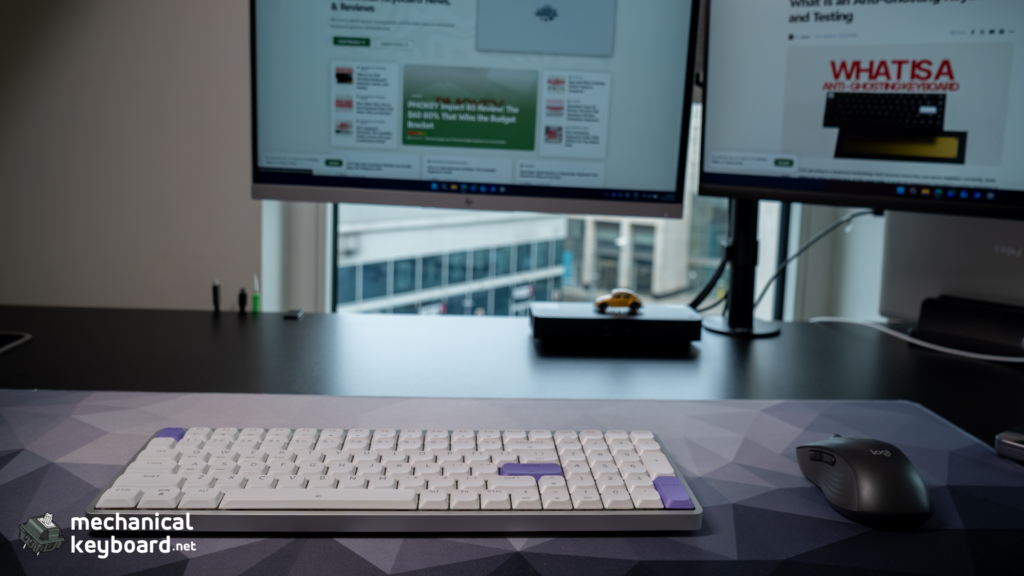
The flat profile with no height adjustment. The board sits flat by default, and taller feet are included to add a slight slant. There is no multi-stage tilt adjustment. If you like a steep typing angle, this is not the board for you, and it is the most common ergonomic complaint across reviews.
One colorway, one switch. The Luma100 ships in Silver with Mint linear switches. That is it. The NuPhy Air96 V2 offers six switch options. If you want variety out of the box, you are choosing the wrong board, though hot-swap sockets mean you are not locked in forever.
No dongle storage and no replacement dongles. The dongle-on-cable design solves loss at home, but it is a workaround rather than a real storage slot, and Epomaker does not sell replacements. Lose it and you are on Bluetooth.
20 million cycle switch lifespan. That is lower than the 50 to 100 million cycles typical of standard mechanical switches. In practice, 20 million is years of normal use, but it is a lower ceiling and worth knowing.
ABS caps on a $119 board. The Luma84 shipped with PBT. Choosing ABS here is a step backward on materials, even if the legends are excellent.
Software remains the weak link. Functional, but not something you will enjoy using. This is a recurring Epomaker criticism and it applies here.
Brand context, stated fairly. Epomaker’s reputation is genuinely mixed: their rebranded OEM boards are widely praised for value, while their own-brand boards, support, and software draw more criticism. Quality has reportedly improved over the last generation. Our unit was excellent with zero defects. Buy from a retailer with a clear return policy and the risk is manageable.
Verdict: Is the Epomaker Luma100 Worth It?
For anyone who wants a full-size layout with a numpad but does not want to give up desk space or bag space to get it, the Luma100 is one of the only boards actually solving that problem well. The core execution, genuinely low-profile without sacrificing the full layout, is exactly what it promises to be.
It is not the quietest board in its class, not the longest-lasting on battery, and the software will not win any awards. But the aluminum case, the gasket mount, the five-layer acoustic stack, and the smooth Mint switches add up to a board that feels considerably more expensive than $119.
Score breakdown: – Build quality: 9/10 – Low-profile execution: 9.5/10 – Typing experience: 8.5/10 – Switches (Mint LP): 8.5/10 – Keycaps (DSA ABS): 7.5/10 – Software: 6.5/10 – Battery life: 6/10 – Value for money: 8.5/10
Who should buy it: Spreadsheet and data workers who need a numpad. Travellers who want full-size typing on the move. Laptop users upgrading who want mechanical feel without the height.
Who should skip it: Anyone who wants the quietest possible typing experience (see the TH99 PRO). Anyone who needs verified all-week battery life. Anyone who needs Wootility-grade or VIA-native software.
Where to Buy
| Source | Price | Notes |
|---|---|---|
| Epomaker official | $119 | Direct, full warranty |
| Amazon | ~$119 | Prime shipping, easier returns |
Epomaker runs sales regularly, and the Luma100 launched with a promotional price around $101. It is worth waiting for a sale if you are not in a hurry.
FAQs
Is the Epomaker Luma100 worth it?
If you specifically want a full-size, numpad-included layout in a low-profile body, yes. If you don’t care about the low-profile aspect, other boards in this price range offer better battery life and more polished software.
Does the Luma100 support VIA?
A JSON-import workaround exists according to other reviews, but I used Epomaker’s own software exclusively and can’t personally vouch for the VIA route’s reliability.
How long does the battery last?
No review, including this one, has published verified real-world hours. Expect shorter life with RGB running heavily, based on consistent (if vague) reports across every review of this board
Is the Epomaker Luma100 good for typing?
Yes. The Mint LP switches are smooth and light, and the sound profile is muted and thocky despite the thin case.