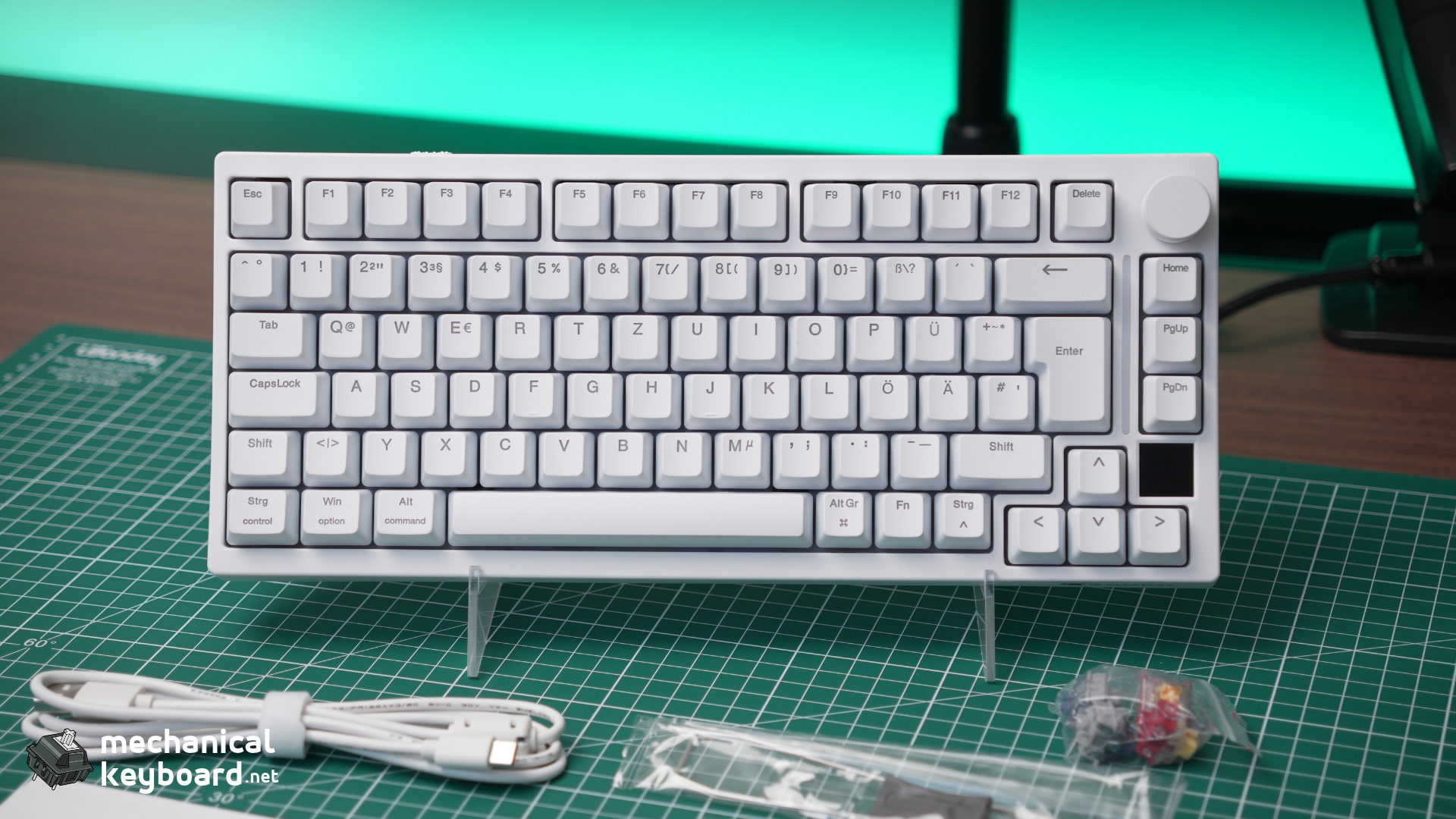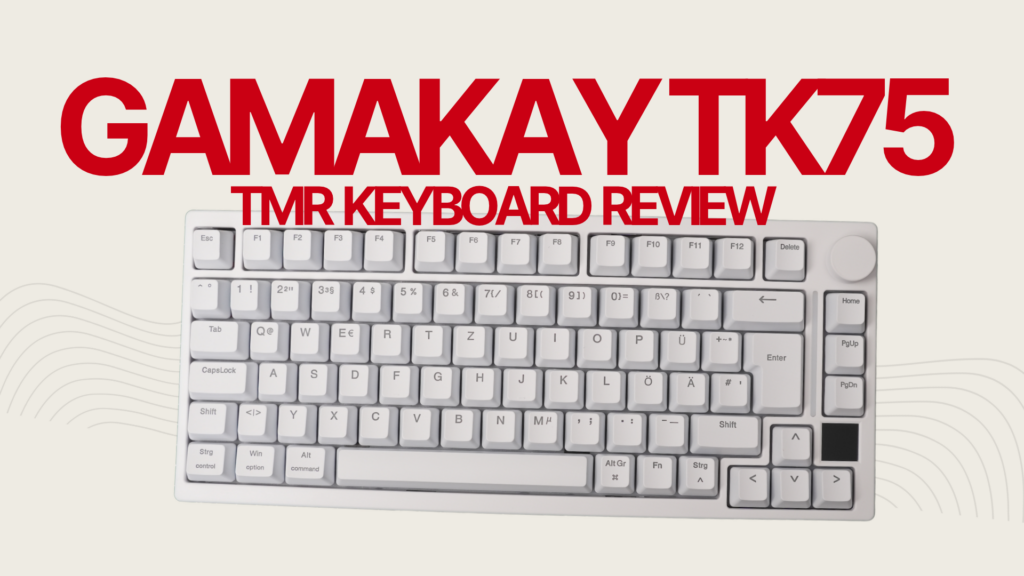
The GamaKay TK75 TMR is a 75% wireless gaming keyboard offering TMR magnetic sensors, an 8,000Hz polling rate, Rapid Trigger, an 8,000mAh battery and compatibility with both magnetic and conventional mechanical switches.
- Quick Verdict: Should You Buy the GamaKay TK75 TMR?
- GamaKay TK75 TMR Specifications
- Design and Build Quality
- What Is TMR, and Why Does It Matter?
- Gaming Performance: Rapid Trigger and 8K Polling
- Phoenix V3 Silent vs Mercury V3 Magnetic Switches
- Magnetic and Mechanical Switch Compatibility
- Connectivity and Battery Life
- GamaKay TK75 TMR vs Other TMR Keyboards
- Which TMR Keyboard Would We Choose?
- Is TMR Better Than Hall Effect for Gaming?
- Software: An Important Buying Consideration
- What Could Be Better?
- Final Verdict: Is the GamaKay TK75 TMR Worth Buying?
- Frequently Asked Questions
At its official listed price of $109.99, it has a surprisingly complete feature set. You even get a rotary knob, a small display and a choice of silent or regular magnetic switches.
But there’s a catch. The GamaKay isn’t the only affordable TMR keyboard worth considering. The Akko 5075 V5 TMR, MonsGeek M1 V5 TMR and FUN60 Ultra TMR all compete for similar buyers, with different compromises.
So what does the GamaKay actually offer that makes it worth choosing?
Preliminary rating: 8.3/10. This is an editorial assessment based on verified specifications and independent reviews. We haven’t completed our own hands-on testing of this unit, so its final score may change.
Quick Verdict: Should You Buy the GamaKay TK75 TMR?
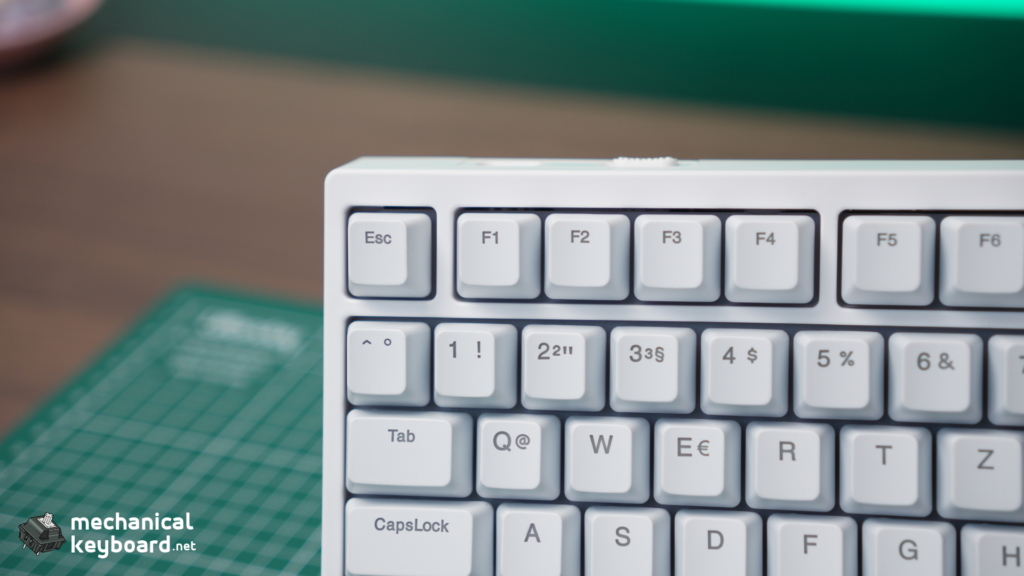
The GamaKay TK75 TMR looks like an excellent value for gamers who want magnetic-switch features without sacrificing wireless connectivity or everyday usability.
Its biggest advantage is versatility. You get a useful 75% layout, a choice between quiet and more audible magnetic switches, three connectivity modes and compatibility with selected mechanical switches.
The keyboard also supports ANSI and ISO-DE layouts, something that makes it particularly interesting for European buyers.
However, its plastic housing feels less premium on paper than the aluminium alternatives from MonsGeek, and published testing has identified potential sensitivity issues at extremely aggressive Rapid Trigger settings.
Best for: Gamers wanting a feature-rich wireless TMR keyboard, particularly those who prefer quieter switches.
Not ideal for: Enthusiasts prioritising premium aluminium construction or a particularly refined software ecosystem.
Pros
- Up to 8,000Hz polling in wired and 2.4GHz modes
- TMR magnetic sensing with adjustable actuation and Rapid Trigger
- Bluetooth, 2.4GHz and wired connectivity
- 8,000mAh battery
- Supports compatible magnetic and mechanical switches
- Phoenix V3 Silent switch option
- ANSI and ISO-DE layouts
- Rotary knob and small display
Cons
- Plastic construction rather than aluminium
- Small screen has limited practical value
- Extremely sensitive Rapid Trigger settings may require tuning
- Software experience is less polished than some alternatives
- Long-term battery life and reliability remain unverified by us
GamaKay TK75 TMR Specifications
| Feature | Specification |
|---|---|
| Layout | 75% |
| Available layouts | ANSI US / ISO DE |
| Sensor technology | TMR |
| Switch options | Phoenix V3 Silent / Mercury V3 |
| Polling rate | Up to 8,000Hz wired and 2.4GHz |
| Advertised scanning rate | 256,000Hz |
| Rapid Trigger | Yes, down to 0.01mm advertised setting |
| Adjustable actuation | Yes |
| SOCD / Snap Tap | Supported |
| Connectivity | USB-C, Bluetooth, 2.4GHz |
| Battery | 8,000mAh |
| Case material | Plastic |
| Mounting structure | Top mount |
| Keycaps | Translucent PBT, Cherry profile |
| Display | 0.85-inch |
| Rotary knob | Yes |
| Hybrid hot-swap | Compatible magnetic and mechanical switches |
| Listed price | $109.99 USD |
The specifications above are manufacturer claims rather than independently measured results from our review unit.
Design and Build Quality
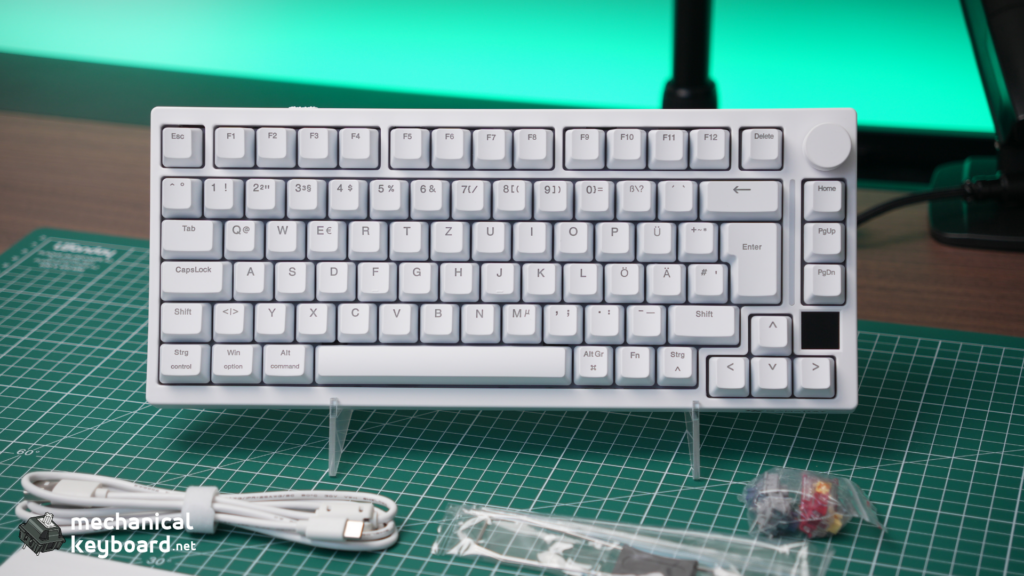
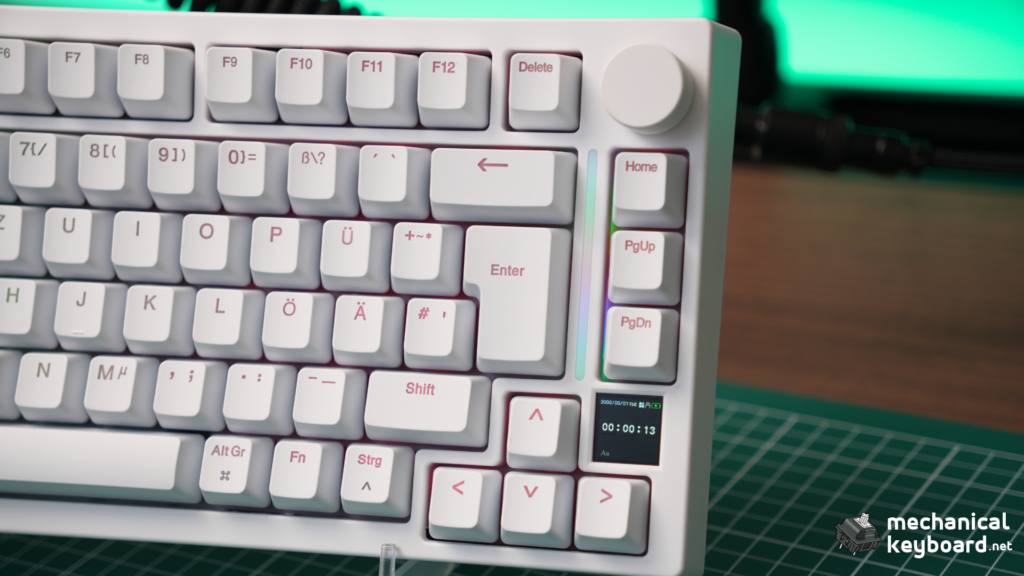
The TK75 TMR follows a compact gaming keyboard layout with dedicated arrow keys, a function row, a small display and a rotary knob.
I like the practicality of this approach. A 75% keyboard gives you enough keys for productivity without taking up the desk space of a full-size board.
That matters when you’re gaming, especially in titles such as Counter-Strike 2 and Valorant, where having more room for mouse movement can make your setup more comfortable.
If you’re unsure whether this format suits you, our 65% vs 75% keyboard comparison explains the differences.
The TK75 TMR uses a plastic case and a top-mounted structure.
This is one of the clearer compromises compared with its competition. The MonsGeek M1 V5 TMR, for example, features a CNC aluminium enclosure and gasket mounting.
That doesn’t automatically make the MonsGeek better for everyone, but the GamaKay isn’t trying to compete on premium case materials.
It’s trying to deliver a good combination of gaming features at an accessible price.
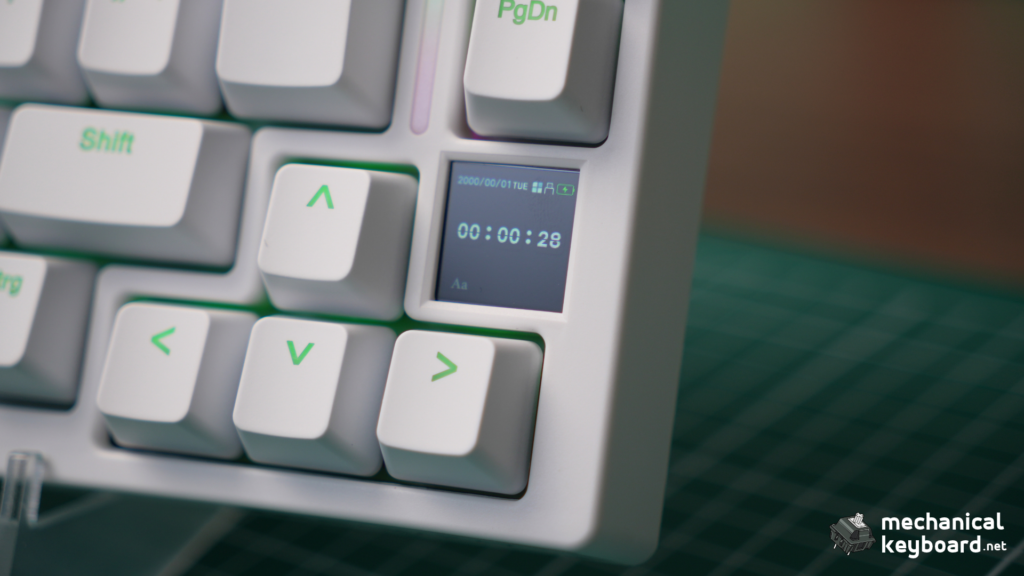
Screen and rotary knob
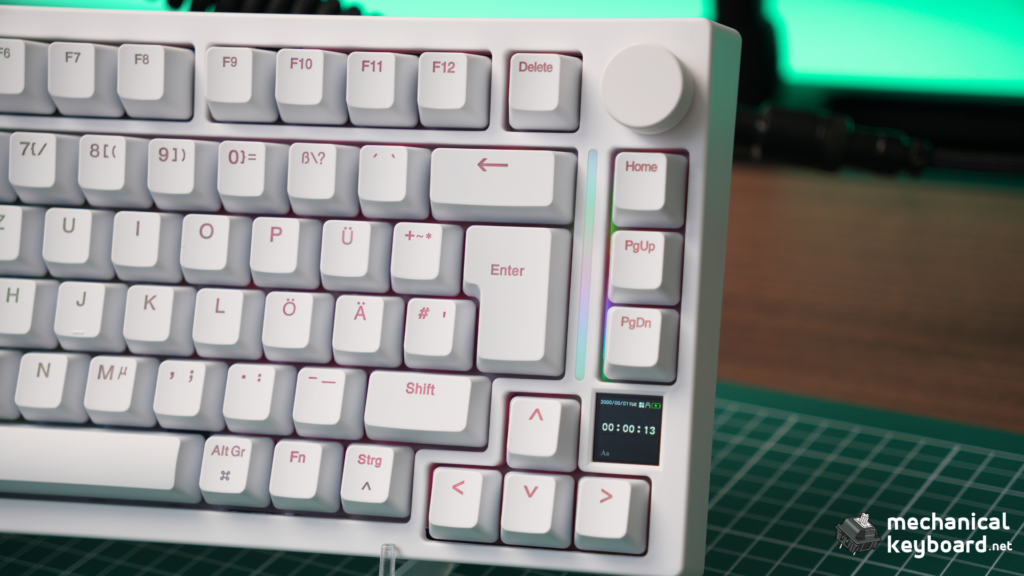
The 0.85-inch screen supports status information and customised images or GIFs.
It adds some personality, although independent reviews generally regard it as a secondary feature rather than a major selling point.
The rotary knob is more practical, especially for everyday volume adjustments.
Neither feature is essential for competitive gaming, but both make the TK75 TMR feel more versatile than a bare-bones 75% gaming keyboard.
What Is TMR, and Why Does It Matter?
TMR stands for Tunnel Magnetoresistance.
It is a magnetic sensing technology that measures changes in electrical resistance as the magnetic field associated with a switch changes.
That is different from conventional Hall Effect sensing, which measures magnetic-field effects using a Hall sensor.
Both technologies can track key movement without relying on the electrical contacts used by traditional mechanical switches.
They also enable features such as adjustable actuation and Rapid Trigger.
TMR has the potential to offer greater sensitivity and improved power efficiency, but a TMR keyboard isn’t automatically faster than a Hall Effect keyboard.
Firmware, calibration, sensor placement, polling rate and processing all contribute to responsiveness.
For a full technical explanation, read our TMR vs Hall Effect keyboards guide.
If you’re new to magnetic keyboards altogether, our What Is a Hall Effect Keyboard? guide explains the fundamentals.
Gaming Performance: Rapid Trigger and 8K Polling
Gaming is one of the TK75 TMR’s biggest selling points.
It supports adjustable actuation, Rapid Trigger, SOCD features and up to 8,000Hz polling.
Adjustable actuation
Unlike conventional mechanical switches with a largely fixed actuation point, magnetic switches allow you to configure how far a key needs to travel before an input registers.
For example, you might want movement keys to respond to a shallow press while keeping other keys at deeper actuation points to avoid accidental activation.
That level of customisation can be helpful for competitive gaming, but the most sensitive setting isn’t necessarily the best setting.
Rapid Trigger
Rapid Trigger dynamically adjusts when a key resets as it moves upward, rather than relying on a traditional fixed reset point.
This allows faster repeated inputs and can make directional changes feel more responsive.
The TK75 TMR advertises Rapid Trigger settings down to 0.01mm.
However, this number describes an available sensitivity setting, not a guarantee that the keyboard consistently achieves 0.01mm real-world input accuracy.
There is also an important limitation.
Independent reviewers have reported that very sensitive configurations can cause unintended input behaviour on some units, potentially related to movement within the keyboard assembly.
Not every reviewer has reproduced the same problem.
GamaKay’s own troubleshooting guidance recommends starting with more moderate settings, including a 0.3mm dead zone, RT Stabilizer and Anti-Mistouch Mode when necessary.
For competitive gaming, reliably detecting intended inputs is more useful than simply selecting the smallest advertised number.
Is 8,000Hz polling actually useful?
The TK75 TMR supports an advertised 8,000Hz polling rate over USB and 2.4GHz wireless.
At 8,000Hz, the nominal polling interval is 0.125 milliseconds. At 1,000Hz, it is 1 millisecond.
The difference is measurable, but polling rate alone does not establish the keyboard’s total input latency.
Higher polling rates can also come with additional power consumption.
If you’re deciding whether 8K is something you really need, our 1,000Hz vs 8,000Hz keyboard polling rate guide covers the practical differences.
Phoenix V3 Silent vs Mercury V3 Magnetic Switches
The TK75 TMR offers two main switch configurations.
| Feature | Phoenix V3 Silent | Mercury V3 |
|---|---|---|
| Type | Linear magnetic | Linear magnetic |
| Sound focus | Quiet, dampened | More audible |
| Ideal use | Shared spaces, gaming, typing | Gaming and traditional keyboard sound |
| Magnetic gaming features | Yes | Yes |
Phoenix V3 Silent
The Phoenix V3 Silent is particularly interesting for anyone who games late at night or works in a shared room.
Its dampened construction is intended to reduce typing noise.
Independent reviews describe it as notably quiet while maintaining a usable linear feel.
That makes it one of the TK75 TMR’s strongest differentiators.
Mercury V3
The Mercury V3 provides a more audible magnetic-switch experience.
It makes more sense for buyers who don’t need silent switches and prefer more noticeable typing feedback.
We would need to record both configurations under identical conditions before making an objective sound comparison.
If you’re deciding between quiet and conventional switches, our keyboard sound guide covers the terminology and factors that influence keyboard acoustics.
Magnetic and Mechanical Switch Compatibility
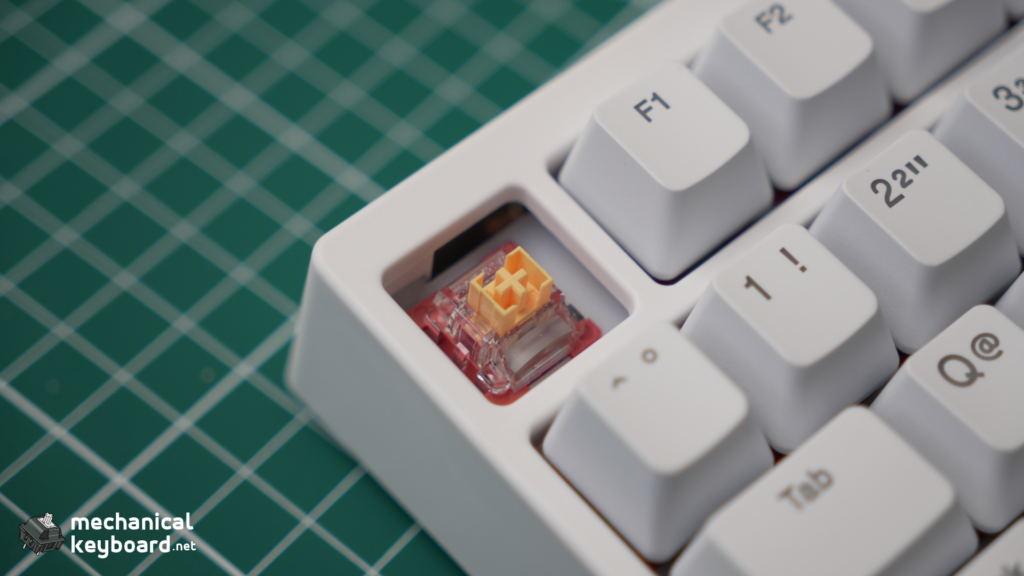
Another useful feature is the TK75 TMR’s support for compatible magnetic and mechanical switches.
This means you are not necessarily locked into one type of switch.
You could use magnetic switches for gaming keys and compatible mechanical switches elsewhere, depending on your preferred feel and the keyboard’s supported configuration.
There is one important distinction:
Mechanical switches do not gain Rapid Trigger or adjustable magnetic actuation simply because they are installed in a TMR keyboard.
Those features depend on magnetic position sensing.
Also, magnetic switches are not universally compatible across brands. Physical fit, magnet orientation, supported firmware profiles and calibration can all matter.
GamaKay recommends matching the installed switch to the correct software profile and recalibrating compatible magnetic switches when necessary.
Connectivity and Battery Life
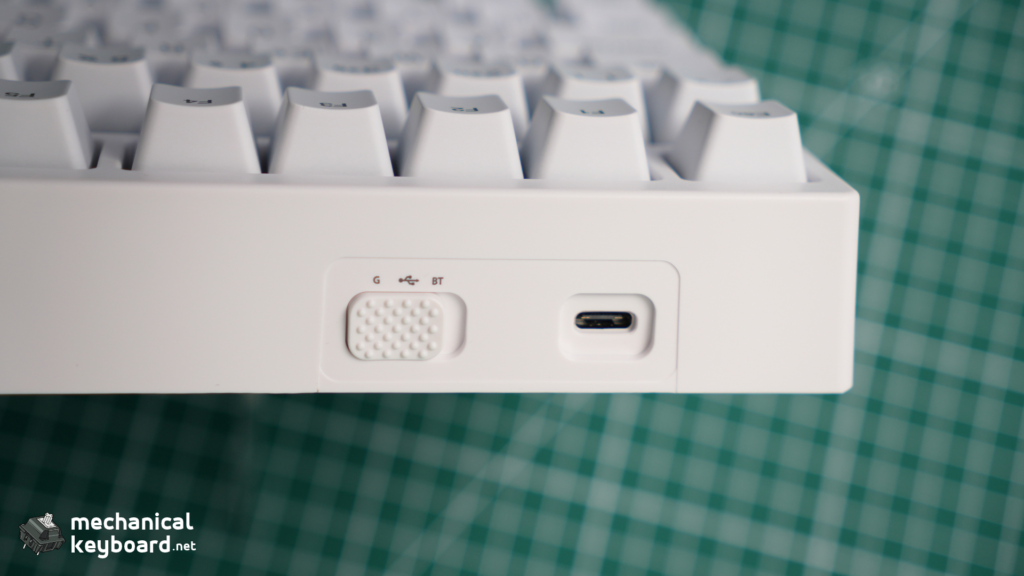
The TK75 TMR supports USB-C, Bluetooth and 2.4GHz wireless connections.
That flexibility is welcome in a gaming keyboard.
For competitive gaming, wired and 2.4GHz are the more relevant modes because they support the keyboard’s higher advertised polling rates.
Bluetooth is useful for everyday typing and compatibility with other devices.
The advertised 8,000mAh battery is substantial, although actual battery life depends on factors such as RGB lighting, display use, polling rate and connection mode.
We have not personally measured battery runtime, so it’s too early to promise a specific number of days between charges.
GamaKay TK75 TMR vs Other TMR Keyboards
This is where the buying decision gets interesting.
The GamaKay isn’t competing against ordinary mechanical keyboards alone. It sits alongside several increasingly affordable TMR alternatives.
Three of the most relevant are the Akko 5075 V5 TMR, MonsGeek M1 V5 TMR and MonsGeek FUN60 Ultra TMR.
TMR keyboard comparison table
| Feature | GamaKay TK75 TMR | Akko 5075 V5 TMR | MonsGeek M1 V5 TMR | MonsGeek FUN60 Ultra TMR |
|---|---|---|---|---|
| Layout | 75% | 75% | 75% | 60% |
| Sensor | TMR | TMR | TMR | TMR version |
| Polling | Up to 8K | Up to 8K | Up to 8K | Up to 8K |
| Case | Plastic | ABS | Aluminium | Aluminium |
| Mount | Top mount | Gasket | Gasket | Tray mount |
| Connection | Tri-mode | Tri-mode | Tri-mode | Wired or tri-mode variant |
| Battery | 8,000mAh | 10,000mAh | 8,000–10,000mAh, variant-dependent | 4,000mAh wireless version |
| Mechanical switch support | Yes | Yes | Yes | Yes, TMR version |
| Knob | Yes | Yes | Yes | No dedicated knob |
| Main advantage | Silent option and feature set | Battery and balanced design | Premium case | Compact gaming footprint |
Figures are published specifications, not directly comparable laboratory results. MonsGeek offers several revisions, so check the exact configuration before purchasing.
GamaKay TK75 TMR vs Akko 5075 V5 TMR
This is probably the most important comparison for prospective GamaKay buyers.
Both are 75% wireless TMR keyboards with Rapid Trigger, 8K polling and support for magnetic and mechanical switches.
The Akko uses a gasket-mounted structure and has a larger advertised 10,000mAh battery.
It also offers a different software ecosystem and switch selection.
The GamaKay counters with Phoenix V3 Silent switches, a small display and an ISO-DE option.
The differences are more meaningful than the advertised 0.005mm versus 0.01mm Rapid Trigger precision figures.
Neither number proves that one board will perform better in Counter-Strike or Valorant.
Which should you buy?
Choose the GamaKay if you particularly want the silent switch configuration, screen or ISO-DE availability.
Choose the Akko if its larger battery, gasket-mounted construction and overall feature balance matter more.
We have already published a detailed Akko 5075 V5 TMR review covering its typing experience, gaming performance, software and switch compatibility.
GamaKay TK75 TMR vs MonsGeek M1 V5 TMR
The MonsGeek M1 V5 TMR takes a noticeably different approach to construction.
Instead of a plastic case, it uses a CNC aluminium enclosure and a gasket-mounted design.
It also supports TMR sensing, Rapid Trigger, 8K polling in wired and 2.4GHz modes, and compatible conventional mechanical switches.
Battery capacity depends on the version, with published specifications listing 8,000mAh and 10,000mAh configurations.
Independent testing by RTINGS found outstanding gaming responsiveness and excellent build quality, although the software experience was less intuitive and the keyboard was relatively heavy.
That makes the M1 V5 TMR particularly attractive to buyers who care about construction and a substantial desktop feel.
Which should you buy?
Choose the GamaKay for its lower-cost positioning, quieter switch option and compact collection of extra features.
Choose the MonsGeek M1 V5 TMR if aluminium construction, case quality and a more enthusiast-oriented build are the priority.
Explore the MonsGeek M1 V5 TMR on its official website.
GamaKay TK75 TMR vs MonsGeek FUN60 Ultra TMR
The FUN60 Ultra TMR is for a different type of buyer.
At 60%, it removes the dedicated function row and several navigation keys found on the GamaKay’s 75% layout.
That gives it a smaller footprint and more room for mouse movement.
Despite its compact size, the TMR version supports adjustable actuation, Rapid Trigger and compatible mechanical switches.
It also features an aluminium case, with wired-only and tri-mode configurations available.
The wireless version has a 4,000mAh battery.
The important limitation is everyday usability. A 60% keyboard may be less convenient if you regularly use function keys, spreadsheets, editing software or productivity shortcuts.
Which should you buy?
Choose the GamaKay if you want one keyboard for both everyday work and gaming.
Choose the FUN60 Ultra TMR if desk space and a minimalist gaming layout matter more.
Explore the MonsGeek FUN60 Ultra, but make sure you select the TMR configuration rather than a Hall Effect-only variant.
Which TMR Keyboard Would We Choose?
For someone shopping in this category, the choice comes down to four priorities.
Best for quiet gaming: GamaKay TK75 TMR
The Phoenix V3 Silent configuration is a meaningful reason to consider it, particularly if you share your workspace or dislike loud key presses.
Best balanced 75% alternative: Akko 5075 V5 TMR
Its 10,000mAh battery, gasket mount and hybrid switch support make it a strong everyday alternative.
Best for premium construction: MonsGeek M1 V5 TMR
The aluminium case and gasket-mounted assembly are appealing if build quality matters as much as gaming features.
Best for a compact gaming setup: MonsGeek FUN60 Ultra TMR
The smaller layout and aluminium construction are attractive if you mostly play games and can live without dedicated function keys.
All four support modern magnetic gaming features. The choice shouldn’t come down to the smallest advertised actuation increment.
Is TMR Better Than Hall Effect for Gaming?
TMR technology has genuine technical advantages, but those advantages don’t always translate into a noticeable improvement in gaming.
A well-implemented Hall Effect keyboard can perform just as competitively as a TMR model.
What matters is the complete keyboard: its firmware, input consistency, switch calibration, construction and configuration software.
For example, our Keydous NJ80-CP V3 review covers a 75% Hall Effect board with Rapid Trigger and wireless connectivity.
That keyboard is worth considering alongside TMR models because the actual gaming experience matters more than the sensor label.
Our best Hall Effect keyboards guide also covers several alternatives if you haven’t decided which sensing technology you want.
Software: An Important Buying Consideration
The TK75 TMR’s software supports features including actuation adjustment, Rapid Trigger configuration, key remapping and RGB customisation.
GamaKay provides Windows software and a web-based configuration option.
That is useful because magnetic keyboards depend on software much more heavily than ordinary mechanical boards.
However, independent reviewers have reported mixed experiences with the interface and platform support.
This is something worth checking if you primarily use macOS.
The software also matters when changing switch types.
GamaKay’s own troubleshooting guidance explains that a mechanical switch must be assigned correctly in the driver. Magnetic-switch functions do not apply to keys configured as conventional mechanical switches.
Anyone planning to mix switch types should become familiar with the software before making changes.
What Could Be Better?
There are three areas where the TK75 TMR could improve.
1. A more premium case
The plastic enclosure is reasonable at its price, but aluminium alternatives are available.
A more substantial case would make the keyboard more appealing to enthusiasts who care about materials and construction.
2. More reliable behaviour at extreme sensitivity
The 0.01mm Rapid Trigger setting is impressive as an advertised feature, but extremely sensitive settings are not necessarily practical.
Some reviewers have reported unintended input behaviour under certain configurations, while others have not reproduced the issue.
Improved stability at the lowest settings would make the performance claims more convincing.
3. A more polished software experience
Feature-rich software is only useful when it is straightforward to operate.
GamaKay provides extensive configuration controls, but the interface and platform compatibility could be more consistent.
These weaknesses don’t make the TK75 TMR a poor keyboard. They are the compromises buyers should consider against competing TMR models.
Final Verdict: Is the GamaKay TK75 TMR Worth Buying?
The GamaKay TK75 TMR is a compelling option in the affordable magnetic gaming keyboard category.
It combines TMR sensing, Rapid Trigger, 8K polling, wireless connectivity, an 8,000mAh battery, switch compatibility and a practical 75% layout.
Its Phoenix V3 Silent option is particularly appealing because it gives buyers a quieter alternative to many conventional magnetic gaming switches.
However, competitors offer meaningful advantages. The Akko 5075 V5 TMR has a larger advertised battery, the MonsGeek M1 V5 TMR offers aluminium construction, and the FUN60 Ultra TMR is more compact.
None of these keyboards is automatically the best just because of its sensing technology.
Our preliminary score: 8.3/10.
The TK75 TMR looks like strong value for buyers seeking a versatile wireless magnetic keyboard, particularly those interested in quiet gaming. Our final hands-on score will depend on switch feel, stabilisers, sound, actual gaming consistency and battery testing.
Check the GamaKay TK75 TMR on the official GamaKay website.
Frequently Asked Questions
Is the GamaKay TK75 TMR good for gaming?
Its published specifications make it promising for gaming, with adjustable actuation, Rapid Trigger, SOCD and up to 8,000Hz polling. Actual performance depends on firmware, configuration and input consistency.
Is the GamaKay TK75 TMR better than the Akko 5075 V5 TMR?
Neither wins universally. The GamaKay offers a silent switch option, small display and ISO-DE layout. The Akko features a larger battery and gasket-mounted construction. The better option depends on your priorities.
Does the GamaKay TK75 TMR support mechanical switches?
Yes, it supports compatible conventional mechanical switches. Magnetic-specific features such as Rapid Trigger do not apply to keys configured as mechanical switches.
What is the difference between TMR and Hall Effect?
Both detect magnetic changes, but they use different sensing methods. TMR has potential sensitivity and efficiency advantages, although performance depends on the complete keyboard implementation.
Is 0.01mm Rapid Trigger better than 0.005mm?
Not automatically. Both numbers describe extremely fine advertised sensitivity settings. They do not establish overall latency, stability or gaming performance.
Is the GamaKay TK75 TMR wireless?
Yes. It supports Bluetooth, 2.4GHz and USB-C wired connections.
Is the GamaKay TK75 TMR worth buying in 2026?
At its official listed price of $109.99, it offers an extensive feature set. It’s worth considering if you want TMR sensing, wireless connectivity and a quieter switch option without paying for a more premium keyboard.