Shopping for a mechanical keyboard under $100 used to mean picking between build quality, features, and comfort. That trade-off has mostly disappeared. Today’s sub-$100 boards routinely ship with gasket mounts, hot-swappable sockets, tri-mode wireless, and PBT keycaps, features that were reserved for $150+ custom kits only a few years back.
- The Quick List
- The Best Mechanical Keyboards Under $100
- #1 AULA F75 Pro
- #2 Keychron V1 Keyboard
- #3 RK ROYAL KLUDGE R75
- #4 Keychron C2 Pro
- #5 RK ROYAL KLUDGE R65
- #6 Keychron C1 Pro
- #7 Epomaker TH80 V2 Pro
- #8 Redragon K673 Pro
- #9 Ajazz AK820 Pro
- #1 MonsGeek FUN60 Pro
- Mechanical Keyboards Under $100 Compared
- Buying Guide: How to Choose the Best Mechanical Keyboard Under $100
- How We Picked the Best Mechanical Keyboards Under $100
- Frequently Asked Questions
- Final Verdict
This guide covers the best mechanical keyboards under $100 for gaming, typing, and everyday productivity, whether you want a wireless daily driver, a hot-swappable board you can grow into, or a full-size layout for spreadsheet work. Every model below was checked against manufacturer specification pages and multiple independent reviews before being included, and we’ve noted where a listing’s price or switch options can vary by retailer.
The Quick List
| Category | Keyboard |
| Best Overall | AULA F75 Pro |
| Best for Typing | Keychron V1 |
| Best Wireless | RK ROYAL KLUDGE R75 |
| Best Full-Size | Keychron C2 Pro |
| Best 65% Layout | RK ROYAL KLUDGE R65 |
| Best TKL | Keychron C1 Pro |
| Best RGB | Epomaker TH80 V2 Pro |
| Best Value | Redragon K673 Pro |
| Best Feature-Rich | Ajazz AK820 Pro |
| Best Budget Upgrade | MonsGeek FUN60 Pro |
The AULA F75 Pro wins overall because it pairs a genuine gasket mount and tri-mode wireless with hot-swap sockets at a price most competitors can’t match. The Keychron V1 remains the reference point for hot-swappable typing boards thanks to its QMK/VIA support and double-shot PBT keycaps. The RK R75 is the wireless pick because it doesn’t cut the gasket mount or the metal knob to hit its price. The Keychron C2 Pro remains the rare full-size board with hot-swap and programmability under $60. The R65 packs the same gasket structure into a smaller footprint for people who don’t need a full row of function keys. The Keychron C1 Pro is the TKL choice for anyone who still wants a numpad-adjacent key count without the full 100% footprint.
The TH80 V2 Pro leans into its display and lighting without skimping on the gasket-mounted internals. The Redragon K673 Pro is simply hard to beat on price for what it includes. The Ajazz AK820 Pro throws in a color display most keyboards this price don’t bother with. And the MonsGeek FUN60 Pro is a different kind of pick entirely, a magnetic switch board that undercuts the rest of this list by a wide margin.
The Best Mechanical Keyboards Under $100
We selected the keyboards below after comparing gasket versus tray mount construction, switch quality, keycap material, connectivity, and long-term community feedback. None of these are compromise picks; each one targets a specific kind of buyer, whether that’s someone who types all day, a gamer who wants a compact wireless board, or someone building their first hot-swappable setup.
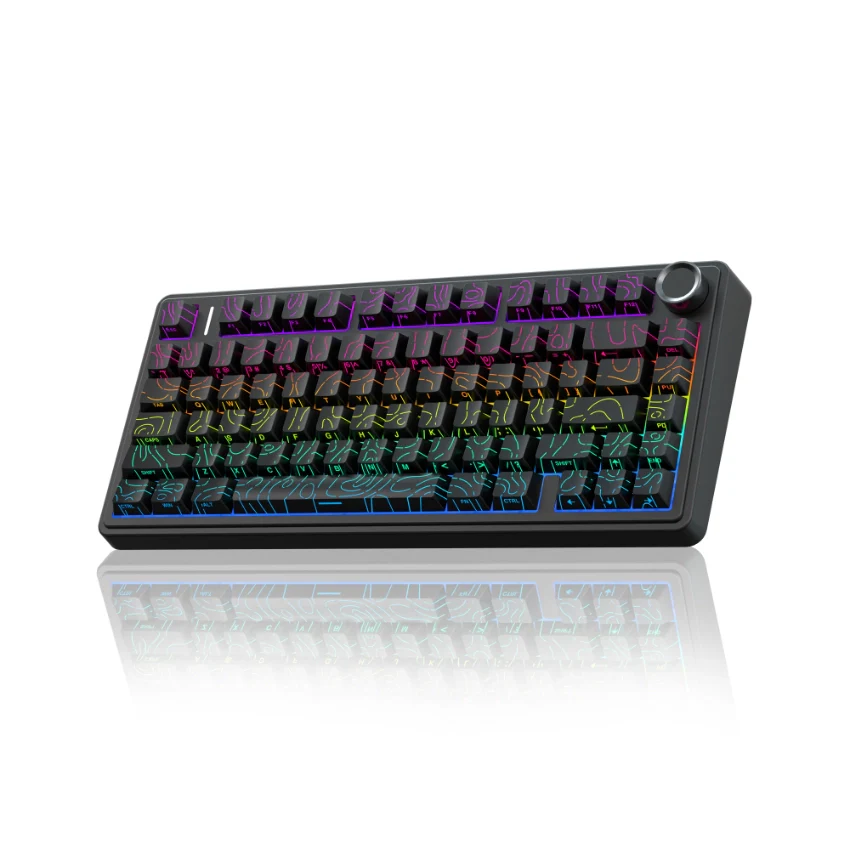
#1 AULA F75 Pro
Best Overall Mechanical Keyboard Under $100
| Spec | Detail |
| Layout | 75% (81 keys) |
| Connectivity | Bluetooth 5.0, 2.4GHz wireless, USB-C wired |
| Mounting | Gasket mount |
| Hot-swap | Yes, 3-pin and 5-pin |
| Switches | Pre-lubed LEOBOG Reaper linear (stock) |
| Keycaps | PBT, side-printed on select colorways |
| Battery | 4000mAh |
| Software | Windows only |
| RGB | Yes, 16.8 million colors |
Reasons to Buy
More Read

- Genuine gasket mount with a five-layer sound-dampening stack (Poron foam, IXPE pad, PET layer, and silicone base)
- Full hot-swap support across the board, not just a handful of keys
- Tri-mode connectivity covers wired, Bluetooth, and 2.4GHz use cases
- Multi-function knob handles both media and lighting controls
Reasons to Avoid
- Software is Windows-only, so Mac and Linux users lose access to macro programming
- No QMK/VIA support, so remapping is limited to what the bundled software offers
Why We Recommend It
The AULA F75 Pro (also sold as the EPOMAKER x AULA F75) earns the overall pick because it doesn’t force a trade-off between build quality and price. The gasket structure and layered dampening genuinely change how the board sounds and feels compared to tray-mount boards at a similar price, and the hot-swap sockets mean you’re not locked into the stock switches. Reviewers have flagged customer service response times as inconsistent depending on the seller, so buying from a reputable retailer with clear return policies is worth the extra step. For anyone who wants one board that handles gaming, typing, and general desk use without a specific weakness, this is the safest recommendation on the list.
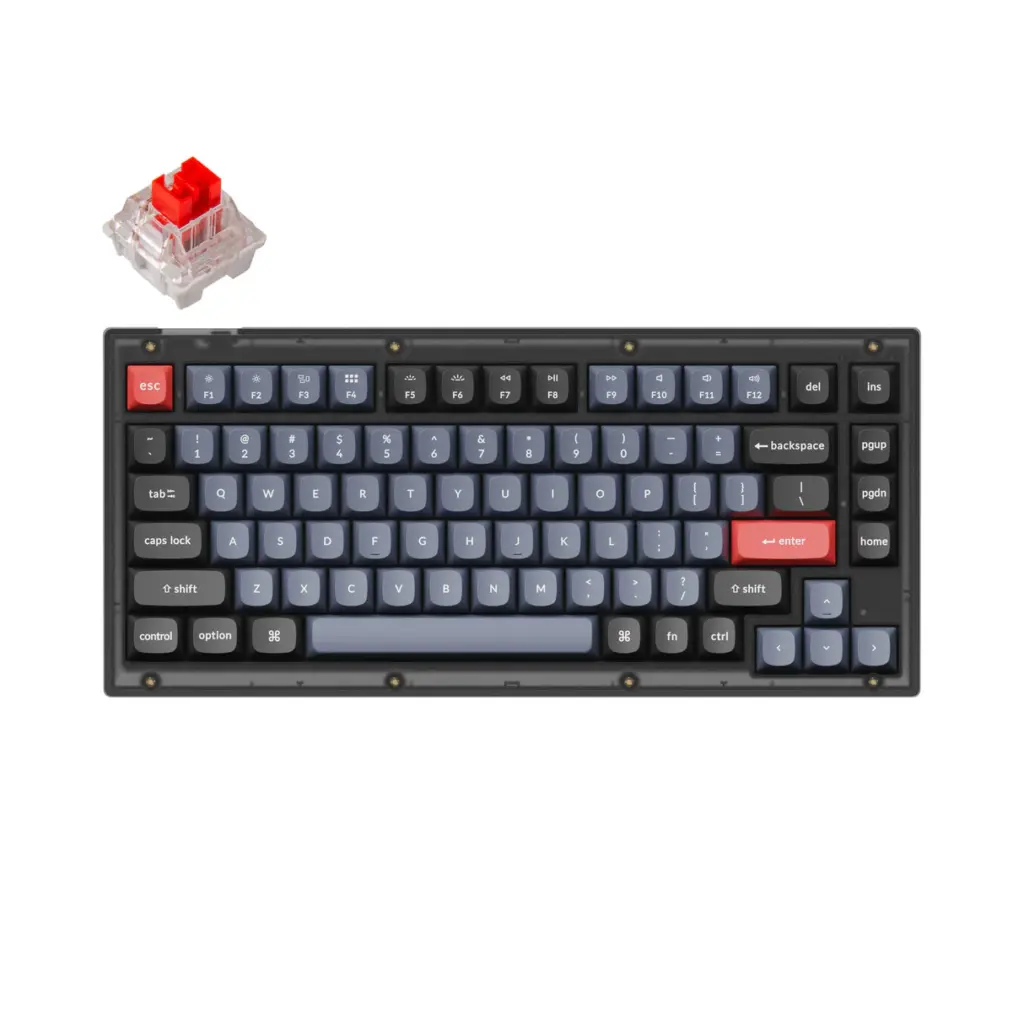
#2 Keychron V1 Keyboard
Best Mechanical Keyboard for Typing
Specifications
| Spec | Detail |
| Layout | 75% |
| Connectivity | Wired (USB-C) only |
| Mounting | Keychron markets it as gasket-style; some independent testing describes the plate as more rigidly mounted than true gasket boards |
| Hot-swap | Yes, 3-pin and 5-pin |
| Switches | Keychron K Pro (pre-lubed, barebones version available) |
| Keycaps | Double-shot PBT, OSA profile |
| Firmware | QMK/VIA |
Reasons to Buy
- QMK/VIA support allows full key remapping and macro creation with no proprietary software
- Double-shot PBT keycaps resist shine and oil buildup far longer than the ABS caps found on many budget boards
- Available barebones for anyone who wants to choose their own switches and keycaps from day one
- Widely regarded as the entry point into how to build a mechanical keyboard style customization without custom-kit pricing
Reasons to Avoid
- Wired only, with no Bluetooth or 2.4GHz option on this model (Keychron’s V1 Max adds wireless for more money)
- Some reviewers describe the typing feel as firmer and clackier than the acoustic profile of a true gasket-mounted board
Why We Recommend It
The V1 is the keyboard most enthusiast sites point to first when someone asks for a hot-swappable typing board under $100, and the reasoning holds up. It’s one of the few keyboards at this price with QMK/VIA support, hot-swap sockets, and double-shot PBT keycaps in the same package, features that are usually split across two or three pricier boards. If a cable across your desk isn’t a dealbreaker and you mostly care about typing feel and long-term serviceability, this is the pick. Typists who want the same feature set with wireless should budget slightly more for the V1 Max.
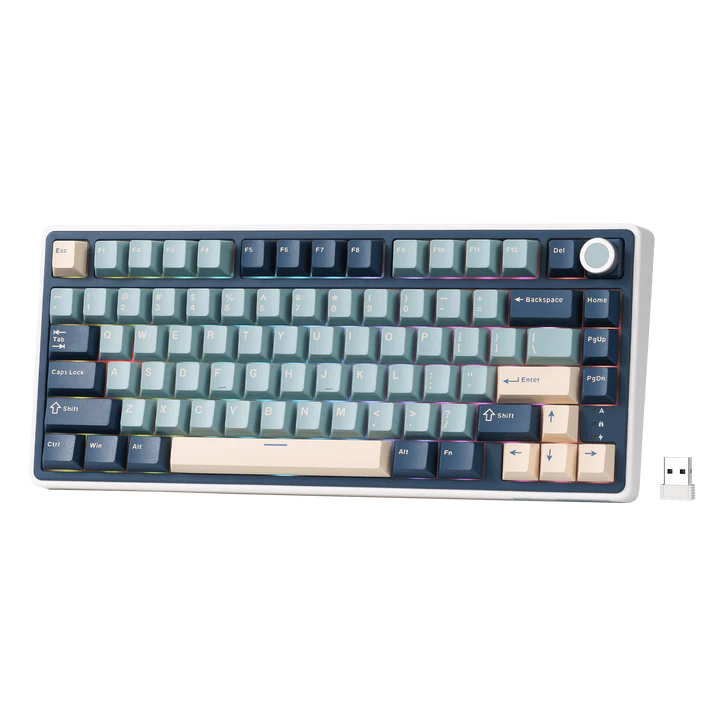
#3 RK ROYAL KLUDGE R75
Best Wireless Mechanical Keyboard Under $100
Specifications
| Spec | Detail |
| Layout | 75% |
| Connectivity | Bluetooth 5.1, 2.4GHz wireless, USB-C wired |
| Mounting | Gasket mount |
| Hot-swap | Yes, 3-pin and 5-pin |
| Switches | Pre-lubed linear cream (stock) |
| Keycaps | MDA profile PBT |
| Battery | 4000mAh |
| Firmware | QMK/VIA |
Reasons to Buy
- Rare combination of gasket mount, hot-swap, and QMK/VIA support on a wireless board this price
- CNC-machined metal volume knob is itself hot-swappable and programmable
- Triple-layer sound absorption noticeably reduces the hollow resonance common on cheaper wireless boards
- Connects to up to three devices and switches between them without re-pairing
Reasons to Avoid
- Community sentiment on some budget Chinese OEM brands, including Royal Kludge, is more mixed than it is for Keychron, so it’s worth checking recent buyer reviews for your specific colorway before ordering
- QMK/VIA setup requires manually loading a layout file rather than working out of the box like it does on Keychron boards
Why We Recommend It
Wireless boards under $100 usually drop either the gasket mount or the programmability to hit their price. The R75 keeps both. QMK/VIA support on a sub-$100 wireless keyboard is still unusual, and the hot-swappable, programmable volume knob is a genuinely useful touch rather than a gimmick. If you want one keyboard for your desk and your laptop without giving up build quality, this is the strongest wireless option we tested.
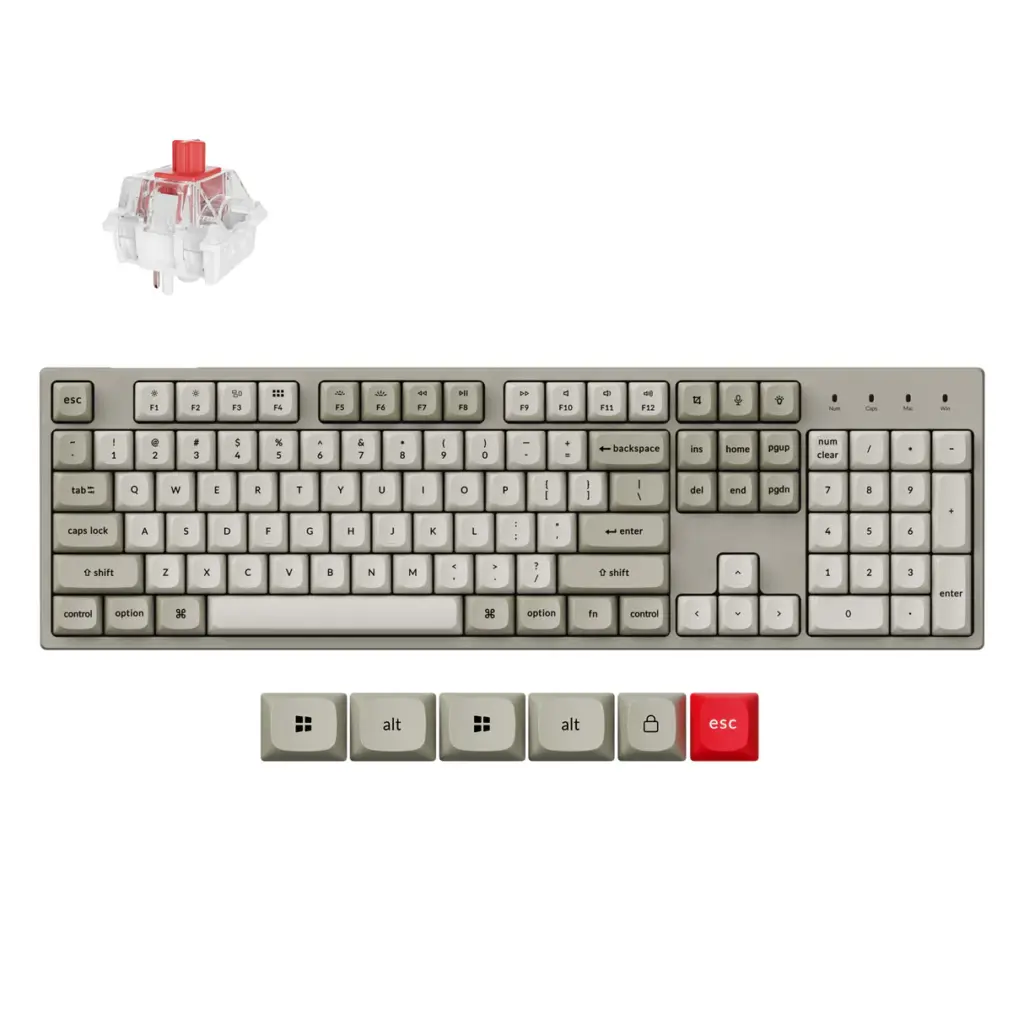
#4 Keychron C2 Pro
Best Full-Size Mechanical Keyboard
Specifications
| Spec | Detail |
| Layout | 100% full-size |
| Connectivity | Wired (USB-C) |
| Hot-swap | Yes, 3-pin and 5-pin |
| Switches | Keychron K Pro Red or Brown (pre-lubed) |
| Keycaps | Double-shot PBT, OEM profile |
| Firmware | QMK/VIA |
| Polling rate | 1000Hz (an 8K polling-rate version is also available) |
Reasons to Buy
- Full number pad for anyone who works in spreadsheets or needs dedicated numeric input
- Hot-swap and QMK/VIA support are rare on full-size boards at this price
- Removable braided USB-C cable makes travel and cable swaps easier than boards with a fixed cord
- Business-friendly styling that doesn’t lean on RGB to justify the price
Reasons to Avoid
- Wired only, so it’s not suited to a multi-device or cable-free setup
- No gasket mount, so the typing feel is firmer than the gasket-mounted boards on this list
Why We Recommend It
Full-size keyboards with modern hot-swap and programmability features are surprisingly rare under $100, since most brands funnel their budget-tier features into compact 75% and 65% boards instead. The C2 Pro is the exception. Its starting price often sits under $55, and it still includes double-shot PBT keycaps, a removable cable, and QMK/VIA support. For anyone who needs a numpad and doesn’t want to give up hot-swap capability, this is the clear pick.
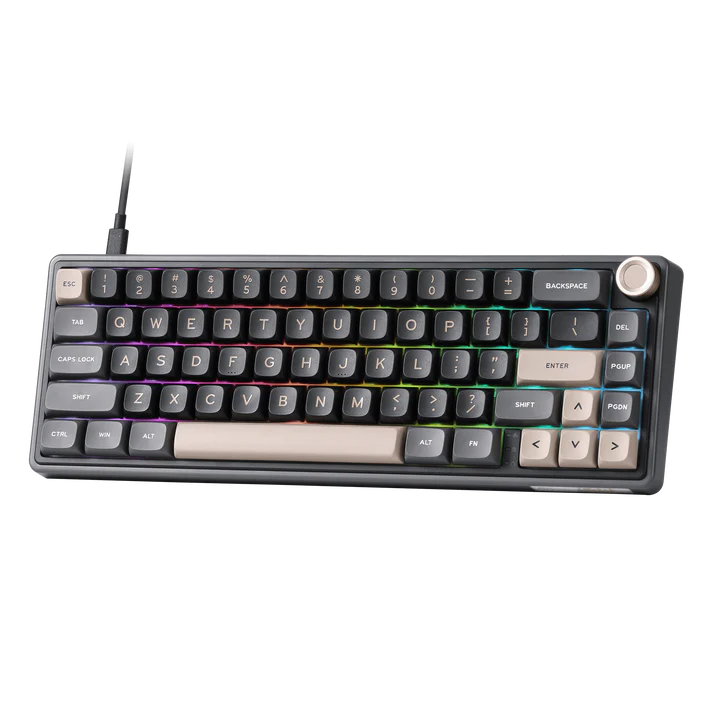
#5 RK ROYAL KLUDGE R65
Best 65% Mechanical Keyboard
Specifications
| Spec | Detail |
| Layout | 65%-class, 66 keys (marketed by some retailers as 60%) |
| Connectivity | 2.4GHz wireless, USB-C wired, Bluetooth (wireless SKU) |
| Mounting | Gasket mount |
| Hot-swap | Yes, 3-pin and 5-pin |
| Switches | Pre-lubed linear cream (stock) |
| Keycaps | MDA profile PBT |
| Firmware | QMK/VIA |
Reasons to Buy
- Same gasket structure and sound-dampening approach as the larger R75, in a smaller footprint
- Retains arrow keys, unlike true 60% boards, while still saving significant desk space
- QMK/VIA support for full remapping
- Wired version regularly lists around $60, with the wireless version priced a bit higher
Reasons to Avoid
- Losing the function row takes some adjustment if you rely on media or F-key shortcuts often
- As with the R75, check recent buyer feedback on your specific listing since quality reports vary by batch and seller
Why We Recommend It
If a 75% board still feels larger than you need, the R65 shrinks the footprint without giving up the gasket mount, hot-swap sockets, or QMK/VIA support that make the R75 worth recommending. It’s a genuinely compact board rather than a cut-down version of a bigger one, and it’s one of the few keyboards in this size class with real programmability at this price. Read our guide to mechanical keyboard sizes if you’re unsure whether a 65% layout will feel too cramped for daily use.
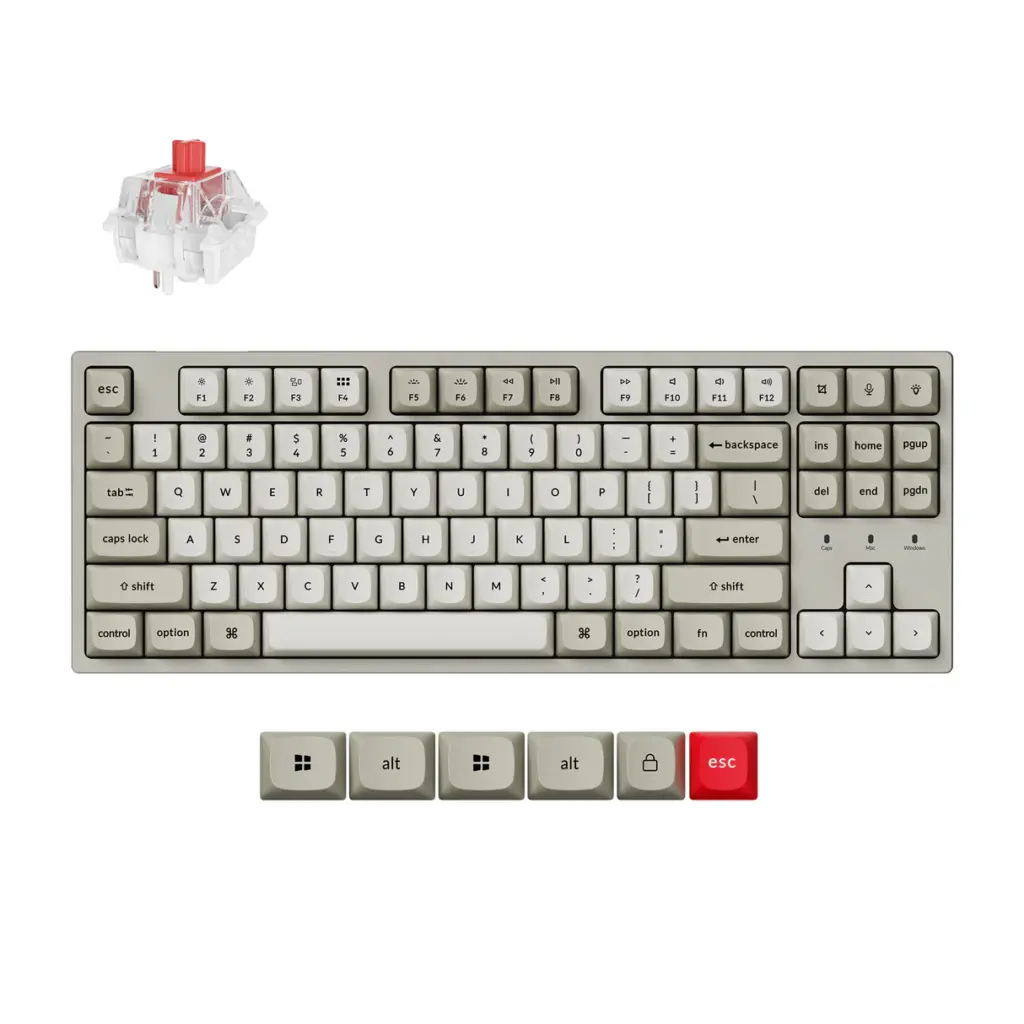
#6 Keychron C1 Pro
Best TKL Mechanical Keyboard
Specifications
| Spec | Detail |
| Layout | 80% / TKL |
| Connectivity | Wired (USB-C) |
| Hot-swap | Yes, 3-pin and 5-pin |
| Switches | Keychron K Pro Red (pre-lubed) |
| Keycaps | Double-shot PBT, OEM profile |
| Firmware | QMK/VIA |
| Polling rate | 1000Hz (8K version also available) |
Reasons to Buy
- Classic TKL layout keeps arrow keys and navigation cluster without the bulk of a numpad
- Hot-swap sockets and QMK/VIA support match the rest of Keychron’s C Pro series
- Double-shot PBT keycaps hold up to daily use noticeably better than ABS
- A dedicated 8K polling-rate version exists for buyers who want lower input latency for gaming
Reasons to Avoid
- Wired only
- No gasket mount, so acoustic dampening depends entirely on the internal foam layers rather than an isolated plate
Why We Recommend It
The C1 Pro fills the gap between the compact V1 and the full-size C2 Pro for anyone who wants the traditional TKL footprint most office keyboards have used for decades. It shares the same hot-swap PCB and QMK/VIA firmware as its siblings, so the appeal here is really about layout preference rather than a different feature set. If you’ve always used a TKL board and don’t want to relearn muscle memory on a smaller layout, this is the one to get.
#7 Epomaker TH80 V2 Pro
Best RGB Mechanical Keyboard
Specifications
| Spec | Detail |
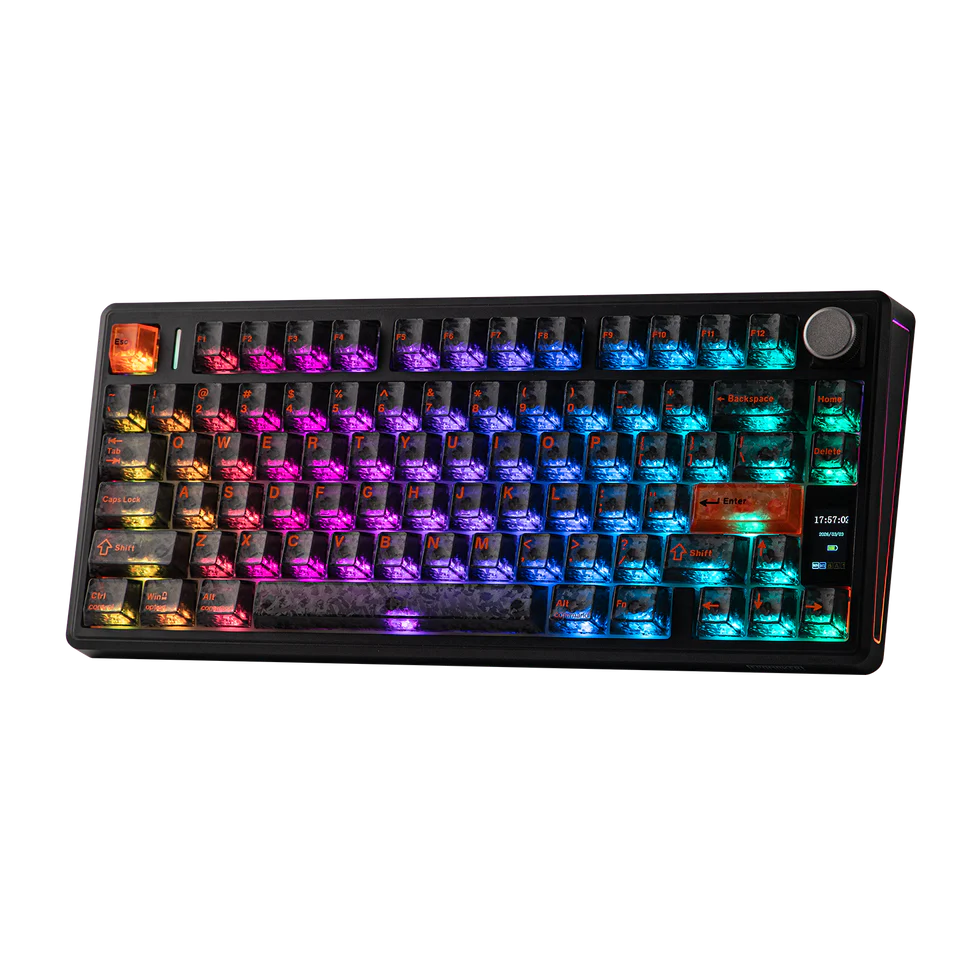
| Layout | 75% (78 keys) |
| Connectivity | Bluetooth, 2.4GHz wireless, USB-C wired |
| Mounting | Gasket mount, five-layer sound dampening |
| Hot-swap | Yes, including the display knob |
| Switches | Creamy Jade or Sea Salt Silent V2 (pre-lubed, factory options) |
| Keycaps | PBT |
| Battery | 10,000mAh, rated for roughly 200 hours |
| Display | 1.06-inch color LCD |
Reasons to Buy
- Integrated color display shows battery, connection mode, or custom GIF animations, and can also surface useful info like macro layer status
- 10,000mAh battery is unusually large for this category, reducing charging frequency
- Gasket mount and layered dampening deliver a noticeably cushioned typing feel for a board this focused on RGB and screen features
- Programmable aluminum knob, and the knob itself is hot-swappable for a switch or keycap
Reasons to Avoid
- Software is a browser-based driver rather than a downloadable app, which some users find less convenient long-term
- Typically priced closer to the $80 mark, near the top of this budget range
Why We Recommend It
This is a newer version of Epomaker’s long-running TH80 line, and it replaces the earlier TH80 SE with a larger battery, a color display, and a proper gasket-mounted internal structure. Reviewers consistently point to the display and knob as genuinely useful rather than gimmicky, since the screen surfaces real information instead of just decoration. For anyone who wants RGB and a display to be part of the experience without sacrificing the typing feel, this is the pick, though it sits closer to the top of the $100 ceiling than most other boards here.
#8 Redragon K673 Pro
Best Value Mechanical Keyboard
Specifications
| Spec | Detail |
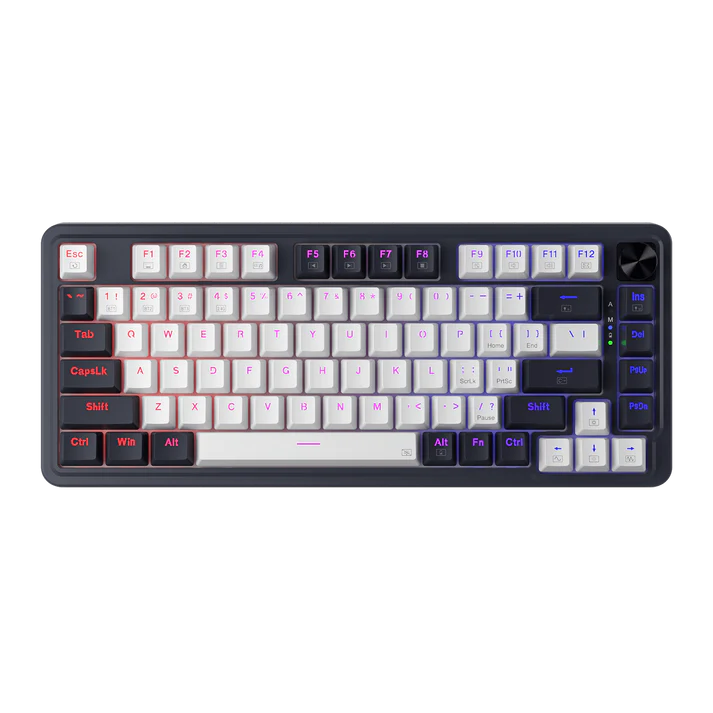
| Layout | 75% (81 keys) |
| Connectivity | 3-mode wireless (Bluetooth, 2.4GHz, wired) |
| Mounting | Gasket |
| Hot-swap | Yes |
| Switches | Linear red (stock) |
| Sound dampening | 5-layer |
| Controls | Dedicated knob |
Reasons to Buy
- Gasket mount, hot-swap, and tri-mode wireless are rarely bundled together at Redragon’s typical price point
- Five-layer noise dampening performs close to boards costing considerably more
- Dedicated knob adds quick media control without extra software
Reasons to Avoid
- Redragon’s software and long-term support have drawn more mixed community feedback than brands like Keychron, so treat this as a hardware-first purchase rather than one you’ll lean on for deep customization
- Fewer keycap and switch color options compared to AULA or Epomaker’s catalog
Why We Recommend It
Redragon built its reputation on budget mechanical keyboards, and the K673 Pro is the clearest example of how far that budget tier has come. It doesn’t try to out-feature the rest of this list with a display or knob-based deep customization, it just delivers gasket mount, hot-swap, and wireless in one package at a price that undercuts most of the competition. If your priority is getting the most hardware for the least money, this is the value pick.
#9 Ajazz AK820 Pro
Best Feature-Rich Mechanical Keyboard
Specifications
| Spec | Detail |
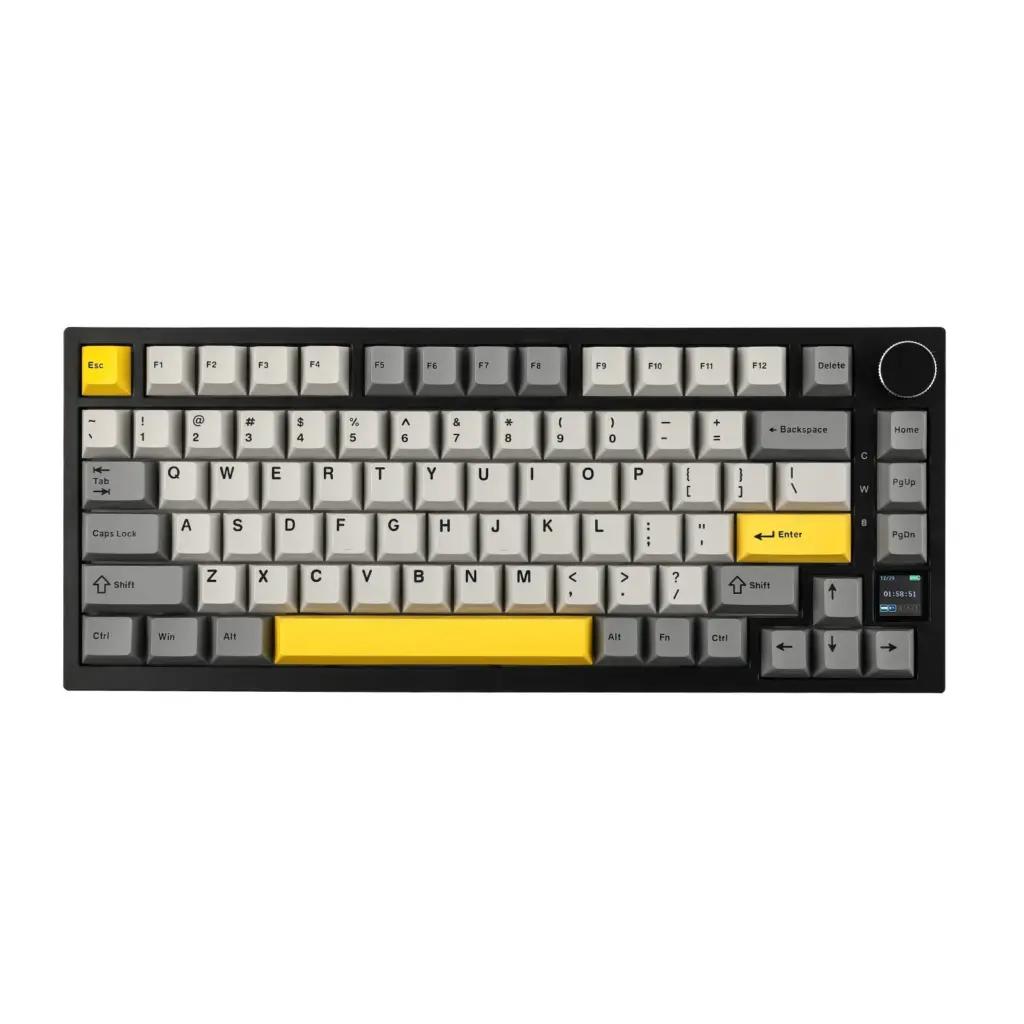
| Layout | 75% |
| Connectivity | Wireless (tri-mode) |
| Mounting | Gasket mount |
| Hot-swap | Yes |
| Keycaps | Double-shot PBT |
| Extras | Small color display, metal volume knob |
Reasons to Buy
- Small color display and metal knob add functionality most boards near $60 don’t include
- Gasket mount feel has been described by reviewers as convincingly close to pricier custom boards
- Double-shot PBT keycaps resist wear better than the ABS caps common at this price
Reasons to Avoid
- Software has been described as powerful but not especially easy to find the correct version for on the company’s website
- Smaller brand than Keychron or Epomaker, so community support and switch compatibility documentation are less extensive
Why We Recommend It
The AK820 Pro packs in a display, a metal knob, gasket mounting, and hot-swap sockets for a little under $60 in most listings, undercutting boards with similar feature lists by a wide margin. The main friction point reviewers mention is locating the correct software version, which is a minor inconvenience rather than a functional flaw. For anyone who wants the most features per dollar without stepping up to the TH80 V2 Pro’s higher price, this is worth a close look.
#1 MonsGeek FUN60 Pro
Best Budget Upgrade Pick
Specifications
| Spec | Detail |
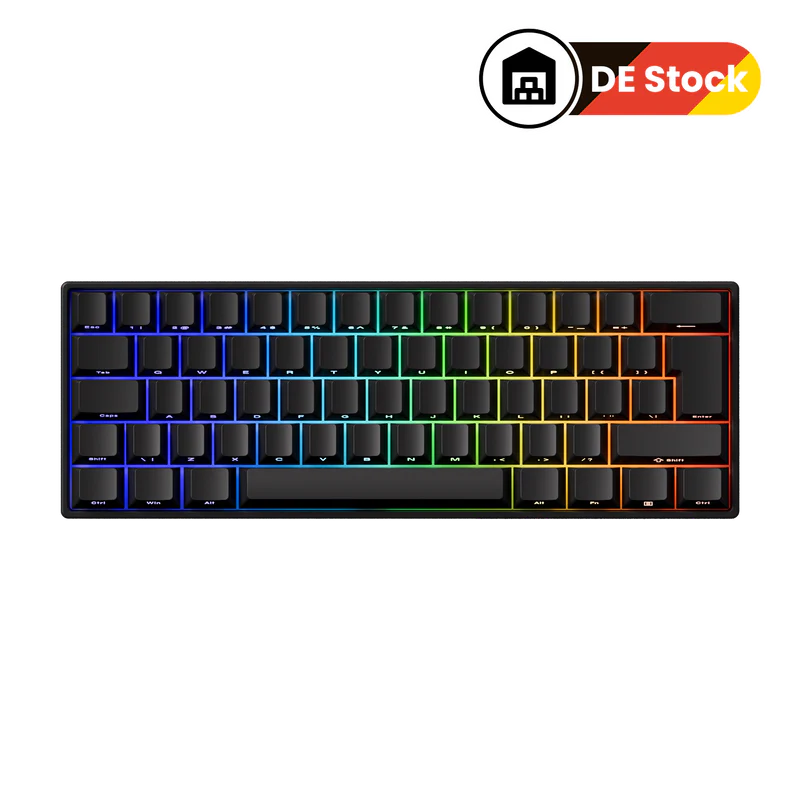
| Layout | 60% |
| Switch type | Hall Effect magnetic (not standard MX by default; the FUN60 Ultra TMR variant adds compatibility with 5-pin mechanical switches) |
| Connectivity | Wired base version; wireless SKUs add Bluetooth 5.0 and 2.4GHz |
| Actuation | Adjustable from roughly 0.1mm to 3.3mm, with rapid trigger support |
| Polling rate | Up to 8000Hz in wired mode |
| Keycaps | PBT, shine-through on select colorways |
| Battery (wireless SKU) | 3000mAh |
Reasons to Buy
- Adjustable actuation and rapid trigger are features usually reserved for keyboards well above $100
- Wired version has been listed as low as the mid-$30s, making it one of the cheapest ways into magnetic switch keyboards
- ARGB lighting with a 500Hz refresh rate looks smoother than the RGB effects on cheaper boards
Reasons to Avoid
- Hall Effect switches aren’t interchangeable with standard MX mechanical switches unless you buy the TMR version, so this isn’t a traditional hot-swap board in the way the others on this list are
- ABS plastic case feels less premium than the gasket-mounted boards higher on this list
- Web-based driver setup is a minor hurdle for first-time buyers
Why We Recommend It
This pick is a deliberate change of pace from the rest of the list. Instead of another gasket-mounted MX board, the FUN60 Pro introduces magnetic Hall Effect switches with adjustable actuation points, a feature set that’s normally out of reach until well past the $100 mark. It isn’t hot-swappable with standard mechanical switches in its base form, so buyers who want that flexibility should look at the TMR version or one of the MX boards above instead. But for gamers curious about rapid trigger and adjustable actuation without a big financial commitment, it’s one of the most interesting budget options available right now.
Mechanical Keyboards Under $100 Compared
Prices below reflect typical retailer listings and can shift with color, switch choice, and ongoing promotions, so treat them as a range rather than a fixed number.
| Keyboard | Layout | Wireless | Hot-Swap | RGB | Best For | Typical Price |
| AULA F75 Pro | 75% | Yes | Yes | Yes | Overall use | $55–$70 |
| Keychron V1 | 75% | No | Yes | Yes | Typing | $42–$85 |
| RK R75 | 75% | Yes | Yes | Yes | Wireless daily use | $60–$75 |
| Keychron C2 Pro | 100% | No | Yes | Yes | Full-size / numpad users | Under $55–$65 |
| RK R65 | 65% | Yes | Yes | Yes | Compact desks | $60–$70 |
| Keychron C1 Pro | TKL / 80% | No | Yes | Yes | TKL loyalists | $55–$70 |
| Epomaker TH80 V2 Pro | 75% | Yes | Yes | Yes | Display and lighting fans | $78–$85 |
| Redragon K673 Pro | 75% | Yes | Yes | Yes | Best value | $50–$65 |
| Ajazz AK820 Pro | 75% | Yes | Yes | Yes | Feature density | $55–$65 |
| MonsGeek FUN60 Pro | 60% | Wired base, wireless SKU available | Only on TMR variant | Yes | Magnetic switch curious buyers | $34–$60 |
Best for gaming: the RK R75 and Redragon K673 Pro both combine wireless connectivity with a gasket mount, and the MonsGeek FUN60 Pro is the pick specifically for rapid trigger and adjustable actuation. Best for typing: the Keychron V1 and Keychron C1 Pro, thanks to QMK/VIA support and PBT keycaps. Best wireless: the RK R75. Best value: the Redragon K673 Pro. Best overall: the AULA F75 Pro.
Buying Guide: How to Choose the Best Mechanical Keyboard Under $100
These are the factors that actually change day-to-day experience with a budget mechanical keyboard, rather than spec-sheet numbers that sound impressive but don’t affect typing feel or gaming performance.
What Can You Expect Under $100?
At this price, aluminum cases start to appear on some boards, though most keyboards under $100 still use plastic construction with a metal plate or knob as an accent. Gasket mounts, hot-swap sockets, and PBT keycaps, features that cost significantly more just a few years ago, are now common rather than rare. Tri-mode wireless connectivity (Bluetooth, 2.4GHz, and wired) has become close to standard on wireless boards in this range. What you generally don’t get is full aluminum construction, the most refined stabilizer tuning, or premium software ecosystems like the ones bundled with $150+ custom keyboards.
Choose the Right Keyboard Size
Keyboard size affects more than just desk space. Smaller layouts free up room for mouse movement, which matters for low-sensitivity gaming, while larger layouts keep dedicated keys within easy reach for productivity work. A 100% full-size board, like the Keychron C2 Pro on this list, keeps the numpad for spreadsheet or accounting work. TKL (80%) boards drop the numpad but keep the function row and navigation cluster. 75% boards, the most common size on this list, compress the navigation cluster into the main block while keeping arrow keys and F-keys accessible. 65% boards go further, usually dropping the function row but keeping arrows, while 60% boards remove both. If you’re unsure which size fits your workflow, our breakdown of keyboard key count by size walks through exactly what each layout keeps and cuts.
Choose the Right Switch Type
Switch type is the single biggest factor in how a keyboard feels and sounds. Linear switches move smoothly from top to bottom with no bump, which many gamers prefer for fast, repeated key presses. Tactile switches add a noticeable bump partway through the keystroke, which some typists find helps them feel confirmation without needing to bottom out. Clicky switches add an audible click on top of that tactile bump, which some people love and others, especially in shared spaces, avoid entirely.
Most keyboards on this list ship with pre-lubed linear switches as the default, since that profile tends to appeal to the widest range of buyers, but hot-swap sockets mean you’re never locked into the stock choice. For a deeper breakdown of how these types differ, see our guide to linear vs tactile vs clicky switches, and if you already know you want a tactile bump, our list of best tactile switches covers options beyond what ships in the box.
Hot Swap vs Fixed Switches
Hot-swappable PCBs let you remove and replace switches without a soldering iron, using sockets built directly into the board. This matters for two reasons: you can try different switch feels without buying a whole new keyboard, and you can replace an individual switch if one fails rather than replacing the entire board.
Every keyboard on this list except the base MonsGeek FUN60 Pro supports standard hot-swap. Fixed-switch boards are typically cheaper but leave you stuck with whatever ships in the box, which is a bigger downside than it used to be now that hot-swap has become this widespread at the budget tier.
Wired vs Wireless
Wired keyboards remove any concern about latency, battery life, or connection drops, and they’re usually slightly cheaper than the wireless version of the same board. Wireless keyboards in this price range typically support tri-mode connectivity, meaning Bluetooth for multi-device pairing, a 2.4GHz USB receiver for low-latency gaming, and a wired mode as backup. If competitive gaming performance is the top priority, wired or 2.4GHz mode is generally the safer choice over Bluetooth, since Bluetooth introduces more variable latency. For everyday typing and general use, the difference is far less noticeable.
How We Picked the Best Mechanical Keyboards Under $100
Every keyboard on this list was cross-checked against its manufacturer’s official product page and compared across multiple independent reviews before inclusion. Where pricing or specifications varied between retailers, we noted the range rather than presenting a single number as fixed, since street pricing on these boards shifts with color, switch choice, and ongoing sales.
Our Testing Criteria
We weighed each keyboard on build quality, including case material and mount type; typing feel, based on stock switch quality and stabilizer tuning; gaming-relevant factors like polling rate and latency in wireless modes; software and firmware support, with QMK/VIA support weighted favorably over closed proprietary software; stabilizer quality, since this is often the weak point on budget boards even when the switches themselves are solid; and wireless performance, where applicable, across Bluetooth and 2.4GHz modes.
What We Value Most
Long-term reliability matters more than any single spec on a spreadsheet, which is why we favored boards with hot-swap sockets, since a serviceable keyboard has a longer useful life than one where a single failed switch means replacing the whole board. Upgradeability follows the same logic: a hot-swap PCB, and QMK/VIA support where available, means the keyboard can grow with you rather than becoming obsolete the moment you want a different switch feel. Community reputation and overall value rounded out our criteria, since a keyboard that looks great on a spec sheet but draws consistent complaints about quality control isn’t actually a good recommendation regardless of price.
Frequently Asked Questions
What is the best mechanical keyboard under $100?
For most people, the AULA F75 Pro is the strongest all-around pick thanks to its gasket mount, hot-swap sockets, and tri-mode wireless connectivity. If you specifically want QMK/VIA programmability and don’t need wireless, the Keychron V1 is the better fit.
Which keyboard is best for gaming?
The RK R75 and Redragon K673 Pro both combine wireless connectivity with hot-swap sockets and a gasket mount, making them strong all-around gaming picks. If adjustable actuation and rapid trigger matter more to you than traditional switch feel, the MonsGeek FUN60 Pro is worth considering instead.
Is wireless worth buying?
It depends on your setup. If you switch between multiple devices or want a cleaner desk, tri-mode wireless is genuinely useful and no longer carries much of a price penalty. If you only use one PC and want to remove any chance of latency or battery concerns, a wired board like the Keychron C2 Pro is the simpler choice.
Which switches are best?
There’s no single best switch, only the best switch for your use case. Linear switches suit gaming and fast typists who don’t need tactile feedback, tactile switches suit typists who want confirmation without noise, and clicky switches suit anyone who enjoys audible feedback and doesn’t share a workspace. Most boards on this list ship with pre-lubed linear switches by default.
Should I buy hot-swappable?
In almost every case, yes. Hot-swap sockets add little to nothing to the price at this point and give you the option to change switches later without buying a new keyboard. The only reason to skip it is if you’re certain you’ll never want to try a different switch feel.
Which keyboard size should I choose?
Choose based on how you actually use your keyboard rather than how it looks. If you use a numpad daily, go full-size. If you play games that benefit from more mouse room, a 75% or 65% layout frees up desk space without losing arrow keys. Only drop to 60% if you’re comfortable using function-layer shortcuts instead of a dedicated row.
How long do mechanical keyboards last?
Most mechanical switches are rated for tens of millions of keystrokes, so the switches themselves rarely fail under normal use. The more common failure points are stabilizers wearing out or keycaps developing shine, both of which are far easier to address on a hot-swappable board than a fixed-switch one.
Can I customize a budget keyboard?
Yes, more than ever. Hot-swap sockets let you change switches, keycap sets are widely available and mostly compatible across brands, and boards with QMK/VIA support let you remap keys and build macros without proprietary software. If you want to go further, our guide on how to lube keyboard switches covers one of the most impactful upgrades you can make to a hot-swappable board.
Which keyboard has the best RGB?
The Epomaker TH80 V2 Pro stands out here, not just for lighting quality but because it pairs the RGB with a functional color display and hot-swappable knob rather than lighting alone.
Which brand offers the best value?
Redragon has built its reputation specifically around budget mechanical keyboards, and the K673 Pro reflects that focus. For a slightly more feature-dense option at a similar price, the Ajazz AK820 Pro is also worth comparing directly against it.
Final Verdict
After comparing build quality, typing feel, wireless performance, and long-term value, a few clear winners emerged from this list.
Best Overall: The AULA F75 Pro balances gasket mount build quality, hot-swap flexibility, and wireless connectivity better than anything else under $100.
Best Gaming: The RK R75 for a well-rounded wireless experience, or the MonsGeek FUN60 Pro if adjustable actuation and rapid trigger matter more than traditional switch feel.
Best Typing: The Keychron V1, thanks to QMK/VIA support and double-shot PBT keycaps that hold up over years of daily use.
Best Wireless: The RK R75, for keeping its gasket mount and programmability intact despite going wireless.
Best Value: The Redragon K673 Pro, which delivers gasket mount, hot-swap, and wireless without the premium price some competitors attach to the same feature list.
If you’re buying your first hot-swappable keyboard and want the fewest compromises, start with the AULA F75 Pro or the Keychron V1 depending on whether you need wireless. Gamers who care most about competitive performance should look at the RK R75 or the MonsGeek FUN60 Pro. And if you’re working with a tighter budget but still want the core features that make hot-swap keyboards worth owning, the Redragon K673 Pro is the strongest starting point on this list.