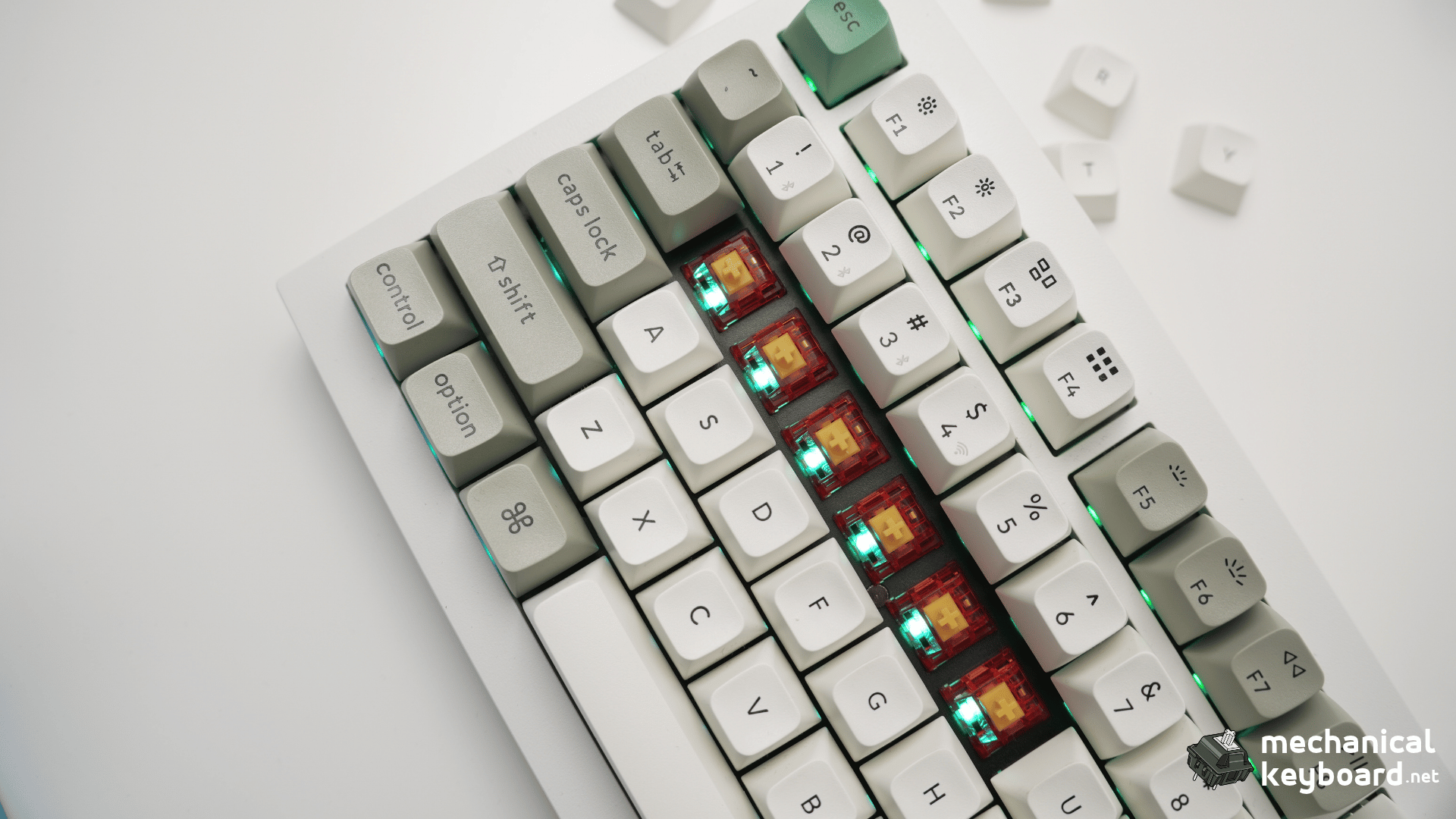
The first thing that stood out to me about the Keygeek Y2 was the sound. I installed 30 Y2 linear switches in my stock Keychron Q1 Max, replacing some of its original Gateron Jupiter Banana switches, and immediately preferred the sound of the Y2. It was creamy, fairly quiet and satisfying in a way that made me want to keep typing.
- My testing setup
- Keygeek Y2 specifications
- How smooth do the Keygeek Y2 switches feel?
- Bottom-out and spring return
- Keygeek Y2 sound test: creamy, mid-low and relatively quiet
- Wobble and stability
- Real-world typing comfort and reliability
- Keygeek Y2 vs Gateron Jupiter Banana: my experience
- What I liked, and what to consider
- Where to buy the Keygeek Y2
- Final verdict: Is the Keygeek Y2 worth trying?
But a switch needs to do more than sound good. I also wanted to know whether the Y2 felt smooth, whether its bottom-out was comfortable and whether its lighter keypress would be easy to control during everyday typing. After a series of hands-on tests, here’s what I found.
Review sample disclosure: UniKeys provided the Keygeek Y2 switches featured in this review. Thank you to UniKeys for sending the sample and making this hands-on test possible. The observations and opinions below come from my own testing.
My testing setup
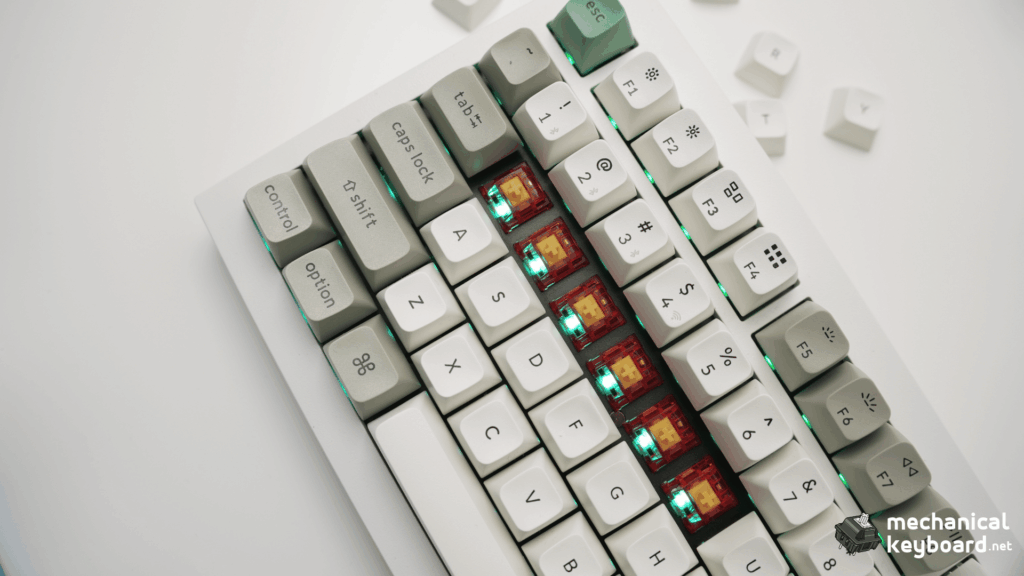
For this review, I used a Keychron Q1 Max with its original keycaps, plate, foam and unmodified case. I installed 30 Keygeek Y2 switches; other keys retained their original Gateron Jupiter Banana tactile switches. This is a mixed-switch configuration, not a full-board Y2 build.
I tested individual Y2 letter keys for travel smoothness, bottom-out, spring return, wobble and sound. For the most detailed repeatability checks, I used three Y2 keys. I also spent a short session typing normally and quickly, watching for unintended or duplicate inputs.
The Jupiter Banana comparisons are informal observations from different key positions in the same keyboard. They help explain my preferences, but are not a controlled same-position acoustic test.
Keygeek Y2 specifications
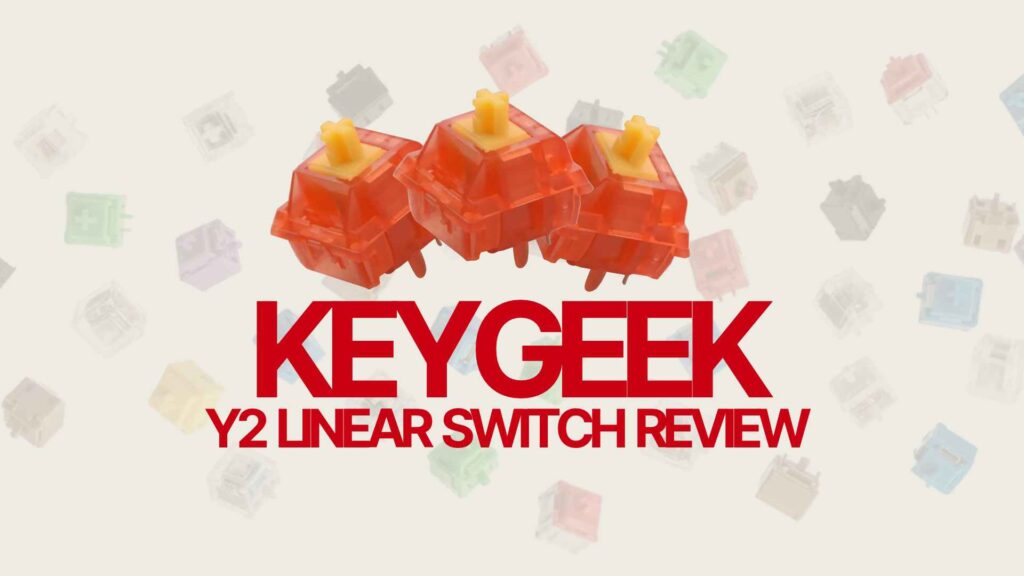
Keygeek manufactures the Y2, designed by MZ Studio. UniKeys lists the Y2 as a factory-lubed linear switch with a U5+ UPE-blend stem and a textured waffle-style stem tip. Its top and bottom housings are PA12. The published pre-travel is 2.0 ± 0.2 mm and total travel is 3.6 ± 0.2 mm.
UniKeys sells several spring and force variants. My sample is confirmed as the 20 mm spring / 45 g bottom-out version, as specified on the UniKeys product variant supplied for this review. The retailer also lists an operating force of 40 ± 5 gf for this variant. These specifications are manufacturer/retailer figures, not measurements I independently performed.
| Specification | Keygeek Y2 |
|---|---|
| Switch type | Linear, factory-lubed |
| Designer / manufacturer | MZ Studio / Keygeek |
| Stem | U5+ UPE blend, waffle-style stem tip |
| Top and bottom housing | PA12 |
| Pre-travel | 2.0 ± 0.2 mm |
| Total travel | 3.6 ± 0.2 mm |
| Tested sample force | 45 g bottom-out (confirmed variant) |
| Tested sample spring | 20 mm (confirmed variant) |
Source: UniKeys Keygeek Y2 product listing.
What is the waffle stem tip?
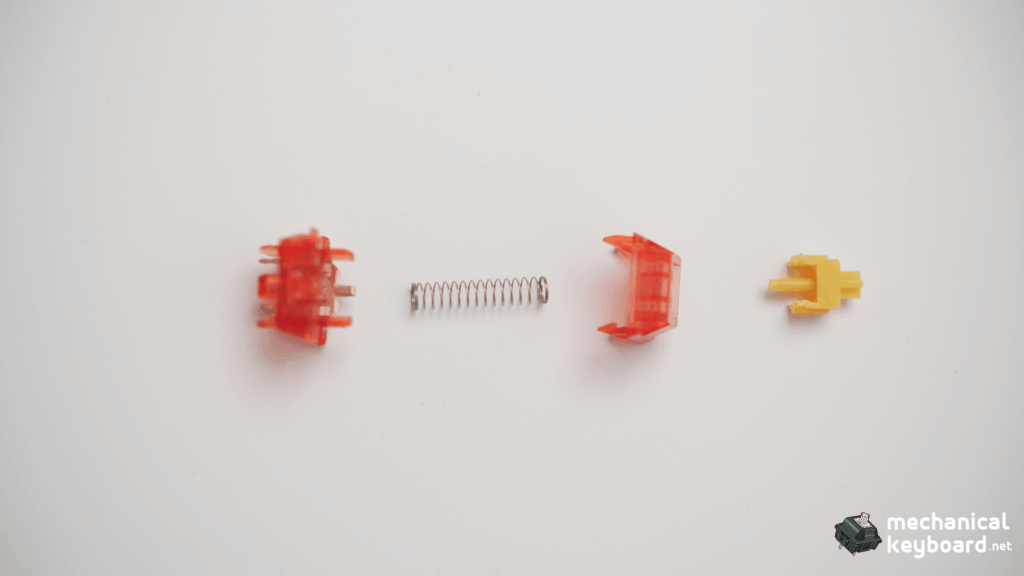
The Y2’s unusual stem tip is part of its sound-focused design. According to UniKeys, its textured tip changes the contact surface at bottom-out to help reduce sharper, poppier tones. That is the manufacturer’s design explanation, not something I verified in an acoustic lab.
What I can say from actual typing is that the Y2 sounded rounded and creamy in my Q1 Max.
How smooth do the Keygeek Y2 switches feel?
The Y2 is smooth through the keypress, with a little natural resistance but no obvious gritty or scratchy sensation in the keys I tested. The travel feels clean, and the switch comes back up quickly after each press.
Compared with the original Gateron Jupiter Banana switches, the Y2 feels lighter and smoother to me. Part of that difference is expected: the Y2 is linear, while the Banana has a tactile bump you deliberately push through. My particular Banana switches also felt scratchier than the Y2s I tried.
I found the Y2 easy to press at normal speed and when typing quickly. I did not feel that the lighter keypress made the switches difficult to control during the brief test.
For a newcomer to switch terminology, our mechanical keyboard switch guide explains what linear, tactile and clicky switches feel like.
Bottom-out and spring return
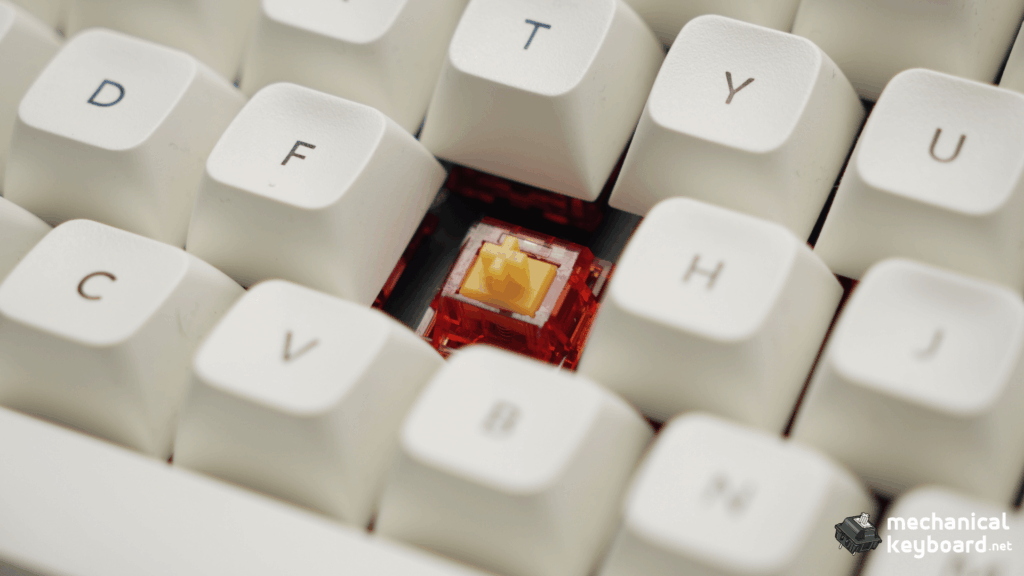
The Y2 does not have an especially soft or cushioned bottom-out in my board. Instead, it lands firmly, but the impact remains comfortable. Even when repeatedly pressing the same keys, I did not find the landing harsh.
The keys also rebound quickly and smoothly. When listening closely, I did not notice distinct metallic spring ringing from the Y2 keys I checked. I heard more spring-like noise from the Jupiter Banana switches, although I did not isolate the precise cause of that sound.
These details matter together: the Y2 combines a solid landing with a pleasant, relatively restrained sound. Creamy does not necessarily mean soft at bottom-out.
Keygeek Y2 sound test: creamy, mid-low and relatively quiet
Sound is easily my favourite part of the Y2. In my stock Keychron Q1 Max, the switches have a smooth, creamy sound with a mid-low pitch. It feels slightly deep and rounded rather than bright and sharp.
I would not describe my setup as an extremely loud or aggressively clacky build. The Y2 was relatively quiet to my ears, and the sound on key release was softer than the downstroke. The Y2 keys I checked were also consistent in sound.
Compared with my original Gateron Jupiter Banana switches, I strongly prefer the Y2’s overall sound. The Banana switches sounded rougher and more spring-like to me, while the Y2 provided the rounded, creamy character I enjoy.
These are subjective listening impressions from this particular keyboard, keycaps and desk setup. Switches can sound different with another case, plate, keycap profile or typing style. I did not conduct calibrated decibel or frequency measurements.
Wobble and stability
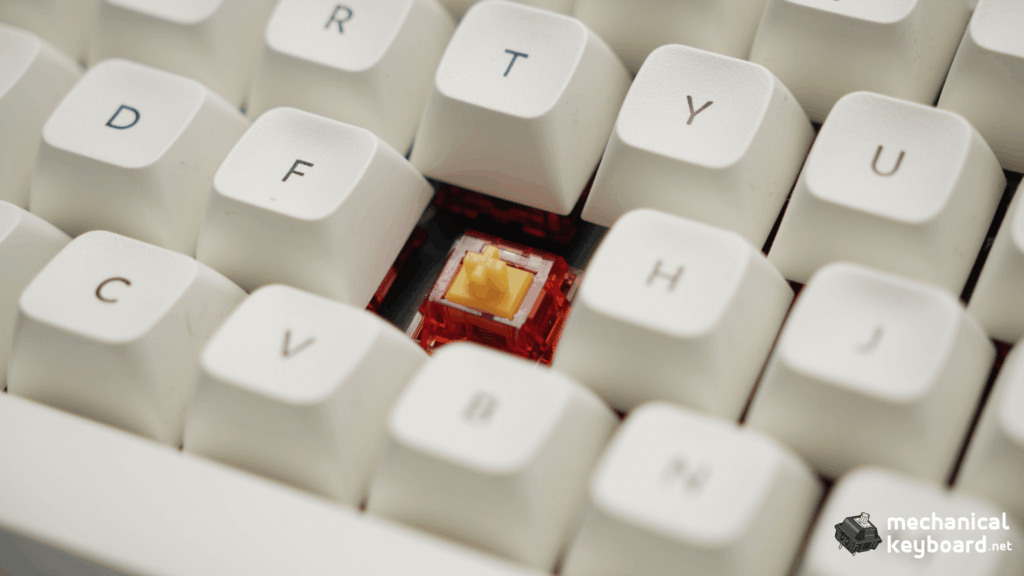
One reassuring detail was the lack of noticeable movement when I gently checked the Y2 keycaps side to side. I found almost no wobble in the tested Y2 keys, and they remained stable during typing.
In this particular setup, the Y2-installed keys felt more secure than nearby Jupiter Banana keys. This is a comparison of the assembled keys, rather than a measured assessment of bare stems or switch housing tolerances.
Real-world typing comfort and reliability
After several minutes of normal and faster typing, the Y2 remained very comfortable. I found it easy to type quickly, without the lighter force leading to accidental presses in this session.
During the short input check, I did not observe missed or repeated keypresses on the Y2 keys tested. That is useful as an initial functional check, but it does not establish objective latency, long-term durability or a measured error rate.
I would feel comfortable continuing to use these switches, but a proper multi-day endurance assessment is beyond the scope of this first review.
Keygeek Y2 vs Gateron Jupiter Banana: my experience
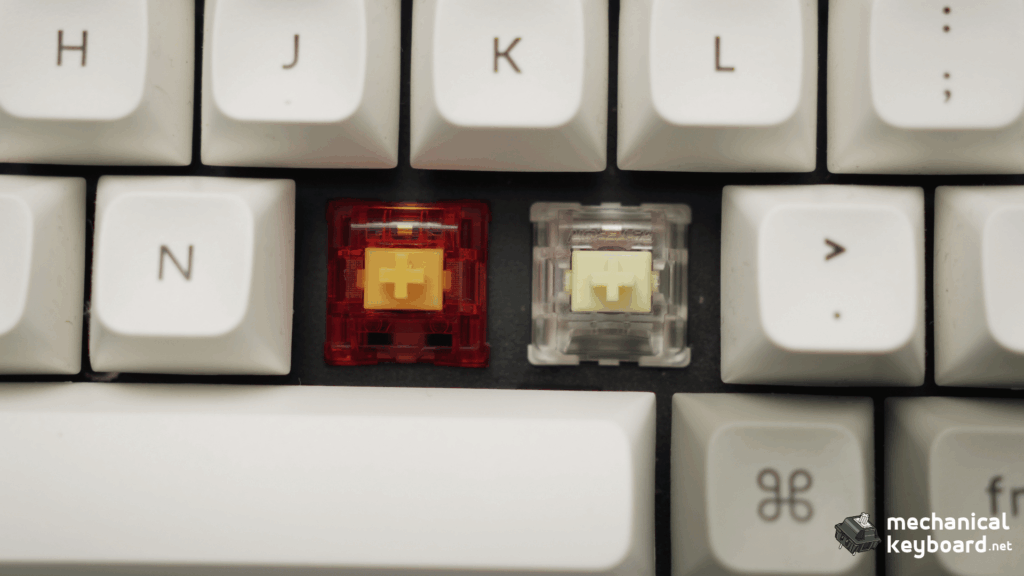
My Q1 Max originally used Gateron Jupiter Banana tactile switches. Installing 30 Y2 switches gave me an opportunity to notice how different the two feel and sound in the same keyboard.
| What I noticed | Keygeek Y2 | Gateron Jupiter Banana |
|---|---|---|
| Switch feel | Smooth, linear and comparatively light | Tactile bump; felt rougher to me |
| Sound in this setup | Creamy, mid-low and fairly quiet | More noticeable spring-like sound to my ears |
| Key assembly stability | Very little movement noticed | More movement in the keys I compared |
| My preference | Preferred overall | Less enjoyable for my tastes |
This is not a verdict that the Jupiter Banana is objectively worse. Some people prefer pronounced tactile feedback, and a fairer direct sound comparison would swap both types into the same key position one after the other. Here, I preferred the Y2’s linear motion and acoustic character.
What I liked, and what to consider
What I liked
- Creamy, rounded sound that I genuinely enjoy
- Smooth and easy-to-control keypress
- Firm but comfortable bottom-out
- Quick rebound, with no obvious spring ringing during testing
- Little perceptible side-to-side key movement
- Comfortable short typing sessions
Worth considering
- The linear Y2 will not provide the tactile bump some users want
- Sound and volume depend on the rest of your keyboard build
- The review covers 30 installed Y2s, with detailed spot checks on three keys, rather than a complete switch replacement or long-term durability test
I have not encountered a significant switch-specific problem in this initial sample. I would rather be clear about what I have and have not tested than invent a downside to balance the review.
Where to buy the Keygeek Y2
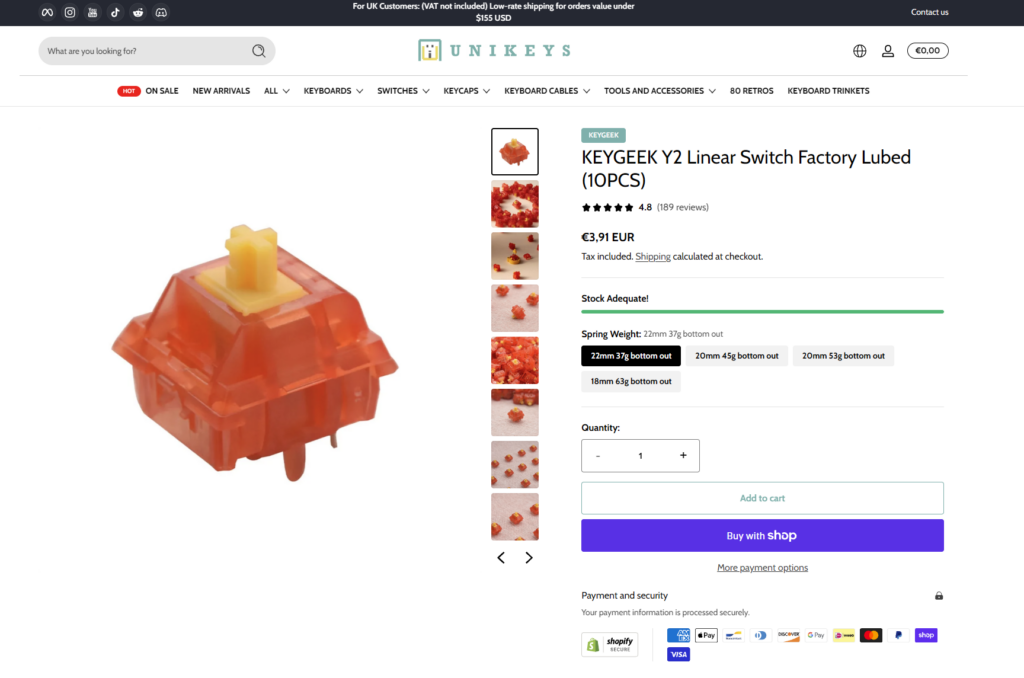
My review switches were supplied by UniKeys, who carry multiple force variants of the Keygeek Y2 in packs of ten. Thank you again to UniKeys for providing the samples.
View Keygeek Y2 switches at UniKeys
Final verdict: Is the Keygeek Y2 worth trying?
For my preferred typing sound and feel, yes. The Keygeek Y2 has quickly become one of the most enjoyable linear switches I’ve tried in the Keychron Q1 Max. I love its creamy, mid-low sound, and the experience is backed up by smooth travel, a comfortable firm bottom-out, fast rebound and stable-feeling keys.
If you want a linear switch with a rounded sound rather than a bright, sharp clack, the Y2 deserves a look. If you prefer a pronounced tactile bump, it may not be the right type of switch for you.
This conclusion reflects my own stock Q1 Max setup and the Y2 keys tested. I’ll keep using them, but I’m not assigning long-term reliability or objective performance claims that the test data cannot support.