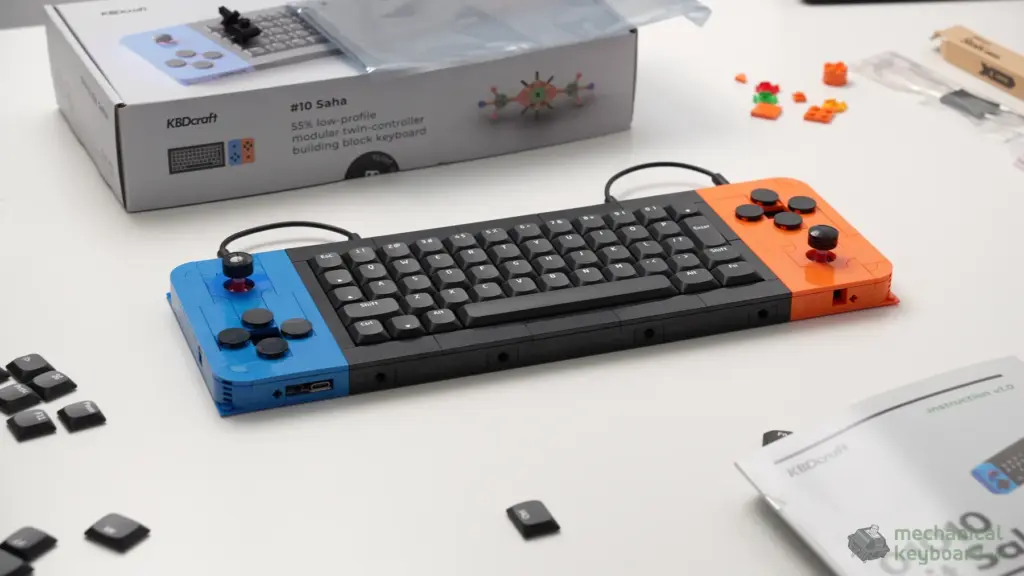
I expected the KBDcraft SAHA to be a fun little construction project that happened to have mechanical switches. Two weeks later, I still think the building part is one of its best features, but the bigger surprise is that this unusual brick-built keyboard actually feels and sounds good when you type on it.
- The short answer
- What exactly is the KBDcraft SAHA?
- Unboxing: it feels like opening a construction set
- What’s actually in the SAHA Full Kit?
- The real full kit | KBDcraft SAHA
- Building the SAHA: two to three hours and a lot of satisfaction
- The bricks are better than I expected
- Would I recommend building it to a beginner?
- Design and build quality: gorgeous, with one very specific fear
- Does a keyboard built from bricks feel solid?
- The drop anxiety is real
- The 52-key layout: the biggest everyday compromise
- N² Land Mine switches: unexpectedly smooth tactile typing
- Keycaps, RGB and the things you notice up close
- The joysticks: more than a novelty
- Retro gaming: this is where it gets nostalgic
- Vial and QMK: surprisingly useful customization
- Connection and reliability notes
- How does it compare with a conventional keyboard?
- Is the KBDcraft SAHA worth $115?
- Who should buy it, and who should skip it?
- What I loved, and what I would change
- Final verdict: 8.5/10, and worth experiencing
- Frequently asked questions
The short answer
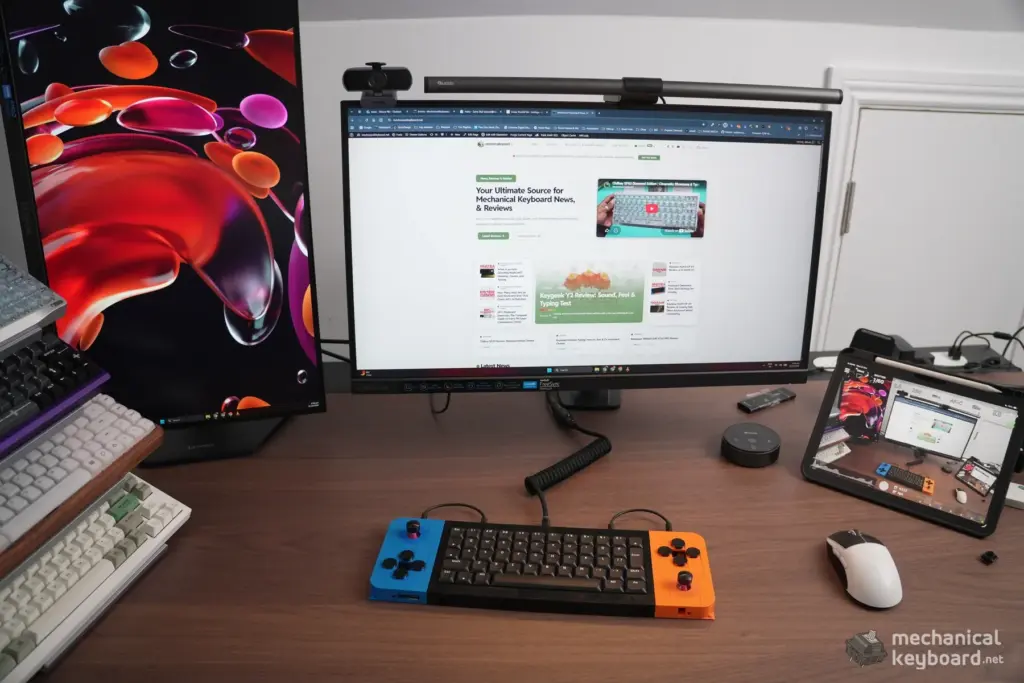
The SAHA is not the keyboard I would use to write articles all day. Its small, nonstandard layout makes me work harder for keys that are effortless on a full-size board. Yet it is one of the few keyboards I’ve tested that makes me want to show people how it works before I even start typing. The blue and orange side controllers, the surprisingly accurate joysticks, the LEGO-style construction and the amount of control available through Vial make it far more interesting than a novelty desk ornament.
My verdict: 8.5/10. A brilliant project and enthusiast keyboard with real functionality behind the gimmick, provided you know you’re trading some everyday typing convenience for a lot of personality.
Who should consider it? LEGO-style building fans, retro gamers, keyboard hobbyists, desk setup collectors and anyone who enjoys programming their own controls. Who should skip it? People who primarily want an effortless daily driver for heavy writing, spreadsheets or a familiar compact layout.
What exactly is the KBDcraft SAHA?
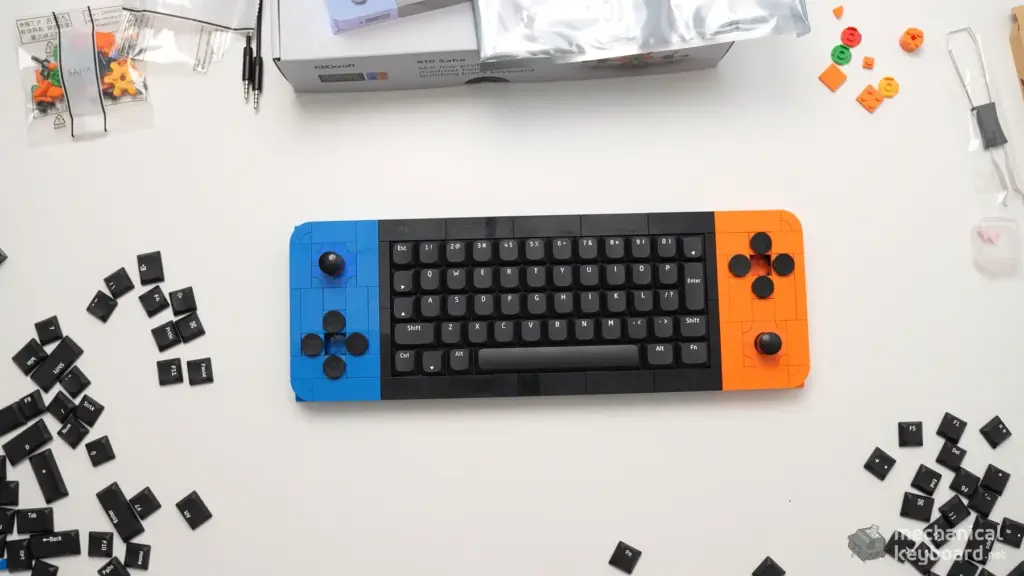
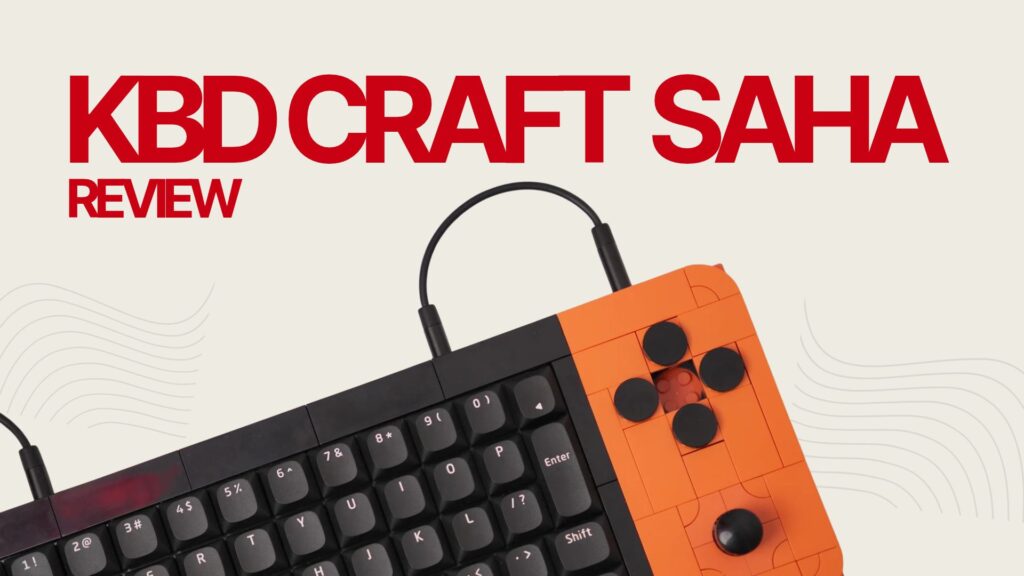
The KBDcraft #10 SAHA is a wired, LEGO-compatible mechanical keyboard system built from three pieces: a central typing module and two removable side controllers. KBDcraft describes the main keyboard as a 55% layout with 52 typing keys. You may also see its main typing unit described as 50% elsewhere, which is why the shape is more informative than the percentage: it is substantially less conventional than a standard 60% or 65% keyboard.
Each controller combines four physical buttons with an eight-way joystick, and the modules communicate over 3.5 mm connections. USB-C powers the main system. KBDcraft markets the design as a controller, a workstation and a creative platform, which sounds ambitious. The crucial question for a review is whether those extra controls become useful after the initial excitement wears off.
| Specification | KBDcraft SAHA Full Kit / review unit |
|---|---|
| Main typing section | 52-key, low-profile design, promoted as 55% |
| Side modules | Two detachable controller modules |
| Controls on each side module | Four buttons and one eight-way joystick |
| Construction | LEGO-compatible brick framework; KBDcraft cites 101 structural bricks |
| Switches in my unit | Black KBDcraft N² Land Mine, factory-lubed tactile |
| Keycaps | Brick Keycap 2.0 |
| Firmware and configuration | QMK with Vial support |
| Connectivity | Wired USB-C power; 3.5 mm module links |
| Lighting | RGB, with very limited visibility through the stock configuration |
| Kit tested | Full Kit, including controller and display accessories |
| Price checked | US$115 for the Full Kit, before shipping and taxes |
| Test environment | Windows 11, approximately two weeks |
There is an anime design story here too. According to KBDcraft, the name references Sahaquiel, the Tenth Angel from Neon Genesis Evangelion. You don’t have to know the reference to appreciate the three-part silhouette, but it explains why the SAHA feels more designed than randomly assembled. The bright blue and orange controllers give it the personality of an old-school game console without merely copying one.
Unboxing: it feels like opening a construction set
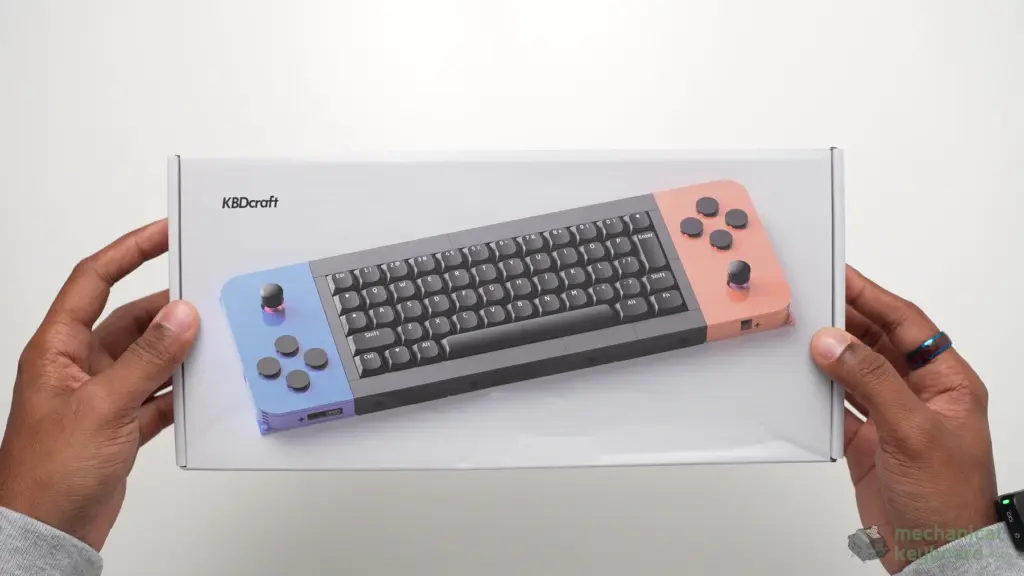
Opening the Full Kit was one of those moments when I genuinely had no idea where to start. Instead of lifting a finished keyboard out of foam, I was looking at bags, components and a sea of small pieces. If you’ve built a detailed LEGO model, you know the feeling: excitement mixed with a sudden realization that this is going to take time.
The presentation itself was excellent. Nothing about the packaging made this feel like a random box of parts, even though that is, in the most affectionate sense, exactly what you get. My Full Kit arrived with the necessary pieces and accessories; I didn’t encounter missing components or tools during the keyboard build. The included display-stand components are still waiting for me to assemble them, so I can’t comment on the finished stand’s stability or appearance yet.
One distinction matters here: you are buying an activity as much as a product. If you want to open a box, plug in a keyboard and be done in five minutes, the SAHA is the wrong kind of purchase. If you enjoy transforming a pile of parts into something functional, that process is a huge part of the appeal.
What’s actually in the SAHA Full Kit?
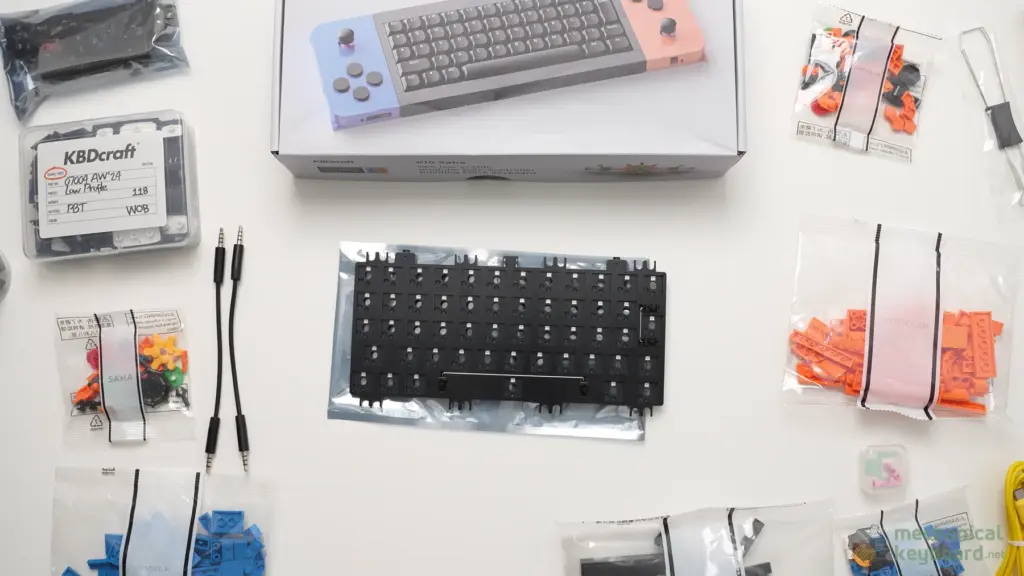
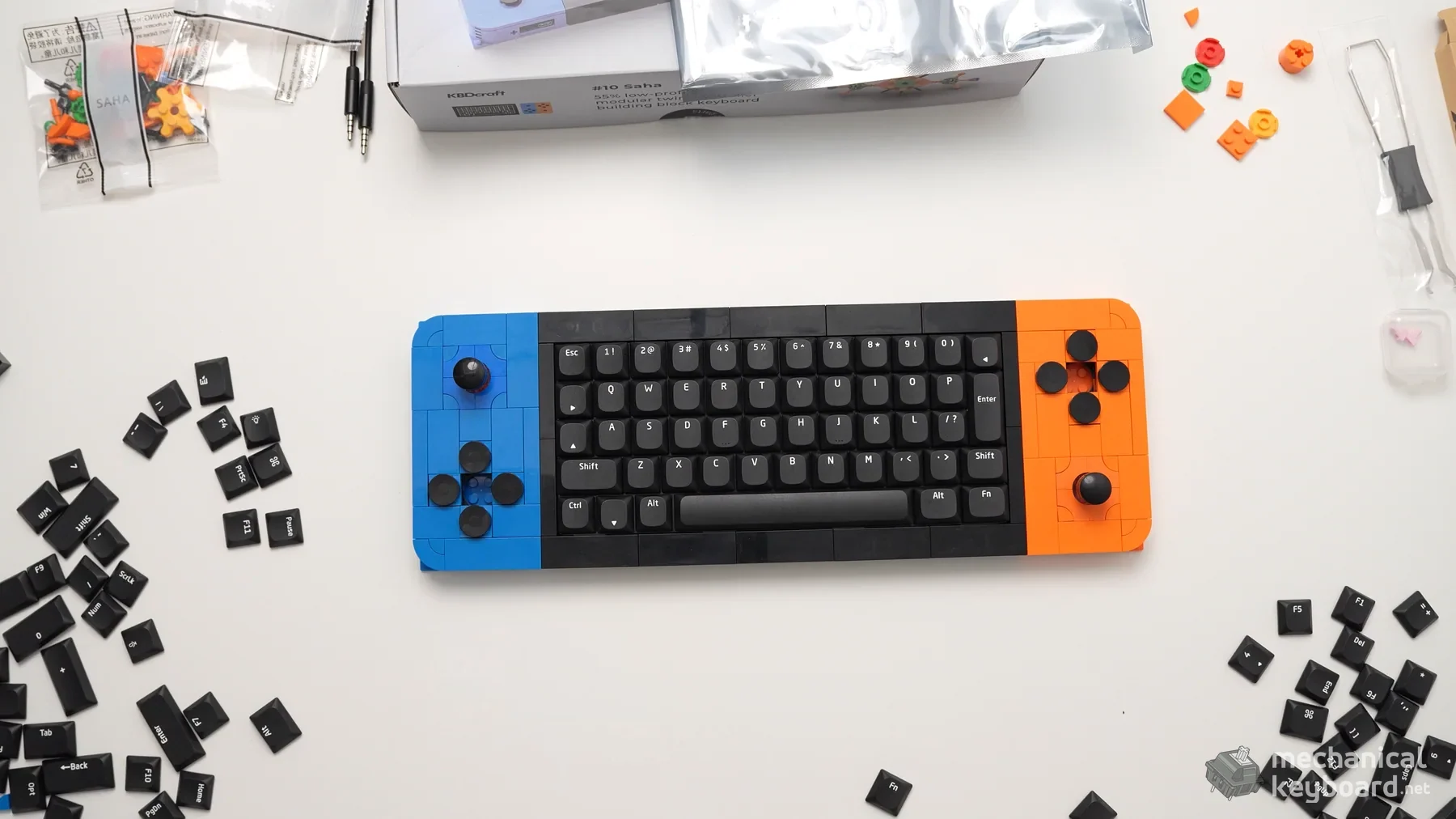
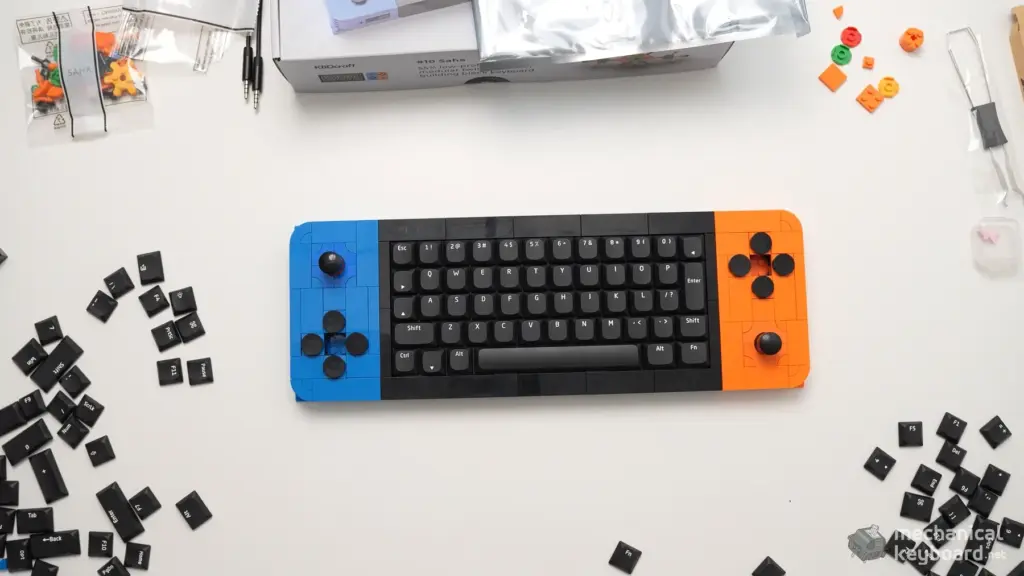
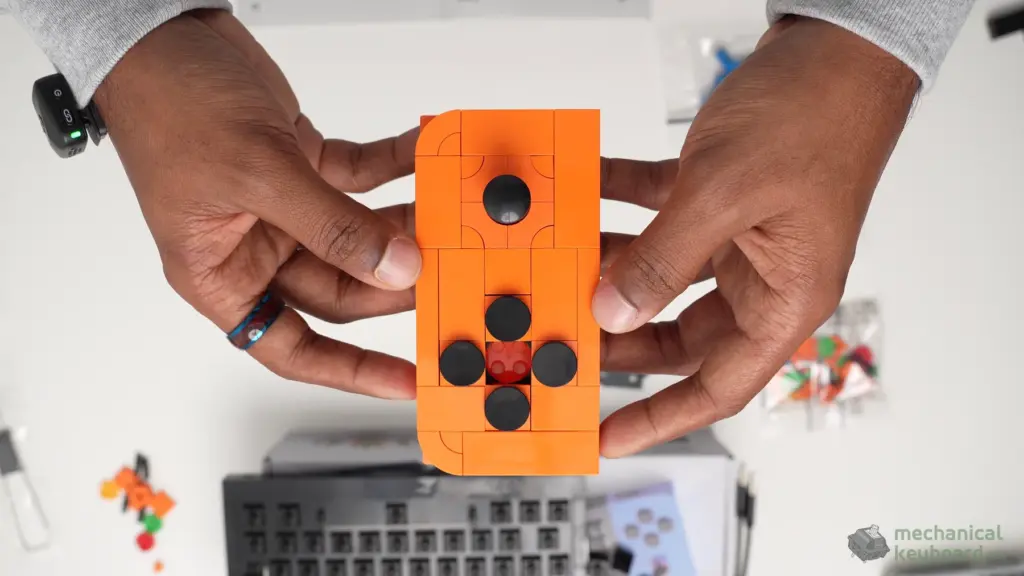
The Full Kit is easier to understand when everything is laid out on the table. In my box, the 52-key typer core, both detachable controller builds, the black N² Land Mine tactile switches, keycaps, brick pieces, cables and smaller accessories arrived as separate components. You are not unpacking a preassembled keyboard.
KBDcraft lists the Full Kit as the Typer, two Controllers and Angel SAHA minifigure. My package also had the parts for the display stand. The photos below are actual frames from my unboxing footage, corrected for camera orientation, not staged promotional renders. KBDcraft’s Full Kit listing describes the three main modules.
The real full kit | KBDcraft SAHA
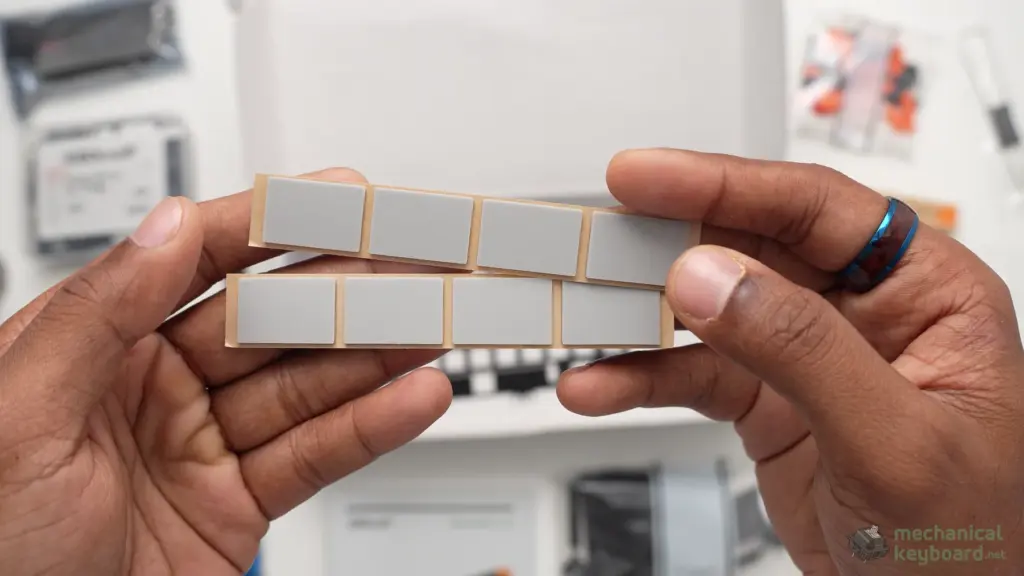
The supplied USB-C cable, assembly guidance, minifigure, rubber feet and display-stand components round out my kit. These are included in the contents inventory even where I don’t have a clear standalone close-up from the footage. I used my own EPOMAKER USB-C cable during testing, not the included cable; for setup, follow KBDcraft’s advice about using the supplied cables. The stand is not yet assembled or tested.
For someone opening their first brick-based keyboard, my advice is to sort the blue and orange controller bags before starting, keep the small parts together, and identify the 3.5 mm leads separately from the main USB-C power cable. That small bit of organisation would have made an already enjoyable build even smoother.
Building the SAHA: two to three hours and a lot of satisfaction
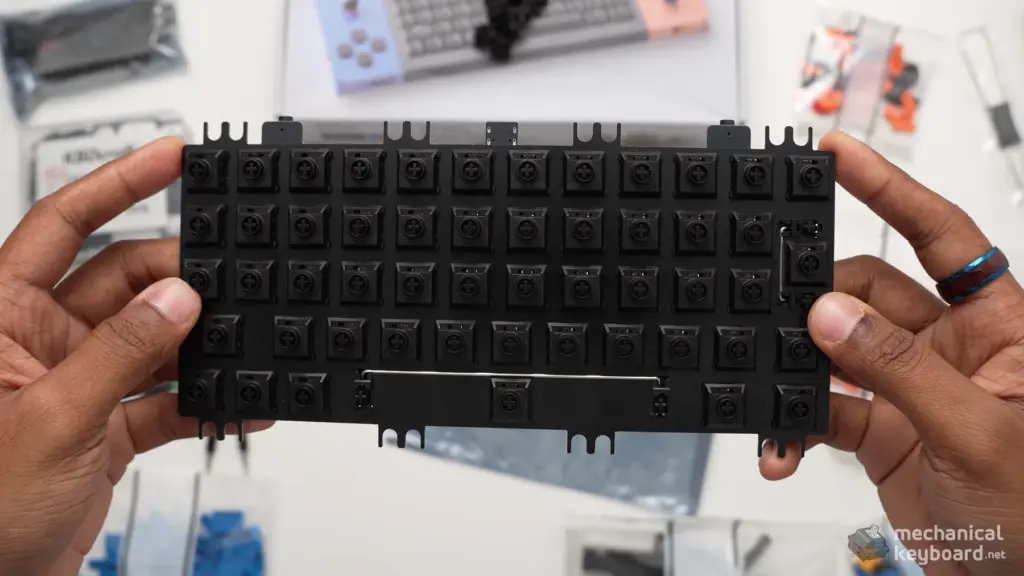
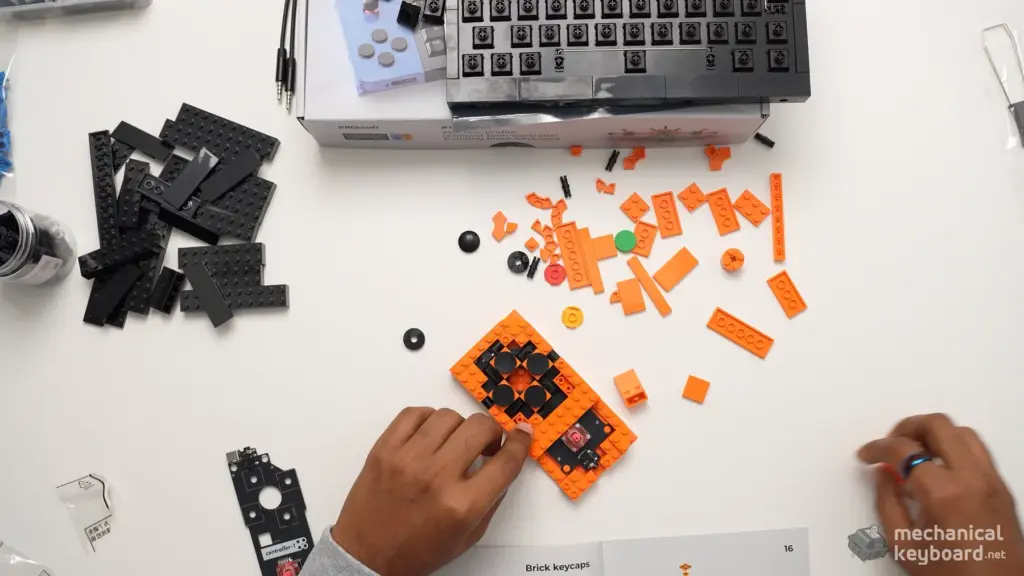
I built the keyboard myself while recording footage for this review. The main keyboard and controllers took me roughly two to three hours, although filming naturally slowed the process down. That is not an assembly-time benchmark; it is how long my actual build session took. The stand was not part of that session.
Coming from LEGO builds, I expected instructions that would make every single step obvious at a glance. KBDcraft’s instructions were generally fine, but a handful of steps left me staring at the pieces for a few minutes, trying to work out exactly what went where. I always figured it out. I never reached a point where I was truly stuck, and there wasn’t a particular brick or connection that felt impossible to install.
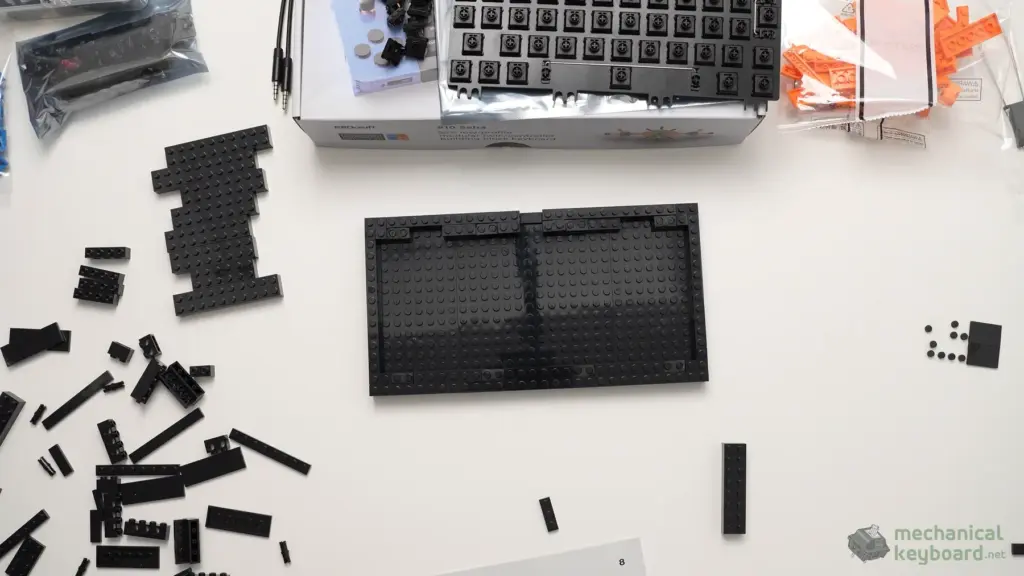
The bricks are better than I expected
The parts felt convincingly solid and comparable to proper LEGO-style building blocks in how they connected. Pieces seated securely, and the main structure came together without an ongoing fight against bad tolerances. The frame starts to make sense as you add layer after layer: you can see that this keyboard’s shape is not just a shell hiding a normal off-the-shelf board.
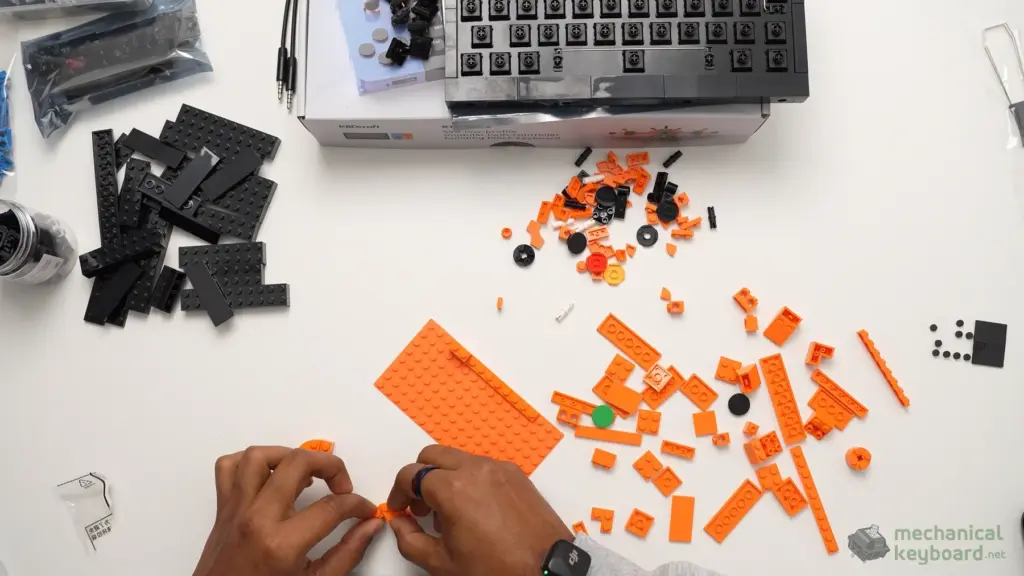
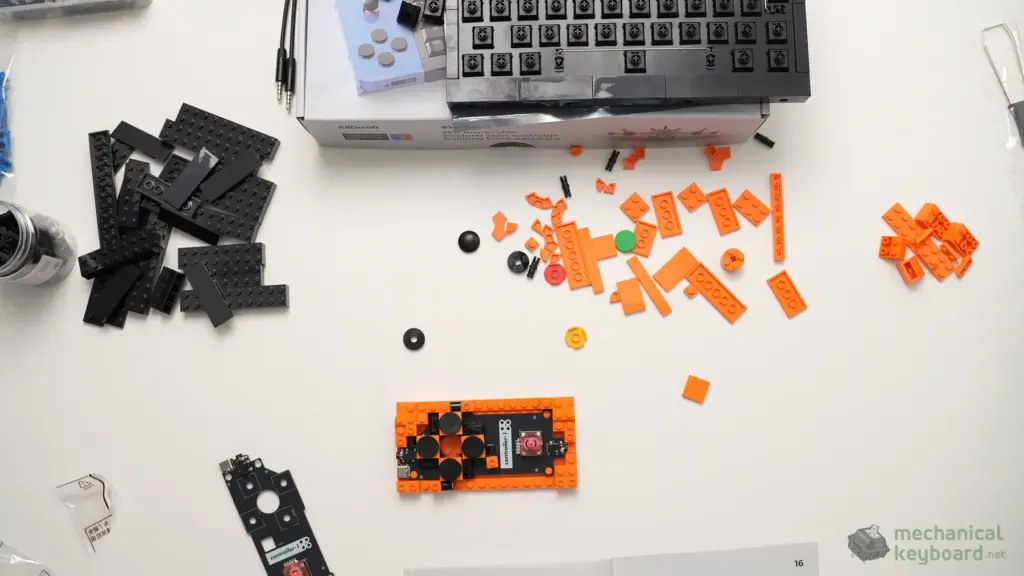
The orange and blue controllers are especially satisfying to build because you can watch a pile of small pieces gradually become a recognisable control surface. The controller modules are also where you understand how the product is intended to be modular. There is hardware under those bricks, not merely decorative plastic attached to a conventional keyboard.
Would I recommend building it to a beginner?
Yes, with reasonable expectations. You do not need to be an expert keyboard modder to enjoy this, but you should be comfortable following visual instructions and double-checking your progress. Lay out the pieces, give yourself a clear table, and don’t rush the less obvious steps. I’d rather spend an extra minute placing a brick correctly than pull apart a delicate-looking assembly later.
My favorite part was the moment the build stopped looking like a craft project and started looking like a genuinely usable keyboard. Installing the switches and keycaps made the transformation feel complete. And unlike many DIY kits, there is no sense that you spent hours assembling something that works only as a display model.
Design and build quality: gorgeous, with one very specific fear
In photos, the SAHA is unmistakable. In person, it is just as attractive. The black central board makes the blue and orange modules pop, and the mechanical details of the joysticks stop the colors from looking childish. I can easily imagine posting this on a story and immediately getting messages asking what keyboard it is. It is a genuine conversation starter.
It also attracts finger oils. My hands can get oily, and the SAHA makes sure I know about it. The exposed flat surfaces and darker components pick up smudges, so expect to wipe it down occasionally if you want that clean, just-built look. I haven’t added decorative bricks or changed the original appearance, even though the construction invites experimentation.
Does a keyboard built from bricks feel solid?
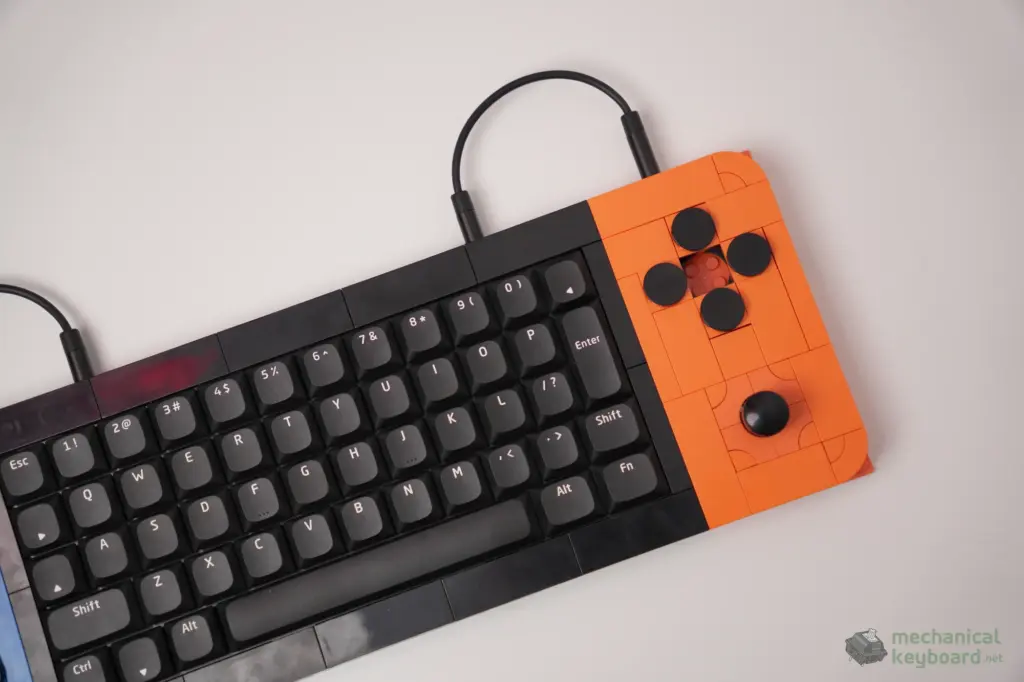
Mostly, yes. There is a little flex if I deliberately test the main structure, but I did not observe persistent rattling or loose bricks during normal use. The rubber feet fitted at the end of the build grip my desk very well. It doesn’t slide around when typing or moving the joysticks, and I haven’t experienced wrist or finger fatigue in my time with it.
The removable controllers impressed me more than I expected. Their interlocking attachments feel extremely secure once they are connected to the keyboard, with none of the floppy wobble I feared. In ordinary desk use, they feel like part of the keyboard rather than flimsy accessories clipped onto its sides.
There is one small distinction: the four physical buttons on the controller modules have some wobble, separate from the rigid module-to-keyboard connection. After building one, you can see why the button arrangement has some play. It appears possible to reinforce the area using extra compatible pieces around the centre of the four-button cluster, but I haven’t made that modification or tested its effect.
The drop anxiety is real
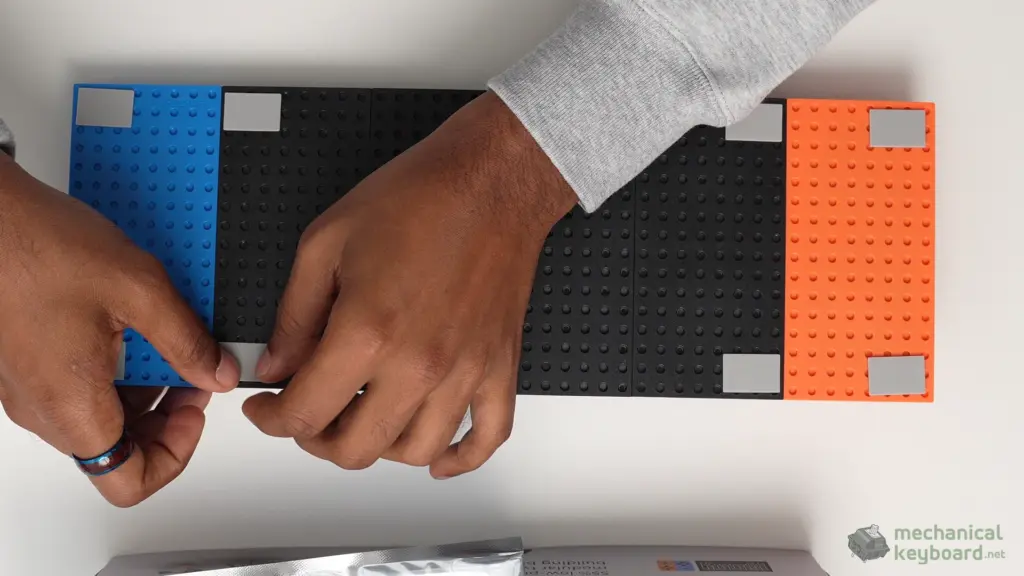
Here is the funny part. The SAHA feels secure on the desk, but I am also deeply afraid of dropping it. Think of a detailed LEGO Star Wars display build: it can be perfectly sturdy while sitting on a shelf, yet the thought of it hitting the floor is terrifying because you know how many tiny interconnected pieces are involved.
That’s how the SAHA makes me feel. I did not drop-test it, and I am not suggesting it will shatter or fail. It’s simply a different kind of ownership anxiety from what I get with a conventional aluminum keyboard. This is a keyboard I would handle carefully when moving between desks.
The 52-key layout: the biggest everyday compromise
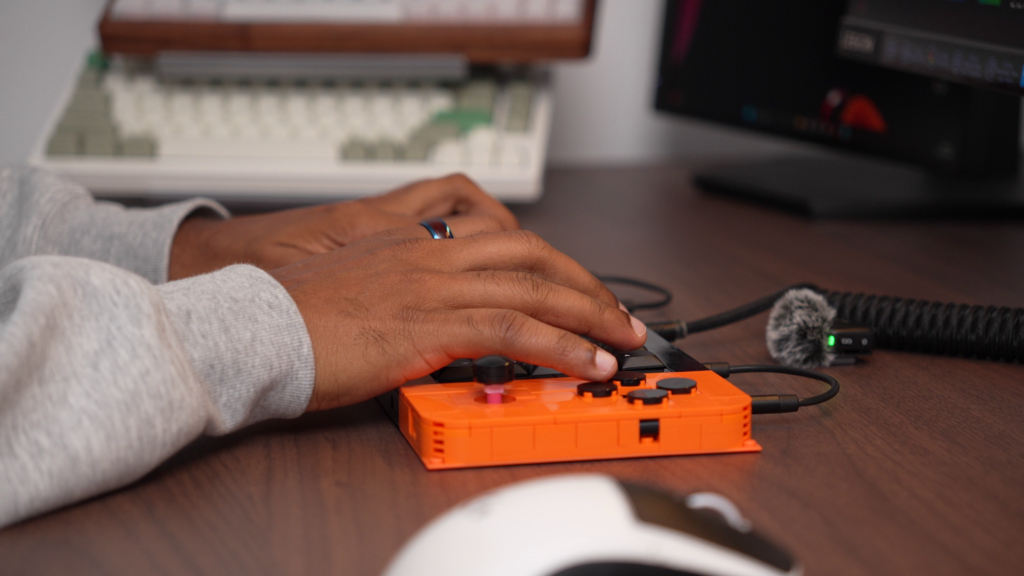
The SAHA is not simply a smaller version of a familiar full-size board. Its placement and sizes for some important keys are different enough that my muscle memory complained immediately. I type a lot for work and frequently use full-size or more conventional mechanical keyboard layouts, so the first few sessions involved more mistakes than I wanted.
The repeat offenders were Backspace, left Shift, Enter and the question-mark key. Those might sound like minor adjustments on paper, but they are keys I use constantly while writing. Hitting one of them from habit, only to realize my finger landed in the wrong place, interrupts the flow more than you would expect.
It became easier over the next couple of weeks, and the layout can absolutely be learned. Once I adjusted, I found the small board satisfying and the unusual shape part of the fun. But I still miss dedicated keys. You are relying more on layers and remapping to recover functions that are physically present on larger boards.
If you love compact layouts, the trade-off might be a good one. If you’re moving from a full-size office board and spend eight hours in spreadsheets or long documents, be more cautious. I would not personally replace my regular work keyboard with the SAHA, and that has much more to do with the layout than with the quality of its switches.
For a broader explanation of which keys disappear as boards get smaller, see our mechanical keyboard sizes guide and our 65% vs 75% keyboard comparison.
N² Land Mine switches: unexpectedly smooth tactile typing
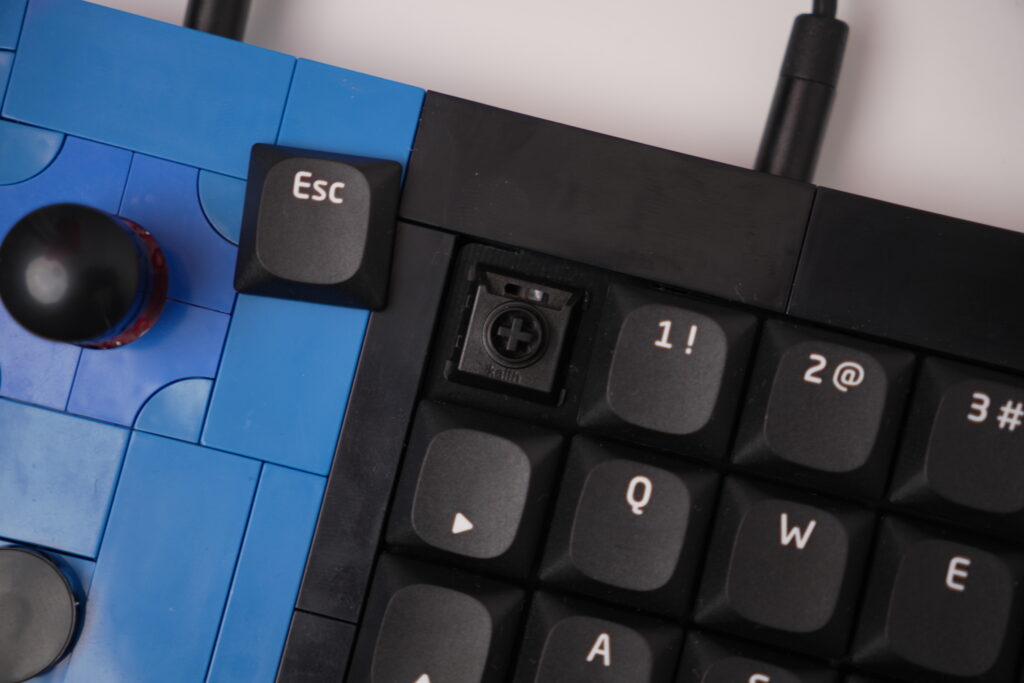
My review unit came with black KBDcraft N² Land Mine switches, supplied separately for installation during the build. They are the tactile variant, not the white N² Depth Charge linear switches. That matters because those two models have different characters, and it would be misleading to describe my typing experience using the linear switch’s force and travel figures.
KBDcraft describes the N² series as low-profile, factory-lubed switches with POM housing and stems, developed with Kailh. On the keyboard, the Land Mine tactility is noticeable but subtle rather than sharp. There is a smooth little bump as the switch actuates, followed by a controlled-feeling press that is easy to repeat. Nothing in my use felt aggressively heavy or scratchy.
I honestly wasn’t expecting much from the typing feel. After spending hours fitting bricks together, part of me assumed I was building something that would look better than it worked. Instead, the SAHA feels like a real mechanical keyboard that happens to be built in an absurdly interesting way.
Sound Profile : muted and creamy, not plasticky and rattly
The stock sound is best described as muted and creamy. It isn’t a loud, sharp clack machine. Nor did it produce the cheap, hollow chatter I half expected from a build made of individual pieces. Of course, sound is subjective and depends on the room, desk and recording setup; I haven’t made a controlled acoustic measurement.
The bigger surprise was the stabilizers. In my unit, the stabilized keys sounded and felt stable, with no obvious rattle or wobble. That is a very welcome result for a keyboard where the assembly process is already asking a lot of the buyer. I haven’t opened up the stabilizers or performed modifications, so these impressions refer to the stock setup.
A controlled audio sample would make this section even more useful. For now, my assessment is based on the actual keyboard I typed on, not a marketing sound profile or an edited recording.
Keycaps, RGB and the things you notice up close
I like the SAHA’s stock keycaps more than I expected. They fit the entire design exceptionally well, the legends are easy to read, and the key surfaces feel appropriate to the compact low-profile construction. Swapping in ordinary keycaps is not the point here; the brick-based aesthetic and its custom geometry are part of the package.
The RGB lighting is the weak link. Yes, there is RGB lighting in the keyboard, but the stock keycaps and switches do not let much of it shine through. In a normal setup I could only catch faint light leaking between the caps. If you’re buying the SAHA expecting a brightly illuminated gaming setup, the lighting will probably disappoint you.
I would much rather have a manufacturer underpromise on RGB than make it a selling point that looks dramatically different in actual use. In this case, enjoy the SAHA for the physical design and controllers, not for its lighting effects.
The joysticks: more than a novelty
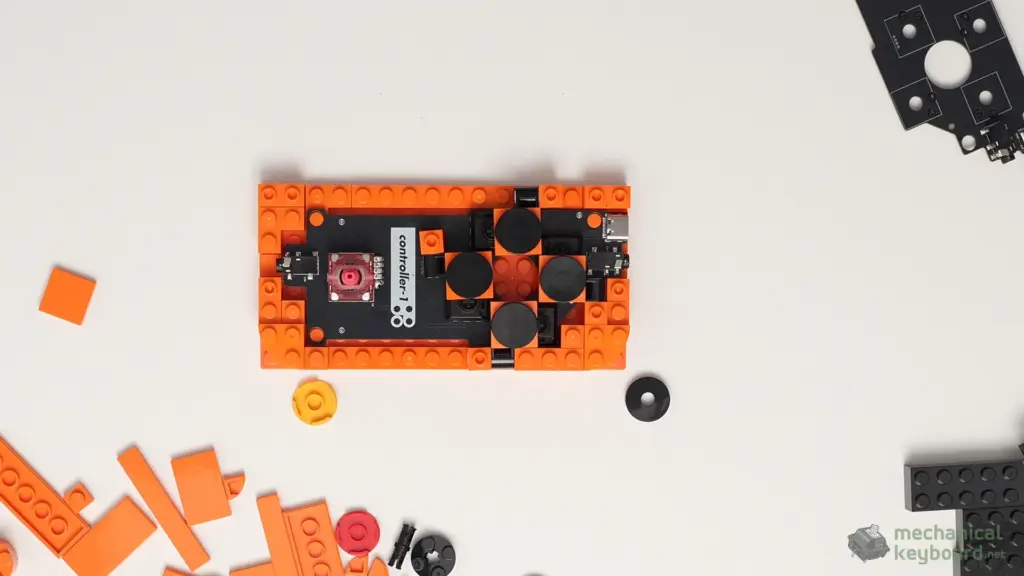
This is where my opinion of the SAHA changed the most. A keyboard with two joysticks could easily have been little more than a visual trick. But after connecting the modules, I immediately found useful desktop functions without needing to set anything up.
On my unit, one joystick worked as a scrolling control and the other moved the mouse cursor. Think of the classic red TrackPoint nub on some ThinkPads, except this one is built into a bright modular controller, has its own configurable inputs and is surrounded by programmable buttons.
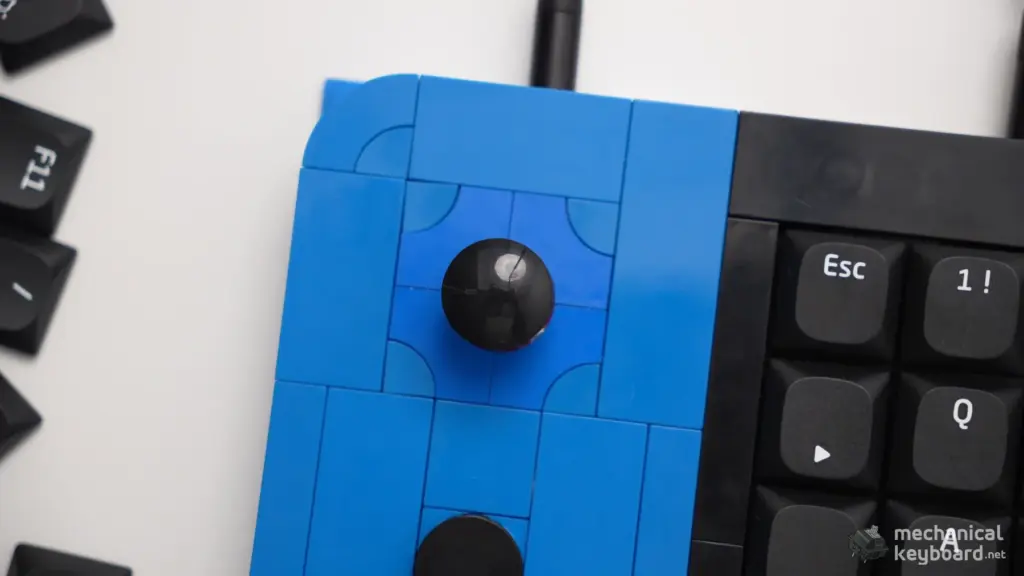
The mouse control wasn’t simply adequate for moving a pointer around the screen. It was accurate enough for selecting items and hitting small targets, and it felt responsive in my normal desktop use. That does not make it a replacement for a precision gaming mouse, but it removes the argument that the sticks are useful only in a game.
KBDcraft advertises each joystick as supporting eight-way control. Combined with the four surrounding physical buttons on each module, there is quite a lot of input potential here. You could map navigation, media, software shortcuts, scrolling, macros or controller-style commands, depending on what you actually need.
The controllers feel integrated, not bolted on
Physically, the attachment is another highlight. I expected the side modules to feel like optional extensions. In practice, their interlocking connection is so solid that they seem like part of the main body. The separate module cables are noticeable, and the physical buttons have that small amount of wobble mentioned earlier, but neither spoiled my everyday use.
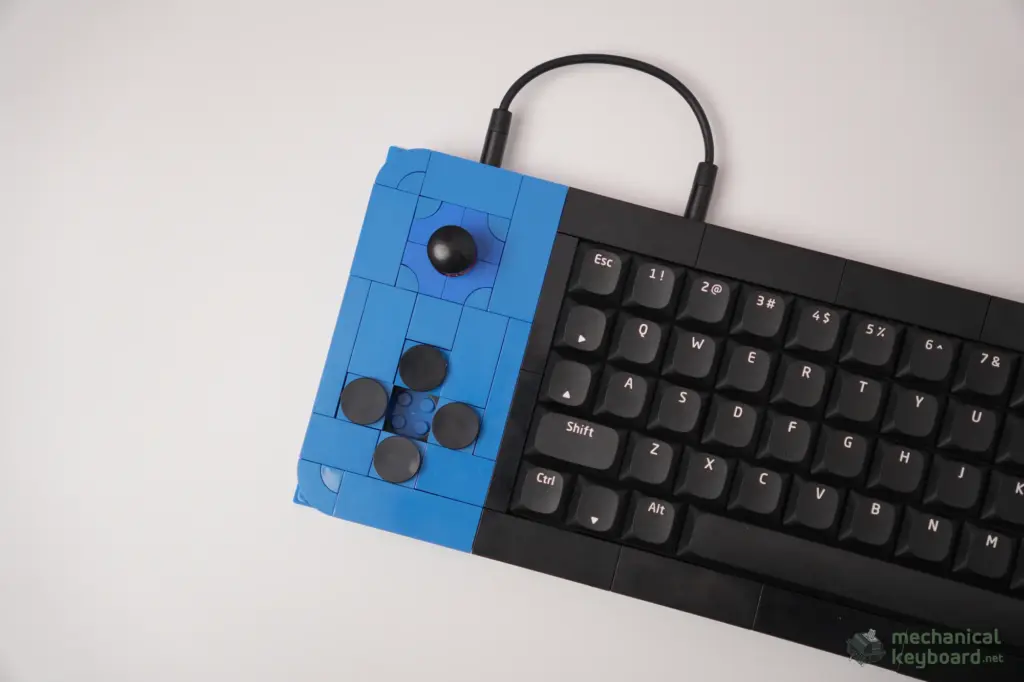
There is a limit to my findings here: I have not independently tested using the detached modules on their own or as a combined handheld controller. KBDcraft advertises those configurations and says each module can store its own mapping. My review verifies the joined three-module setup, not the entire set of standalone modes. I also haven’t repeatedly hot-plugged the modules as a durability or electrical test.
Retro gaming: this is where it gets nostalgic
I spent time using the SAHA for retro games, including Mario-style gaming, and it was genuinely fun. Playing with physical joysticks and small button clusters gives the experience a playful, almost homemade controller feeling that a standard keyboard doesn’t replicate. There’s something especially satisfying about playing a game on a controller you just assembled from pieces.
I actually enjoyed this more than I expected, particularly because the SAHA doesn’t take itself too seriously. The retro controller-style interaction is a part of its identity, not a random add-on. If you like emulators and older games, there is real appeal in configuring the controller modules around your favorite titles.
There are important caveats. I did not test Counter-Strike, Valorant or modern FPS gameplay with the SAHA joysticks, and I did not measure joystick latency, input polling or directional accuracy using instruments. I cannot responsibly tell you whether it is competitive for fast-paced gaming. My positive gaming verdict is specifically about casual and retro gaming.
Vial and QMK: surprisingly useful customization
The SAHA is much easier to take seriously once you open Vial. I tested the browser-based configurator on Windows 11, and it detected the keyboard immediately without requiring me to install additional drivers. That is a very good first impression for a product that could otherwise have made configuration needlessly complicated.
In my screenshot the device is identified as SAHA 55. The interface lays out the central typing deck and both side modules, so I can see exactly which controls I am editing. It shows layers 0, 1, 2 and 3 along with tabs for keymaps, macros, lighting, tap dance, combos, key overrides and QMK settings.
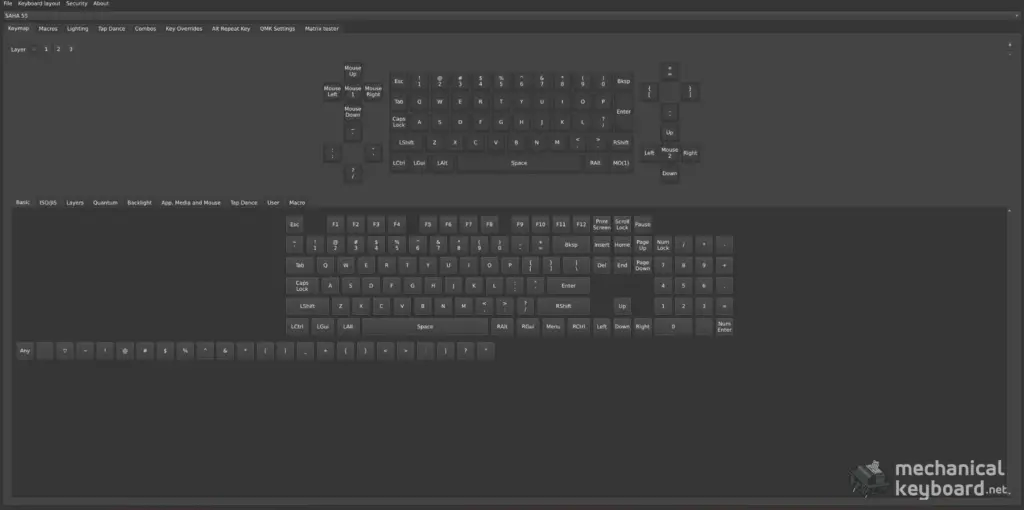
What I actually verified
- The SAHA appeared in Vial on Windows 11 without additional driver installation.
- All three joined modules were visible in the same interface.
- Key remapping and joystick-related assignments were straightforward to change.
- Layers and macros worked during my testing.
- The changes I made remained in place after restarting the keyboard.
That final point matters. Customizing a controller is not much fun if everything resets the next time you plug it in. The SAHA remembered the settings I made, which makes it more practical to build a layout that suits a particular game or workflow.
A simple way I would configure it for work
For a compact keyboard, I would start with the most annoying missing functions rather than creating an elaborate macro system on day one. Put navigation and editing shortcuts onto an easy-to-reach layer, keep one stick for scrolling, and give the other a mouse role. Then use the controller buttons for commands you repeat every day, such as copying, pasting, switching browser tabs or opening a specific editing tool.
If you create content or manage WordPress, the keyboard could even become a compact macro control surface, almost a DIY Stream Deck-like setup. That is an idea enabled by its programmable inputs, not a claim that I have already replaced a Stream Deck with it or verified every possible integration.
KBDcraft advertises onboard Game, Work and Vibe Coding profiles. The Vial interface exposes many advanced features, but I have not separately validated every advertised profile or every advanced tab. Availability in the UI and successful real-world functionality are not the same thing. For the software that I did try, however, the experience was impressively painless.
Connection and reliability notes
I tested my keyboard on Windows 11 with a USB-C connection. I happened to use an EPOMAKER MIX Pro USB-C cable rather than the cable supplied in the box. The keyboard worked in this setup, but there is an important warning: KBDcraft advised against using third-party cables with the SAHA. My successful experience with one different cable is not a compatibility guarantee. If you’re buying the keyboard, follow KBDcraft’s supplied-cable guidance and use the provided cables, especially for the inter-module connections.
KBDcraft lists USB-C for power and 3.5 mm connectors for module-to-module communication. Don’t confuse the USB-C cable attached to the main keyboard with those 3.5 mm controller links. I didn’t perform a systematic cable-compatibility test, and I would not recommend deliberately trying incompatible cabling just to see what happens.
On the software side, the settings I changed survived a restart. I also had no notable complaints about the joined controller experience in daily use. That is not the same as having performed a formal reliability test for missed keystrokes, double registrations, long-term hot plugging or component wear.
For anyone investigating typing issues on other keyboards, we’ve also built a free keyboard chatter test. I haven’t yet recorded or published a SAHA-specific chatter-test result, so I won’t attach a pass or fail score to this unit without the data.
How does it compare with a conventional keyboard?
The fairest comparison is not a direct spec-sheet contest. The SAHA is doing something different from the usual 65%, 75% or full-size mechanical board. My Keychron Q1 Max and the other more conventional keyboards I’ve used are far easier choices for long writing sessions. Their familiar layouts let me concentrate on work rather than remembering which compact key combination does what.
The SAHA wins a completely different competition. You get the process of building it, an unusual controller design, genuine tactile input options and a board that feels distinctive from the moment it lands on the desk. The modular controllers and Vial remapping offer room to invent workflows that a regular keyboard with no programmable side modules cannot match out of the box.
So I would divide the buying decision into two questions. Do you want the best tool for typing thousands of words every day? I would choose a comfortable conventional keyboard. Do you want a mechanical keyboard project that doubles as a retro gaming controller and programmable desktop experiment? The SAHA makes a much stronger case.
Is the KBDcraft SAHA worth $115?
For the Full Kit at US$115 before shipping and taxes, I think the value is genuinely good, provided you value the building experience. I didn’t receive just a keyboard: I got a project that occupied an afternoon, a functional small mechanical keyboard, two controller modules, a highly configurable software experience and display-oriented accessories.
If you look at it purely as a typing device, the value calculation changes. You can buy far more conventional, easy-to-live-with mechanical keyboards without sacrificing Shift, Enter, Backspace positions and dedicated functions. The SAHA earns its price through the combination of play, design and useful input options, not through beating every normal keyboard on typing ergonomics.
The stand components were included in my Full Kit, but since I have not assembled the stand, I can’t rate that part of the value from hands-on use. Similarly, I have not investigated replacement-part availability or long-term wear, so I would not make strong durability claims.
Who should buy it, and who should skip it?
Buy it if you love building things, enjoy LEGO-compatible projects, collect unusual keyboard designs, play retro games or want to experiment with joystick and macro input on your desk. It is also a fun option for a creator who enjoys showing and explaining interesting hardware.
Skip it if you are searching for a quiet, effortless everyday office keyboard that you can carry around without worrying about a pile of tiny parts. The SAHA is comfortable enough in my sessions and sounds better than I expected, but its layout is a real adjustment. Anyone buying it primarily for bright RGB should lower their expectations too.
What I loved, and what I would change
What I loved
- An unusually satisfying construction experience with excellent brick fit.
- A fantastic blue-and-orange design that looks just as good in person as in photos.
- The N² Land Mine switches feel smooth, with a subtle tactile bump and a pleasing muted sound.
- Solid controller attachments and useful default mouse/scroll joystick functions.
- Enjoyable retro gaming and highly approachable Vial customization.
- Good value for a full kit that is part hobby project, part functional device.
What I would change
- The odd key placement creates a real learning curve for typing-heavy work.
- RGB is barely visible between the stock keycaps.
- The four controller buttons have a little play despite the modules attaching securely.
- The manual could explain a few building stages more clearly.
- The brick construction makes me nervous about dropping or transporting it.
- Smudges and fingerprints show up quickly on the surfaces.
Final verdict: 8.5/10, and worth experiencing
The most memorable thing about the KBDcraft SAHA is how many times it surprised me. I expected a fun LEGO-style model and discovered a keyboard that feels genuinely good to type on. I expected the controllers to be a novelty and found accurate mouse control, scrolling and a very enjoyable retro gaming experience. I expected the software to be complicated, but Vial picked it up immediately and remembered my remapping.
There are genuine compromises. My muscle memory still prefers a conventional layout, the RGB barely shows, and I would be nervous carrying a complex brick-built board around. If I’m sitting down to write a long review or work through a heavy day of content, I will reach for my regular keyboard instead.
But that doesn’t make the SAHA a failure. It makes it a specialized, characterful device that knows how to be fun. The best reason to own one isn’t that it replaces every keyboard you already have. It’s that it adds an experience and set of controls they simply don’t provide.
My score is 8.5 out of 10. For LEGO lovers, retro gamers and keyboard enthusiasts who enjoy tinkering, this is one of those products that is worth more than the sum of its components.
A genuine thank-you to BoyU from KBDcraft for making this review possible. KBDcraft supplied the review unit. The opinions, testing limitations and rating here are my own.
Frequently asked questions
Is the KBDcraft SAHA a 50%, 55% or 60% keyboard?
KBDcraft promotes the SAHA as a 55% modular keyboard with 52 main typing keys. Some descriptions use 50% for the central typing deck. Because compact keyboard percentage labels aren’t standardized, the 52-key main layout and two detachable controller modules tell you more than the percentage.
Does the SAHA come assembled?
The Full Kit I tested required assembly, including the brick structure and installation of switches and keycaps. My filmed keyboard build took roughly two to three hours. The stand is also included as components, but I have not built mine yet.
What switches did you test?
My unit used black KBDcraft N² Land Mine tactile switches. The bump is subtle and smooth. The white N² Depth Charge switches are a different, linear option, and their specifications should not be treated as the specifications of my black tactile unit.
Does the SAHA have RGB lighting?
Yes, but it is very subdued in the stock configuration. I could barely see the illumination between the keycaps, so RGB should not be a primary reason to buy it.
What do the two joysticks do?
On my review unit, one controlled scrolling and the other moved the mouse pointer by default. KBDcraft advertises eight-way joystick input, with remapping available through QMK/Vial. I found the cursor control precise enough for small desktop selections.
Can the controller modules work separately?
KBDcraft advertises detachable modules and independent mappings. I tested both controllers attached to the main keyboard, not separately in a handheld configuration, so I cannot independently verify that use case yet.
Does Vial work with the KBDcraft SAHA?
Yes, in my Windows 11 testing the browser-based Vial configurator detected the joined SAHA immediately without extra drivers. I could see its three-module layout, edit remappings and layers, configure macros and retain changes after restarting the keyboard.
Is it good for office work or everyday typing?
It can handle normal typing, and I did not encounter wrist fatigue in my sessions. However, the unconventional Backspace, left Shift, Enter and punctuation positions required adjustment. I would choose a more familiar keyboard for my own typing-heavy daily workload.
Does it support third-party USB-C cables?
I used an EPOMAKER MIX Pro cable successfully with my Windows 11 setup, but KBDcraft recommends against third-party cables for the SAHA. Follow the manufacturer’s recommendation and use the included cables; one successful connection is not proof of general compatibility.
Is the SAHA worth buying for gaming?
For retro gaming and controller experimentation, I found it a lot of fun. I did not test competitive FPS titles or benchmark input latency, so this review does not claim it’s a performance-focused replacement for an FPS gaming keyboard or dedicated controller.