Quick Verdict : TL;DR
The Epomaker Luma 40 is a 40% ortholinear keyboard with a CNC-machined aluminum case, tri-mode wireless connectivity, and Kailh White Rain Choc V2 switches. It retails for $115.99.
- Quick Verdict : TL;DR
- Specs at a Glance
- Unboxing & First Impressions
- The Elephant in the Room: Epomaker’s Reputation
- Construction Deep Dive : CNC Aluminum and Tray Mount
- Layout : Surviving 47 Keys
- Kailh White Rain Switch Deep Dive
- Wireless & Battery : Tested, Not Quoted
- QMK/VIA : The Complicated Truth
- Keycaps : What Fits the Luma 40
- The Big Comparisons
- Buyer’s Bracket : Best Ortho Under $150
- Verdict
- Where to Buy
- FAQ
Score: 8/10
Best for: Ortho-curious enthusiasts who want a wireless 40% without soldering. Travel warriors who need a tiny keyboard that works out of the box. Minimalists who want a CNC aluminum board without spending Planck money.
Skip if: You need a number row for work. You want full open-source QMK with no compromises. You are a heavy gamer who needs stabilizers. You value brand ethics over hardware value.
Bottom line: This is the cheapest way into a wireless, CNC aluminum, ortholinear keyboard with hot-swap switches and VIA support. The hardware is excellent. The firmware situation is complicated. I will explain both clearly.
Specs at a Glance
| Spec | Detail |
|---|---|
| Layout | 40% ortholinear grid, 47 keys with 5-key thumb cluster |
| Case | CNC-machined aluminum (5052 alloy), silver anodized |
| Mount | Tray mount with PC plate |
| Switches | Kailh White Rain (Choc V2 low-profile linear, full POM, 50gf, 1.2mm pre-travel, 2.8mm total travel, MX-compatible stem, 50M lifespan) |
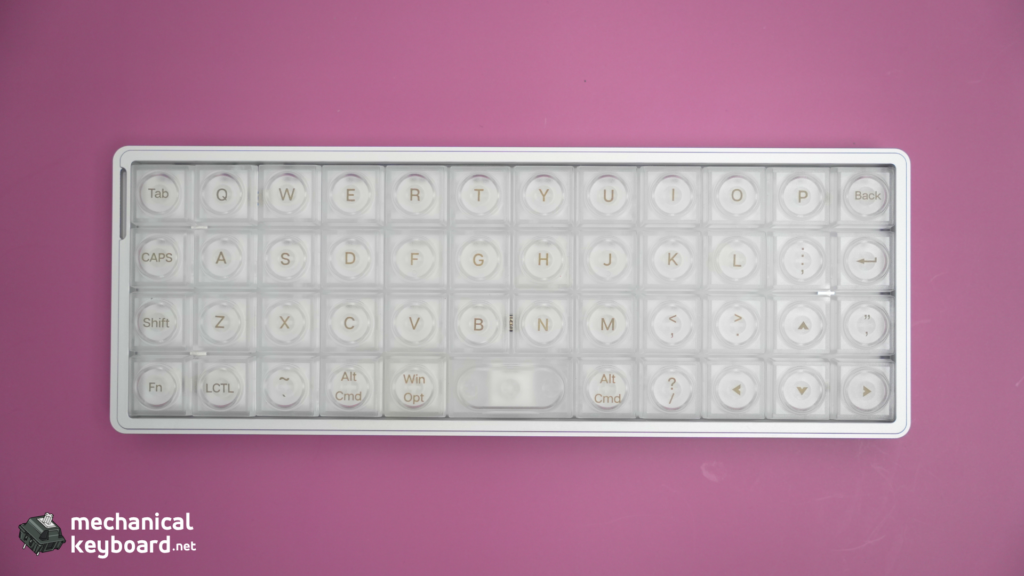
| Keycaps | Semi-transparent frosted PC, LAK low-profile profile |
| Connectivity | USB-C / 2.4GHz / Bluetooth 5.0 |
| Battery | 1,450mAh |
| Hot-swap | Yes, Choc V2 compatible (3-pin and 5-pin) |
| Firmware | VIA compatible (4 layers), community QMK fork available |
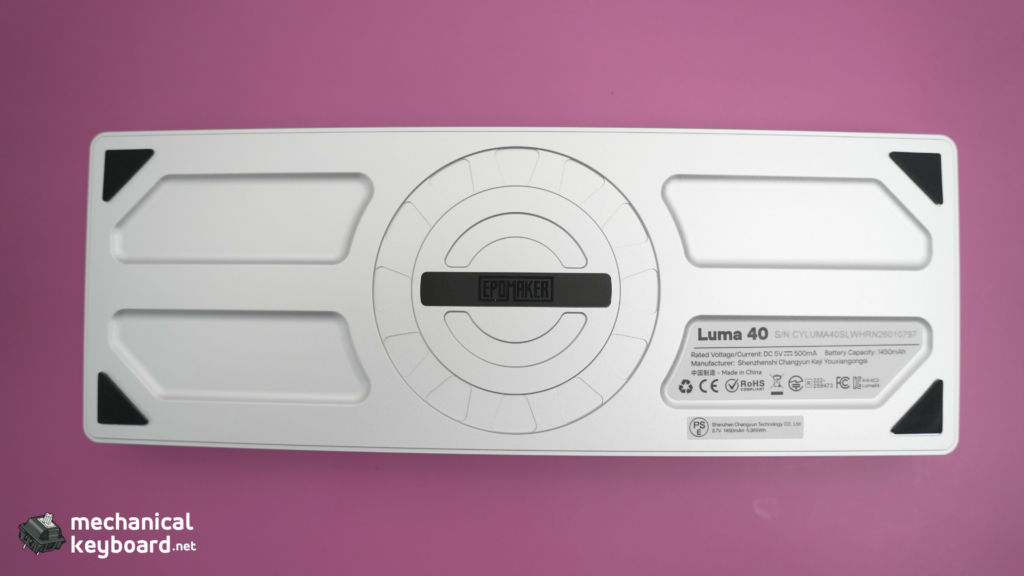
| Weight | 410g |
| Dimensions | 240 x 87 x 20.8mm |
| Extras | Wrist lanyard / carry strap, switch puller, keycap puller |
| Price | $115.99 MSRP |
Unboxing & First Impressions
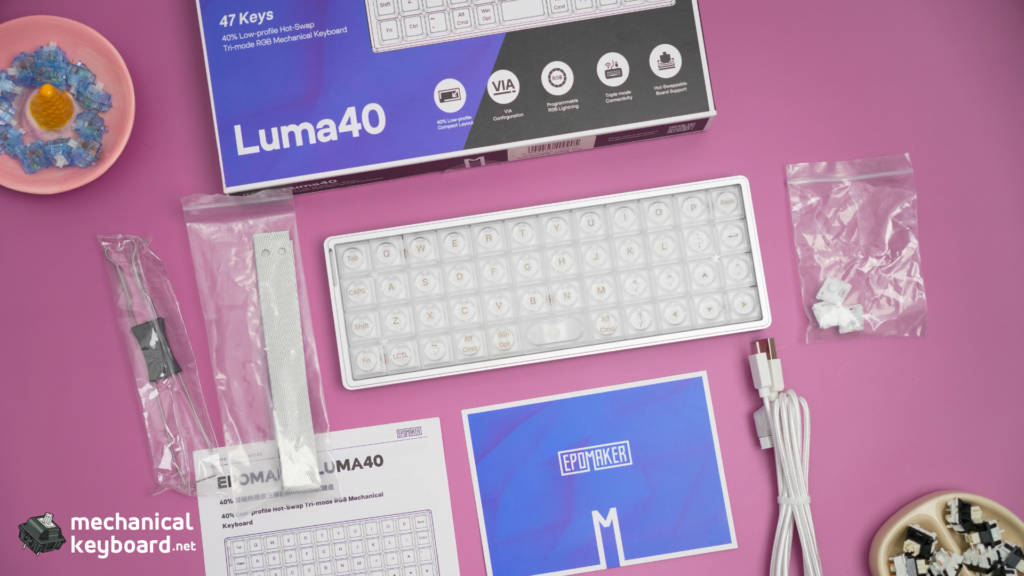
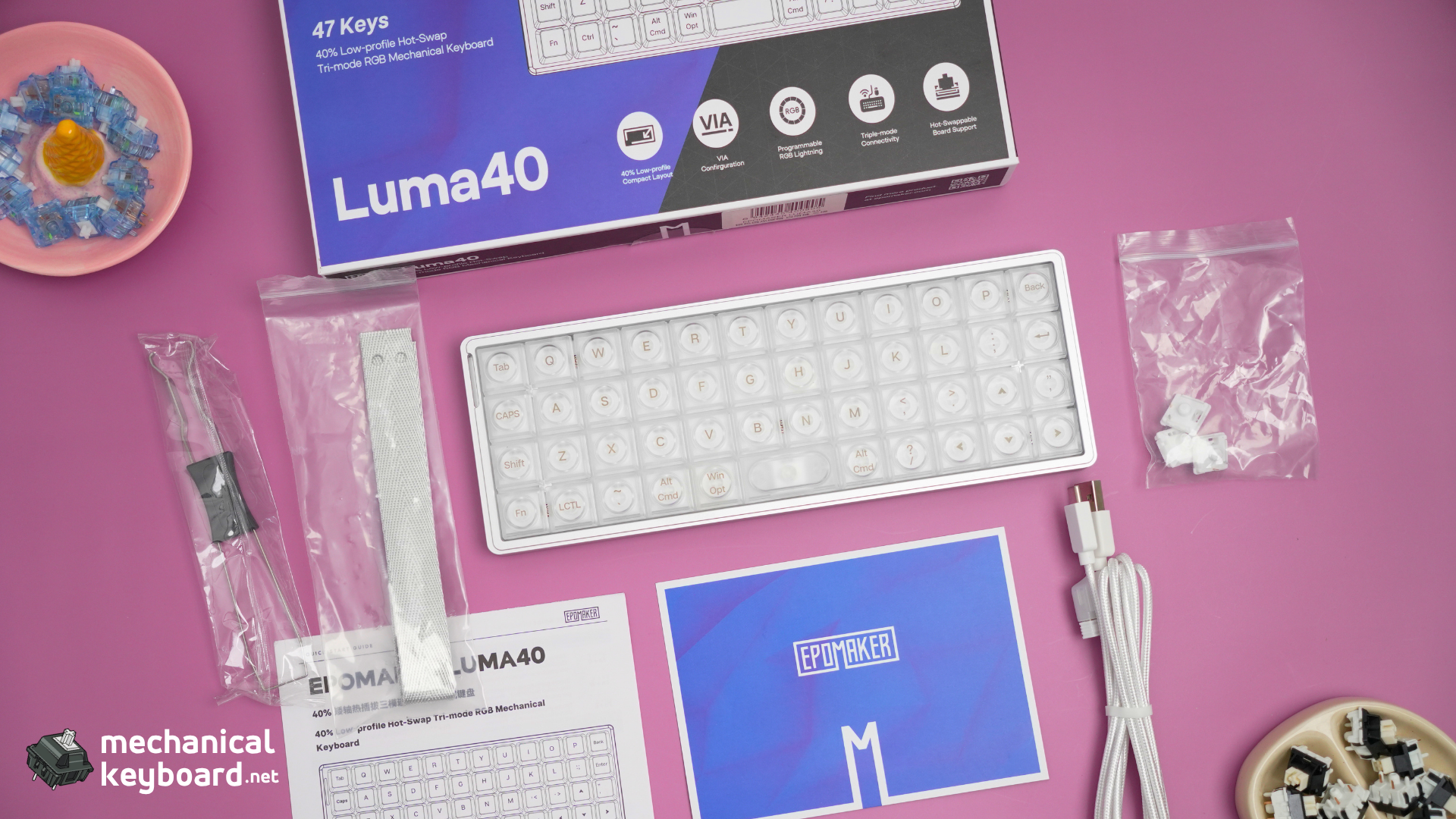
The Luma 40 arrives in a compact box. Inside you get the keyboard itself, a braided USB-C cable, a keycap puller, a switch puller, a quick-start guide, and the most polarising accessory in recent keyboard history: a nunchaku-style carry strap.
Yes, a carry strap. It attaches to two metal loops on the sides of the case. In theory you can sling the Luma 40 around your wrist. In practice, it makes the board hang awkwardly, the metal loops jingle when you walk, and I have never once used it for its intended purpose. It looks cool in photos. That is the most charitable thing I can say.
Ignore the strap. The rest of the unboxing experience is excellent.
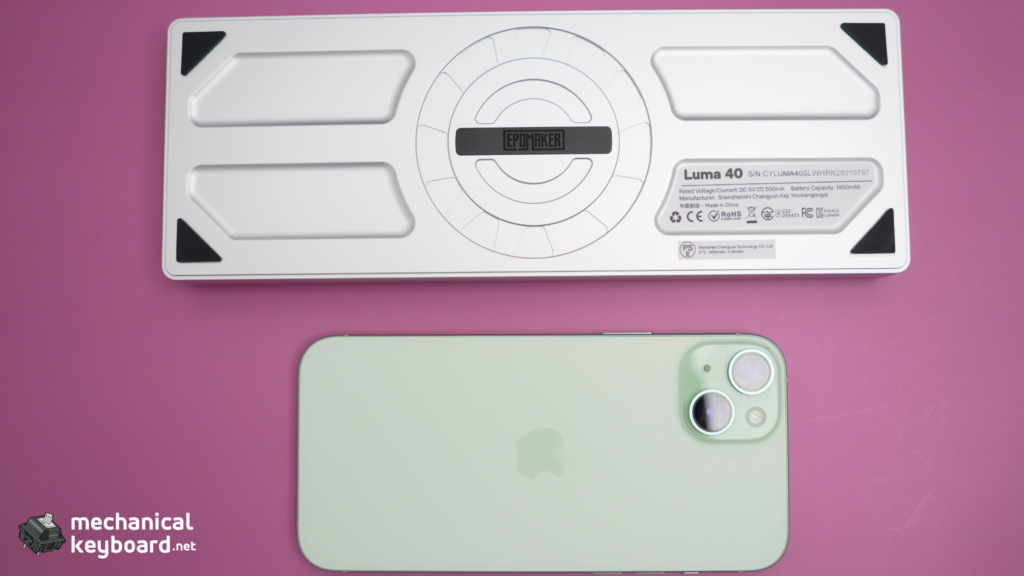
First touch tells you this is a dense little brick. At 410g for something the size of a tablet stylus case, the CNC aluminum case makes an immediate impression. There is zero flex. Zero creaking. It feels machined from a single block, because it basically is.
The Elephant in the Room: Epomaker’s Reputation
Before I talk about how good this keyboard feels, I need to address the firmware situation that anyone who follows the QMK community will be aware of.
The GPL violation: QMK is released under the GNU General Public License, which requires manufacturers who use it to publish their source code modifications. Epomaker ships closed-source binary blobs with the Luma 40. They have been flagged on QMK’s license compliance list.
The community response: Developer carlosedp took on the task of reverse-engineering the Luma 40’s firmware and published fully open-source QMK firmware on GitHub. Notably, when carlosedp reached out to Epomaker about the issue, the company proactively sent him a free Luma 40 unit and shared internal pin and matrix information to help him build the open firmware. The GPL violation itself is a real and documented concern, but Epomaker was more cooperative in addressing it than the typical story suggests.
Why I am still reviewing this keyboard: Because the hardware is genuinely good, and because this board represents one of the few affordable entry points into wireless ortholinear. You deserve an honest review that acknowledges both the strengths and the firmware limitations. The issue gets a deeper treatment in the QMK section below.
Construction Deep Dive : CNC Aluminum and Tray Mount
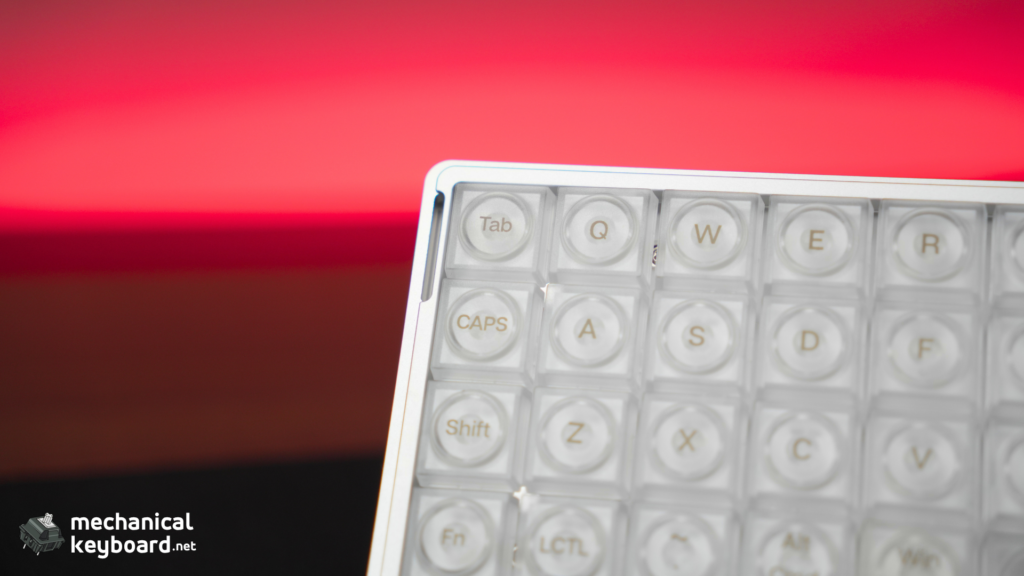
CNC Aluminum Case
The Luma 40’s case is CNC-machined from 5052 aluminum alloy with a silver anodized finish. At this price point, most ortholinear boards are either plastic (TH40), steel (Planck), or require a group buy. Getting CNC aluminum for $115 is unusual.
The anodizing is consistent across all surfaces with no visible colour variation. The edges are chamfered and smooth, not sharp. After months of daily carry and desk use, there is one small scratch on the bottom edge from a metal zipper, but the anodizing has held up well on the top surfaces.
Weight comparison:
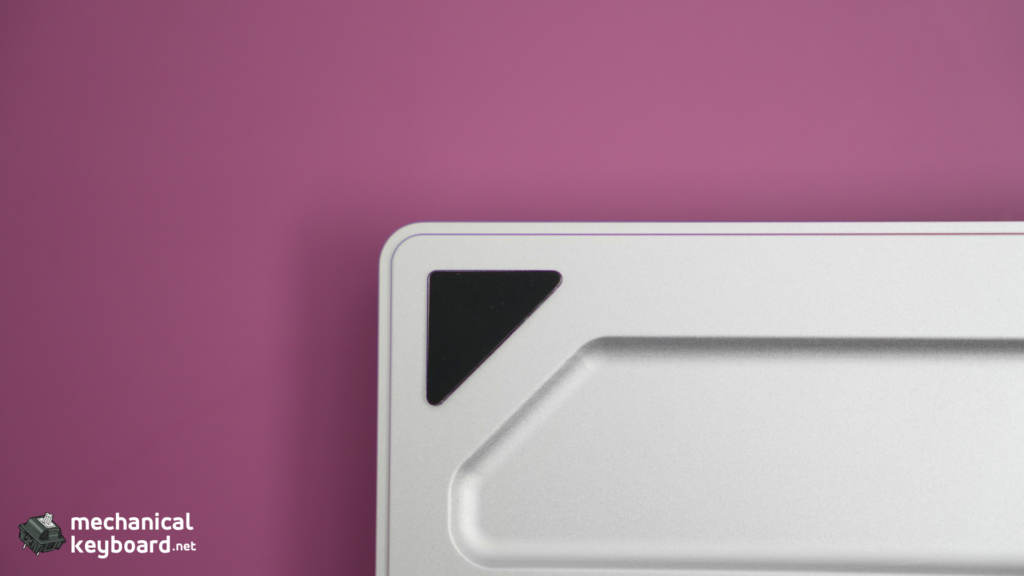
For a 40%, 410g is substantial. It stays planted on the desk during typing and does not slide around even without rubber feet on all corners.
Tray Mount with PC Plate
The Luma 40 uses a tray-mount construction. The PC plate and PCB screw into standoffs on the bottom case. There are no gaskets, no flex cuts, and no isolation. This is the simplest and cheapest mounting system, and it results in a typing feel that is firm and consistent with no bounce.
Compare this to the Glyph’s top-mount (firm, bright) or the TH80 V2 PRO’s gasket-mount (soft, bouncy). The Luma 40 sits at the firm end of the spectrum, which honestly suits the ortholinear grid layout. There is no flex to compensate for finger placement inconsistency, and every keystroke feels identical regardless of where you land on the grid.
Internally, the Luma 40 has a switch pad foam layer between the plate and PCB, and a thin foam sheet in the bottom case. No dense silicone or multi-layer dampening like the Glyph. The acoustic profile is therefore brighter and more direct.
The No-Stabilizer Problem
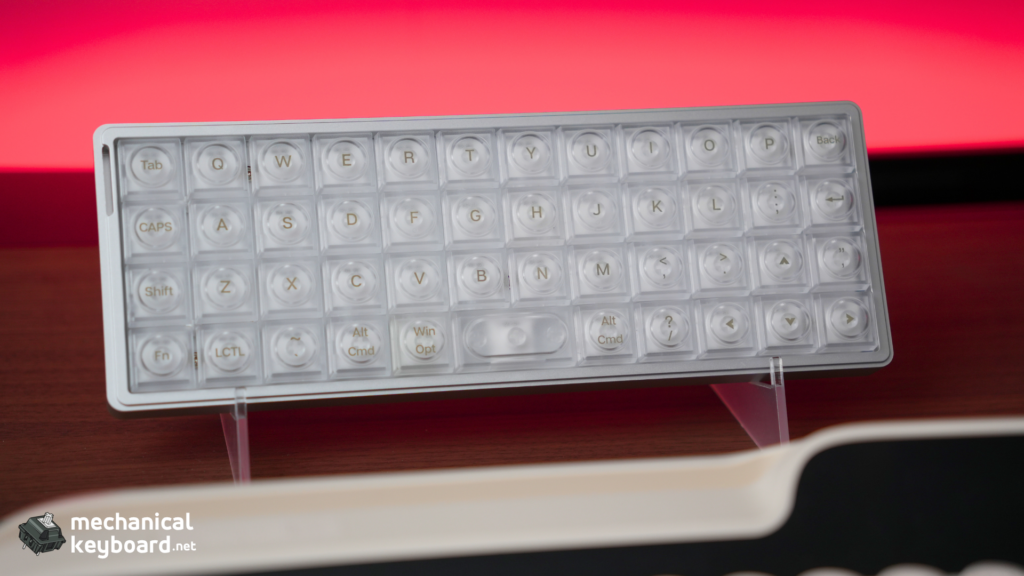
The Luma 40 has no stabilizers on any keys, including the 2u spacebar. This is a deliberate design choice to keep the low-profile Choc switch compatibility, but it has consequences.
On day one, the spacebar felt fine. By week three, I noticed that pressing the spacebar off-centre (towards the left edge, where my right thumb naturally lands) caused a slight bind. By month two, the spacebar occasionally needed an extra push to return to full height.
HLPlanet called the stabiliserless spacebar “surprisingly OK.” I agree for the first few weeks. Over months of daily use, it becomes a minor but recurring annoyance. The fix is to be deliberate about pressing centre-mass on the spacebar, and to clean the switch stem occasionally if dust accumulates. A dab of PTFE grease on the switch stem also helps.
If you are a heavy spacebar slammer, this board will eventually bother you.
Layout : Surviving 47 Keys
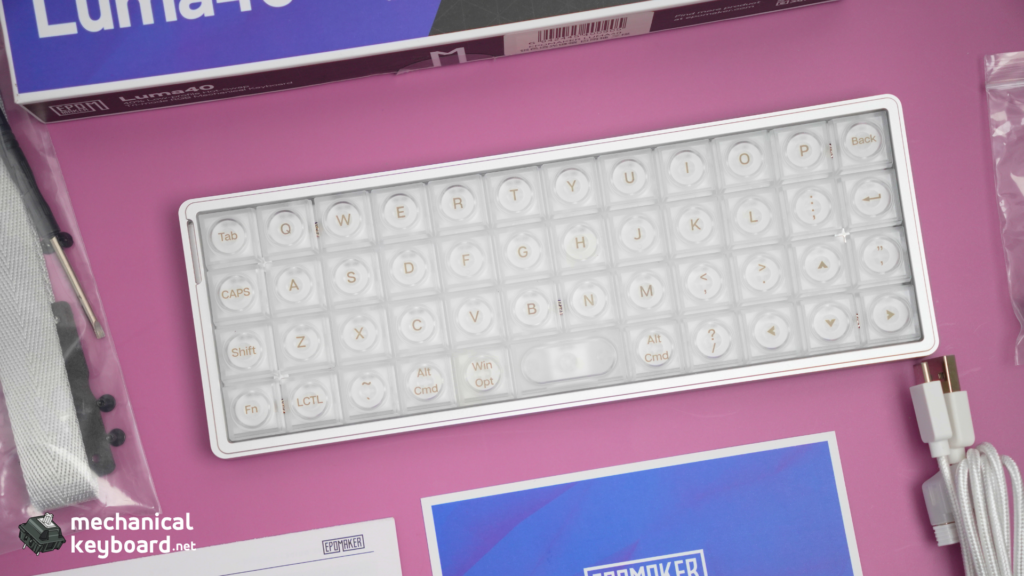
The Luma 40 has 47 keys arranged in an ortholinear grid layout with a 5-key thumb cluster: QWERTY alphas in the centre, modifier columns on the edges, and thumbs handling space, enter, backspace, and layer shifts.
Ortholinear vs Staggered
If you have never typed on an ortholinear board, imagine every column of keys in a perfectly straight vertical line instead of offset to the left as you move up the keyboard. Your fingers move up and down instead of diagonally. Proponents claim it is more ergonomic because it matches natural finger articulation. Critics say the learning curve is not worth the benefit for most people.
I have been using ortholinear boards on and off for years. The Luma 40 became my dedicated travel board.
The learning curve is real, but it is finite. If you can commit to two weeks of daily use, you will adapt.
The Layer System
The Luma 40 uses QMK layers accessed via the FN keys on the thumb cluster. The default layout has three layers:
With only 47 keys, you need to memorise where your number row, symbols, and F-keys live on the layers. This is the part that takes the longest to internalise. By day 30, I could touch-type numbers without looking at the keycaps. By day 60, it was as fast as reaching for a staggered number row.
If you do not want to learn layers, do not buy a 40% keyboard. It is that simple.
Kailh White Rain Switch Deep Dive
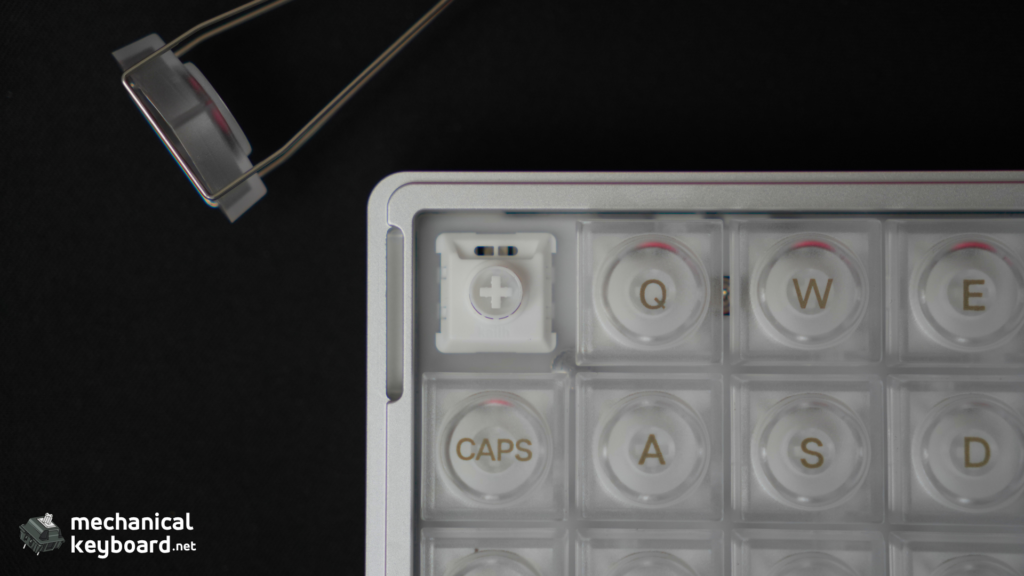
The Luma 40 ships exclusively with Kailh White Rain switches. These are Choc V2 low-profile linears with a full POM (polyoxymethylene) construction, meaning the stem, top housing, and bottom housing are all self-lubricating POM plastic.
| Spec | Value |
|---|---|
| Type | Low-profile linear |
| Actuation force | 50gf |
| Pre-travel | 1.2mm |
| Total travel | 2.8mm |
| Stem material | POM |
| Housing | Full POM (top + bottom) |
| Lifespan | 50 million keystrokes |
| Factory lubed | Yes (light application) |
The Full POM Difference
Full-POM switches are rare at this price point. POM has a naturally lower coefficient of friction than standard PC/PA66 housings, which means White Rain switches feel smoother out of the box than most factory-lubed MX linears. The self-lubricating property means they get smoother, not scratchier, as the stem wears against the housing over thousands of cycles.
After of daily use, the White Rain switches feel noticeably smoother than day one. The factory lubrication has spread evenly, the stem wobble has reduced, and the sound has mellowed into a controlled, quiet clack. They are not Silent switches, but they are office-acceptable in terms of noise.
Sound Profile
The Luma 40’s sound is brighter and more direct than the Glyph or TH80 V2 PRO. The absence of dense foam layers means you hear more of the switch itself and less of the dampening. The full-POM White Rain produces a crisp, clean linear sound with minimal spring noise. There is no detectable metallic ping from the aluminum case, which is a credit to the tray mount design.
Choc V2 Switch Swap Lab
The Luma 40 supports hot-swap for Choc V2 switches. This is a smaller ecosystem than MX, but Kailh offers several variants in the Elements series. Here is every compatible switch I tested:
| Switch | Type | Feel in Luma 40 | Sound Character | Verdict |
|---|---|---|---|---|
| White Rain (stock) | Linear 50gf | Smooth, consistent baseline | Crisp, controlled clack | Great stock |
| Black Cloud | Tactile | Noticeable bump at mid-travel | Slightly louder tactility | Good if you want bump in low-profile |
Wireless & Battery : Tested, Not Quoted
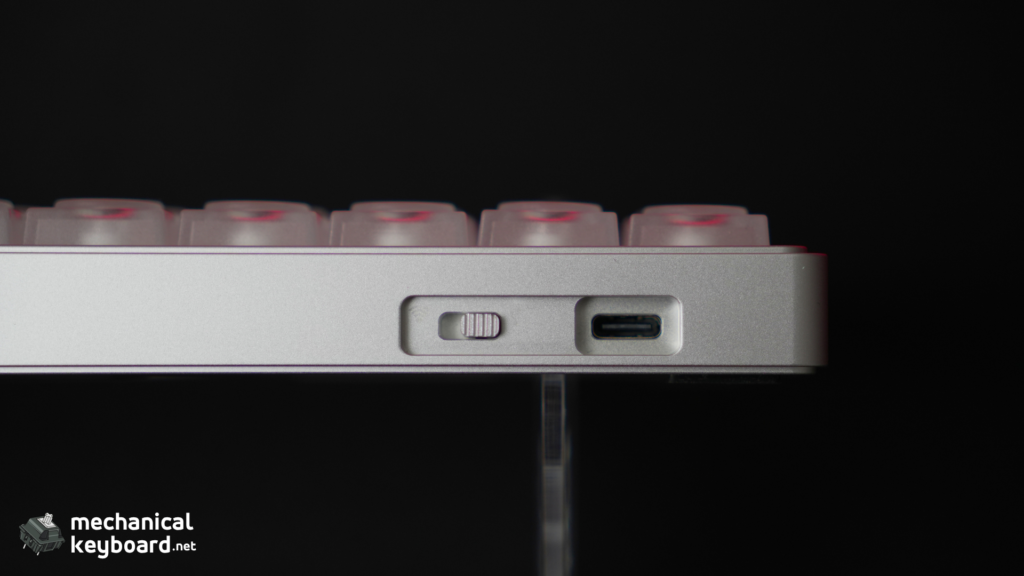
Epomaker claims 7 hours of battery life with RGB on and 75 hours with RGB off. Every other review repeats these numbers. Here is what I experienced in real-world usage.
Usage Estimates
Based on my daily use patterns (8 hours/day mixed typing, Bluetooth connection):
| Scenario | RGB | Estimated Life |
|---|---|---|
| Heavy use | On (100%) | ~7 hours (matches Epomaker’s claim) |
| Moderate use | Off | ~3-4 days |
| Efficiency | Off + auto sleep | ~7.5 days |
Real-world takeaway: If you use RGB at full brightness wirelessly, you will charge this keyboard every day. If you turn RGB off and use Bluetooth with auto sleep, you can get through a work week on one charge. The 1,450mAh battery is adequate for the form factor but not generous.
Bluetooth and 2.4GHz Performance
Bluetooth 5.0 pairs reliably with up to three devices. Switching between devices takes about 3 seconds. I used it with a MacBook Pro, an iPad Pro, and a Windows desktop without disconnections.
The 2.4GHz connection is effectively indistinguishable from wired for typing and productivity. The 1,450mAh battery means you will run out of charge before you notice any latency degradation.
QMK/VIA : The Complicated Truth
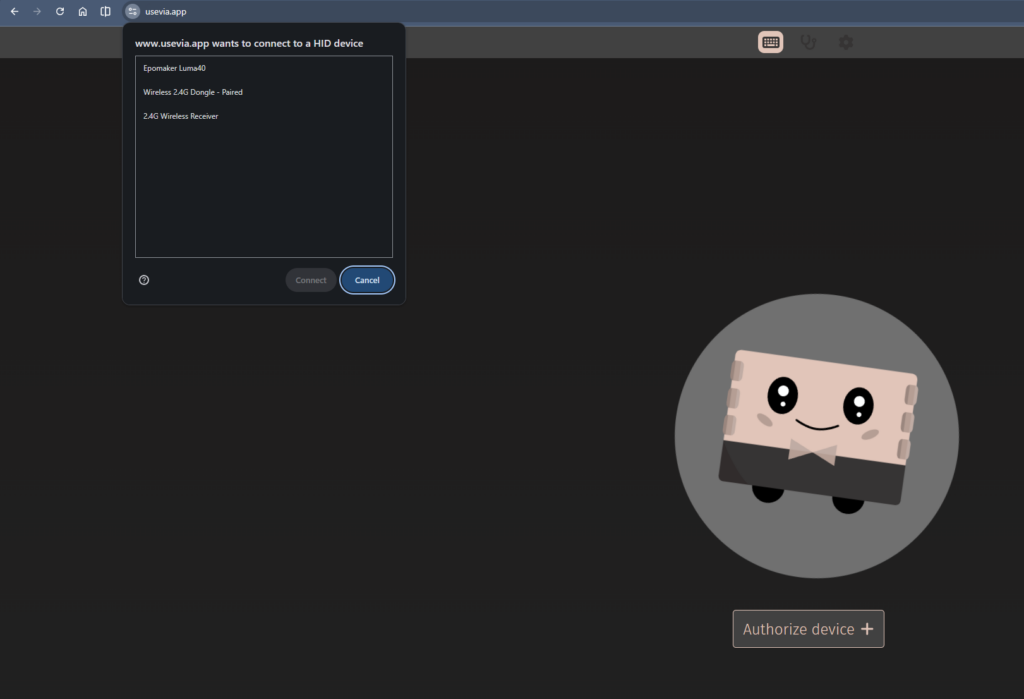
The Luma 40 supports VIA for key remapping, and this is where the firmware controversy becomes concrete.
What Works
VIA detects the Luma 40 automatically when you load the correct JSON file from Epomaker’s support page. You can remap any key, adjust RGB, and configure up to four layers. The process is identical to any other VIA-compatible board. This is fine for basic remapping and simple layer setups.
What Doesn’t Work
Layer limitations on stock firmware. For a 47-key 40% ortholinear board, the stock VIA configuration reportedly allows around 4 layers, which is a real constraint compared to what full QMK offers. You get your default alpha layer, one number layer, one function/nav layer, and one media/RGB layer. There is no room for a dedicated gaming layer, a second language layout, or experimental key arrangements. The Planck supports up to 16 layers. The Preonic supports similar.
No combos or tap-dance. VIA does not support QMK features like combos (press two keys to produce a third), tap-dance (tap vs hold for different actions), or leader sequences. These are the features that make QMK powerful for compact layouts. The stock Luma 40 firmware does not expose these features.
Closed-source blobs. As mentioned in the introduction, Epomaker ships a closed-source binary blob for the keyboard’s matrix scanning and wireless handling. This means the community cannot audit the code for bugs or security issues, and it means Epomaker is in violation of QMK’s GPL license. That said, the company did cooperate with the developer who built the community firmware (more on this below).
The Community Fix
Developer carlosedp, with Epomaker’s cooperation (they provided a free unit and shared internal pin/matrix information), published fully open-source QMK firmware for the Luma 40 on GitHub. Flashing it gives you:
The tradeoff is that you must flash via a programmer (DFU or similar), and the community firmware may not support future Epomaker driver updates for the displays or wireless features. If you are comfortable with QMK toolchain, this is the best option. If you want plug-and-play, the stock VIA firmware is functional but limited.
Keycaps : What Fits the Luma 40
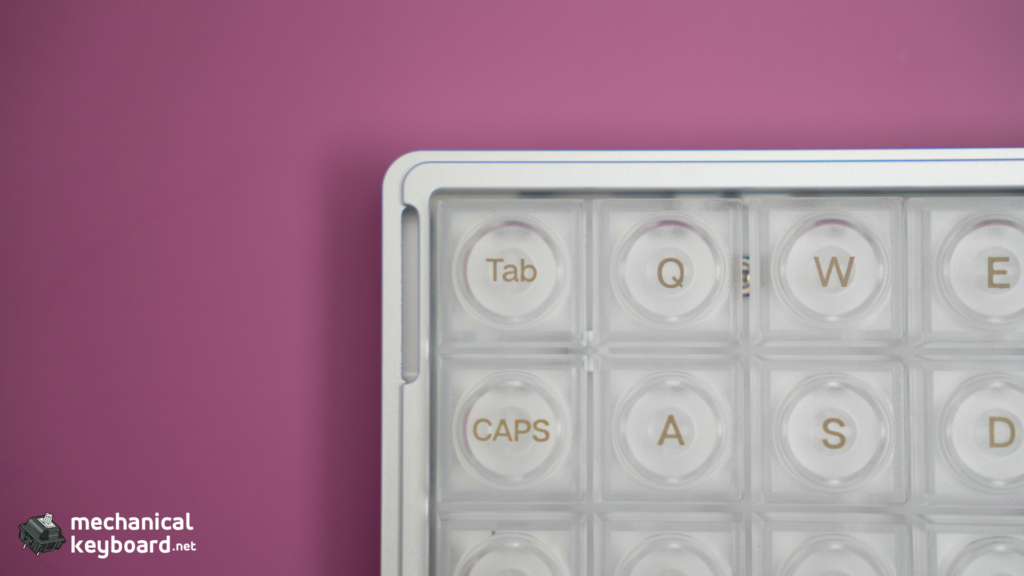
The stock keycaps are semi-transparent frosted PC with a uniform LAK (low-profile) profile. The legends are applied via silkscreen printing, which is less durable than double-shot molding but looks crisp out of the box. The frosted finish diffuses RGB effectively. They feel slightly slick on the first day but develop a matte texture after a week of use.
Compatible Keycap Alternatives
| Profile | Compatible? | Notes |
|---|---|---|
| LAK (stock) | Yes | Designed for it |
| MBK (Kailh) | Yes | Low-profile, uniform, good alternative |
| Choc Fox (Kailh) | Yes | Slightly taller, more sculpted feel |
| MX keycaps | Partial | MX-compatible stem means some MX caps physically fit, but the low-profile switch housing prevents taller profiles (Cherry, SA, MT3) from seating correctly |
| SA / OEM / Cherry | Not recommended | Too tall for the low-profile housing |
The Choc low-profile ecosystem is smaller than MX, but Kailh’s MBK and Choc Fox sets offer genuine alternatives. If you want to customise the look, start there.
The Big Comparisons
Luma 40 vs Drop Planck
This is the comparison the ortholinear community wants most. The Planck is the gold standard 40% ortho. The Luma 40 is the new wireless contender.
| Luma 40 ($115) | Drop Planck ($135+) | |
|---|---|---|
| Case | CNC aluminum | Bent steel / optional aluminum |
| Wireless | Tri-mode (BT + 2.4 + USB-C) | Wired only |
| Switches | Choc V2 low-profile | Full MX |
| Firmware | VIA (4 layers, limited) | Full QMK (unlimited layers) |
| Hot-swap | Choc V2 sockets | MX sockets |
| Keycaps | Included (LAK frosted PC) | Not included |
| Weight | 410g | ~320g (steel) |
| Community | Small, emerging | Massive, mature |
The verdict: The Planck is the better keyboard for firmware enthusiasts who want full QMK freedom and MX switch compatibility. The Luma 40 is the better keyboard for anyone who wants wireless, a CNC aluminum case, and a prebuilt board that works out of the box. They are different tools for different priorities.
Luma 40 vs Luma 100 (Same Series)
I own both. The Luma 40 is a 40% ortholinear travel board. The Luma 100 is a 96% low-profile full-size desk board. They share the same design language and the same Epomaker build quality, but they are philosophically opposite.
The Luma 100 is for people who want every key on the desk and no layers. The Luma 40 is for people who want maximum portability and are willing to learn layers. Having both covers every keyboard use case I have.
Ortholinear vs Staggered (Glyph / TH80 V2 PRO)
Using the same set of switches, the Luma 40 (ortholinear grid) and the Glyph (staggered 75%) feel fundamentally different. The ortho grid forces deliberate finger placement. The staggered layout lets muscle memory handle the offsets automatically.
After regular usage with the Luma 40 as my daily driver, switching back to the Glyph or TH80 V2 PRO takes about 10 minutes of readjustment. After that, both feel natural. The two layouts coexist in muscle memory without conflict for most people.
Buyer’s Bracket : Best Ortho Under $150
| Board | Price | Wireless | CNC Aluminum | Switches | QMK/VIA |
|---|---|---|---|---|---|
| Epomaker Luma 40 | $115 | ✅ Tri-mode | ✅ | Choc V2 | Stock: limited layers |
| Drop Planck | $135+ | ❌ Wired | ❌ (steel) | MX | ✅ Full QMK |
| Keychron Q15 Max | ~$150 | ✅ Tri-mode | ❌ (plastic) | MX | ✅ Full |
| ALU40 V2 | $140+ | ✅ Bluetooth | ✅ | MX | ✅ Full |
Best value: Luma 40 at $115. The cheapest CNC aluminum wireless ortho on this list.
Best for QMK power users: Drop Planck. Limited layers and no firmware freedom are the Luma 40’s biggest tradeoffs.
Best overall: The answer depends on whether you value wireless + CNC aluminum (Luma 40) or full QMK + MX switches (Planck) more.
Verdict
The Epomaker Luma 40 is the best-value entry point into wireless, CNC aluminum, ortholinear keyboards currently available. The hardware is excellent for its price, the White Rain switches are genuinely good, and the wireless performance is reliable.
The firmware limitations are real. If you need full QMK freedom, the Drop Planck is a better choice. If you want a prebuilt wireless ortho with a premium case that costs less than $120, the Luma 40 is the only option in its category.
Score: 8/10
Who should buy it: Ortho-curious typists who want to try the layout without soldering. Travelers who need a tiny wireless keyboard. Anyone who values CNC aluminum build quality over firmware freedom.
Who should skip it: QMK power users who need combos, tap-dance, and unlimited layers. Gamers who need stabilizers and a number row.
Where to Buy
| Source | Price | Notes |
|---|---|---|
| Epomaker Direct | $115.99 | Full warranty |
| Amazon | ~$99 (on sale) | Prime shipping, easier returns |
| AliExpress | ~$105 | Longer shipping, occasional discounts |
FAQ
How hard is it to learn an ortholinear keyboard?
The learning curve is real but finite. Expect 2-4 weeks of daily use to regain your full typing speed. Most users see significant improvement within the first 7 days and full adaptation by day 30.
How long does the Epomaker Luma 40 battery last?
With RGB on: approximately 7 hours. With RGB off and auto sleep enabled: approximately 7.5 days of normal use. Standby drain is minimal.
Can you change switches on the Luma 40?
Yes. The Luma 40 uses Kailh Choc V2 hot-swap sockets, compatible with 3-pin and 5-pin Choc switches. MX switches require an adapter and are not recommended.
Does the Luma 40 support QMK and VIA?
VIA works out of the box for basic key remapping. Full QMK features (combos, tap-dance, expanded layer control) require flashing the community open-source firmware from carlosedp’s GitHub, which Epomaker cooperated with.
Luma 40 vs Planck. Which is better?
The Luma 40 wins on wireless, CNC aluminum build, and price. The Planck wins on full QMK support, MX switch compatibility, and community maturity. Choose based on your priorities.
Can I use regular MX keycaps on the Luma 40?
Partially. The White Rain switches use an MX-compatible stem, so some MX keycaps can physically fit. However, the low-profile switch housing has shorter wall height than standard MX housings, which prevents taller keycap profiles (Cherry, SA, MT3) from seating correctly. Stick to low-profile caps for best results.
Is the Luma 40 good for gaming?
It is acceptable for slower games and strategy titles. The 40% layout lacks a number row, function row, and navigation cluster, which makes it frustrating for fast-paced or keybind-heavy games. Use a larger board for gaming and the Luma 40 for typing and travel.
Is ortholinear better for typing?
The research is mixed. Some users report reduced finger travel and less wrist deviation on ortholinear grids. Others find no measurable difference. The benefit is highly individual. What is not debatable is that ortholinear requires a learning period, after which many users prefer it.