
Hall Effect keyboards have quickly become one of the most important gaming keyboard categories. A few years ago, most people associated magnetic switches with Wooting. In 2026, the category is much bigger: Wooting is still the benchmark, but Keychron, Lemokey, Razer, Corsair, SteelSeries, DrunkDeer, NuPhy, Epomaker and ASUS now all have serious magnetic or analog-switch keyboards.
- Quick answer: the best Hall Effect keyboards
- Wooting 80HE
- Wooting 60HE v2
- Keychron K2 HE
- Lemokey P1 HE
- DrunkDeer A75 Pro
- Razer Huntsman V3 Pro
- What is a Hall Effect keyboard?
- Should you buy a Wooting or a Wooting alternative?
- #1 Best overall : Wooting 80HE
- #2 Best compact : Wooting 60HE v2
- #3 Best wireless 75% : Keychron K2 HE
- #4 Best mid-range alternative : Lemokey P1 HE
- #5 Best budget Wooting alternative : DrunkDeer A75 Pro
- #6 Best mainstream esports alternative : Razer Huntsman V3 Pro TKL 8K
- #7 Best SteelSeries magnetic keyboard : SteelSeries Apex Pro TKL Gen 3
- #8 Best Corsair Hall Effect keyboard : Corsair K70 PRO TKL
- #9 Best stylish 75% : NuPhy Field75 HE
- #10 Best premium 96% : ASUS ROG Azoth 96 HE
- Best Value for Money HE option : Epomaker HE80
- What about TMR keyboards?
- How to choose the best Hall Effect keyboard
- Best Hall Effect keyboard by use case
- Wooting 80HE vs the best alternatives
- Frequently Asked Questions
- Final verdict
That gives buyers more choice, but it also makes the decision harder. Should you buy the Wooting 80HE because it is still the safest competitive pick? Should you choose the Wooting 60HE v2 if you want the smallest possible setup? Or should you buy a Wooting alternative with wireless, a better typing feel, a different layout or a lower price?
Quick answer: the best Hall Effect keyboards
Best overall
Wooting 80HE
The safest recommendation for competitive gamers who want software polish, trust and low-latency tuning.
Best compact
Wooting 60HE v2
The best 60% option if you want Wooting performance and maximum mouse space.
Best wireless 75%
Keychron K2 HE
The most practical Wooting alternative for people who work and game on one keyboard.
Best mid-range
Lemokey P1 HE
A strong typing-focused alternative with magnetic switches, wireless and acoustic tuning.
Best budget
DrunkDeer A75 Pro
A lower-cost 75% magnetic keyboard with Rapid Trigger and adjustable actuation.
Best esports alternative
Razer Huntsman V3 Pro
A mainstream competitive keyboard with Rapid Trigger, Snap Tap and 8K HyperPolling.
| Category | Pick | Why it stands out | Best for |
|---|---|---|---|
| Best overall | Wooting 80HE | Best balance of gaming performance, software, layout and trust. | Competitive FPS players |
| Best compact | Wooting 60HE v2 | Small 60% format with Wooting’s latest low-latency magnetic platform. | Low-sensitivity FPS setups |
| Best wireless | Keychron K2 HE | 75% layout, magnetic switches and wireless support in a work-friendly design. | Gaming + productivity |
| Best mid-range | Lemokey P1 HE | Gasket-style build, Gateron magnetic switches and strong acoustic package. | Typing feel + gaming |
| Best budget | DrunkDeer A75 Pro | Affordable entry into Rapid Trigger and adjustable magnetic switches. | Budget buyers |
| Esports alternative | Razer Huntsman V3 Pro TKL 8K | Fast mainstream TKL with Rapid Trigger, adjustable actuation and Snap Tap. | Razer/FPS users |
| Gaming ecosystem | SteelSeries Apex Pro TKL Gen 3 | OmniPoint 3.0 HyperMagnetic switches, Rapid Trigger, Rapid Tap and GG presets. | SteelSeries users |
| Corsair pick | Corsair K70 PRO TKL | MGX magnetic switches, Rapid Trigger and 8,000Hz polling for iCUE setups. | Corsair users |
| Stylish 75% | NuPhy Field75 HE | Distinctive design with magnetic-switch gaming features. | Design-focused setups |
| Premium 96% | ASUS ROG Azoth 96 HE | 96% layout, numpad, HFX V2 magnetic switches, OLED and 8K wireless support. | Premium work + play |
| Value pick | Epomaker HE80 | Value-oriented Hall Effect option with fine actuation adjustment and gasket-style tuning. | First HE keyboard |
What is a Hall Effect keyboard?
A Hall Effect keyboard uses magnetic sensing to detect key movement. Instead of relying on a traditional metal contact inside a mechanical switch, a Hall Effect switch measures the position of a magnet as the key moves up and down.
That matters because the keyboard can tell how far a key has been pressed. This unlocks features that traditional mechanical keyboards usually cannot offer in the same way.
| Adjustable actuation | Set how far a key must travel before it activates. You can make movement keys very sensitive while keeping typing keys deeper. |
| Rapid Trigger | Reset a key as soon as it starts moving upward instead of waiting for a fixed reset point. This is the headline feature for FPS and rhythm games. |
| Analog input | Use key travel like a controller trigger in supported games, with different actions across the press. |
| SOCD / Snap Tap-style input | Control how opposite direction inputs are handled, such as A + D in FPS movement. |
For typing, Hall Effect is not automatically better than a normal mechanical keyboard. For gaming, especially FPS and rhythm games, it can feel faster and more controlled because your movement keys can activate and reset more precisely.
Should you buy a Wooting or a Wooting alternative?
For pure competitive gaming, Wooting is still the reference point. The Wooting 80HE and Wooting 60HE v2 combine magnetic switches, strong firmware, Wootility software, Rapid Trigger, adjustable actuation and true 8K polling support.
More Read

The main reason to buy Wooting is confidence. Wooting’s software is clean, the settings are easy to understand, and the brand has had more time than most competitors to refine how magnetic switches behave in real games.
But Wooting is not the only smart choice anymore. A Wooting alternative makes sense if you want wireless, a lower price, a different layout, a more traditional TKL or 96% keyboard, better out-of-box sound, or a familiar gaming ecosystem such as Razer, Corsair or SteelSeries.
| Choose Wooting if… | Choose an alternative if… |
|---|---|
| You want the safest competitive gaming platform. | You want wireless connectivity. |
| You care more about software trust than RGB ecosystems. | You want a cheaper 75% Hall Effect board. |
| You want Wootility and proven Rapid Trigger behavior. | You want a numpad, standard TKL, or more productivity-friendly layout. |
| You do not need wireless. | You already use Razer Synapse, Corsair iCUE, or SteelSeries GG. |
#1 Best overall : Wooting 80HE
Verdict : The safest Hall Effect keyboard recommendation for serious competitive gamers.
9.5/10
Gaming
Excellent
Typing
Good
Software
Excellent
Value
Good
| Pros | Cons |
|---|---|
| Excellent software | Wired only |
| True 8K polling support | Not the cheapest |
| Great competitive reputation | Not a standard TKL layout |
| More practical than 60% | Some alternatives feel more premium for typing |
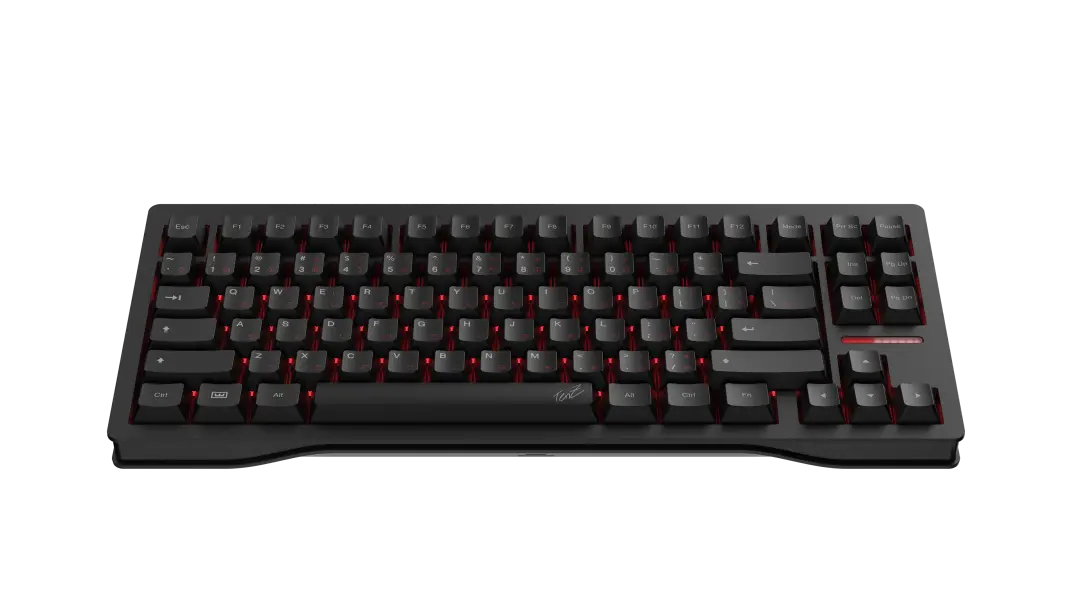
The Wooting 80HE is the keyboard most Hall Effect competitors are trying to beat. It keeps Wooting’s biggest advantages Wootility, Rapid Trigger, analog control, per-key actuation tuning and true 8K polling while using a more practical layout than the original 60% Wooting formula.
The layout is one of the main reasons the 80HE is easier to recommend than the 60HE v2 for most people. You get a function row, arrows and useful navigation keys, so the keyboard feels less compromised outside games.
The biggest reason to buy it is trust. Wooting has been refining analog Hall Effect keyboard software longer than most gaming brands, and Wootility remains one of the cleanest keyboard configuration tools in the category.
The downside is that the 80HE is wired only, more expensive than many alternatives and slightly unusual in layout. Some users may prefer a standard TKL, a 75% wireless board or a keyboard that sounds softer out of the box.
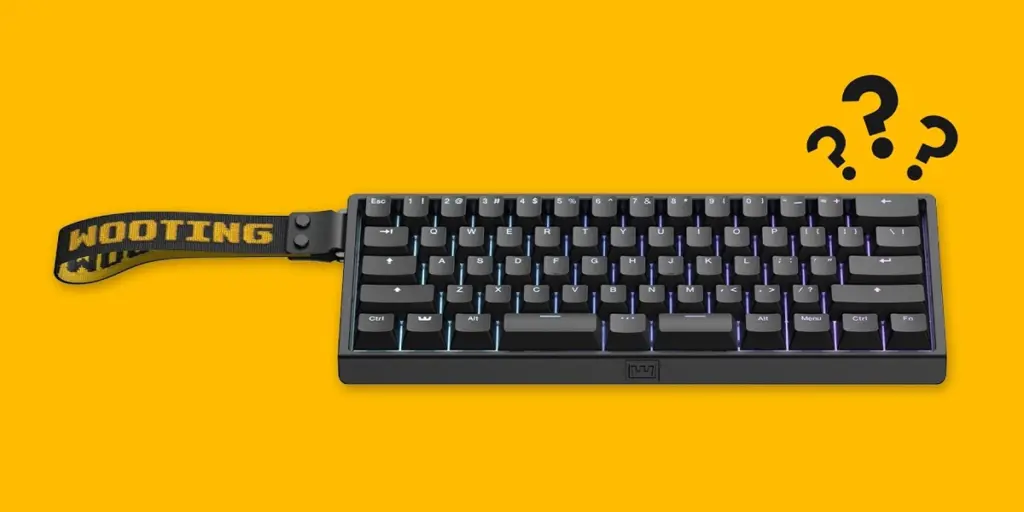
#2 Best compact : Wooting 60HE v2
Verdict : Buy the Wooting 60HE v2 if you specifically want a 60% Wooting. For everyone else, the 80HE is the safer Wooting pick.
9.3/10
Gaming
Excellent
Typing
Good
Layout
Niche
Value
Good
| Pros | Cons |
|---|---|
| Very compact | No dedicated arrows |
| Excellent gaming features | No function row |
| Wootility support | Less comfortable for productivity |
| Strong competitive pedigree | Wired only |
The Wooting 60HE v2 is the compact option for people who already know they like 60% keyboards. It gives you Wooting’s latest low-latency platform in a smaller body, with magnetic switches, Rapid Trigger, adjustable actuation and true 8K polling support.
The main advantage is desk space. A 60% keyboard removes the function row, arrows and navigation cluster, which creates more room for mouse movement. That is useful for low-sensitivity FPS players.
The main disadvantage is usability. If you work in documents, spreadsheets, coding tools or productivity apps, layers can become annoying. For most mixed-use setups, the Wooting 80HE, Keychron K2 HE or Lemokey P1 HE will feel easier to live with.
#3 Best wireless 75% : Keychron K2 HE
Verdict : Buy the Keychron K2 HE if you want the best everyday Wooting alternative and do not want a wired-only esports board.
9.0/10
Gaming
Very Good
Typing
Very Good
Wireless
Yes
Layout
75%
| Pros | Cons |
|---|---|
| Practical 75% layout | Wooting still has stronger software trust |
| Wireless support | Not as esports-focused |
| Good for work and gaming | Check switch compatibility before modding |
| Strong value positioning |
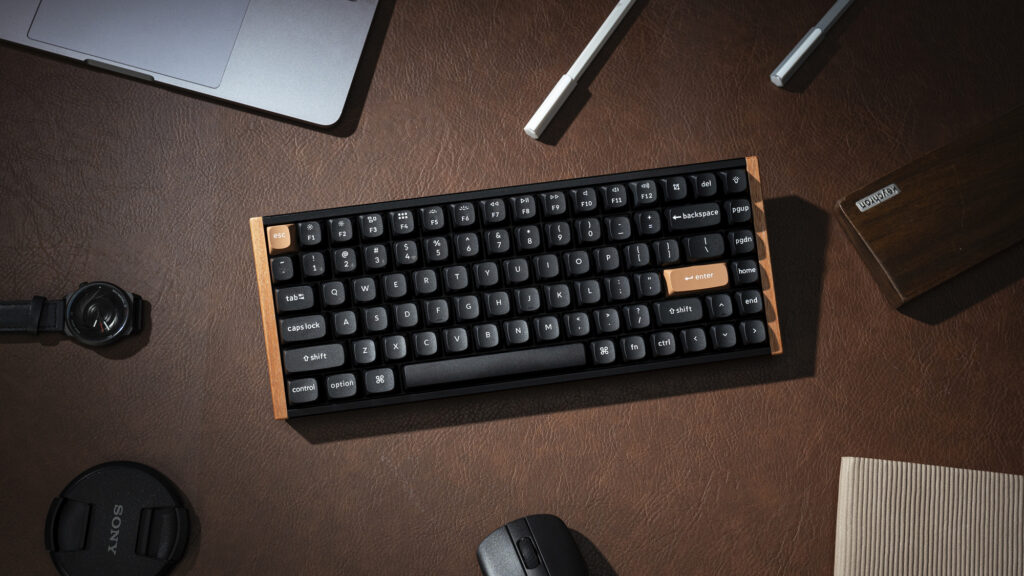
The Keychron K2 HE is one of the easiest Wooting alternatives to recommend because it feels like a normal keyboard first and a gaming keyboard second. That is a compliment. Many magnetic keyboards are built around esports specs and forget that people also type, work and use shortcuts.
The K2 HE uses a practical 75% layout, so you keep arrows and a function row while saving desk space. It also supports wireless connectivity, which immediately gives it an advantage over Wooting’s current main competitive boards for cleaner desktop setups.
For pure FPS performance, Wooting is still safer. For one keyboard that can handle gaming, writing, productivity and wireless switching, the K2 HE is more balanced.
#4 Best mid-range alternative : Lemokey P1 HE
Verdict : Buy the Lemokey P1 HE if you want a magnetic keyboard that feels more like a good custom-style board than a pure esports tool.
8.8/10
Gaming
Very Good
Typing
Excellent
Wireless
Yes
Polling
1000hz
| Pros | Cons |
|---|---|
| Good typing feel | 1000Hz instead of 8K |
| Wireless support | Less proven than Wooting for esports |
| Acoustic foams | Not the lowest-cost alternative |
| 75% layout with knob |
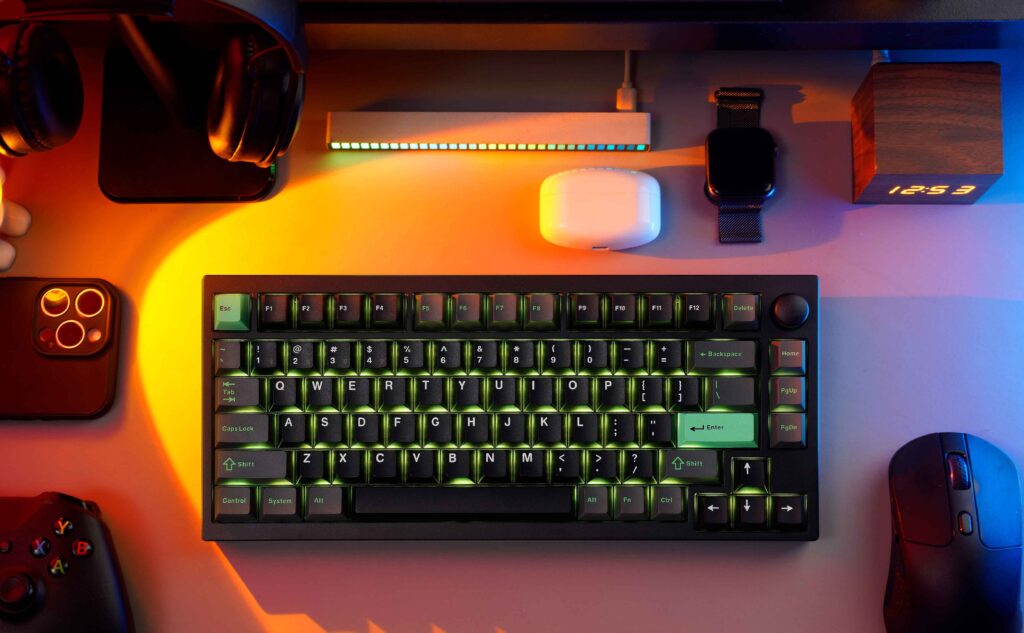
The Lemokey P1 HE is a strong option for people who want Hall Effect gaming features but do not want a keyboard that feels like a hollow gaming peripheral. It combines magnetic switches, wireless support, a 75% layout, acoustic foams, PBT keycaps and a more custom-keyboard-style build.
That gives the P1 HE a different identity from Wooting. It is not trying to beat the 80HE purely on esports software or polling-rate marketing. Instead, it gives you a comfortable daily keyboard that also has adjustable actuation and Rapid Trigger-style performance.
The biggest tradeoff is that Wooting still feels more proven for competitive tuning. But if you care about typing feel, desk feel and wireless flexibility, the P1 HE is one of the strongest alternatives.
#5 Best budget Wooting alternative : DrunkDeer A75 Pro
Verdict : Buy the DrunkDeer A75 Pro if price matters and you want a practical 75% rapid trigger keyboard.
8.4/10
Gaming
Very Good
Typing
Good
Value
Strong
Layout
75%
| Pros | Cons |
|---|---|
| Good price-to-feature ratio | Software less polished than Wooting |
| Adjustable actuation | Brand trust is not as strong |
| Rapid Trigger | Check firmware and support before buying |
| Practical 75% layout |
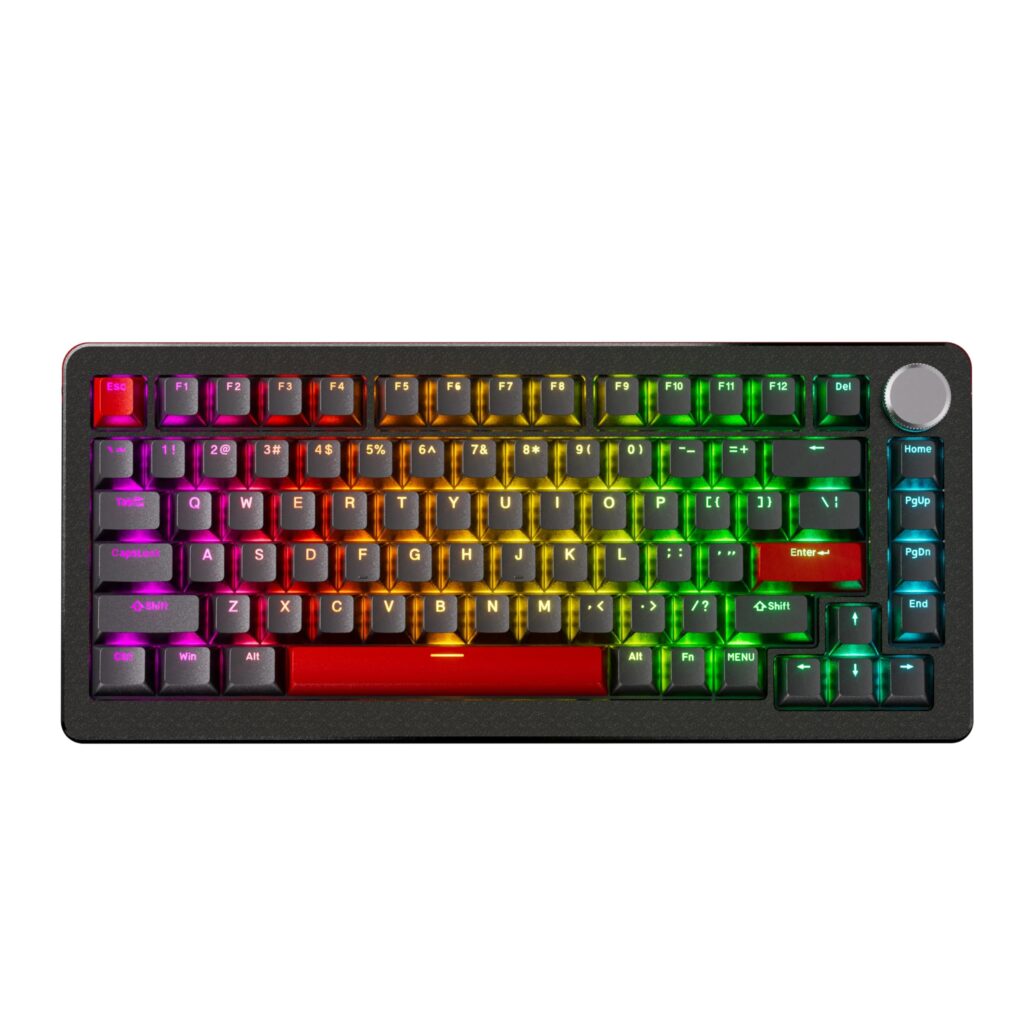
The DrunkDeer A75 Pro is one of the most important budget-style Wooting alternatives because it brings adjustable actuation and Rapid Trigger into a lower price bracket.
It uses a compact 75% layout, which makes it easier to use than a 60% keyboard while still saving desk space. For buyers who want to try magnetic switches without paying Wooting, Razer or ASUS money, it belongs on the shortlist.
The reason it does not beat Wooting is polish. With Hall Effect keyboards, software and firmware matter as much as switches. Wooting is still the safer long-term platform. DrunkDeer is the value play.
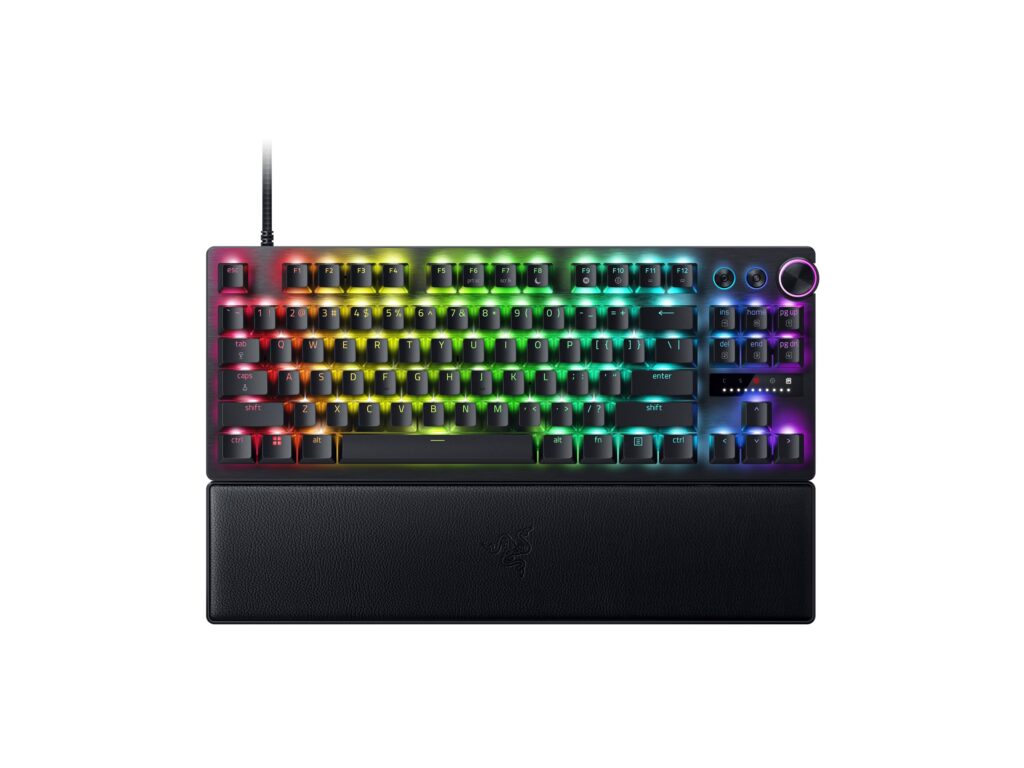
#6 Best mainstream esports alternative : Razer Huntsman V3 Pro TKL 8K
Verdict : Buy the Huntsman V3 Pro TKL 8K if you want a mainstream esports keyboard and already like Razer’s ecosystem.
8.7/10
Gaming
Excellent
Typing
Good
Polling
8K
Layout
TKL
| Pros | Cons |
|---|---|
| 8K HyperPolling | Not true Hall Effect |
| Rapid Trigger | Synapse is not for everyone |
| Snap Tap | Less enthusiast-mod friendly |
| Practical TKL layout |
The Razer Huntsman V3 Pro TKL 8K competes for the same buyer as Wooting even though it uses Razer’s analog optical switch technology rather than classic Hall Effect switches. The feature set is familiar: adjustable actuation, Rapid Trigger, Snap Tap and 8K HyperPolling.
The TKL layout is excellent for competitive gaming because it keeps the function row and arrows while saving mouse space. Razer also has the advantage of mainstream availability and a huge existing ecosystem.
The tradeoff is software preference. Some users like Synapse and ecosystem control. Others prefer Wootility’s simpler keyboard-focused approach.
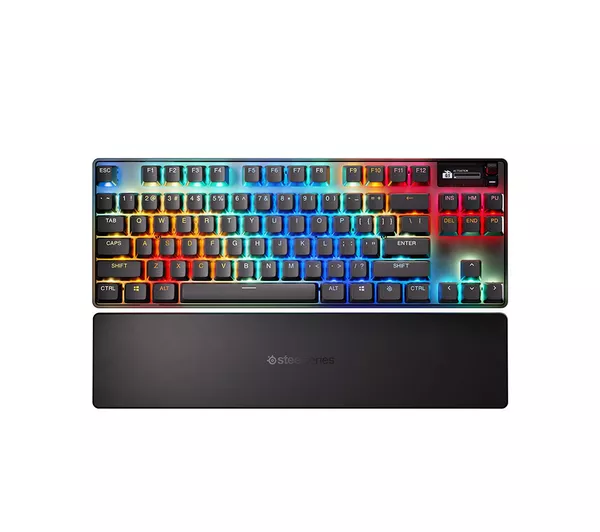
#7 Best SteelSeries magnetic keyboard : SteelSeries Apex Pro TKL Gen 3
Verdict : Buy the Apex Pro TKL Gen 3 if you want magnetic switches inside the SteelSeries ecosystem.
8.5/10
Gaming
Very good
Typing
Good
Software
GG
Layout
TKL
| Pros | Cons |
|---|---|
| OmniPoint 3.0 switches | Expensive |
| Rapid Trigger and Rapid Tap | Less specialized than Wooting |
| Game presets | Value depends on ecosystem preference |
| OLED display |
The SteelSeries Apex Pro TKL Gen 3 is a strong option if you want magnetic switch features from a mainstream gaming brand. SteelSeries’ OmniPoint 3.0 switches offer adjustable actuation, and the software includes gaming-focused presets, Rapid Trigger, Rapid Tap and protection-style settings.
This keyboard is less of an enthusiast darling than Wooting, but it is more familiar to many everyday gamers. The OLED display, TKL layout and SteelSeries GG support make it an approachable option.
The key question is value. At this price level, compare it carefully against the Wooting 80HE, Razer Huntsman V3 Pro TKL 8K and Corsair K70 PRO TKL.
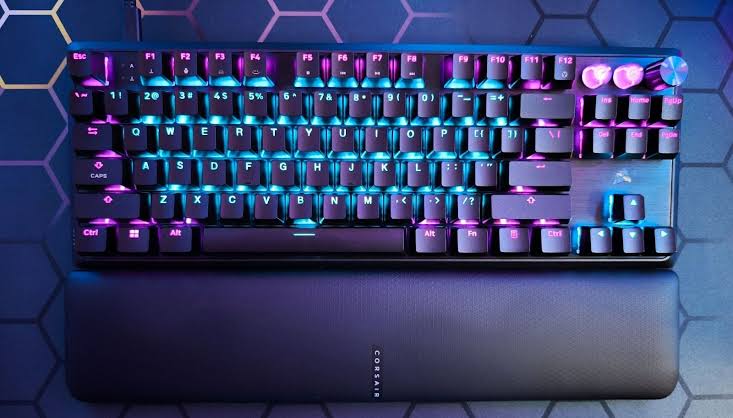
#8 Best Corsair Hall Effect keyboard : Corsair K70 PRO TKL
Verdict : Buy the K70 PRO TKL if you are a Corsair user and want a fast magnetic TKL.
8.3/10
Gaming
Very Good
Typing
Good
Software
iCue
Polling
8K
| Pros | Cons |
|---|---|
| 8K polling | Best only if you like iCUE |
| MGX magnetic switches | Gaming-peripheral feel |
| iCUE integration | Strong competition at the price |
| TKL layout |
The Corsair K70 PRO TKL is the Hall Effect keyboard to consider if your setup already uses Corsair gear. It combines MGX Hyperdrive magnetic switches, Rapid Trigger-style performance, 8,000Hz polling and iCUE integration.
Like Razer and SteelSeries, Corsair’s advantage is ecosystem. If you already use Corsair lighting, macros and devices, the K70 PRO TKL slots neatly into your setup.
If you are not invested in iCUE, it becomes harder to justify over Wooting or more enthusiast-style alternatives.
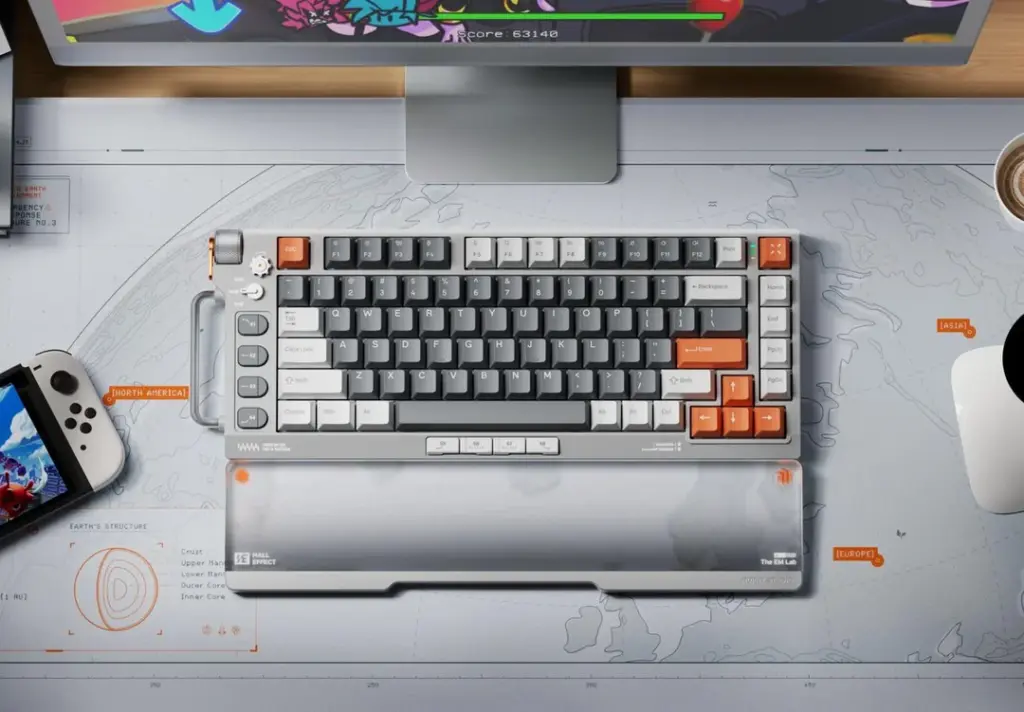
#9 Best stylish 75% : NuPhy Field75 HE
Verdict : Buy the Field75 HE if you want a stylish 75% magnetic keyboard and care about setup aesthetics.
8.2/10
Gaming
Very Good
Design
Distinctive
Layout
75%
Value
Good
| Pros | Cons |
|---|---|
| Unique design | Software matters |
| 75% layout | Less proven than Wooting |
| Magnetic gaming features | Design may not suit everyone |
| Good desk presence |
The NuPhy Field75 HE stands out because it does not look like every other competitive gaming keyboard. It has a more playful design, a practical 75% layout and magnetic-switch gaming features.
This is the pick for users who want a Hall Effect keyboard with personality. It is not the safest esports recommendation, but it belongs in the guide because design matters to many keyboard buyers.
Before buying, check software impressions and switch feel. With magnetic keyboards, the software experience is just as important as the hardware spec sheet.
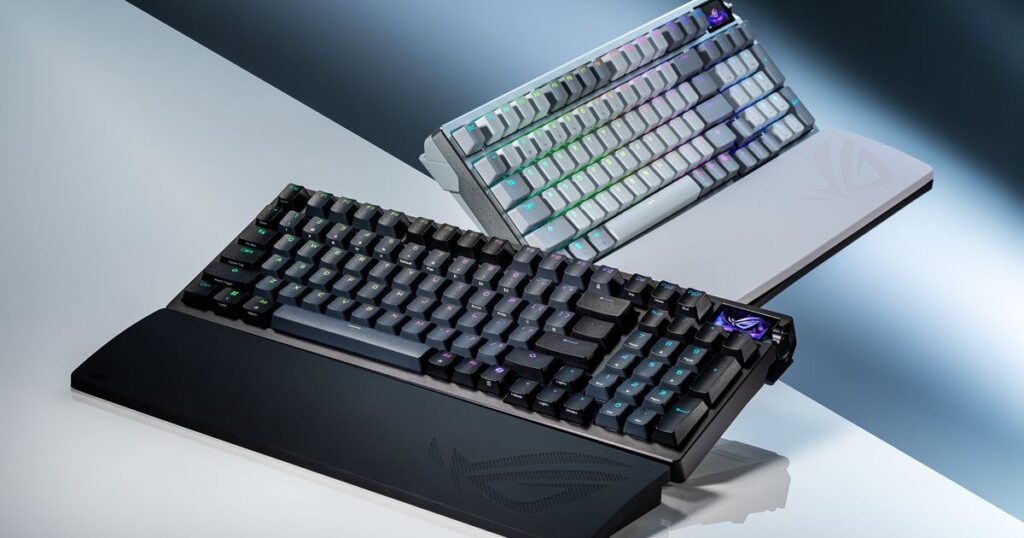
#10 Best premium 96% : ASUS ROG Azoth 96 HE
Verdict : Buy the ROG Azoth 96 HE if you want magnetic switches, a numpad, wireless and premium features in one board.
8.6/10
Gaming
Very Good
Typing
Good
Layout
96%
Price
$$$
| Pros | Cons |
|---|---|
| 96% layout with numpad | Very expensive |
| Premium feature set | Overkill for pure FPS |
| Tri-mode connectivity | Software ecosystem preference matters |
| OLED and dampening |
Most Hall Effect gaming keyboards are 60%, 75% or TKL. The ASUS ROG Azoth 96 HE is different because it gives you a compact 96% layout with a numpad.
That makes it appealing if you game and work on the same keyboard. It includes ROG HFX V2 magnetic switches, tri-mode connectivity, OLED display, dampening layers and 8K wireless support.
The problem is price. This is a premium keyboard, not a value pick. If you only play FPS games, a Wooting 80HE or Razer Huntsman V3 Pro TKL 8K may make more sense. If you want a premium all-in-one work-and-gaming keyboard, the Azoth 96 HE is more compelling.
Best Value for Money HE option : Epomaker HE80
Verdict : Buy the Epomaker HE80 if you want a value-oriented Hall Effect keyboard and are comfortable choosing price over platform maturity.
8.1/10
Gaming
Good
Typing
Good
Layout
75%
Value
Strong
| Pros | Cons |
|---|---|
| Good value angle | Less proven than Wooting |
| Fine actuation adjustment | Software maturity matters |
| 75% layout | Not the premium pick |
| Good first HE keyboard |
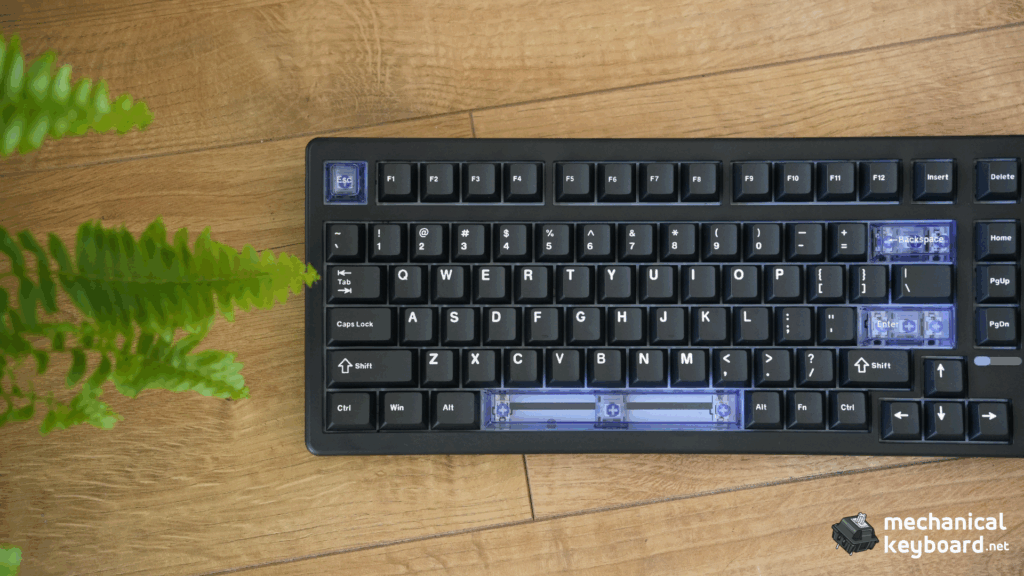
The Epomaker HE80 is a value-focused Hall Effect keyboard with a practical 75% layout and fine actuation adjustment. It targets buyers who want magnetic-switch features without premium pricing.
This is not the board to buy if you want the safest competitive platform. But it is interesting if you want to experiment with Rapid Trigger, adjustable actuation and a gasket-style typing feel.
For MechanicalKeyboard.net, this is also a good internal-link candidate because you already have Epomaker review coverage. That gives your page more relevance than generic competitor roundups.
What about TMR keyboards?
TMR keyboards are worth watching in 2026 because “TMR keyboard” is already showing meaningful search demand with relatively low keyword difficulty in the SEMrush export. TMR stands for tunneling magnetoresistance. Like Hall Effect keyboards, TMR keyboards use magnetic sensing, but the sensor technology is different.
In theory, TMR can offer very precise sensing and strong low-latency performance. In practice, the keyboard’s firmware, software and implementation matter more than the sensor buzzword alone. Do not buy a keyboard only because it says TMR. Look for the same things you would check on a Hall Effect keyboard: actuation range, Rapid Trigger quality, software, polling, build, return policy and real-world reviews.
How to choose the best Hall Effect keyboard
1. Choose the right layout first
Do not buy a keyboard just because it is fast. Pick a layout you can actually use. A 60% board is great for mouse space but can be annoying for productivity. A 75% board is the best balance for most people. A TKL layout is great for gaming if you want more dedicated keys. A 96% keyboard makes sense if you need a numpad.
| Layout | Best for | Tradeoff |
|---|---|---|
| 60% | Maximum mouse space | No dedicated arrows or function row |
| 75% | Best all-rounder | More compact navigation cluster |
| TKL | FPS gaming with dedicated keys | Larger than 75% |
| 96% | Work, gaming and numpad users | Less mouse space than TKL/75% |
2. Software matters more than the switch name
Hall Effect keyboards rely heavily on software. You need software to adjust actuation, configure Rapid Trigger, tune profiles, update firmware and manage features like SOCD or Snap Tap. A great magnetic switch with bad software is not a great keyboard.
3. Do not overvalue 8K polling
8K polling can reduce how often the keyboard reports data to the PC, but it is not the only thing that makes a keyboard feel fast. Firmware, scan rate, switch consistency, input processing and software all matter. For competitive players, 8K is nice to have. For most people, a well-tuned 1000Hz Hall Effect keyboard can still feel extremely responsive.
4. Think about typing feel
Some rapid trigger keyboards are tuned almost entirely for gaming. They may feel too sensitive for typing if actuation is set aggressively. If you write a lot, look for acoustic dampening, good stabilizers, quality keycaps and a layout that works for normal desktop use.
5. Match the keyboard to your game
For Valorant and CS2, prioritize Rapid Trigger, movement input handling and consistent actuation. For osu!, prioritize fast reset behavior and smooth switch travel. For mixed gaming, prioritize layout and comfort as much as headline latency claims.
Best Hall Effect keyboard by use case
Best for competitive FPS
Wooting 80HE. Choose Razer Huntsman V3 Pro TKL 8K or SteelSeries Apex Pro TKL Gen 3 if you prefer mainstream ecosystems.
Best for Valorant
Wooting 80HE, Wooting 60HE v2, Razer Huntsman V3 Pro TKL 8K or DrunkDeer A75 Pro.
Best for work and gaming
Keychron K2 HE, Lemokey P1 HE or ASUS ROG Azoth 96 HE.
Best budget option
DrunkDeer A75 Pro or Epomaker HE80, depending on price and availability.
Best wireless option
Keychron K2 HE, Lemokey P1 HE or ASUS ROG Azoth 96 HE.
Best Wooting alternative overall
Keychron K2 HE for most people, Lemokey P1 HE for typing feel, Razer for esports, DrunkDeer for budget.
Wooting 80HE vs the best alternatives
| Keyboard | Why choose it over Wooting? | Why choose Wooting instead? |
|---|---|---|
| Keychron K2 HE | Wireless, 75% layout, better for work and gaming. | Wooting has stronger competitive software trust. |
| Lemokey P1 HE | Better typing feel, wireless and acoustic tuning. | Wooting is more esports-focused. |
| DrunkDeer A75 Pro | Lower price and compact 75% layout. | Wooting is more polished. |
| Razer Huntsman V3 Pro TKL 8K | Snap Tap, Razer ecosystem and mainstream availability. | Wootility is cleaner and lighter. |
| SteelSeries Apex Pro TKL Gen 3 | SteelSeries GG, OLED and game presets. | Wooting has stronger enthusiast reputation. |
| Corsair K70 PRO TKL | iCUE integration, 8K polling and Corsair ecosystem. | Wooting is the safer pure gaming pick. |
| ASUS ROG Azoth 96 HE | Numpad, wireless and premium features. | Wooting is better value for pure FPS. |
| Epomaker HE80 | Lower price and value-focused features. | Wooting has better platform maturity. |
Frequently Asked Questions
What is the best Hall Effect keyboard?
The Wooting 80HE is the best overall Hall Effect keyboard for most competitive gamers because it has the strongest mix of software, performance, layout and trust.
What is the best Wooting alternative?
The Keychron K2 HE is the best Wooting alternative for most people because it has a practical 75% layout and wireless support. The Lemokey P1 HE is better if typing feel matters more, while the Razer Huntsman V3 Pro TKL 8K is better for mainstream esports buyers.
Are Hall Effect keyboards better than mechanical keyboards?
For gaming, Hall Effect keyboards can be better because they allow adjustable actuation, Rapid Trigger and analog-style input. For typing, a traditional mechanical keyboard can still feel better depending on the switches, case, stabilizers and layout.
Is the Wooting 80HE better than the Wooting 60HE v2?
The Wooting 80HE is better for most people because it has a more practical layout. The Wooting 60HE v2 is better if you specifically want a compact 60% keyboard for maximum mouse space.
Is 8K polling worth it on a keyboard?
8K polling is useful for competitive players, but it should not be the only reason you buy a keyboard. Software, firmware, scan rate, switch consistency and typing feel matter too.
What is Rapid Trigger?
Rapid Trigger lets a key reset as soon as it starts moving upward. This can make repeated inputs faster and movement feel sharper in games.
What is SOCD or Snap Tap?
SOCD-style features control how a keyboard handles opposite directional inputs, such as pressing A and D at the same time. Some keyboards prioritize the newest input, which can help counter-strafing, but game rules and tournament policies may vary.
Are Hall Effect keyboards good for typing?
They can be, but it depends on the board. If actuation is set too shallow, typing can feel overly sensitive. For typing, look for a stable case, good dampening, quality keycaps and comfortable switches.
Final verdict
The Wooting 80HE is still the best Hall Effect keyboard overall in 2026. It has the strongest mix of gaming performance, software, trust and practical layout.
The Wooting 60HE v2 is the better choice if you specifically want a compact 60% keyboard.
For Wooting alternatives, the Keychron K2 HE is the best all-around option for most people, the Lemokey P1 HE is the best typing-focused alternative, the Razer Huntsman V3 Pro TKL 8K is the best mainstream esports alternative, and the DrunkDeer A75 Pro is the best budget alternative.
If you want one simple recommendation: buy the Wooting 80HE for pure competitive performance, the Keychron K2 HE for wireless work-and-gaming use, the Lemokey P1 HE for typing feel, and the DrunkDeer A75 Pro if price matters most.