Some keyboards are built to perform. Others are designed to look good on your desk. The Chilkey SF60 Diamond Edition tries to deliver both, combining a striking crystal-clear design with Hall Effect gaming features, an aluminium case, and a configurable 8,000 Hz polling rate.
- Chilkey SF60 Diamond Edition: Quick Verdict
- Chilkey SF60 Diamond Edition Specifications
- Unboxing: One of My Favourite Packaging Experiences
- Design and Build Quality: An Easy 10/10
- PC Crystal Keycaps: The Biggest Visual Highlight
- WS Flux Diamond Teal Dream Switches: Smooth but Sharp-Sounding
- Gaming Performance: How the SF60 Felt in Counter-Strike
- Web Driver: One of the Best Parts of the Experience
- Five-Year Warranty: Activation Was Surprisingly Simple
- SF60 Diamond Edition vs SF60 Metal Keycap Edition
- Price and Value: Is the Chilkey SF60 Diamond Edition Worth It?
- What Could Be Better?
- Final Verdict: Would I Recommend the Chilkey SF60 Diamond Edition?
- FAQs
I’ve been using the Star White variant with WS Flux Diamond Teal Dream magnetic switches, and this is easily one of the most visually distinctive keyboards I’ve reviewed.
What surprised me wasn’t just the transparent keycaps. The construction feels exceptionally premium, the Web Driver is straightforward to use, and the adjustable actuation settings have been genuinely useful in Counter-Strike.
There is one characteristic I’d change for my personal preferences: the stock typing sound. The Teal Dream switches are smooth and satisfying, but their sharper, louder acoustic profile isn’t quite the creamy or thocky sound I usually enjoy.
Here’s how the SF60 Diamond Edition performed in everyday typing, gaming and software configuration.
Review disclosure: Chilkey supplied the SF60 Diamond Edition for this review. The observations and opinions are based on my own hands-on experience.
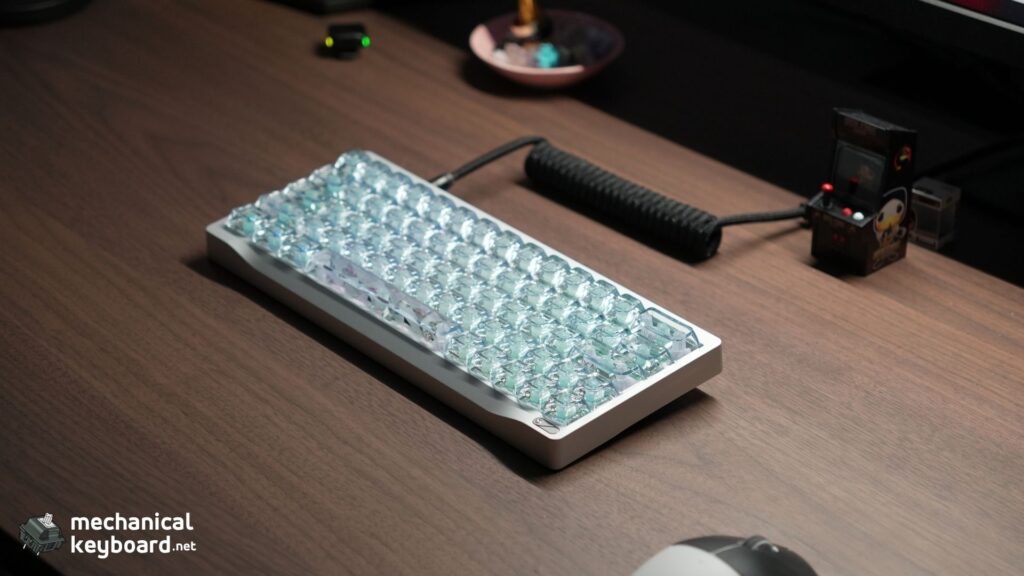
Chilkey SF60 Diamond Edition: Quick Verdict
The Chilkey SF60 Diamond Edition gets a strong recommendation from me for its outstanding construction, crystal-clear aesthetics and useful gaming customisation.
The build quality is among the best I’ve experienced, earning a personal rating of 10/10. Its compact layout is easier to adapt to than I expected, and the Web Driver makes configuring the keyboard pleasantly simple.
More importantly, the SF60 isn’t just a decorative keyboard. Its Hall Effect technology allows you to adjust individual keys to suit how you actually play.
The one area that comes down to preference is the sound. I found the Teal Dream switches relatively loud and sharp, with a firm bottom-out. If you prefer a deep, muted typing sound, keep that in mind.
What I liked
- Outstanding aluminium construction and finish
- Exceptionally clear PC Crystal keycaps
- Unique detailing and attractive underside RGB
- Smooth switches with no noticeable scratchiness
- No noticeable switch wobble or stabiliser rattle
- Useful per-key actuation customisation
- Straightforward Web Driver and firmware updates
- Simple warranty activation process
- Comfortable layout after a short adjustment period
What to consider
- The stock sound is relatively sharp and loud
- RGB looks better in darker environments
- The compact right Shift key takes some getting used to
- Wired connectivity only
- The 60% form factor won’t suit everyone
Chilkey SF60 Diamond Edition Specifications
| Specification | Details |
|---|---|
| Model | Chilkey SF60 Diamond Edition |
| Tested variant | Star White |
| Form factor | Compact 60% |
| Switches | WS Flux Diamond, Teal Dream |
| Switch technology | Hall Effect magnetic |
| Keycaps | Transparent PC Crystal |
| Keycap profile | ASA |
| Case | Aluminium |
| Plate | Aluminium |
| Mounting | Gasket mount |
| Connection | Wired USB |
| Polling rate | Up to 8,000 Hz, manufacturer specification |
| Advertised latency | 0.08 ms |
| Adjustable actuation | 0.01 to 3.3 mm |
| Advertised trigger precision | 0.001 mm |
| Gaming features | Rapid Trigger, Snappy Tappy, per-key actuation |
| RGB | 16 million colours, 20 lighting modes |
| Typing angle | 6.5° |
| Front height | 17.4 mm |
| Configuration | Browser-based Web Driver |
| Advertised warranty | 5 years for qualifying PCB issues |
| Listed regular price | US$179 |
The performance figures above are Chilkey’s advertised specifications, not independently measured results from this review. Pricing and availability may change.
The SF60 is part of a growing category of magnetic gaming keyboards. If you’re new to the technology, our guide to Hall Effect keyboards explains the differences between magnetic sensing and conventional mechanical switches.
Unboxing: One of My Favourite Packaging Experiences
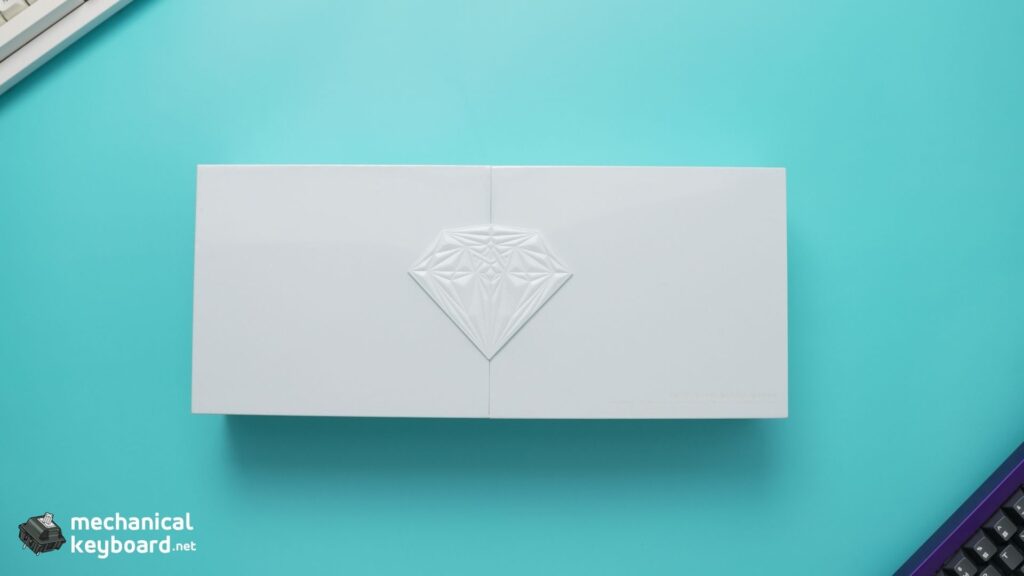
I’ve unboxed plenty of mechanical keyboards, but the SF60 Diamond Edition stands out for its presentation.
The overall unboxing experience felt premium and carefully thought out. In fact, it was one of the best keyboard unboxing experiences I’ve had so far.
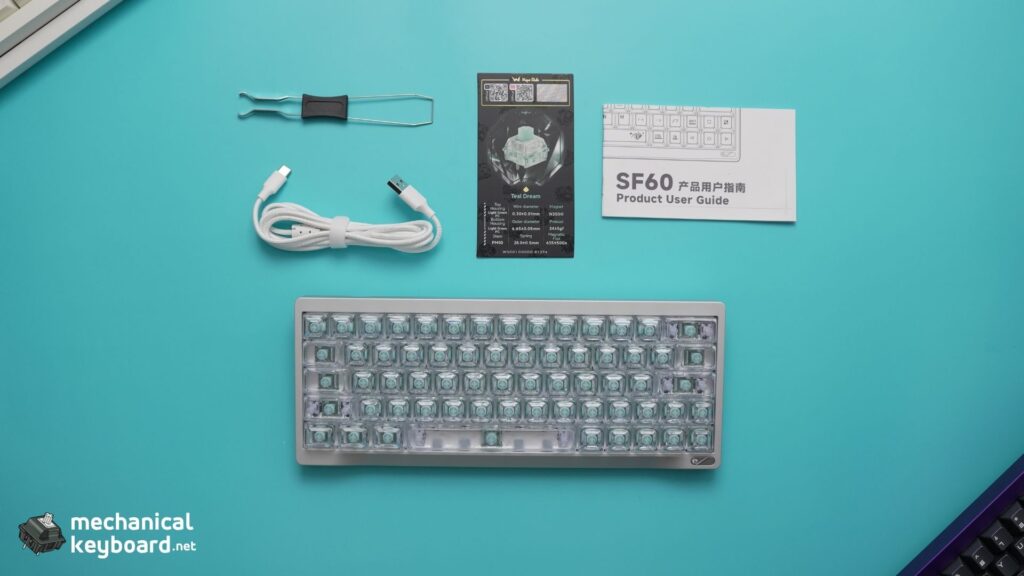
Inside my package, I received:
- Chilkey SF60 Diamond Edition keyboard
- USB cable
- Product manual
- Key specifications and identity card
- Keycap and switch puller
Everything contributed to a product that felt special even before I connected it to my computer.
For a keyboard that places so much emphasis on design, the presentation makes a genuinely good first impression.
Design and Build Quality: An Easy 10/10
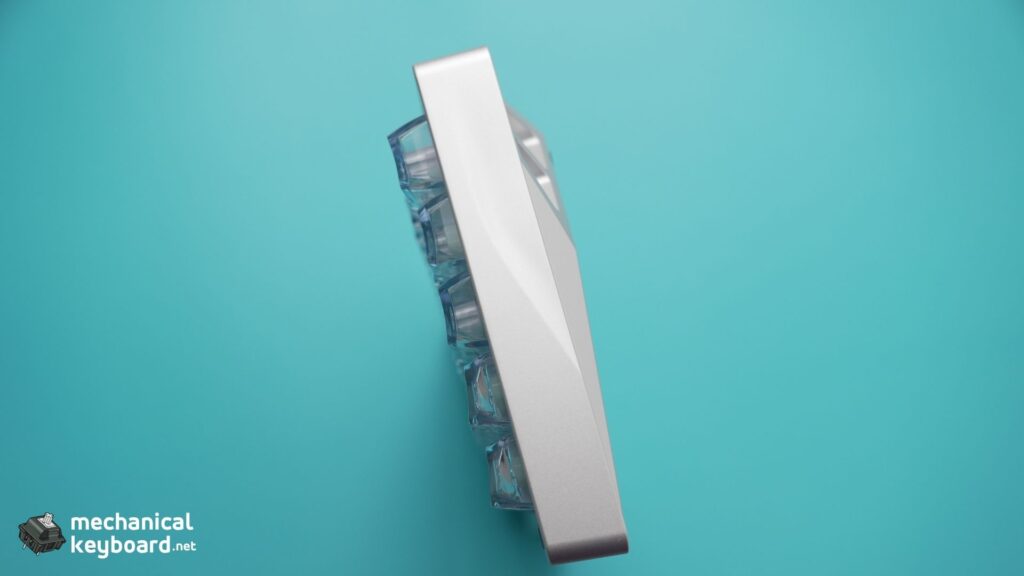
The design and construction are my favourite aspects of the Chilkey SF60 Diamond Edition.
Picking it up immediately gives you a sense of how substantial it feels. The aluminium body is heavy, sturdy and premium, and the unibody-style exterior gives the entire keyboard a cohesive appearance.
What impressed me most was the attention to detail.
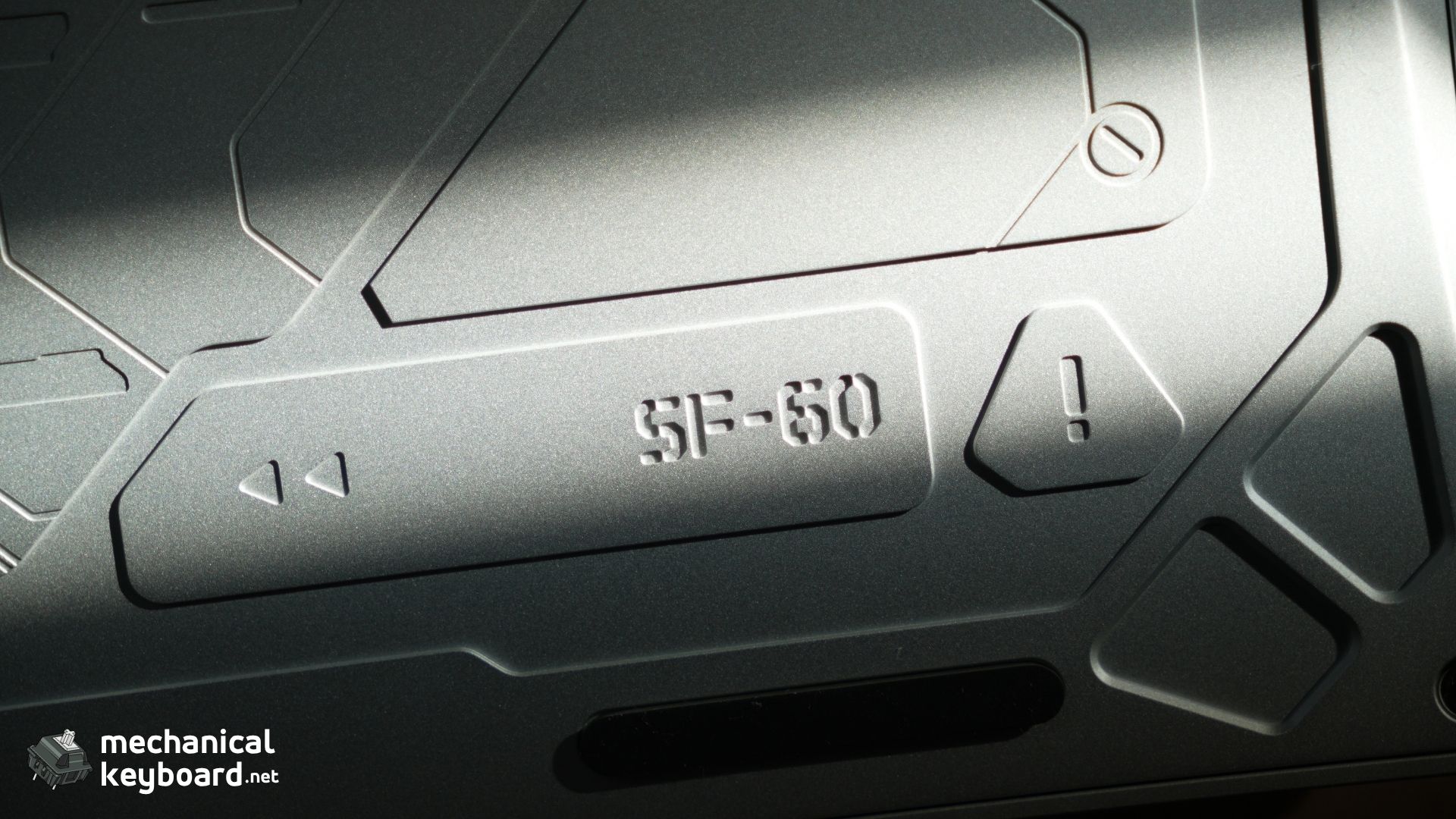
The finishes look exceptionally well executed, and the small diamond accent on the right adds character without making the keyboard feel overly decorative.
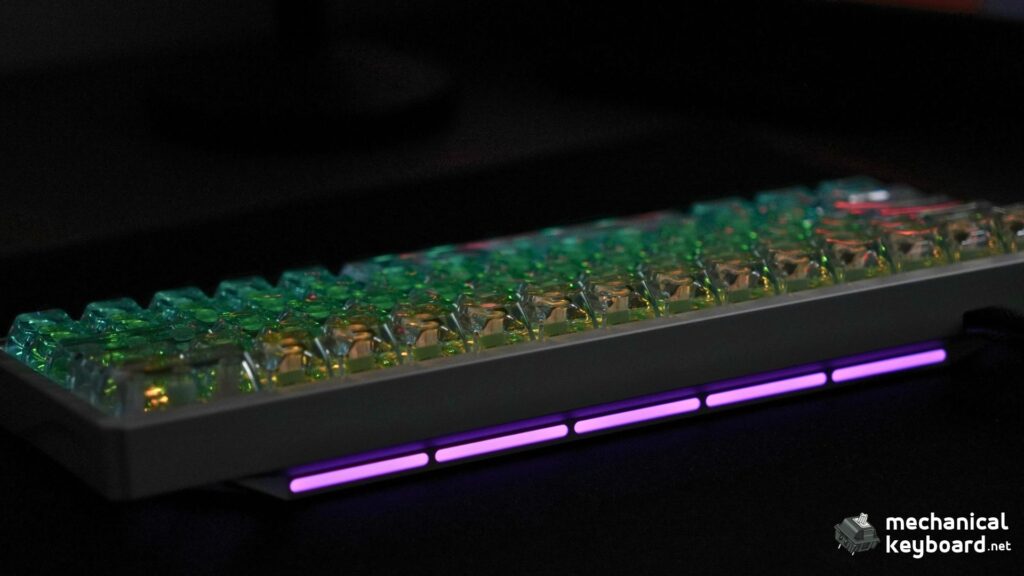
There’s also RGB lighting around the rear and underside of the keyboard, which adds another layer to the overall design. It’s a detail I particularly enjoyed because it makes the SF60 look interesting beyond just its illuminated keycaps.
I’ve had no complaints about the construction of my review unit.
My build-quality rating: 10/10.
That score reflects the exterior construction, fit, finish and overall feel. It isn’t a laboratory durability rating or an assessment of long-term wear.
A Compact Layout That Gives Your Mouse More Room
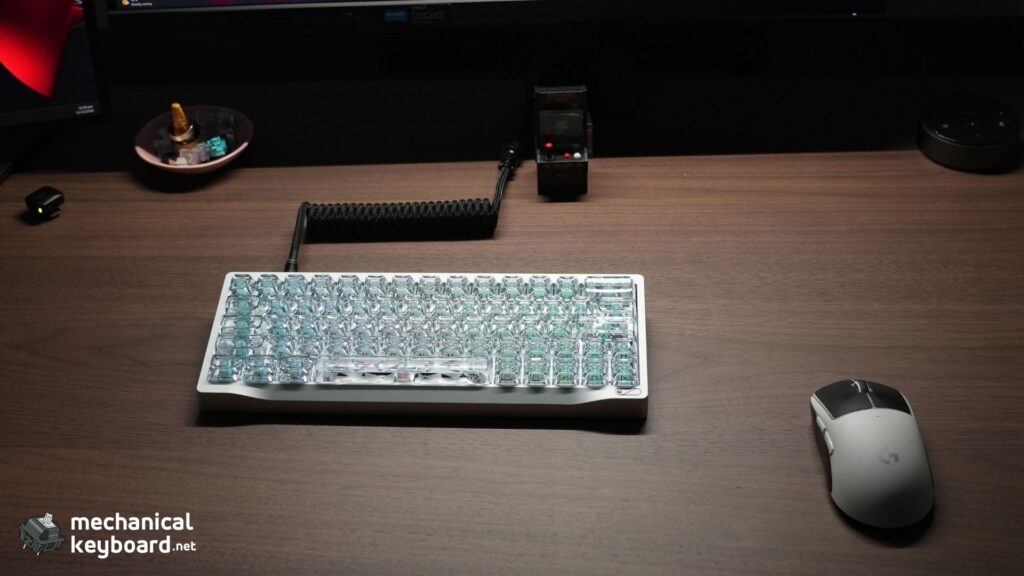
The SF60 uses a compact 60% form factor, making it an appealing option for gaming setups where mouse space matters.
I initially had concerns about the small right Shift key because it’s the Shift key I normally use. Surprisingly, it took only a few minutes to get comfortable with it.
Once I adjusted, the layout felt natural and enjoyable to type on.
The keyboard also accommodates arrow keys within its compact arrangement, making the exact key placement worth examining before buying.
If you’re unfamiliar with compact layouts, our 60% keyboard guide explains the general advantages and trade-offs. We also have a separate 60% keyboard shortcuts guide for navigating the functions typically accessed through keyboard layers.
PC Crystal Keycaps: The Biggest Visual Highlight
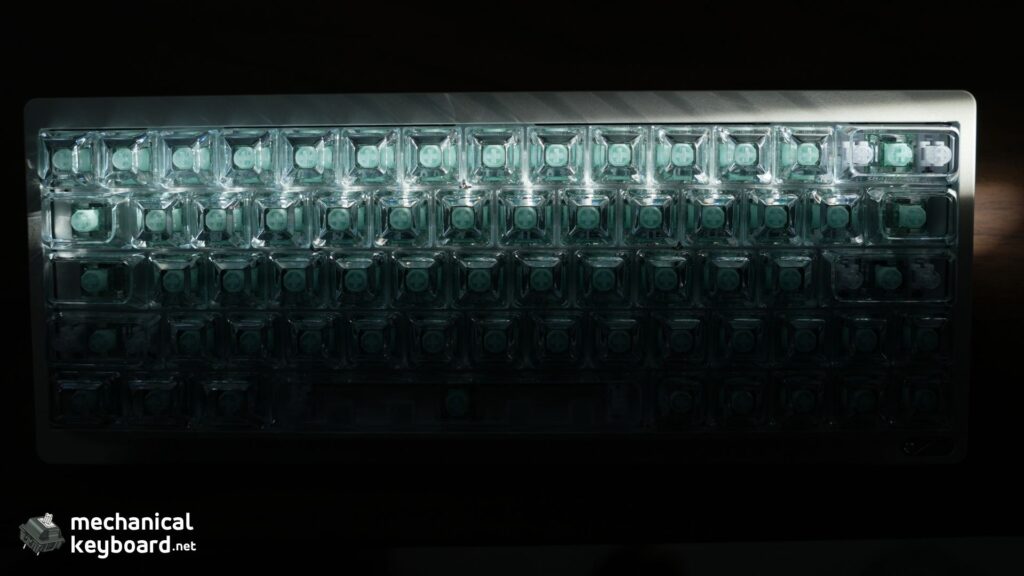
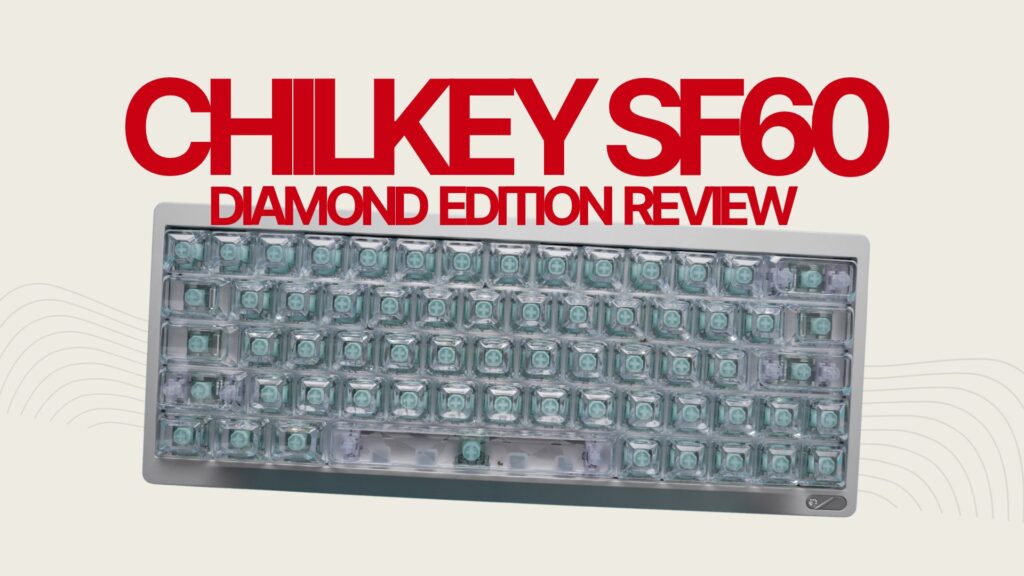
The SF60 Diamond Edition comes with transparent PC Crystal keycaps, and photographs don’t fully communicate how clear they look in person.
These aren’t simply frosted or lightly translucent keycaps.
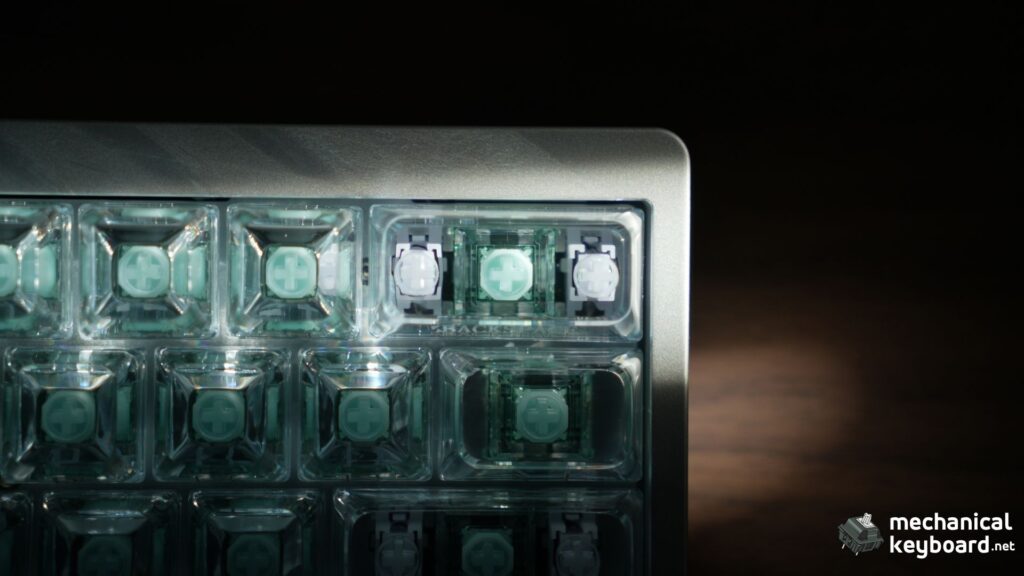
The keycaps on my Star White unit are exceptionally clear, allowing you to see through the material and appreciate the switch design underneath.
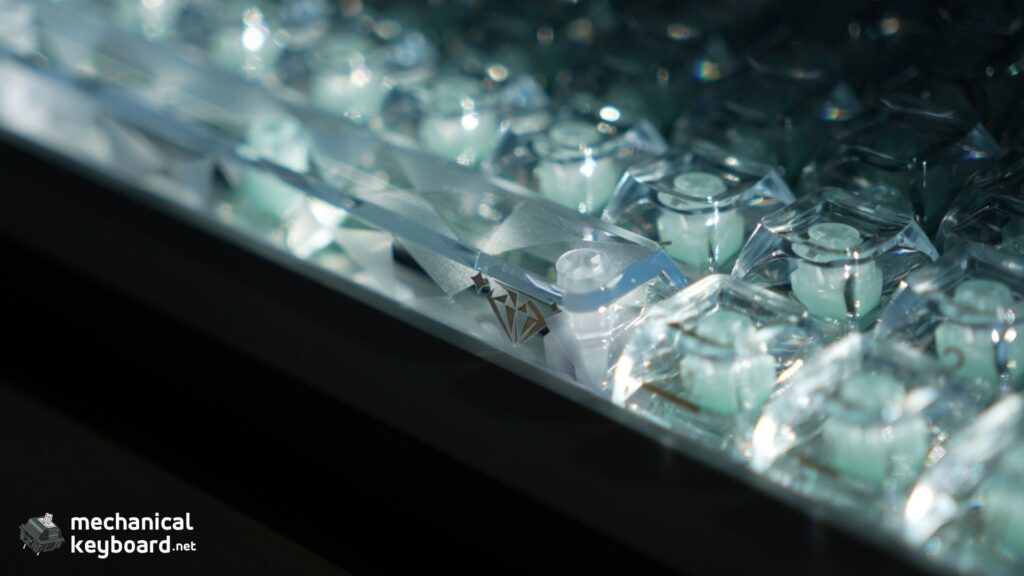
The main exception is the spacebar, which features a more noticeable decorative pattern.
It’s a combination that makes the keyboard an immediate eye-catcher.
Do Transparent Keycaps Feel Different?
Before using the SF60, I wondered whether the crystal-style keycaps would feel slippery or uncomfortable.
That wasn’t the case.
They feel pleasant under my fingers, and the transparent appearance doesn’t translate into an awkward or slippery typing surface.
Chilkey uses an ASA-profile design for these keycaps. If you’re interested in how keycap height and shape affect typing, our keycap profiles explained article covers the differences between popular profiles.
RGB Lighting: Best Enjoyed in a Darker Room
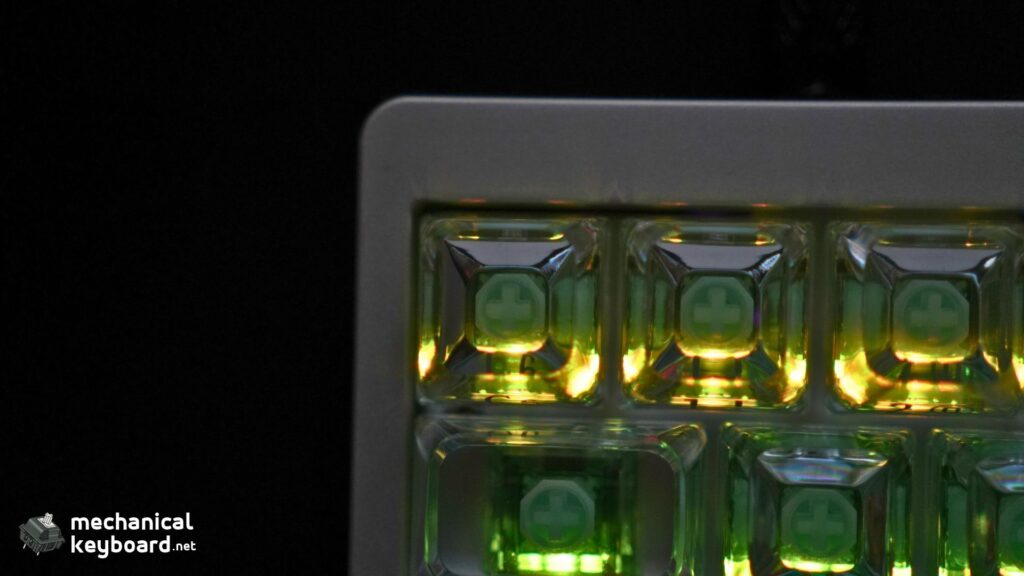
Chilkey advertises 16 million colours and 20 lighting modes on the SF60 Diamond Edition.
The transparent keycaps give this lighting an appearance that is quite different from conventional shine-through keycaps.
Rather than illuminating only the legends, light travels through the keycaps and interacts with their clear surfaces.
In my experience, the brightness is sufficient, although the effect is less prominent in a well-lit room.
When the ambient lighting is reduced, the keyboard looks considerably better. The crystal keycaps and decorative case lighting work together to create an attractive effect.
I wouldn’t describe the RGB as exceptionally bright in all conditions, but I really like the overall result.
WS Flux Diamond Teal Dream Switches: Smooth but Sharp-Sounding
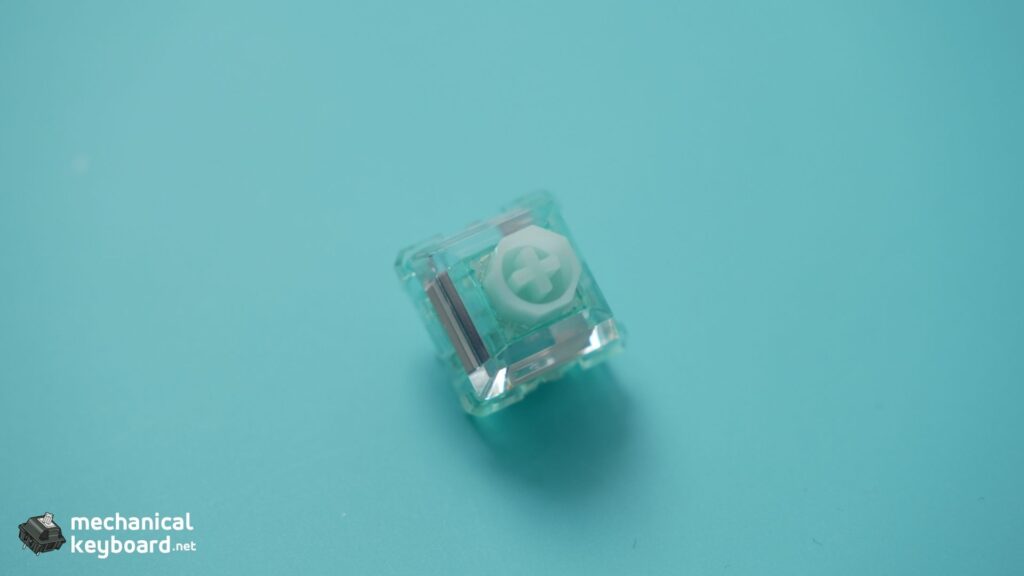
The SF60 Diamond Edition uses WS Flux Diamond Teal Dream magnetic switches developed for this model.
Chilkey advertises a 28 mm spring and a relatively small 6 gf difference between initial and bottom-out force.
Those specifications are interesting, but what matters more to me is how the switches actually feel and sound.
How Do the Teal Dream Switches Feel?
After typing on the keyboard, I’d describe the Teal Dream switches as medium-weight.
They aren’t particularly light, but they don’t feel stiff or demanding either.
The travel is smooth throughout the keypress, and I haven’t noticed any scratchiness.
The bottom-out is fairly hard and firm, rather than cushioned.
What makes the experience particularly satisfying is the stability. I didn’t notice switch wobble or stabiliser rattle in my review unit, which is impressive straight out of the box.
The larger keys also avoided the distracting rattling sounds that can spoil an otherwise premium keyboard.
Overall, the switches feel well executed. Their sound character is simply different from what I normally prefer.
You can explore how magnetic switches differ from one another in our best Hall Effect switches guide.
Chilkey SF60 Diamond Edition Sound Test
The stock sound profile is relatively loud and sharp.
Rather than producing the deep, rounded thock I generally enjoy, the Teal Dream switches have a firmer, more pronounced sound when they bottom out.
I’d describe their character as clacky rather than creamy or muted.
That isn’t necessarily a negative. Some people enjoy a brighter, more defined typing sound. It just isn’t my personal favourite.
Importantly, I didn’t notice distracting stabiliser rattle, which makes the overall sound cleaner.
While I genuinely enjoy typing on the SF60 Diamond Edition, I personally prefer a quieter, creamier or deeper sound profile. I’m planning to experiment with compatible quieter magnetic switches and may explore adding foam to dampen the sound further.
For now, these are only modifications I’m considering. The sound test above represents the keyboard in its original stock configuration.
Gaming Performance: How the SF60 Felt in Counter-Strike
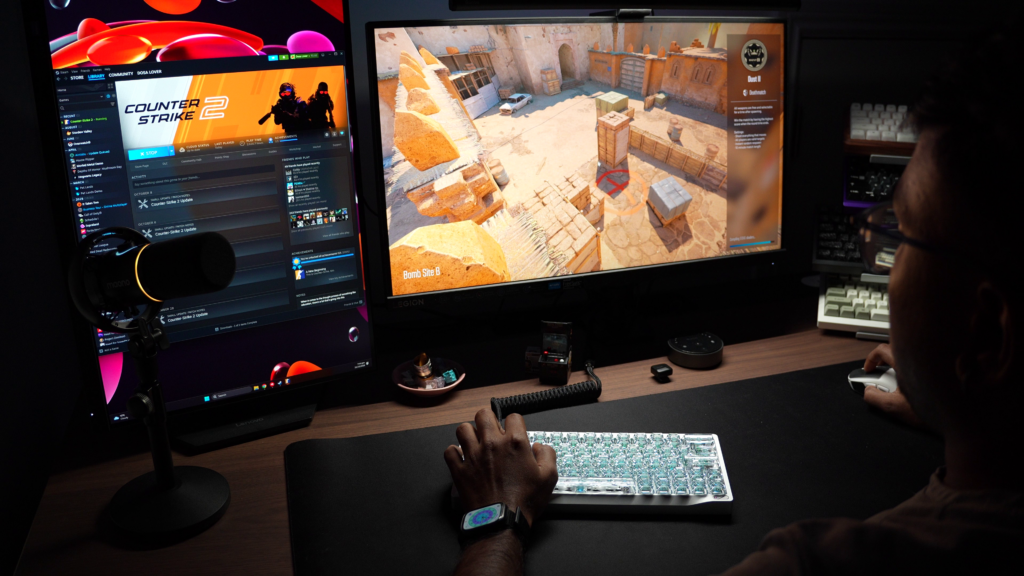
The SF60 Diamond Edition is more than just an attractive keyboard.
Its Hall Effect switches allow you to customise when individual keys register, which can be particularly useful in games that demand controlled movement.
I used the keyboard while playing Counter-Strike, where I noticed a clear difference in how comfortable and responsive my movement felt, especially when working around corners.
That was my subjective experience during gameplay, rather than a measured difference in latency or reaction time.
Adjustable Actuation Was Genuinely Useful
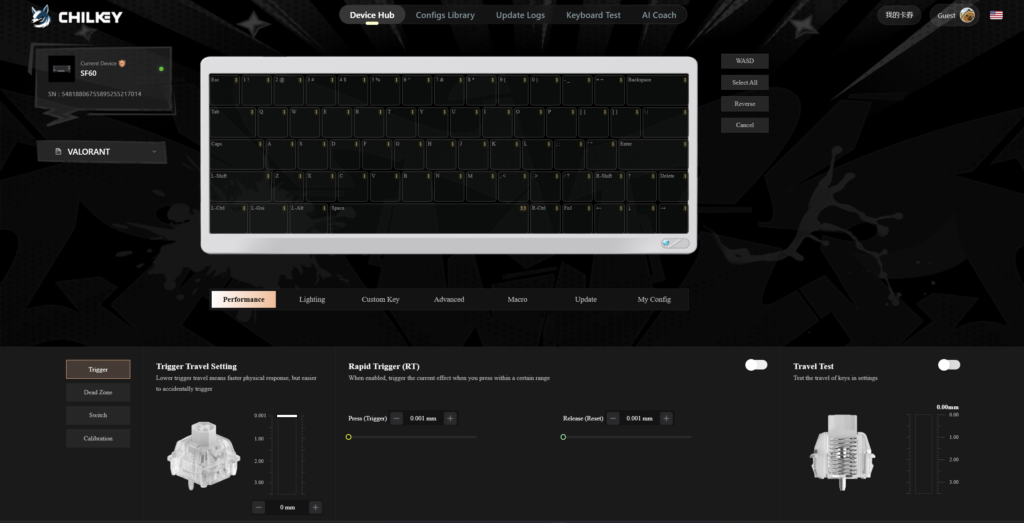
My favourite practical example is the spacebar.
Because of how I position my fingers, I sometimes hit the spacebar unintentionally during gameplay.
With the SF60, I could adjust the spacebar’s actuation distance independently from the other keys.
I increased it to the maximum available setting, making the spacebar require a deeper press before activating.
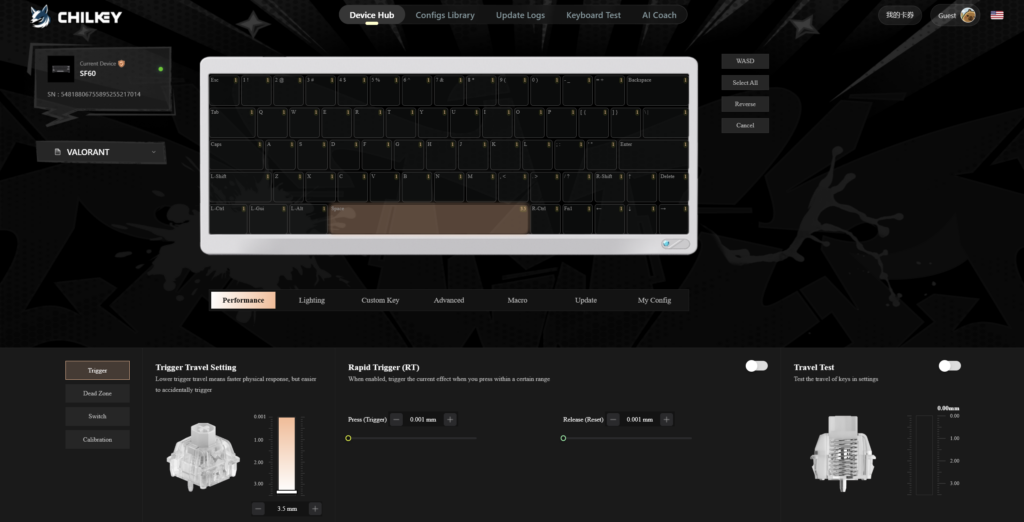
This was particularly helpful because it let me address my own finger-placement habits without changing how every other key behaved.
That’s the real appeal of adjustable actuation.
It’s not necessarily about making every key activate at the slightest touch. It’s about configuring each key to behave appropriately for how you use it.
Rapid Trigger and Snappy Tappy
Chilkey also includes several gaming-focused functions.
Rapid Trigger allows keys to reset based on their upward movement rather than waiting for a conventional fixed reset point. This can help with repeated inputs and movement adjustments.
Snappy Tappy, Chilkey’s opposing-key priority feature, controls which input takes priority when conflicting directional keys are pressed.
The keyboard also advertises an 8,000 Hz polling rate and 0.08 ms latency.
These are manufacturer specifications, and I haven’t independently measured the keyboard’s actual end-to-end latency or tested every advanced feature in a controlled comparison.
It’s also worth checking the rules of individual games before using simultaneous-input prioritisation features.
For more background on what a polling rate does and why it matters, see our keyboard polling rate guide.
Is the SF60 Good for Competitive Gaming?
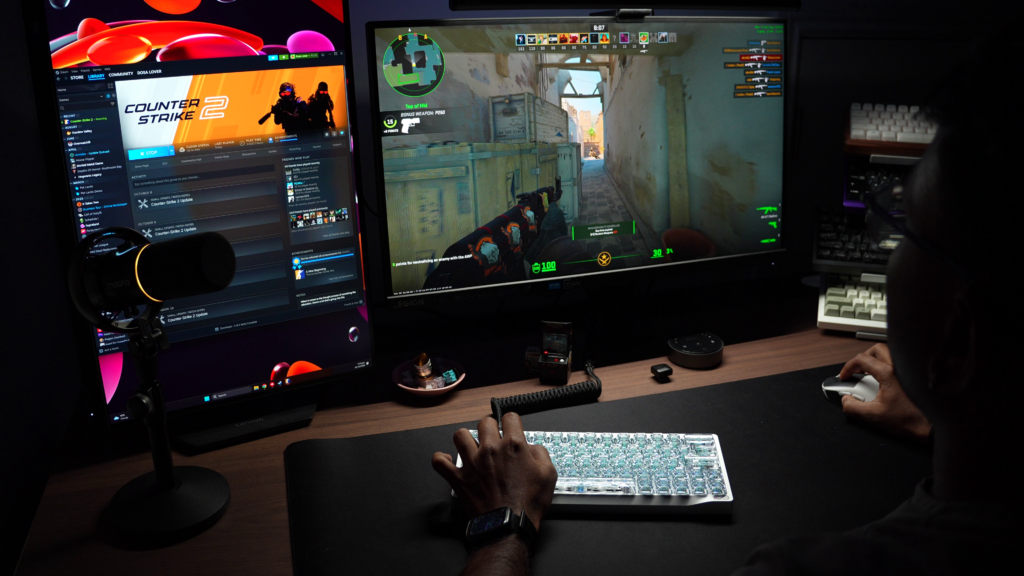
Based on my experience playing Counter-Strike, yes.
The compact layout provides plenty of desk space, the switches feel stable and smooth, and the actuation settings let me customise inputs to suit my own habits.
I particularly appreciate that the gaming features provide practical flexibility rather than forcing everyone to use the same sensitivity.
The SF60 felt responsive and enjoyable during my gameplay, although this review does not attempt to establish its ranking against competitors using instrumented latency testing.
Web Driver: One of the Best Parts of the Experience
Keyboard software can sometimes turn an otherwise good product into a frustrating experience.
Fortunately, that wasn’t the case with the SF60.
Chilkey uses a browser-based Web Driver that allows you to configure the keyboard without installing a conventional desktop application.
The official driver is available at driveshid.chilkey.cn, and Chilkey documents support for Google Chrome and Microsoft Edge.
Connecting the Keyboard
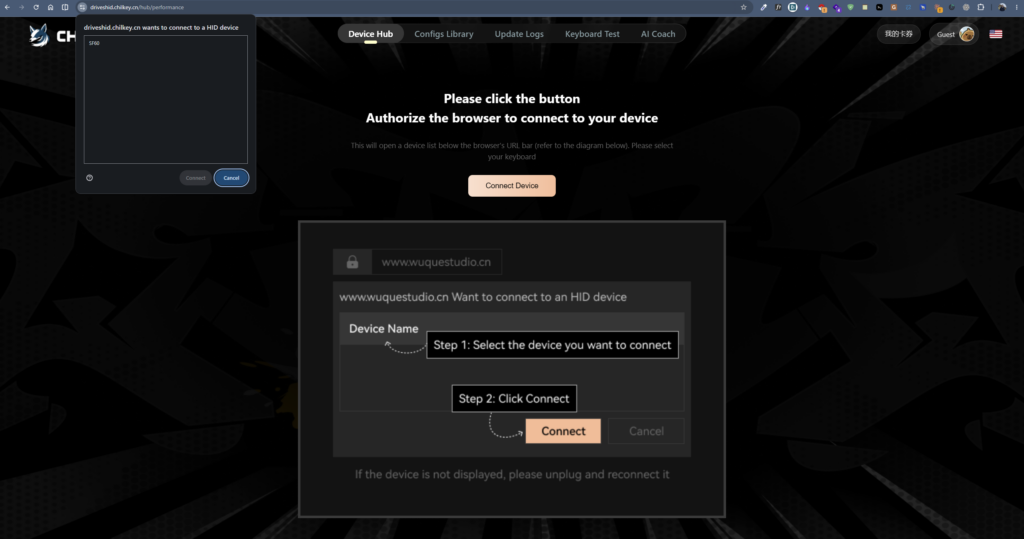
My initial connection experience was straightforward.
After connecting the keyboard, the browser displayed a prompt asking for permission to communicate with the SF60 as an HID device.
Once I selected the keyboard and authorised the connection, the device appeared in the driver interface.
There was no complicated setup process.
Performance, Lighting and Customisation
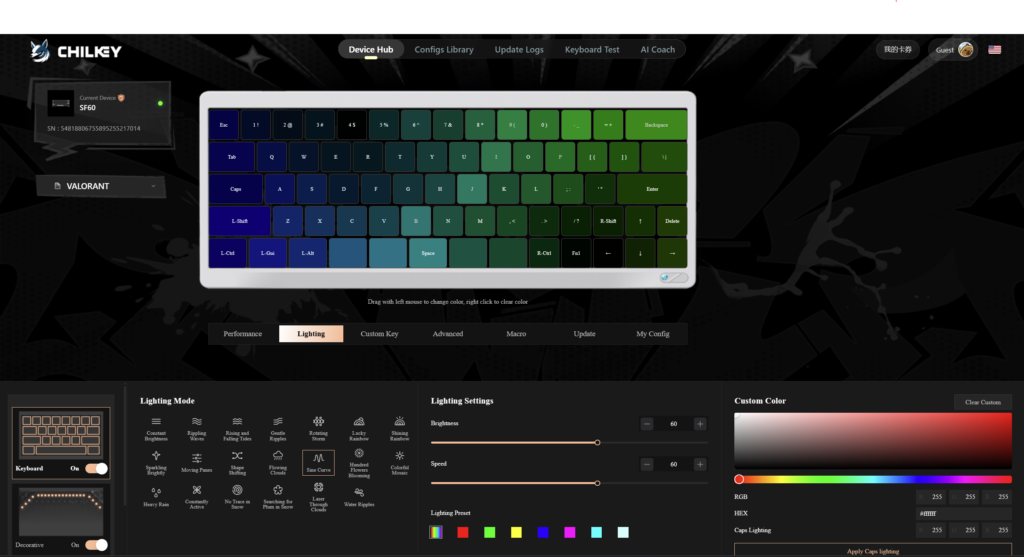
The driver provides access to several configuration areas, including:
- Per-key actuation adjustments
- Rapid Trigger configuration
- Switch calibration and dead-zone controls
- RGB lighting and effects
- Key remapping
- Macros and advanced-key functions
- Configuration profiles
- Firmware updates
I particularly liked the ability to download and apply community configuration presets.
That makes exploring different configurations more approachable instead of requiring you to set up every parameter manually.
Basic device configuration doesn’t require an account, although Chilkey states that uploading and synchronising personal configurations requires signing in.
Firmware Updates
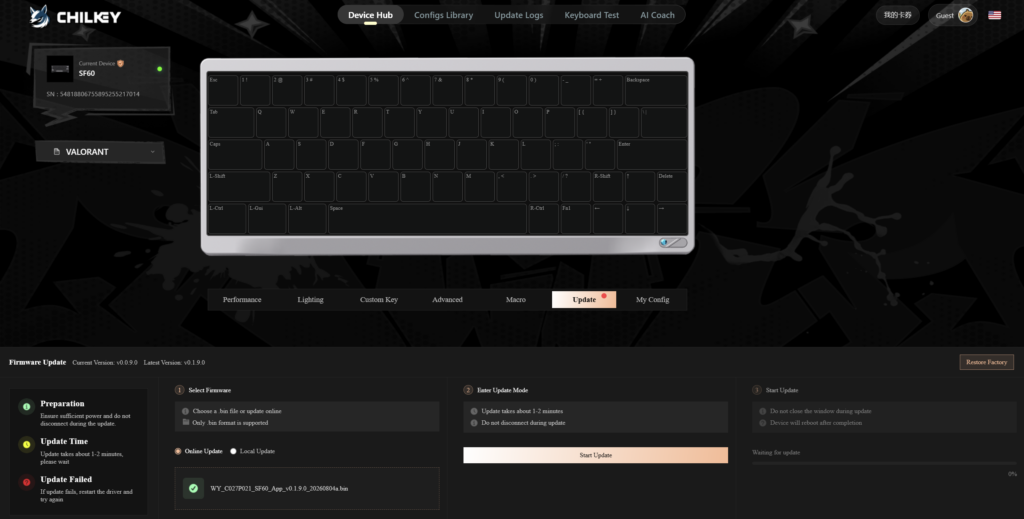
Updating the firmware was also straightforward.
The Web Driver detected the available update, and I was able to run it directly through the browser.
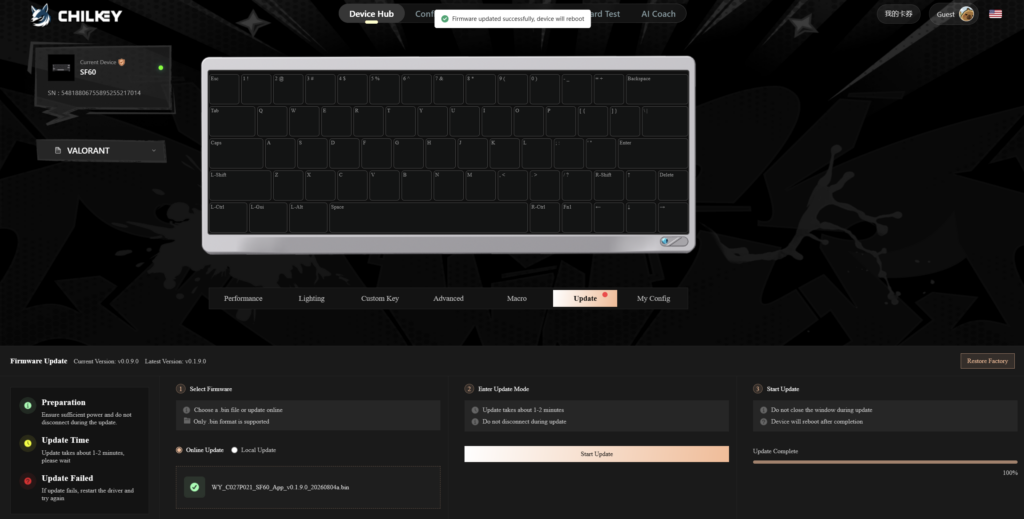
The update completed successfully and the interface displayed a completion message.
I didn’t encounter any problems during the process.
For anyone setting up the keyboard, Chilkey’s official SF60 Web Driver manual provides instructions covering connection, configuration, calibration and firmware updates.
Five-Year Warranty: Activation Was Surprisingly Simple
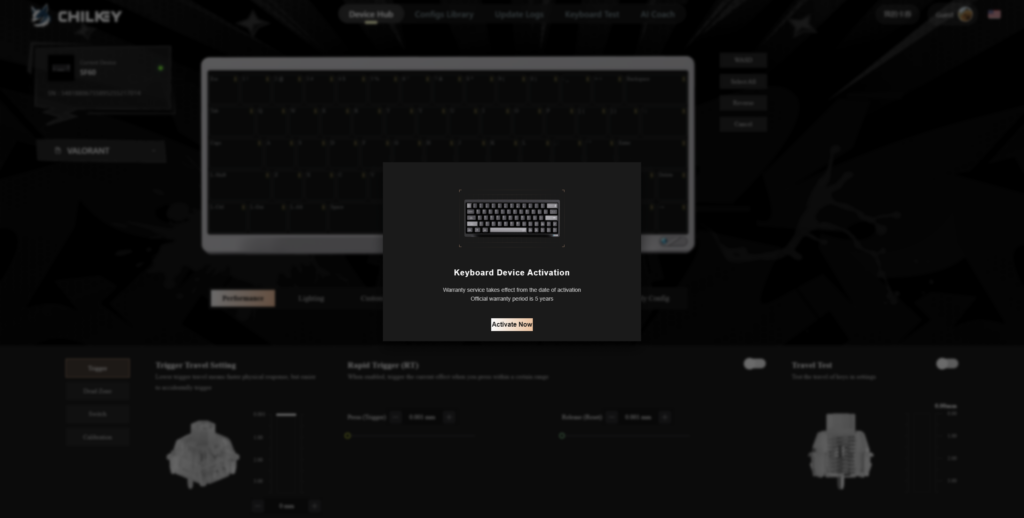
The SF60 Diamond Edition is advertised with a five-year warranty covering qualifying PCB issues that are not caused by user damage.
One interesting aspect is that the Web Driver presents a keyboard activation process.
During my initial setup, a prompt asked whether I wanted to activate the device warranty.
I selected the confirmation option, and that was it.
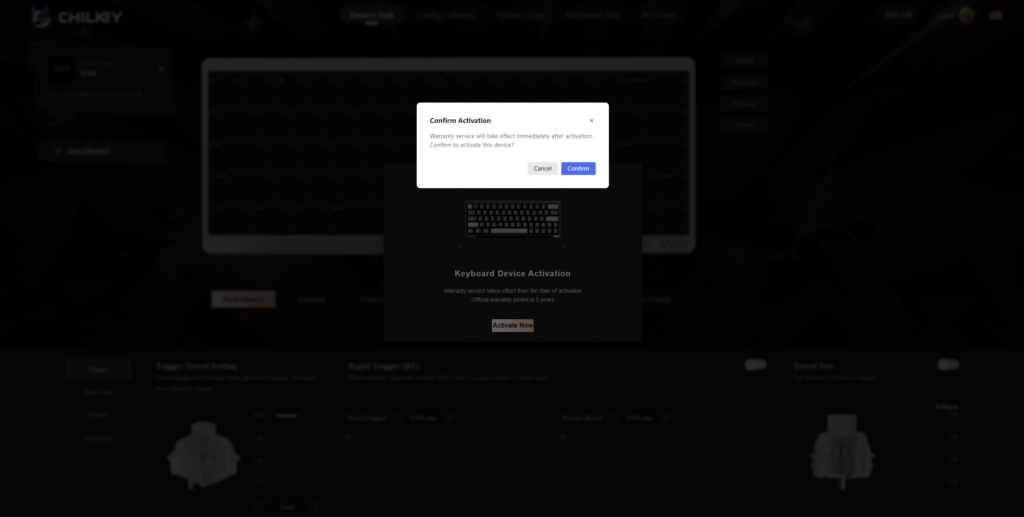
The process didn’t ask me to manually enter a serial number or create an account during my activation experience.
I liked how straightforward this was.
The interface stated that warranty service would take effect from activation.
It’s important to distinguish the advertised five-year PCB coverage from an unrestricted five-year warranty for every keyboard component. Buyers should review Chilkey’s current warranty terms for the exact coverage and exclusions.
SF60 Diamond Edition vs SF60 Metal Keycap Edition
Chilkey offers another SF60 version that uses metal keycaps, making it important to distinguish the two models.
| Feature | SF60 Diamond Edition | SF60 Metal Keycap Edition |
|---|---|---|
| Keycaps | Transparent PC Crystal | Aluminium |
| Keycap profile | ASA | Cherry |
| Switches | WS Flux Diamond Teal Dream | WS Flux Poseidon |
| Switch technology | Hall Effect | Hall Effect |
| Case material | Aluminium | Aluminium |
| Polling rate | Up to 8,000 Hz | Up to 8,000 Hz |
| Main aesthetic | Crystal-clear, RGB-focused | Metal keycap design |
The biggest obvious differences are the keycaps, switches and resulting visual character.
The Diamond Edition is particularly appealing if you want the switches and lighting to remain visible through clear keycaps.
The Metal Keycap Edition takes a different approach with aluminium keycaps and Poseidon switches.
I’ve tested the Diamond Edition only, so I can’t provide a direct personal comparison of their sound, switch feel or gaming performance.
Price and Value: Is the Chilkey SF60 Diamond Edition Worth It?
The SF60 Diamond Edition carries a listed regular price of US$179, although promotional prices and availability can vary.
At that price, you’re looking at a premium compact gaming keyboard rather than a basic entry-level mechanical model.
From my experience, the exceptional construction and appearance are significant parts of the value.
But it’s not a keyboard that relies on looks alone.
You also get Hall Effect switches, extensive software configuration, adjustable actuation, a compact gaming layout and the advertised high polling rate.
The ease of using the Web Driver adds to the overall experience.
For me, the combination makes the SF60 Diamond Edition a compelling product.
If appearance is unimportant to you, there are other Hall Effect gaming keyboards worth considering. Our best Hall Effect keyboards guide covers alternatives across different layouts and budgets.
However, if you specifically want the Diamond Edition’s transparent design and premium construction, that’s where this particular SF60 stands out.
What Could Be Better?
Even though I thoroughly enjoyed using the SF60 Diamond Edition, there are a few considerations worth discussing.
The Stock Sound Isn’t My Preferred Profile
The switches are smooth and stable, but the sharp, relatively loud acoustic character isn’t quite what I prefer for my personal setup.
This is a matter of taste rather than an indication of poor switch quality.
RGB Is More Impressive in Low Light
The clear keycaps look excellent regardless of lighting conditions, but the RGB effect becomes much more noticeable when the surrounding room is darker.
The Layout May Require Some Adjustment
I adapted to the small right Shift key quickly, but not everyone will have the same experience.
Anyone coming from a full-size or TKL keyboard should consider whether the compact layout suits their workflow.
Wired Connectivity Only
The SF60 is a wired keyboard, which makes sense for its gaming-focused design but may disappoint people seeking wireless flexibility.
None of these points significantly changed my overall impression of the keyboard.
Final Verdict: Would I Recommend the Chilkey SF60 Diamond Edition?
Absolutely.
The Chilkey SF60 Diamond Edition is one of the most distinctive keyboards I’ve used, and the Star White version makes a particularly strong first impression.
The crystal-clear keycaps are beautiful, the aluminium construction feels exceptionally premium, and the small design details make it stand out even when the RGB is switched off.
Beyond its appearance, I enjoyed the smooth Teal Dream switches, comfortable typing experience and flexibility offered by adjustable actuation.
Using it in Counter-Strike reinforced how useful that customisation can be, especially when tuning specific keys around my own playing habits.
The Web Driver is another highlight. Connecting the keyboard, configuring it, updating the firmware and activating the warranty were all simple processes.
My only real personal preference is for a quieter, deeper sound than the stock Teal Dream switches provide.
But that doesn’t take away from how much I enjoyed the keyboard overall.
My final take: If you want a compact Hall Effect gaming keyboard that combines premium construction, eye-catching transparent keycaps and extensive configuration options, the SF60 Diamond Edition deserves serious consideration.
It’s a keyboard I’d confidently recommend, particularly to gamers who value both performance features and a distinctive desk setup.
FAQs
Is the Chilkey SF60 Diamond Edition a Hall Effect keyboard?
Yes. The SF60 Diamond Edition uses WS Flux Diamond Teal Dream magnetic switches, which detect key movement through Hall Effect sensors rather than traditional electrical switch contacts.
Does the Chilkey SF60 Diamond Edition have Rapid Trigger?
Yes. Chilkey advertises Rapid Trigger functionality, allowing keys to reset according to their movement rather than requiring a fixed conventional reset position.
What switches are included with the SF60 Diamond Edition?
It uses WS Flux Diamond Teal Dream magnetic switches. In my testing, they felt medium-weight, smooth and stable, with a firm bottom-out and a relatively sharp sound.
Is the Chilkey SF60 Diamond Edition good for Counter-Strike?
I enjoyed using it in Counter-Strike and noticed a positive difference in my movement around corners. Per-key actuation customisation was particularly useful for adjusting my spacebar to prevent unwanted presses caused by my finger placement.
Does the Chilkey SF60 support 8,000 Hz polling?
Yes, Chilkey advertises an 8,000 Hz polling rate for the SF60 Diamond Edition. I have not independently verified that figure using specialist measurement equipment.
Does the Chilkey SF60 Diamond Edition have wireless connectivity?
No. The SF60 Diamond Edition is a wired USB keyboard.
Can you customise individual keys on the SF60?
Yes. The Web Driver supports individual actuation adjustments, allowing different keys to activate at different travel distances.
Does the SF60 have arrow keys?
The SF60 uses a compact layout that accommodates an arrow-key cluster. Its small right Shift key is one of the layout differences worth noting.
Does the SF60 need software installed?
The keyboard uses a browser-based Web Driver, so a conventional downloadable desktop application isn’t required for normal configuration. Chilkey officially supports Chrome and Edge for the driver.
How do you update the Chilkey SF60 firmware?
Connect the SF60 through USB, open the official Web Driver, select the firmware update section and follow the online update instructions. Keep the keyboard connected until the update completes.
How do you activate the Chilkey SF60 warranty?
In my experience, the activation prompt appeared during initial Web Driver setup. I confirmed activation without manually providing an account or serial number. Chilkey advertises five-year coverage for qualifying PCB issues, subject to its warranty terms.
Is the SF60 Diamond Edition different from the Metal Keycap Edition?
Yes. The Diamond Edition uses transparent PC Crystal keycaps and WS Flux Diamond Teal Dream switches. The Metal Keycap Edition uses aluminium keycaps and WS Flux Poseidon switches.
Are the Teal Dream switches quiet?
Not particularly, based on my experience. They produce a relatively sharp and loud sound with a firm bottom-out. I didn’t notice stabiliser rattle in my unit.
Can I replace the SF60 Diamond Edition switches?
The SF60 uses magnetic switches, so standard mechanical MX switches should not be assumed compatible. Replacement magnetic switch compatibility needs to be confirmed for this keyboard before making changes.