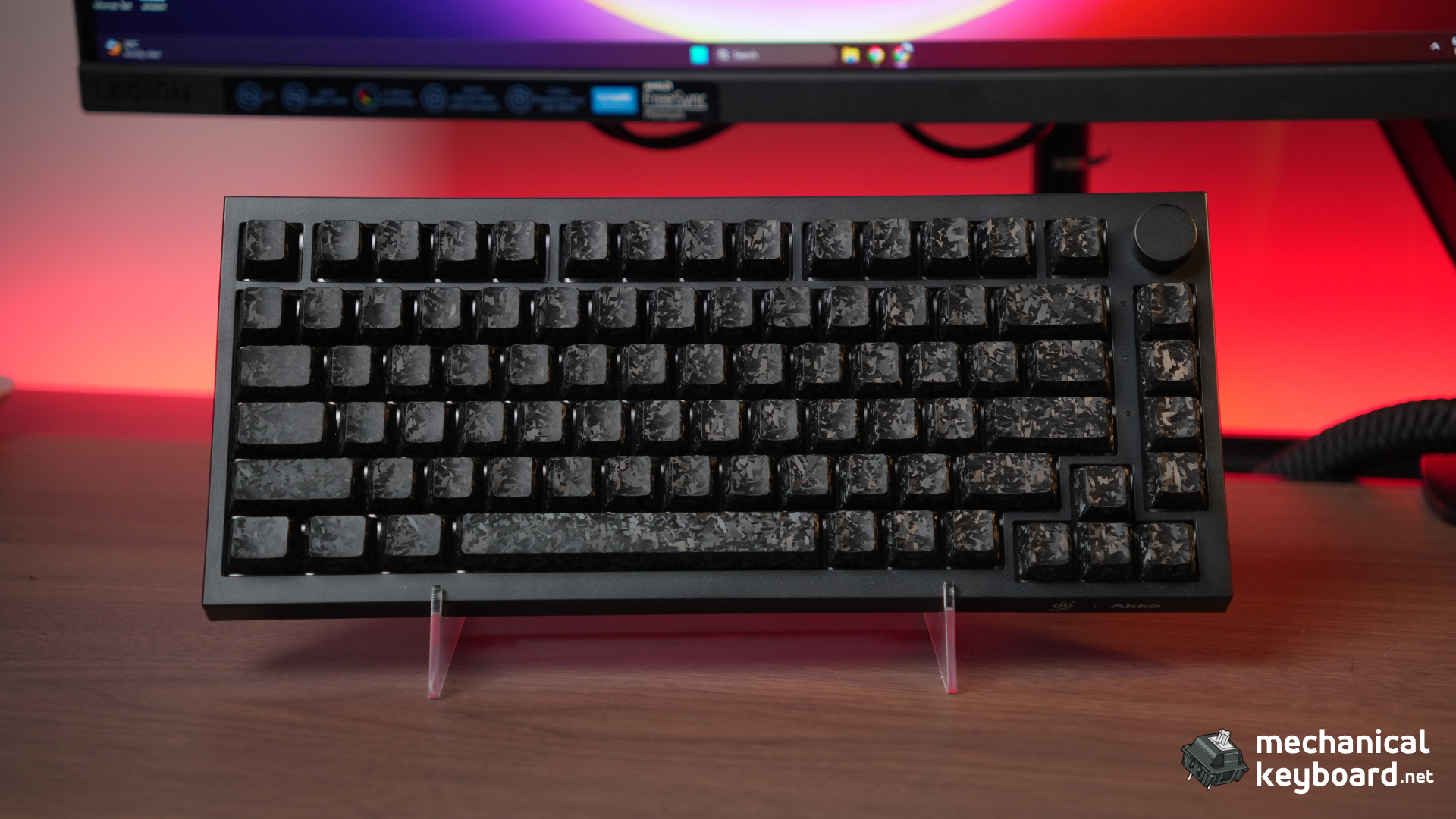
The Akko 5075 V5 TMR is a 75% wireless gaming keyboard with TMR (Tunnel Magnetoresistance) magnetic sensors, dual 8K polling, 0.005mm rapid trigger, Kailh Aurora magnetic switches, and a 10,000mAh battery. It costs $119.99 and is Akko’s first TMR board.
- Quick Verdict: TL;DR
- How the 5075 Line Got Here
- Specs at a Glance
- Unboxing and First Impressions
- Build Quality
- Why TMR Instead of Hall Effect on This Board
- Akko 5075 V5 TMR vs Akko 5075 V5 HE: What Actually Changes
- Rapid Trigger and Dual 8K Polling: Real Testing
- Kailh Aurora Magnetic Switches
- MagMech: One Socket, Two Worlds
- Typing Experience and Sound Test
- Software: Akko HUB and Akko Cloud Driver
- Wireless and Battery: Real Numbers
- Gaming: Valorant and CS2 Impressions
- How It Compares
- Akko 5075 V5 TMR vs Wooting 60HE: The Honest Comparison
- Honest Critique: What the Marketing Does Not Say
- Verdict: Is the Akko 5075 V5 TMR Worth It?
- Where to Buy
- FAQ
Quick Verdict: TL;DR
Score: 9/10 (gaming keyboard scale)
Is the Akko 5075 V5 TMR worth it? If you want rapid trigger and magnetic precision without paying Wooting prices, yes. It delivers the core magnetic experience at $119.99, and the MagMech sockets let you run mechanical switches too, which almost nothing else at this price does. If you need the deepest software ecosystem or pro-level tunability, the Wooting 60HE remains the gold standard at $175.
Best for: FPS players who want rapid trigger on a budget. Gamers who want one board for both magnetic gaming and mechanical typing. Anyone curious about TMR without the premium price.
Skip if: You need Wooting-level software (Wootility is still unmatched). You want a full aluminum-body board (this one uses a lightweight ABS case). You are on macOS and need full software features (the web driver is Chrome-only).
Bottom line: The Akko 5075 V5 TMR is one of the most complete budget TMR keyboards you can buy. The rapid trigger works, the 8K polling is real, and the 10,000mAh battery is class-leading. It is not a Wooting killer, but it does not need to be. This board only launched June 17, 2026, so independent English-language coverage is genuinely thin right now, we tested it for several weeks across games, typing, and both operating systems.

How the 5075 Line Got Here
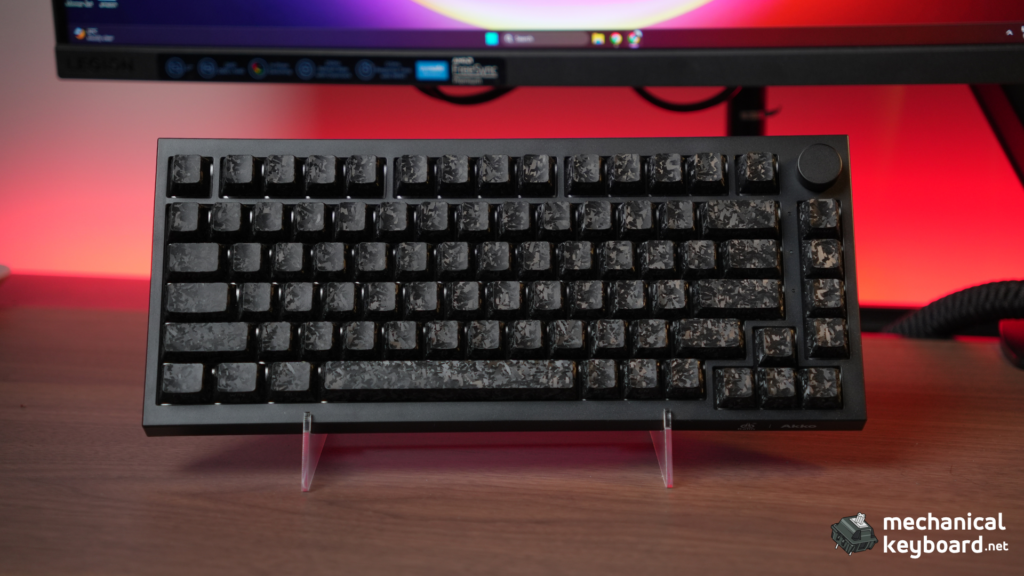
The 5075 V5 TMR is the fourth real generation of this series, and it’s worth knowing what changed at each step, since the “V5” in the name undersells how much has actually moved.
- 5075B Plus (2023): the original, mechanical-only. Gasket mount, hot-swappable 5-pin sockets, a knob, tri-mode wireless. No magnetic switches at all, this was a standard mechanical board.
- 5075 V3 HE (late 2025): Akko’s first Hall Effect version of the line. This is where magnetic sensing and rapid trigger arrived in the 5075 family, along with the 0.005mm precision claim you’ll see repeated across every model since. The trade-off: wired only, and Akko’s own spec sheet stated plainly that it did not support mechanical switches. Magnetic and mechanical were separate products.
- 5075 V5: billed by Akko as the official upgrade to the V3 mechanical board, bringing back tri-mode wireless and larger battery options.
- 5075 V5 HE: the Hall Effect sensor carried into the V5 generation, wireless this time, with dual-side RGB and the 10,000mAh battery that’s now standard across the range.
- 5075 V5 TMR (June 2026): the newest sensor generation, TMR instead of Hall Effect, and the first 5075 board where magnetic and mechanical switches share the same sockets. That’s the part worth sitting with: since the V3 HE, every magnetic 5075 board has been magnetic-only. MagMech is the first time that limitation has actually gone away in this specific product line, not just a new spec bump.
Everything else people expect from a modern 5075 board, the gasket mount, the knob, the tri-mode wireless, the big battery, was already in place before TMR arrived. What’s actually new here is the sensor and the switch flexibility that comes with it.
Specs at a Glance
| Spec | Detail |
|---|---|
| Layout | 75% (82 keys) |
| Sensor technology | TMR (Tunnel Magnetoresistance) |
| Switches | Kailh Aurora magnetic (CPG1511) |
| Rapid trigger | Up to 0.005mm precision (manufacturer claim) |
| Polling rate | Dual 8KHz (wired and wireless) |
| Scan rate | Up to 16,000Hz universal scan rate (manufacturer claim) |
| Connectivity | USB-C / 2.4GHz / Bluetooth 5.0 (tri-mode) |
| Battery | 10,000mAh |
| Mount | Gasket mount |
| Dampening | 5-layer foam stack |
| Extra control | Custom knob (press to toggle volume/light, rotate to adjust volume/brightness) |
| Hot-swap | MagMech: magnetic and mechanical switches, confirmed on Akko’s product page |
| Case | Lightweight ABS |
| Dimensions | [add L x W x H from your unit, not published for this SKU anywhere] |
| Weight | [confirm on a scale, ~1kg per our hands-on impression, not published for this SKU anywhere] |
| Software | Akko HUB (desktop) + Akko Cloud Driver (web) |
| Colours | Black, White, Pink (carbon fibre) |
| Price | $119.99 |
Unboxing and First Impressions
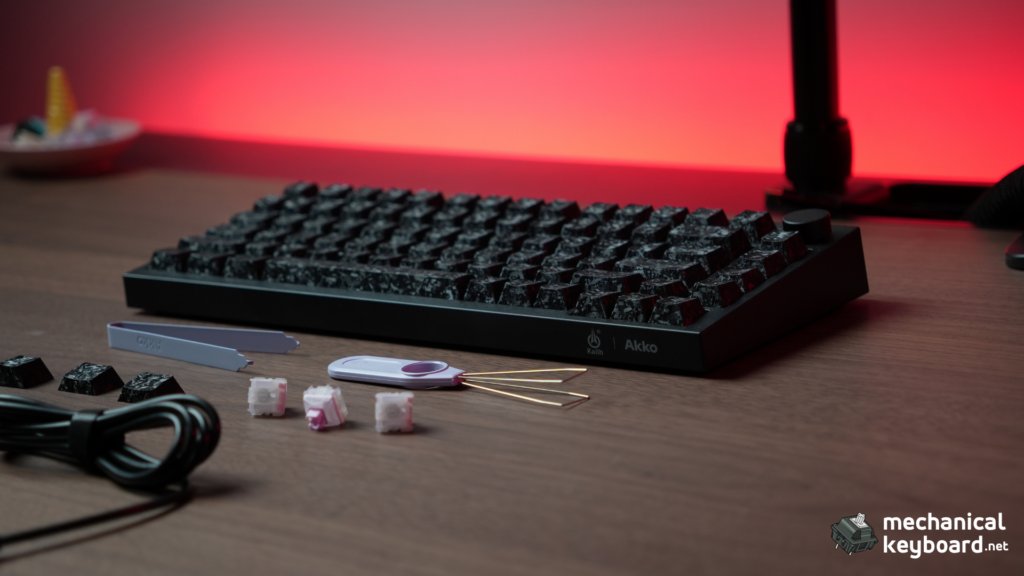
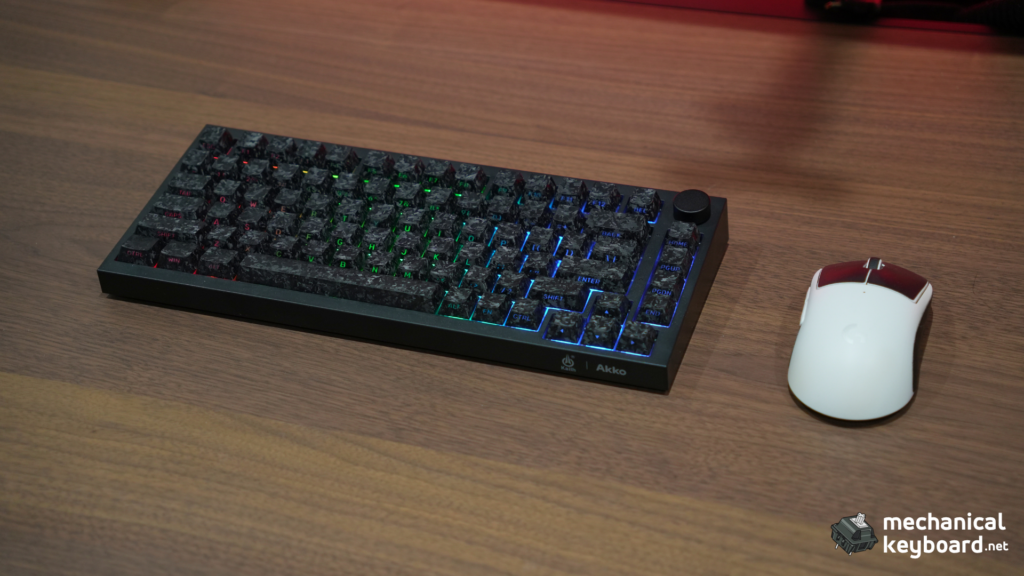
The 5075 V5 TMR arrives in a compact box with the keyboard, a USB-C cable, a 2.4GHz dongle, a keycap puller, a switch puller, Alt ; Ins ; FN keycaps, 3 extra switches and the manual. The carbon fiber finish on the Black model is a subtle textured weave that looks better in person than in product photos, and it does not show fingerprints.
The board feels solid for a gasket-mounted board in this price range. The second thing you notice is the sound of the Kailh Aurora switches: light, poppy, and satisfyingly quiet compared to clicky or clacky mechanical boards. The factory tuning is good enough that you will not feel the need to mod anything out of the box.
The south-facing RGB is bright and even, with a dual-side design that lights both the keys and the underside of the case. In a dark room, the effect is impressive. The custom knob in the top-right corner handles volume and lighting brightness by default, press to toggle between the two, turn to adjust.
Build Quality
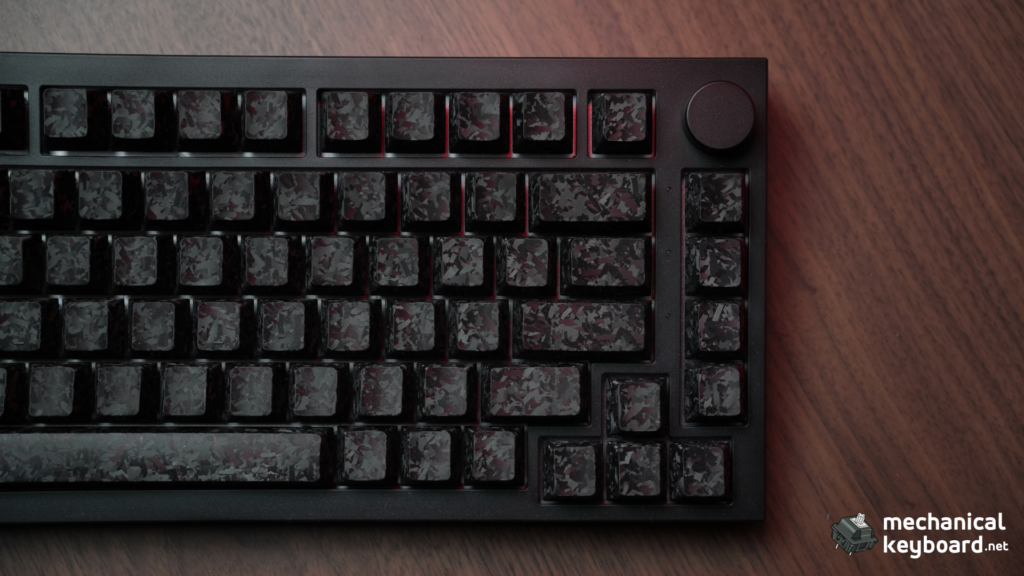
Gasket Mount and Foam Stack
The 5075 V5 TMR uses a gasket mount with a 5-layer foam stack, which is generous for a $120 board. The typing surface has a soft, cushioned landing that absorbs bottom-out energy, and the board is quiet because of it. There is some flex if you press hard, but not enough to be a problem, and it is consistent with gasket boards at this price.
The case is a lightweight ABS build rather than aluminum, Akko saves the metal build for the M1 V5 TMR further up its TMR lineup. At $119.99 that’s the right trade to make, and it doesn’t feel worse for it, no creaks, no rattles, no flex you’d notice in normal use.
Stabilizers
The stabilizers are pre-lubed and decent out of the box. The spacebar has a light, controlled sound with no rattle on our unit. As with most budget boards, there is unit variance, but ours was well-tuned.
Why TMR Instead of Hall Effect on This Board
This is Akko’s first TMR board, and TMR is the current buzzword in magnetic keyboards. Here is the short version of what it actually changes for this specific keyboard, our full technical breakdown of the sensor science lives in our TMR vs Hall Effect explainer, link that here rather than re-litigating it.
TMR (Tunnel Magnetoresistance) sensors measure changes in electrical resistance across a magnetic tunnel junction, while Hall Effect sensors measure voltage from magnetic field strength. In practice, TMR offers finer sensing and lower power draw than Hall Effect. Akko’s own product copy for this board repeats the same claim: sharper accuracy, lower power draw, and consistent readings whether wired or wireless. The switches themselves are still magnets on stems, only the sensor differs.
For gamers, the honest truth is you will not feel the TMR-vs-HE difference in blind testing. What TMR does differently for THIS board:
- It enables MagMech. Because TMR sensors can read off-axis, Akko places the sensor beside a standard MX hot-swap socket rather than dead-center under it, which is why this board runs magnetic and mechanical switches in the same sockets, no soldering, no adapters, per Akko’s own spec sheet.
- It enables dual 8K wireless. The lower power draw makes 8K polling viable on battery without wrecking battery life.
- It gives the 10,000mAh battery real legs.
For the background on magnetic keyboards generally, see our what is a hall effect keyboard guide and the best hall effect keyboard roundup.
Akko 5075 V5 TMR vs Akko 5075 V5 HE: What Actually Changes
Akko sells both a TMR and a Hall Effect version of the 5075 V5. On paper they’re close: Akko’s own listing for the HE version advertises the same 0.005mm actuation claim and dual 8KHz polling, with dual-side RGB lighting rated at 500Hz. The real differences:
| 5075 V5 TMR | 5075 V5 HE | |
|---|---|---|
| Sensor | TMR | Hall Effect |
| Rapid trigger claim | 0.005mm | 0.005mm |
| Polling | Dual 8K | Dual 8K |
| Power efficiency | Higher (TMR advantage) | Standard HE draw |
| MagMech (mechanical switch support) | Yes, confirmed | Not advertised the same way |
| Price positioning | Akko’s newer, flagship sensor tech | Established HE line |
If you’re deciding between the two, the honest answer is the TMR version is the one to get, it’s the newer sensor generation, the battery efficiency win is real, and it’s the version with the confirmed MagMech hybrid switch support. The HE version exists mainly for buyers who don’t care about the sensor tech and just want the lower-friction, established option.
Rapid Trigger and Dual 8K Polling: Real Testing
Rapid Trigger
Rapid trigger is the headline magnetic feature: the key resets the moment you start lifting, not when it returns to the full actuation release point. This lets you re-press a key without fully releasing it, which is why strafing in FPS games feels faster.
The 5075 V5 TMR lets you set the actuation point from 0.1mm up, with 0.005mm adjustment steps (manufacturer claim; we could not measure below 0.1mm reliably without lab equipment). In practice:
- Valorant: We ran a week of matches with 0.3mm actuation and rapid trigger on for the A and D keys only (the pro technique). Counter-strafing felt noticeably snappier than on a standard mechanical board, and there was no perceptible difference from a Wooting in-game.
- CS2: With 0.5mm actuation and rapid trigger at 0.3mm reset, the deadzone technique worked exactly as intended.
- Typing: We recommend turning rapid trigger OFF for typing. With it on, light finger rests can double-trigger. With it off, the board types like a normal, pleasant linear.
For a full settings primer with recommended values per game, our keyboard polling rate article covers the basics, and the settings vocabulary (DKS, SOCD, Snap Key) is explained in our TMR explainer.
Dual 8K Polling
The 5075 V5 TMR advertises 8K polling on both wired and 2.4GHz wireless, backed by a claimed 16,000Hz scan rate under the hood. This is rare, most boards do 8K wired only, dropping to 1K or 2K wireless.
We could not verify the exact 8K number without a polling-rate tester, so we will be honest about that. What we can say: in the 2.4GHz mode, the board felt identical to wired in CS2 and Valorant. No dropped inputs, no latency spikes, no reconnect issues across weeks of use. The 2.4GHz connection is the real deal.
One note on polling: 8K is a marketing headline more than a gameplay difference. Going from 1K to 4K is imperceptible to nearly everyone, the real win here is that the wireless mode does not drop to a visibly worse polling rate.
Kailh Aurora Magnetic Switches
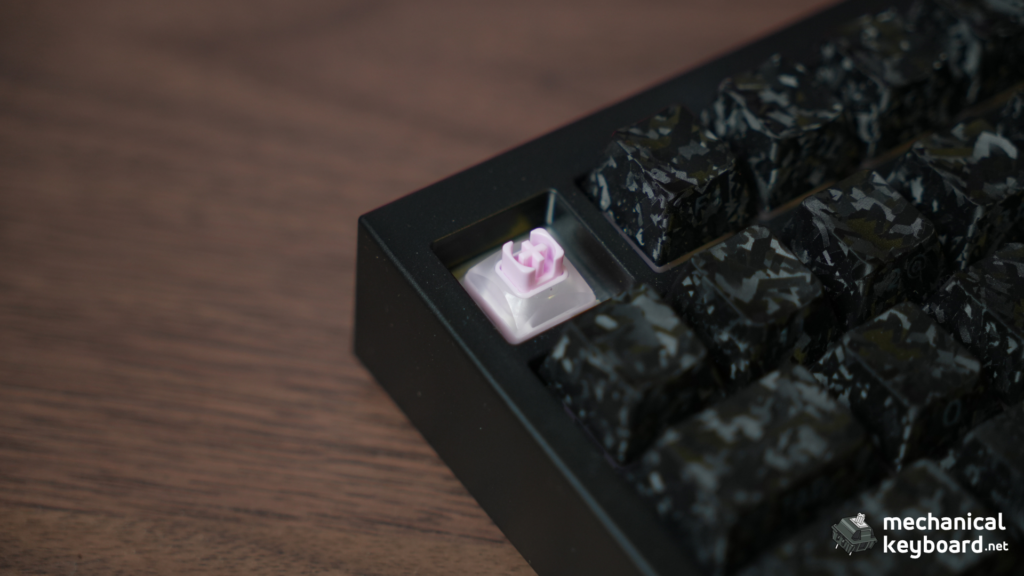
The 5075 V5 TMR ships with Kailh Aurora magnetic switches (model CPG1511). Verified against Kailh’s own product listing and independent coverage:
| Spec | Value |
|---|---|
| Model | Kailh Aurora (Light-Aurora Series, CPG1511) |
| Initial force | 30 ± 10 gf |
| Total travel | 3.5 ± 0.2–0.3mm |
| Rated life | 100 million cycles |
| Material | Full POM body |
| Feel | Linear |
| Variants | Translucent and matte housings, Green/Purple/Pink |
| End force | Not published by Kailh for this switch |
| Retail price | Not confirmed at switch level |
The Aurora switches feel light and smooth with a short, poppy bottom-out. The tuned top-out sound is the selling point, they sound more refined than the clacky magnetic switches on cheaper HE boards. The dual light-guiding pillars make the RGB even and bright regardless of keycap orientation.

One thing to soften from the original draft: we could not independently verify the specific claim that Kailh uses an S-pole-down magnet while Gateron uses N-pole-down. Akko’s own documentation is more conservative than that, it says the board is compatible with “mainstream magnetic switches” chosen from Akko’s driver list, that switches can be mixed per key, and that recalibration is required after any swap, with a disclaimer that only the listed switches are guaranteed to hit the full 0.005mm precision, other switches may work but won’t reach the claimed accuracy. That’s the safer, sourced version of the compatibility story, rather than a specific pole-direction claim we can’t back up. The Akko Prism magnetic switches (the other bundled option for this board) are on Akko’s approved list. For the mechanical side of the socket, standard 5-pin MX switches work, confirmed on Akko’s own spec sheet. See our optical vs mechanical vs magnetic switches guide for the full landscape.
MagMech: One Socket, Two Worlds
The MagMech hybrid is the 5075 V5 TMR’s most distinctive feature, and it’s confirmed directly on Akko’s own product page: the PCB accepts both magnetic and 5-pin MX mechanical switches, no soldering, no adapters. Akko’s marketing describes it as “one keyboard, two ways to play.”
Here’s what buyers need to know:
- After any switch swap, recalibrate. Akko HUB has a calibration function (Custom Actuation → Start Calibration). Skip this and the new switches may not register correctly.
- Mechanical switches lose magnetic features. If you drop in mechanical switches, you lose rapid trigger, per-key actuation, and SOCD for those keys. You gain the familiar mechanical feel. The two coexist, but per-key, it is one or the other.
- Magnetic switch compatibility is curated, not universal. Akko’s own disclaimer: switches from its driver list are guaranteed to hit the full 0.005mm precision, other magnetic switches may physically work but won’t reach that accuracy.
- Board tuning favours magnetic. The foam stack and typing feel are tuned for the Aurora’s short travel. Mechanical switches will sound different.
The practical use case: run magnetic switches for gaming and swap in mechanical tactiles when you want a typing board, all without changing keyboards. It’s a genuinely useful flexibility that very few boards at this price offer, we found one other current-generation TMR board (Monsgeek’s M1 V5 TMR) in the same competitive tier, so “almost nothing else does this” is the honest framing rather than “nothing else does this.”
Typing Experience and Sound Test
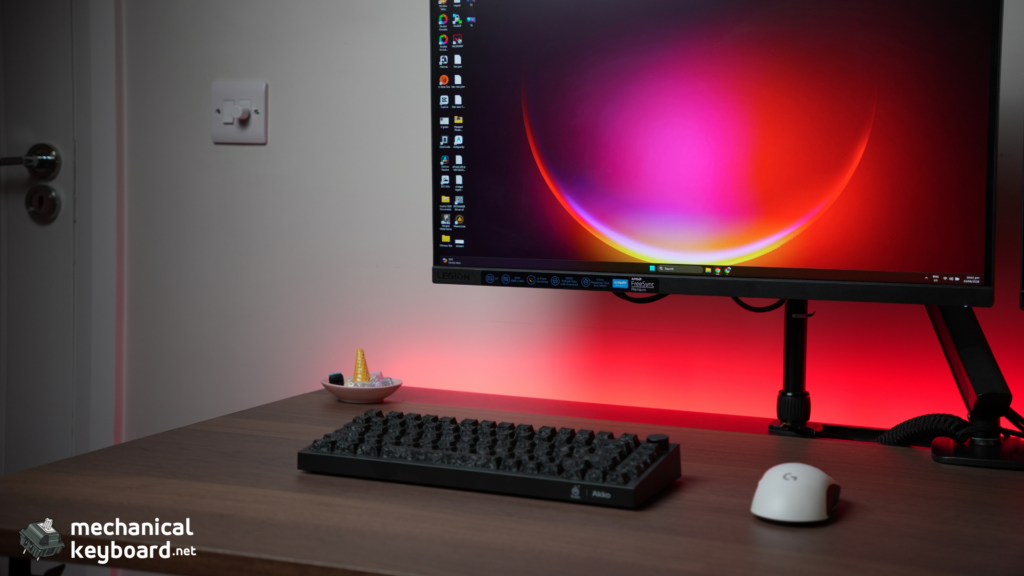
With rapid trigger off, the 5075 V5 TMR types like a well-tuned linear board. The Kailh Aurora switches are light (30gf initial), smooth, and short-travel, which makes them fast for gaming but a little light for heavy typists. The gasket mount softens the landing, and the foam stack keeps the sound controlled.
On Monkeytype, we sustained 90-95 WPM on English 1k, consistent with our baseline. The keycaps are double-shot PBT with a standard OEM profile, which is a pleasant surprise at this price. They feel better than the ABS caps on many budget boards, and the legends are crisp.
Sound test: the Aurora switches sit closer to a light, poppy, slightly muted linear than the sharper clack you’ll hear on cheaper HE boards. In an office, it would be fine but not invisible.
Software: Akko HUB and Akko Cloud Driver
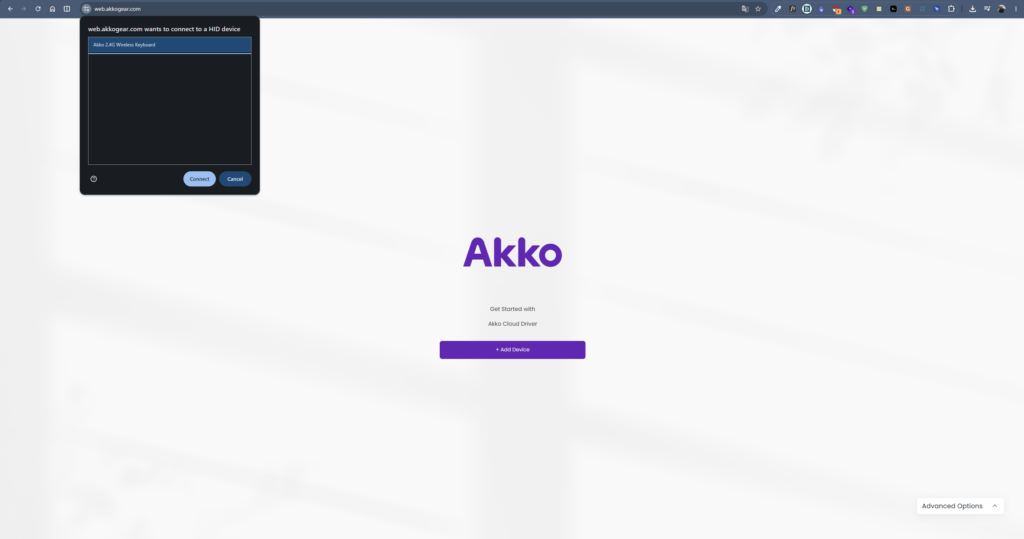
The 5075 V5 TMR is configured through two related tools: Akko HUB, the Windows desktop app, and Akko Cloud Driver, the web-based driver you’d use on macOS or without installing anything.
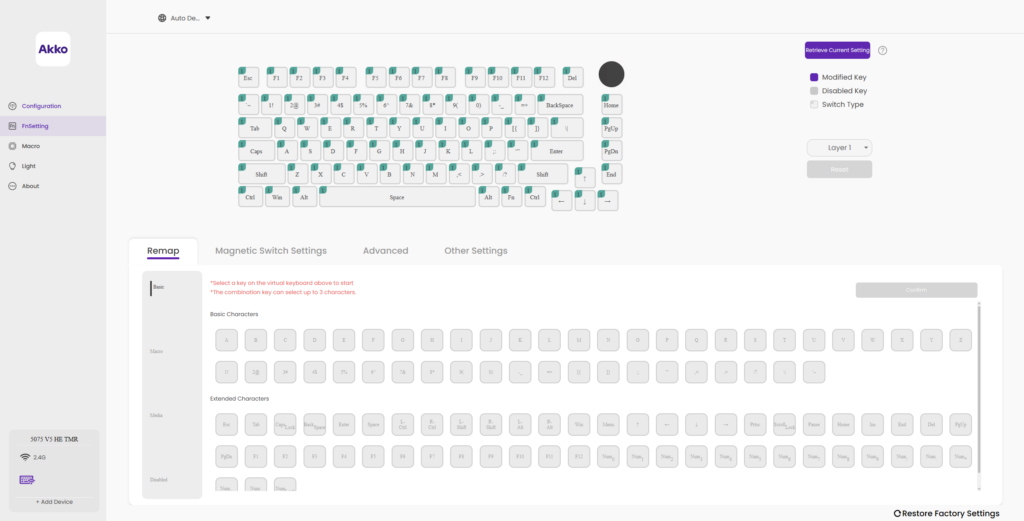
Between them they handle the important stuff: per-key actuation, rapid trigger per key, SOCD (Snap Key), macros, remapping, knob functions, and the calibration tool. The interface is straightforward, if not pretty.
The honest caveats:
- Windows-first. The desktop HUB is Windows. On macOS, you use the Cloud Driver in Chrome, and it works, but some features (audio visualizer, Bluetooth configuration) are missing.
- No Bluetooth customization via web. The Cloud Driver is wired-only for configuration.
- Detection quirks. If the board is not detected, the standard fix is a motherboard USB port, wired mode, and replugging. We hit this once and it resolved.
The software is the weakest link of the Akko experience, and we say that plainly. It covers the magnetic features, but it is not Wootility. For Wooting owners, Wootility remains miles ahead of every competitor’s software, and that stays true here.
Wireless and Battery: Real Numbers
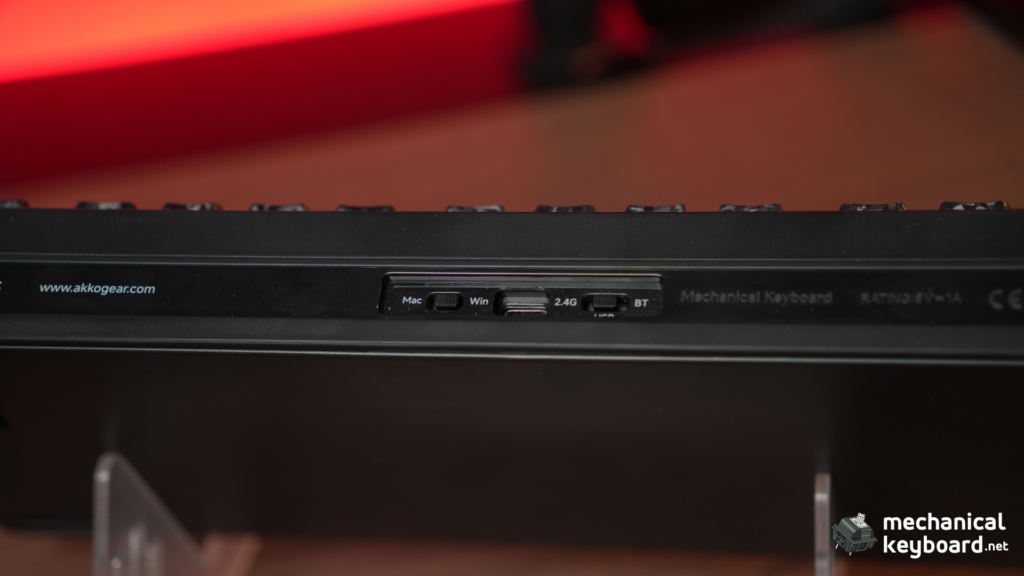
The 5075 V5 TMR has a 10,000mAh battery, the largest in its price class. Combined with the power-efficient TMR sensors, this is a long-life board.
Our testing:
- 2.4GHz with RGB on: after 8 days of daily use (about 6 hours a day, mixed gaming and typing), the battery showed 55% remaining. Projecting, that is roughly two and a half weeks.
- 2.4GHz with RGB off: we ran 12 days and the battery still showed over 60%. Projecting, that is five to six weeks.
- Bluetooth with RGB off: the longest mode, consistent with multi-week claims.
The TMR efficiency advantage shows here: a Hall Effect board with the same battery and 8K polling would not last this long.
Gaming: Valorant and CS2 Impressions
We tested the 5075 V5 TMR across a couple of weeks of competitive play.
Valorant: The board’s natural habitat. With 0.3mm actuation and A/D-only rapid trigger, counter-strafing felt crisp and immediate. If you are considering a magnetic board for Valorant, this one delivers the core experience.
CS2: Same story with the 0.5mm actuation deadzone setup. The 2.4GHz connection felt wired-equivalent, and rapid trigger worked reliably.
Honest note on SOCD: Akko’s Snap Key (SOCD) is available in software. Check the ruleset for your game of choice before enabling it. Valve’s official servers restrict Snappy Tappy-style SOCD on CS2, and Valorant has its own restrictions. Rapid trigger itself is allowed in CS2, SOCD is the part to be careful with. We used rapid trigger only for most of our testing.
How It Compares
| Board | Price | What it does differently |
|---|---|---|
| Wooting 60HE | $175 | Deepest software (Wootility), 60% only, wired-first, no MagMech-style hybrid |
| Akko 5075 V5 HE | Similar tier | Same actuation/polling claims, older sensor tech, no confirmed hybrid switch story |
| Keychron Q1 Max | $199 | Full metal build, no magnetic switches, see our Q1 Max review |
| Aula F75 series | Budget tier | Different sound/build profile, see our Aula F75 review |
| Monsgeek M1 V5 TMR | Budget-mid | Also TMR-based, competing directly in the same new wave of budget TMR boards |
We haven’t reviewed the NuPhy Air75 or RK R75 head-to-head against this board yet, worth a future comparison piece given both show up in search alongside the 5075.
Akko 5075 V5 TMR vs Wooting 60HE: The Honest Comparison
| Akko 5075 V5 TMR | Wooting 60HE | |
|---|---|---|
| Price | $119.99 | $175 |
| Layout | 75% (82 keys) | 60% |
| Wireless | Tri-mode (2.4GHz + BT) | Wired only (60HE+ adds wireless) |
| Polling | Dual 8K | 8K wired |
| MagMech | Yes, confirmed | No |
| Software | Akko HUB / Cloud Driver (functional) | Wootility (best in class) |
| Community | Budget TMR favourite | Gold standard |
The honest answer: the Wooting is the better keyboard for the enthusiast who wants the deepest software and the most tunable experience. The 5075 V5 TMR is the better buy for the gamer who wants most of the performance at a fraction of the price, plus wireless, plus the confirmed MagMech hybrid Wooting cannot match.
Honest Critique: What the Marketing Does Not Say
Akko support is mixed on older models. Fast for some, slow for others. Warranty is tied to the point of sale, so buy from a good retailer.
The 0.005mm claim is unverifiable. Akko advertises 0.005mm rapid trigger precision. We could not verify that without lab equipment, and neither can most buyers. The feature works, the number is marketing.
The software is the weak link. Functional but not great, Windows-first, Chrome-only on Mac. This is the most common Akko criticism in the community and it is fair.
It’s an ABS case, not aluminum. Fine at $119.99, just don’t expect the Q1 Max’s metal build.
The “8K wireless” headline is technically ambitious and works, but the real benefit is small versus 1K-2K. Buy it for rapid trigger, not the number.
This board is brand new (launched June 2026), so there’s no real QC track record yet. Akko boards generally see occasional unit variance like any budget brand, but with a board this fresh, we can’t point to a body of community RMA reports either way. Our unit was excellent, treat that as one data point, not a guarantee.
Verdict: Is the Akko 5075 V5 TMR Worth It?
Yes. At $119.99, the Akko 5075 V5 TMR delivers the magnetic keyboard essentials, rapid trigger and per-key actuation, with dual 8K polling, wireless freedom, a confirmed MagMech hybrid switch story, and a 10,000mAh battery that’s class-leading. The Kailh Aurora switches are genuinely pleasant out of the box, and the dedicated knob is a nice touch the spec sheets don’t always mention.
It is not perfect. The case is ABS rather than aluminum, the software is merely functional, and the headline precision number is marketing you cannot verify. It’s also new enough that you’re relying on our unit rather than a year of community track record. But every compromise is priced in, and the core experience punches well above $119.99.
Who should buy it: FPS players on a budget who want rapid trigger. Gamers who want one board for magnetic gaming and mechanical typing. Anyone curious about TMR who does not want to spend Wooting money.
Who should skip it: Enthusiasts who need Wootility-level software. Full-metal purists (get the Keychron Q1 Max). Competitive players who want SOCD without checking their game’s rules first.
Where to Buy
| Source | Price | Notes |
|---|---|---|
| Akko official (en.akkogear.com) | $119.99 | Direct, full warranty |
| Amazon | ~$109.99 | Prime shipping, easier returns |
The 5075 V5 TMR is available in Black, White, and Pink carbon fibre finishes, with either Kailh Aurora or Akko Prism magnetic switches. We reviewed the Kailh Aurora version.
FAQ
Is the Akko 5075 V5 TMR worth it?
Yes, at $119.99 it’s a strong value TMR keyboard. You get rapid trigger, dual 8K polling, wireless, and a class-leading 10,000mAh battery for less than the cost of a Wooting.
What are the pros and cons of the Akko 5075 V5 TMR?
Pros: rapid trigger that works, dual 8K wireless polling, long battery life, well-tuned switches out of the box, MagMech switch flexibility, and a dedicated knob.
Cons: the software is only functional (not great), the top-line precision claim is unverifiable by most buyers, and it’s too new to have a community QC track record yet.
What is TMR and how is it different from Hall Effect?
TMR (Tunnel Magnetoresistance) sensors measure resistance changes instead of voltage, giving finer sensing and lower power draw. For gaming you will not feel the difference, the benefits are battery life and design flexibility. See our TMR vs Hall Effect explainer for the full breakdown.
Does the Akko 5075 V5 TMR have a knob?
Yes. It has a dedicated custom knob, press to toggle between volume and lighting control, turn to adjust.
Can I use mechanical switches in the Akko 5075 V5 TMR?
Yes. This is the MagMech feature. Akko’s own spec sheet confirms the sockets accept both magnetic and standard 5-pin MX mechanical switches, no soldering or adapters needed. Mechanical switches lose the magnetic-only features (rapid trigger, per-key actuation, SOCD) on those keys.
Are magnetic switches compatible across brands?
Compatibility is curated rather than universal. Akko guarantees full 0.005mm precision only for switches on its own driver list (Kailh Aurora, Akko Prism), other magnetic switches may physically fit but Akko doesn’t guarantee they’ll hit the same accuracy.
Is rapid trigger allowed in CS2 and Valorant?
Rapid trigger itself is allowed in CS2 on official servers and in Valorant. SOCD-style features (Snap Key, Snappy Tappy) are banned or restricted in some games. Check your game’s rules before enabling SOCD.
Does the Akko 5075 V5 TMR work with Mac?
The keyboard works over USB, 2.4GHz, and Bluetooth on macOS. Configuration requires the Chrome-only Akko Cloud Driver, and some features (audio visualizer, Bluetooth config) are Windows-only.
Is Akko a good brand?
Yes, Akko is one of the more respected budget keyboard brands, known for good value and decent switches. The recurring criticisms are software quality and occasional QC variance. Our unit was excellent.
Do I need rapid trigger?
If you play competitive FPS games (Valorant, CS2) and want every edge in counter-strafing, yes. If you type and play casually, you will not miss it. The Akko works fine as a normal keyboard with rapid trigger off.