If you spend your day moving between a spreadsheet and a 10-key numpad, most “best keyboard” lists are useless to you. They’re written for gamers, ranked by RGB and switch sound, with the numpad treated as an afterthought or dropped entirely.
- Do You Actually Need a Numpad? (Full-Size vs 96% vs TKL)
- What Actually Matters for an Accounting or Office Keyboard
- Quick Comparison
- Best Keyboards for Accountants
- Best Overall: Epomaker TH99 PRO
- Best for Numpad Flexibility: Epomaker RT98
- Best Premium Build: Keychron Q5 Pro
- Best No-Nonsense Budget Pick: Cherry KC 200 MX
- Best Budget with Character: RK Royal Kludge R99
- Best for Sound Quality: Epomaker Galaxy 100 Lite
- Quiet Linear vs Silent Tactile: Which Switch Type for Office Use
- Verdict
- Frequently Asked Questions
This list is filtered differently. Every keyboard here has a full numpad, because if you’re an accountant, bookkeeper, or anyone living in Excel, that’s non-negotiable. We’ve also weighted heavily toward quiet switches, since the last thing you want is your keyboard drawing attention on a call or in an open-plan office.
Three of the picks below are keyboards we’ve tested ourselves and reviewed in full. The other three are researched picks, clearly marked, where we’ve verified specs and cross-checked multiple independent reviews rather than claiming hands-on time we don’t have. You’ll know which is which as you read.
Do You Actually Need a Numpad? (Full-Size vs 96% vs TKL)
Before the picks, a quick sorting exercise, because this decision matters more than which brand you buy.
- TKL (tenkeyless) drops the numpad entirely to save desk space. If you enter numbers daily, skip this layout — full stop. See our full breakdown of tenkeyless keyboards if you’re deciding between TKL and something with a numpad for a secondary machine.
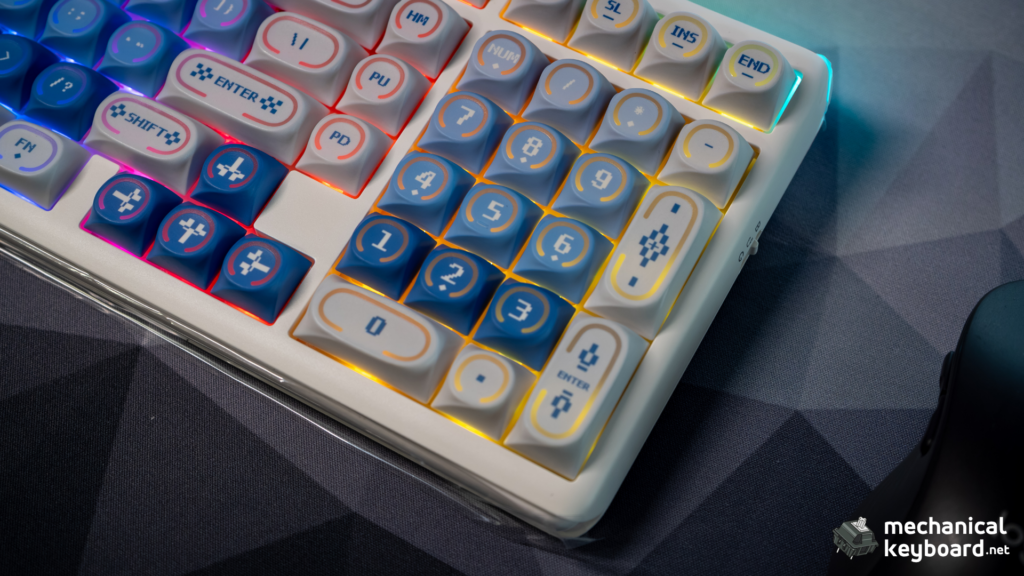
- True full-size (104-108 keys) keeps the numpad, nav cluster, and function row with proper spacing throughout. Most comfortable to touch-type on, but it eats real desk space — your mouse ends up further from centre, which causes shoulder strain over an 8-hour day.
- 96% / 1800-layout compresses the same functionality (numpad, arrows, nav keys) into a tighter footprint by removing the gaps between key clusters. This is the layout we’d point most accountants toward: full numpad, meaningfully smaller footprint, minimal compromise. Four of the six picks below use this layout.
For the full technical rundown of how these layouts differ, see our complete guide to mechanical keyboard sizes.
What Actually Matters for an Accounting or Office Keyboard
A few decision points that generic buying guides skip:
More Read

Noise level. If you’re in a shared office or on video calls, switch choice matters more than almost anything else on this list. Skip clicky switches entirely go linear or silent tactile.
Numpad position. Most keyboards fix the numpad on the right. If you use your mouse with your right hand and the numpad heavily, having both on the same side means constant hand travel. This is the one problem a modular keyboard actually solves.
Wired vs wireless. Some corporate IT policies restrict Bluetooth or USB dongles on managed machines. If you’re buying for a work laptop rather than a personal setup, check with IT before going wireless.
Platform support. If your firm is on Mac and the rest of the household or office is on Windows, software compatibility is worth checking before you buy,we flag this below where it’s a real limitation, not a minor footnote.
Quick Comparison
| Keyboard | Layout | Switch type | Noise | Price | Best for |
|---|---|---|---|---|---|
| Epomaker TH99 PRO | 96% (98 keys) | Creamy Jade / Sea Salt Silent | Low | ~$88-90 | Best overall |
| Epomaker RT98 | 98-key modular | Creamy / hot-swap | Low-medium | ~$119 | Numpad flexibility |
| Keychron Q5 Pro | 96% | Gateron/K Pro, hot-swap | Low (Red) | ~$159-175 | Premium build |
| Cherry KC 200 MX | Full-size (108) | MX2A Silent Red / Brown | Lowest on this list | ~$80-90 | No-nonsense/budget |
| RK Royal Kludge R99 | 99-key full | RK Cream | Medium | Budget | Character on a budget |
| Epomaker Galaxy 100 Lite | 96 layout | Wisteria Linear | Low | Mid-range | Sound quality |
Best Keyboards for Accountants
Best Overall: Epomaker TH99 PRO
Tested and reviewed by us — read the full review
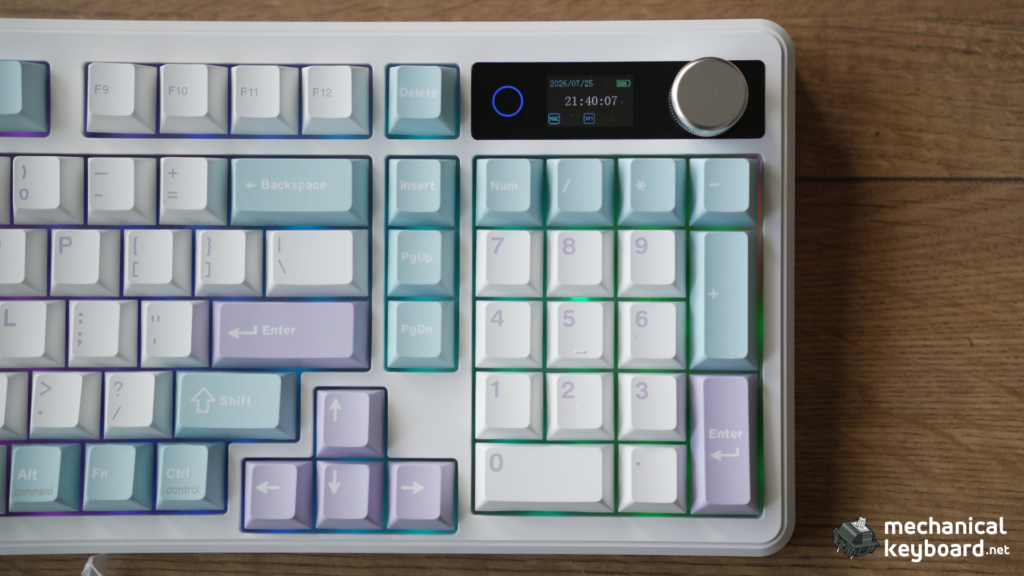
The TH99 PRO is the easiest recommendation on this list because it doesn’t force a single trade-off for accounting work. It’s a 96%/1800-layout board with a genuine numpad, gasket-mounted for a soft, controlled sound rather than a hollow clack, and hot-swappable if you ever want to drop in silent switches instead of the stock Creamy Jade set. The built-in TFT display isn’t just decoration either — it can show battery and connection status at a glance, useful when you’re three Bluetooth devices deep across a work laptop, personal machine, and tablet.
At around $88-90, it undercuts every premium option on this list while matching or beating them on the two things that actually matter here: numpad access and quiet operation.
Best for Numpad Flexibility: Epomaker RT98
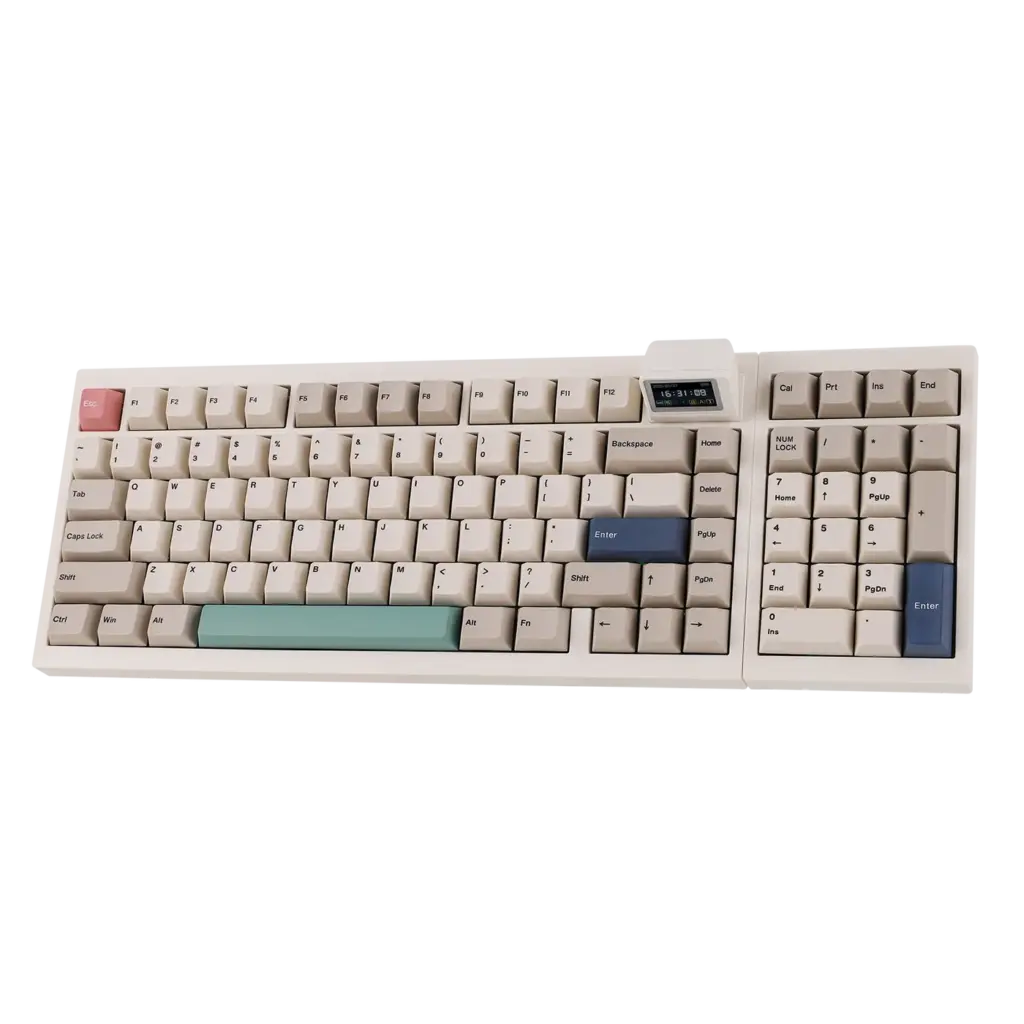
The RT98’s headline feature solves a real problem: the numpad detaches and remounts on either side of the main keyboard body. If you use your mouse with your left hand, or you just want the numpad closer to your right hand while your ten-key finger stays put, this is the only keyboard on this list built specifically around that.
Worth setting expectations correctly: repositioning isn’t a snap-in, do-it-daily feature. Multiple independent reviewers confirm it takes removing eight screws, disconnecting a ribbon cable, and reassembling, roughly 10-15 minutes. Treat it as a one-time setup decision, not something you’ll fiddle with weekly. Beyond that, it’s a fully-featured 98-key board: gasket-mounted, tri-mode wireless, hot-swappable, with an 8,000mAh battery.
At roughly $119, it’s a step up in price from the TH99 PRO specifically to buy that modularity. If left/right numpad placement doesn’t matter to your workflow, the TH99 PRO is the better value.
Best Premium Build: Keychron Q5 Pro
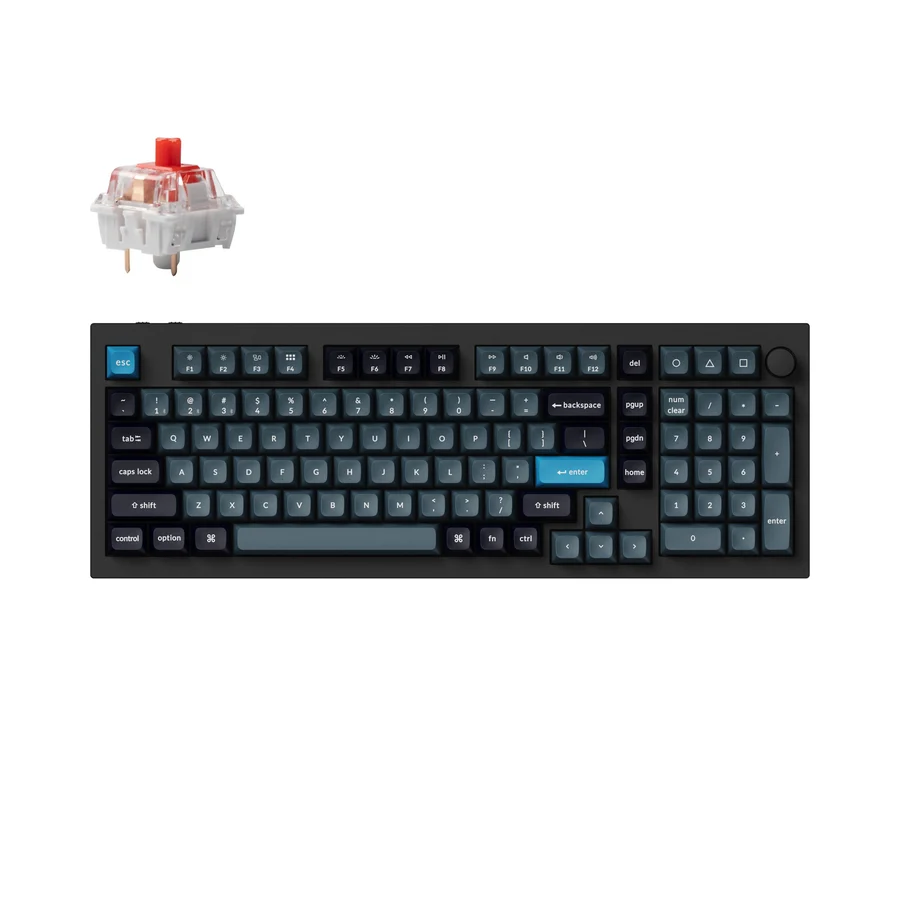
If budget isn’t the constraint and you want the sturdiest, most refined typing experience on this list, the Q5 Pro is the one to look at. Full CNC-milled aluminum body, 96% layout with a proper numpad, double-gasket mounting, and QMK/VIA support if you want to remap keys or build custom macros for repetitive Excel work. It connects via Bluetooth to up to three devices or wired USB-C, and ships with a quiet red switch option specifically positioned by Keychron as their office-friendly choice.
At $159-175, this is roughly double the price of the TH99 PRO for a meaningfully more premium build and QMK-level customization. Worth it if you’re going to be typing on this for years, harder to justify if you just need a numpad and quiet keys.
Best No-Nonsense Budget Pick:
Cherry KC 200 MX
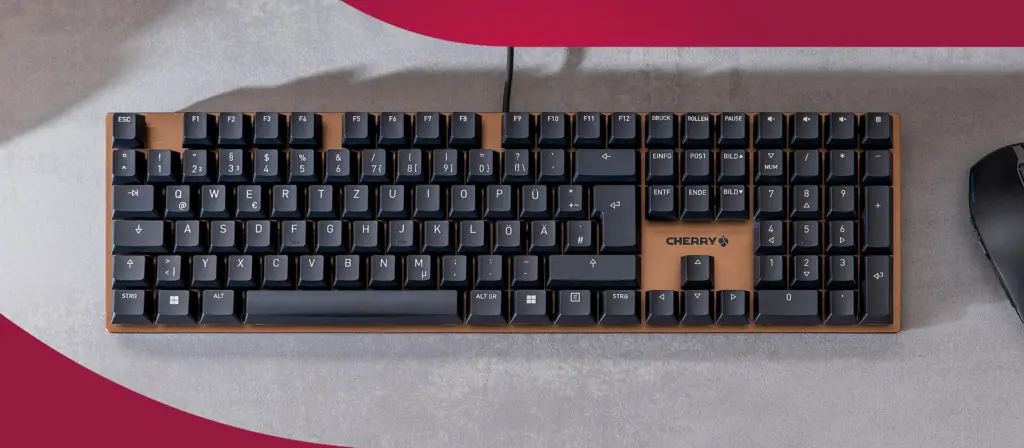
Every other keyboard on this list leans into enthusiast aesthetics: RGB, gasket mounts, creamy sound profiles. The KC 200 MX does none of that, deliberately. It’s a wired, full-size 108-key board with no backlighting, a minimalist bronze-and-black design, and Cherry’s own MX2A Silent Red switches, rated for 50 million keystrokes and specifically engineered to be quiet.
This is the pick for anyone who’d rather their keyboard not look like gaming hardware in a conservative office, or who just wants something that works reliably for years without needing an app or Bluetooth pairing. It includes dedicated volume and calculator keys above the numpad, a small but genuinely useful detail for spreadsheet-heavy days. At roughly $80-90, it’s competitively priced against the TH99 PRO but trades wireless and gasket-mount feel for Cherry’s switch pedigree and a completely quiet, distraction-free build.
Best Budget with Character:
RK Royal Kludge R99
Tested and reviewed by us — read the full review
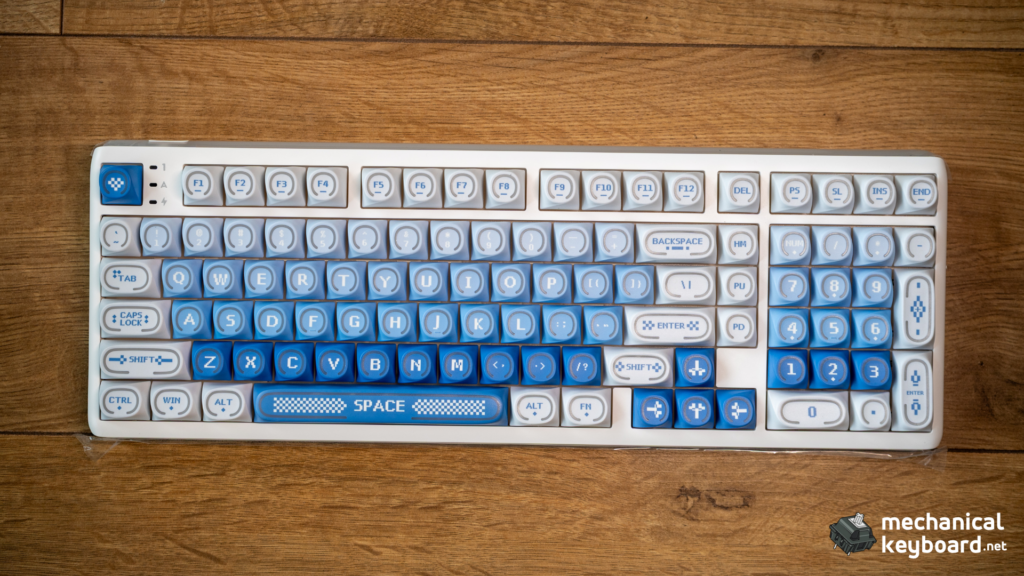
The R99 is a genuine 99-key full layout with numpad and nav cluster, running RK’s own Cream switches, which land closer to a controlled thock than a whisper-quiet office switch, worth knowing if silence is your top priority. What it does offer is a big 10,000mAh battery and a distinctive RGB light bar most competitors in this price range don’t have.
One real caveat from our testing: RK Launcher, the configuration software, is Windows-first. Mac support is limited or inconsistent depending on driver version. If you just need to type, this doesn’t matter. If you want to remap keys or adjust lighting from a Mac, expect friction, so this pick fits Windows-based offices better than mixed-platform ones.
Best for Sound Quality:
Epomaker Galaxy 100 Lite
Tested and reviewed by us — read the full review
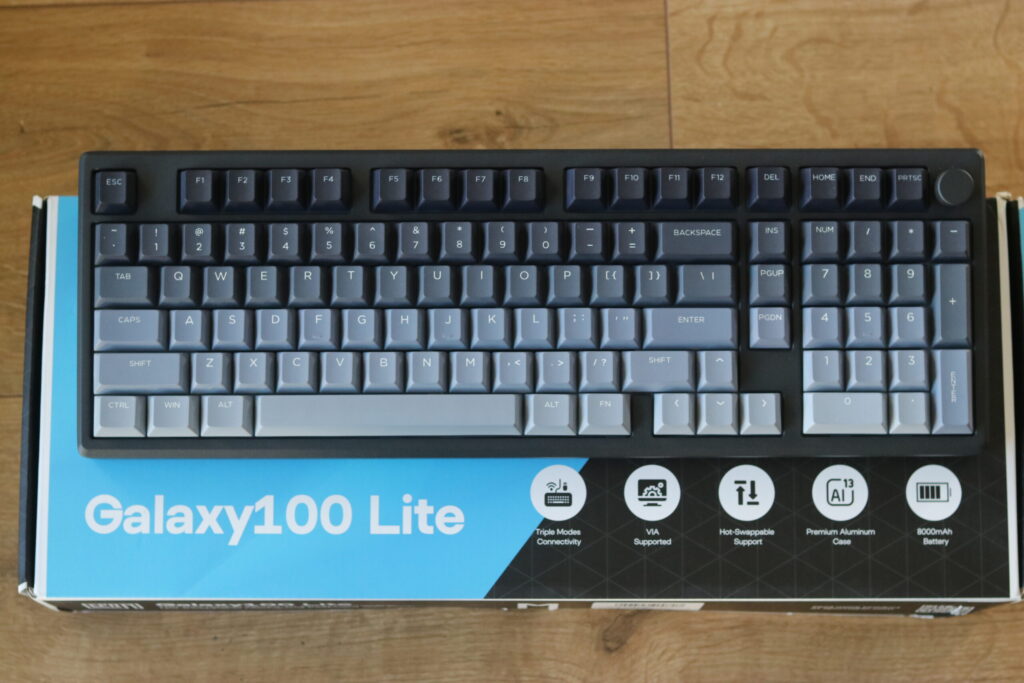
We called this “the perfect productivity keyboard” in our full review, and that assessment holds up specifically for accounting and Excel work. Full-size 96 layout with numpad, gasket-mounted, running Epomaker’s Wisteria linear switches, which are smooth and genuinely quiet without needing a silent-switch swap. The onboard volume knob is a small but real convenience during long work sessions.
If sound quality and typing feel matter more to you than raw feature count, this edges out the RK R99 as the better all-round pick in a similar price bracket.
Quiet Linear vs Silent Tactile: Which Switch Type for Office Use
If none of the six picks above match your exact setup and you’re building or hot-swapping your own, the switch choice matters more than the keyboard shell. Quiet linear switches (like Cherry’s MX Silent Red, rated around 45-48 decibels, roughly the volume of a quiet conversation) are generally the better choice for shared office space over silent tactile switches, since linear switches have no bump or click point to generate secondary noise. Silent tactile switches still offer feedback for typing accuracy but tend to run slightly louder in practice.
Verdict
For most accountants and Excel-heavy workers, the Epomaker TH99 PRO is the easiest recommendation: full numpad, genuinely quiet, and priced well below the premium options. If numpad placement is a specific pain point in your workflow, the RT98’s modularity is worth the extra cost. And if you’d rather your keyboard disappear into the background entirely, wired, no RGB, no software, the Cherry KC 200 MX is the one to buy.
Frequently Asked Questions
Is a mechanical keyboard good for accounting?
Yes. The tactile feedback and consistent actuation force of mechanical switches genuinely help with numpad-heavy data entry accuracy compared to shallow-travel membrane keyboards, and quiet mechanical switches are no louder than a standard office keyboard.
What’s the best keyboard for Excel?
Any of the six picks above work well, but if remapping keys for repetitive formulas or macros is part of your workflow, the Keychron Q5 Pro’s QMK/VIA support gives you the deepest customization.
Do you need a numpad for accounting or data entry work?
If you’re entering numbers regularly, yes. Touch-typing on a numpad is significantly faster than using the number row, and it’s the single biggest layout decision covered in this guide.
What’s the best keyboard for bookkeepers?
The same criteria apply as for accountants generally: numpad, quiet switches, all-day comfort. The Epomaker TH99 PRO or Cherry KC 200 MX are the strongest starting points depending on whether you want wireless/RGB or a no-frills wired setup.