
No. Magnetic keyboard switches are not universally compatible. Two switches can have the same MX-style stem, sit inside the same-looking plastic housing and both be sold as Hall Effect, yet still behave differently in the same keyboard. The replacement needs to fit the plate and PCB, present a magnetic field that the sensor can read, and be supported by the keyboard’s firmware and calibration system.
- Magnetic switch compatibility at a glance
- How to check Hall Effect switch compatibility in 30 seconds
- How we verified this compatibility guide
- Why a magnetic switch that fits may still not work
- Five checks before buying replacement magnetic switches
- Magnetic switch N-pole vs S-pole: why orientation matters
- Can you put magnetic switches in a normal keyboard?
- Can Hall Effect switches work in TMR keyboards?
- Real examples: the same switch brand can work in one keyboard and fail in another
- What our own magnetic keyboards taught us
- Can you mix Hall Effect switches from different brands?
- What if your keyboard has no magnetic switch compatibility chart?
- How to replace and calibrate magnetic switches safely
- Magnetic switch terminology: a quick reference
- Frequently asked questions
- Final verdict: buy the supported switch, not just a magnetic switch
That distinction matters when a keyboard is advertised as hot-swappable. It means that you can remove a supported switch without soldering. It does not mean you can install every magnetic switch sold by Gateron, TTC, Akko or another brand. In some cases, even two versions of the same keyboard accept different replacement switches.
This guide explains what is happening underneath the keycap, why polarity and magnetic strength matter, which real keyboards offer restricted or broader compatibility, and how to check a replacement before spending money on a pack of switches. We’ll also use keyboards we’ve built or reviewed at MechanicalKeyboard.net, including the Meletrix Zoom64 with Flux60 HE, Chilkey SF60 Diamond Edition, Akko 5075 V5 TMR and Keydous NJ98-CP V4, while keeping hands-on observations separate from unverified cross-brand compatibility.
Research and transparency note: This guide draws on original MechanicalKeyboard.net photography, hands-on reviews and linked manufacturer documentation. We have used the factory switch configurations of the Zoom64 + Flux60 HE, Chilkey SF60 Diamond Edition, Keydous NJ98-CP V4 and other magnetic boards featured here. We have not performed a controlled cross-brand replacement test across all these keyboards. Model-specific replacement claims in this guide come from the linked manufacturers’ documentation, not from assumed physical fit. Our individual review articles identify relevant review samples and disclose how they were obtained.
Magnetic switch compatibility at a glance
If you only want to know whether a replacement will work, start with the exact keyboard model and factory switch version, not the generic term Hall Effect. The examples below show how much the answer changes from board to board.
| Keyboard or PCB | What is documented or actually tested | What you should not assume | Evidence |
|---|---|---|---|
| Keychron Q1 HE | Compatible with Gateron Double-Rail magnetic switches | Gateron Magnetic Jade and KS-20 are specifically excluded | Keychron product details |
| Keychron K10 HE, Double-Rail version | Gateron Double-Rail magnetic switch family | The Ultra-fast Lime version’s switch list is not interchangeable | Keychron compatibility notes |
| Keychron K10 HE, Ultra-fast Lime version | Keychron Ultra-fast Lime magnetic switches | Buying by the words “K10 HE” alone is insufficient | Keychron compatibility notes |
| Wooting with supported Wootility Switch Selector | A software-maintained set of supported magnetic profiles, including third-party switches | An unlisted switch or a different Wooting hardware generation is not automatically supported | Wooting Switch Selector release |
| MonsGeek M2 V5 HE | Downward-facing N-pole magnetic switches on its official list, including several third-party models | S-pole-down switches and conventional mechanical switches are not supported on this model | MonsGeek M2 guide |
| EPOMAKER HE75 V2 TMR | Magnetic switches plus conventional 3/5-pin mechanical switches through its hybrid PCB | All other EPOMAKER HE75 or TMR models behave the same | EPOMAKER specifications |
| Keychron V6 Ultra Hybrid 8K | Listed magnetic models and standard 5-pin mechanical switches, with automatic switch recognition | Every magnetic switch is compatible; this is a defined hybrid system | Keychron hybrid specifications |
| Our Zoom64 + Flux60 HE, SF60 Diamond and NJ98-CP V4 HE | Their respective factory magnetic-switch configurations worked in our hands-on reviews | A switch from one of these keyboards works in either of the others | Zoom64, SF60, NJ98 |
How to read this table: A manufacturer-supported combination means the maker lists that switch family for the named keyboard. A stock configuration we’ve used tells you what worked in that particular review unit. Neither is proof that an unlisted switch will work. New hardware revisions and firmware updates can also change support, so check the current product page before ordering.

How to check Hall Effect switch compatibility in 30 seconds
You can eliminate most incompatible purchases without buying a tester or removing your existing switches. Follow this magnetic switch compatibility checklist before ordering:
| Question | If yes | If no or unknown |
|---|---|---|
| Does the board have Hall Effect or TMR sensors, or is it a documented hybrid PCB? | Continue to the model-specific list | A conventional mechanical-only board cannot read a magnetic switch |
| Do you know the exact PCB revision and original switch model? | Search using both names | Check the original product listing or manufacturer before proceeding |
| Does the manufacturer list the proposed replacement switch or a corresponding software profile? | Check mounting and polarity details | Treat compatibility as unverified, even if the switch physically fits |
| Does the supported replacement require a particular calibration procedure? | Follow it before testing actuation and Rapid Trigger | Leave factory settings unchanged unless the manufacturer provides instructions |
The decision rule: A switch that fits the plate is not necessarily a supported magnetic switch. Where the manufacturer’s compatibility chart is missing, the safe purchasing answer is unknown, not a guessed yes.
How we verified this compatibility guide
This is an evidence-backed compatibility reference, not an exhaustive laboratory certification of every switch on the market. We use three distinct evidence categories:
- Manufacturer-confirmed: The keyboard maker explicitly lists a switch or switch family for a particular model, hardware revision or driver version. The model-specific source is linked in the comparison table.
- Factory configuration tested: We used, photographed or reviewed the keyboard in its supplied switch configuration. This verifies the observed stock experience, not a swap to a different magnetic switch.
- Not verified: The manufacturer has not confirmed the pairing in the information we reviewed, or we haven’t performed a suitable controlled test. We do not label it compatible merely because both parts use magnets.
These distinctions matter because vendors may release new switch profiles and PCB revisions. For any replacement purchase, use the most recent manufacturer instructions, confirm the exact SKU, and keep your original switches available for troubleshooting. This draft was revised on 29 October 2026. Before publication, recheck the linked manufacturer pages for the latest hardware revisions and firmware requirements; those sources remain the final authority for subsequent changes.
Why a magnetic switch that fits may still not work
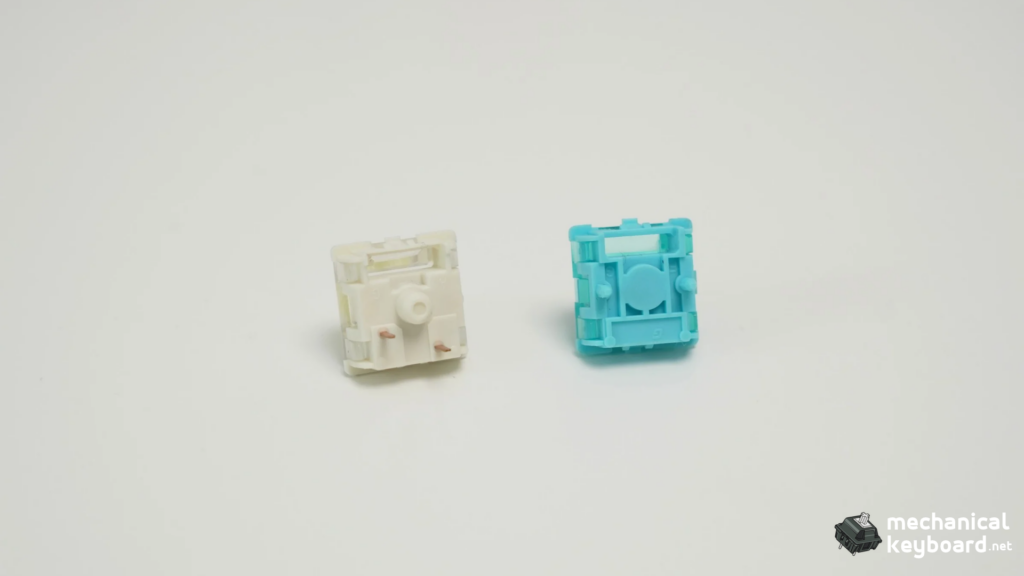
To understand compatibility, it helps to follow what happens during one keypress. It is quite different from the action inside a conventional mechanical keyboard.
What happens inside a normal mechanical switch?
In a conventional MX-style mechanical switch, pressing the stem moves a contact mechanism. At its actuation point, two conductive parts meet or change electrical state, and the keyboard’s PCB and controller register that electrical transition. In a typical hot-swap mechanical keyboard, the switch’s metal contacts connect to sockets on the PCB. The hot-swap socket makes it possible to replace the supported switch without soldering.
A different compatible mechanical switch may have a heavier spring, a tactile bump or a different sound. But the keyboard is still looking for the same essential kind of electrical contact event. That is why many conventional 3-pin and 5-pin MX-style switches are interchangeable across compatible hot-swap mechanical PCBs, subject to physical layout, socket and plate restrictions.
What happens inside a Hall Effect switch?
A Hall Effect magnetic switch usually places a small permanent magnet in the moving stem. A sensor on the PCB below measures the changing magnetic field as the stem moves toward and away from it. The controller processes those readings and the firmware determines when the key should register as pressed or released.
The key difference is that the keyboard is not merely waiting for a metal contact to close. It is estimating a changing position from a magnetic signal. That enables features such as adjustable actuation, where you choose a trigger point in the key’s travel, and Rapid Trigger, where the reset depends on movement rather than a fixed mechanical reset point.
For example, a board might allow a shallow actuation setting for movement keys while keeping an ordinary typing key much deeper. That flexibility only works properly if its sensor readings and firmware calibration make sense for the installed switch. RTINGS explains Hall Effect sensing, while the Acheron MAGDA technical documentation shows the signal chain from magnet to sensor to firmware.
And what changes with TMR?
TMR stands for Tunnel Magnetoresistance. Like a Hall Effect system, a TMR keyboard senses a magnet moving inside the switch without relying on conventional metal contacts for the key trigger. The electrical sensing principle is different: TMR sensors detect a change in resistance related to the magnetic field rather than using the Hall voltage principle.
But this is important: TMR does not describe a universal replacement-switch connector. One TMR keyboard might be magnetic-only while another has been engineered to accept conventional mechanical contacts too. Hybrid compatibility comes from the complete PCB layout, controller and firmware design, not simply from the letters TMR printed on the box. Our TMR vs Hall Effect keyboard guide covers the sensor technologies in more detail.
The practical takeaway: There are three separate questions: does the switch fit, does the sensor read it, and does the firmware interpret the signal accurately? This is the difference between magnetic switch compatibility, simple physical fit and a fully calibrated Hall Effect keyboard. A good compatibility check answers all three.
Five checks before buying replacement magnetic switches
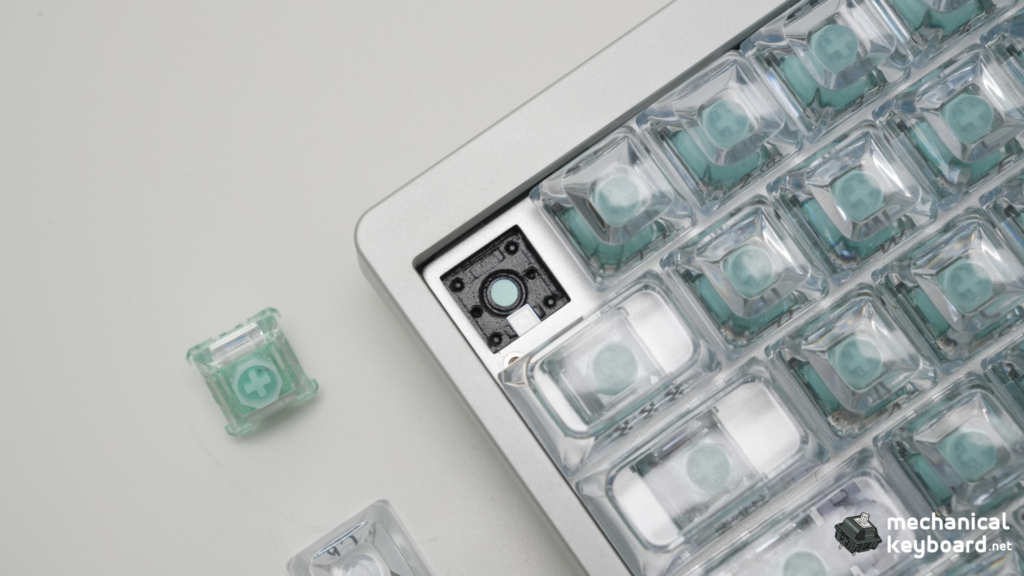
You do not need electrical-engineering equipment to screen out most bad purchases. Use these checks in order and stop when you find a definite mismatch.
1. Identify the exact keyboard, PCB and switch version
Write down more than the brand. Look for the full model name, whether the keyboard is HE or TMR, its hardware revision if provided, and the name of the stock switches. Retail listings sometimes bundle several variants under one product name, which can hide meaningful compatibility differences.
A real example is the Keychron K10 HE. Keychron sells a Gateron Double-Rail version and a Keychron Ultra-fast Lime version. The maker states that each supports its specified switch family. If you search for “K10 HE switches” without identifying the factory variant, you could buy the wrong replacement even though you have the right keyboard name. See Keychron’s K10 HE documentation.
For a custom build, identify the module as well as the case. Our purple Meletrix board is a Zoom64 case with a Flux60 HE module. The fact that the outer case is a Zoom64 does not answer which magnetic switches the Flux60 PCB supports. Treat the PCB and its driver as the important compatibility reference.
2. Confirm the keyboard’s electrical or magnetic sensing type
Is the keyboard a conventional mechanical hot-swap, a magnetic-only board, or a documented hybrid? Read the technical specifications rather than assuming from how the switch looks.
- A conventional mechanical hot-swap board generally expects electrical-contact switches.
- A magnetic-only Hall Effect or TMR board expects supported magnetic switches.
- A hybrid board is expressly built to read both kinds of input, often with model-specific instructions and switch lists.
This is why you generally cannot put a Gateron Magnetic Jade switch into an ordinary hot-swappable Keychron Q1 Max and expect it to work. A conventional mechanical PCB does not gain magnetic sensors when you change the switch. Similarly, a generic mechanical switch cannot work in a magnetic-only PCB merely because it sits in the plate.
There are real exceptions. The EPOMAKER HE75 V2 TMR explicitly advertises a hybrid PCB for magnetic and 3/5-pin mechanical switches. That support belongs to the named TMR model, not to every keyboard labeled HE75.
3. Check physical fit, locating posts and switch height
Even when the sensing method matches, the switch still has to seat correctly. Look at housing size, retention clips, plate openings, clearance around stabilizers, switch height and any locating posts that enter the PCB. Standard-profile and low-profile magnetic switches should not be assumed to fit the same plate.
You may see magnetic switches described as 2-pin or 3-pin. Be careful: the visible posts on a magnetic switch may be mechanical locating or stability features, not the same electrical contacts found on conventional MX switches. Pin-count marketing alone does not identify whether the underlying sensor can read the switch.
Suppose a switch can be pushed into the plate but the PCB has no corresponding holes for its guide posts. Trimming the plastic might make it physically seat, but it will not fix wrong polarity, signal range or firmware support. Unless the manufacturer explicitly authorizes a modification, do not modify a new keyboard or expensive switch pack to make it fit.
Will low-profile magnetic switches fit a normal Hall Effect keyboard?
Do not assume so. A low-profile magnetic switch may have a shorter housing, different retention geometry, reduced total travel and a magnet sitting at a different height from the PCB sensor. Even if its MX-style stem accepts a familiar keycap, that says little about whether the entire switch fits a standard-profile Hall Effect plate or produces the expected magnetic readings.
Search for the exact supported low-profile magnetic switch and the exact keyboard PCB, not merely “low-profile Hall Effect.” Matching the stem does not establish compatibility between a low-profile switch and a full-height magnetic hot-swap socket.
4. Match magnetic polarity, magnetic flux and PCB sensor position
This is where magnetic compatibility becomes more complicated than traditional hot-swap.
Polarity refers to the north or south pole presented toward the PCB sensor. Depending on the sensor design and firmware, the keyboard may expect a particular orientation. Some sensing systems are designed to interpret both directions, but other keyboards explicitly require N-pole-down or S-pole-down switches. It would be incorrect to say that every N-pole switch works with every N-pole board, or that the two poles can never be supported by a capable design.
Magnetic flux describes the strength of the magnetic field at a given position, often expressed in gauss (Gs). As the key travels, the distance between magnet and sensor changes, so the field the sensor reads changes too. A different magnet may produce a useful range of readings in one keyboard but a narrower, weaker or saturated range in another.
Sensor position matters as well. A magnet centered in one switch design may not align with a sensor positioned differently on another PCB. The height of the switch, plate and PCB changes the magnet-to-sensor distance. Even with the right polarity and a physically correct fit, those differences can affect how reliably the firmware estimates travel.
Gateron gives a concrete example in its magnetic-flux explanation: the Magnetic Jade Pro’s field changes across its travel, and the published measurements depend on the measurement setup. Treat flux figures from different vendors cautiously because they may be measured differently. You usually do not need to calculate gauss yourself. You need an official compatibility statement or a supported switch profile.
Example: MonsGeek documents the M2 V5 HE as a downward-facing N-pole system. It lists specific native and third-party switches and requires calibration for certain replacements. Its guidance also identifies S-pole-down switches as incompatible with that model. That is evidence about the M2 V5 HE, not a rule for every MonsGeek keyboard. Read MonsGeek’s model-specific compatibility table.
5. Verify firmware support and recalibration options
Even if a magnetic switch is mechanically correct and produces a readable signal, the board’s firmware must turn that signal into a dependable key position. The software may use switch-specific profiles, a manual calibration process, automatic calibration or a fixed factory mapping.
A keyboard might register ordinary presses with a new switch yet behave inconsistently at shallow actuation settings. That is a warning sign, not proof that the replacement is suitable. If you use Rapid Trigger, it is particularly important that the keyboard correctly recognizes tiny changes in key travel and resets.
Wooting is a useful example of a more flexible ecosystem. Wootility 5.3.0 introduced a stable Switch Selector with 28 supported switch types and variants at launch, including third-party options. Users select the installed switch so Wootility can apply the appropriate profile. The exact current supported set and the keyboard’s hardware version still matter; it is not a guarantee for arbitrary magnetic switches. Wooting’s official release notes.
By contrast, a board with a strict manufacturer-only switch list should be treated as restricted even if you find anecdotal reports of another switch registering. Start with the official supported list, and use community experiments as a secondary clue rather than a warranty of reliable operation.
Magnetic switch N-pole vs S-pole: why orientation matters
Yes, but the internet often oversimplifies it. Every magnet has two poles. Saying a switch is N-pole-down means the pole facing the sensor, using the maker’s stated orientation, is north; S-pole-down means south. The sensor’s electrical response to those fields depends on its design, and the firmware may be configured around one response direction.
Imagine a board calibrated for a field that becomes stronger in a certain direction as the key is pressed. Replacing it with a switch whose magnetic field changes in the opposite direction can cause confusing or unusable readings unless the sensor and firmware are designed to accommodate that change. On another system with suitable sensors and calibration, both orientations may be usable. This is one reason a blanket rule such as “all north-facing switches are universal” fails.
Polarity is only one part of the specification. The physical magnet shape and location, the sensor’s measurement range, the strength of the field over the key’s travel, and the PCB geometry also affect what the keyboard can read.
What to do as a buyer: If the seller lists N-pole or S-pole, compare that with the exact model’s documentation. If the switch seller omits polarity or flux information, do not fill the gap with guesses from a product photo. Ask the keyboard manufacturer or use an explicitly supported replacement model.
Can you put magnetic switches in a normal keyboard?
Generally, no. This is one of the most common buying mistakes, and the answer becomes straightforward once you understand what the PCB is actually detecting.
A conventional mechanical keyboard’s controller reads electrical changes from its switch contacts. A magnetic switch, by contrast, moves a magnet near a sensor that must already exist on the PCB. Installing the switch does not add the missing Hall Effect or TMR sensor hardware. Even if the keycap fits and the switch physically sits in the plate, the board has no appropriate signal to interpret.
The same limitation applies in reverse. A normal MX-style mechanical switch uses conductive contacts. A magnetic-only board designed without the corresponding mechanical switch sockets and signal-reading circuitry cannot simply read the mechanical switch’s contacts.
This is why you should check the PCB specification, not merely the hot-swap label. A switch puller makes removal convenient; it cannot change the electronics.
The exception: genuinely hybrid magnetic and mechanical keyboards
There are increasingly useful hybrid designs, but their support is a feature of a specific PCB, not a general property of TMR or Hall Effect technology.
The EPOMAKER HE75 V2 TMR officially advertises support for magnetic switches and standard 3/5-pin mechanical switches. Keychron’s V6 Ultra Hybrid 8K is another explicit example: Keychron lists defined magnetic switch types alongside standard 5-pin mechanical switches and says its system recognizes which switch is installed. At the time of this October 2026 draft, Keychron lists the V6 Ultra Hybrid for preorder, so this is a manufacturer-supported example, not a keyboard we have tested.
Our Akko 5075 V5 TMR review covers its MagMech hybrid implementation. It ships with Kailh Aurora magnetic switches, while Akko advertises mechanical-switch support on that model. It is important to distinguish advertised hybrid capability from the particular combinations personally tested in the review. A model’s compatibility list and calibration requirements still apply.
What happens when you install a mechanical switch in a hybrid board? You can gain a different spring weight, tactile bump or sound, but you should not expect analog travel sensing and Rapid Trigger on that ordinary contact switch. Those capabilities depend on magnet movement and a compatible sensor path. A hybrid board can make switch choice more flexible without making every switch technology behave identically.
Can Hall Effect switches work in TMR keyboards?
Sometimes, but only when the exact TMR keyboard supports the magnetic switch. Hall Effect and TMR describe how the PCB reads a magnetic field; both can use switches with moving magnets. That shared principle does not create a universal switch standard. Different PCBs can require different pole orientations, magnetic field ranges, switch travel and calibration profiles.
A TMR keyboard may accept one or more manufacturer-approved Hall Effect-style magnetic switches, yet reject other switches marketed with the same label. It may also have a hybrid PCB with electrical contacts for conventional mechanical switches, but that is a separate product feature rather than a benefit automatically supplied by TMR sensing.
For example, the EPOMAKER HE75 V2 TMR advertises a hybrid board that can accept supported magnetic and standard 3/5-pin mechanical switches. The ordinary HE75 V2 should not be assumed to share that support. When checking TMR switch compatibility, verify the exact product version, manufacturer switch list and required driver settings rather than relying on the sensor acronym.
Real examples: the same switch brand can work in one keyboard and fail in another
One reason this topic deserves a dedicated article is that even enthusiastic keyboard buyers can be caught by confusing product names. Here are four real situations that show how the rules differ.
Gateron Double-Rail vs Magnetic Jade: Keychron Q1 HE compatibility
The Keychron Q1 HE is a magnetic keyboard. Gateron Magnetic Jade is a magnetic switch. It seems reasonable to expect the two to work together, especially because the keyboard is hot-swappable. But Keychron’s Q1 HE documentation explicitly restricts it to Gateron Double-Rail magnetic switches and excludes Magnetic Jade and KS-20.
This is the simplest example of why the phrase “Hall Effect switch” is not a compatibility guarantee. The supported family and board implementation matter more than the brand logo or general technology label. Buying an entire replacement set based only on the fact that both components are magnetic would be an unnecessary gamble.
Keychron K10 HE: two versions of the same keyboard are not interchangeable
The K10 HE introduces a slightly less obvious problem. Both factory versions have the same keyboard model name, but Keychron offers distinct switch ecosystems. The Gateron Double-Rail version supports its Double-Rail switch family; the Ultra-fast Lime version supports Ultra-fast Lime magnetic switches. According to Keychron, the two versions’ approved switch families are separate. Official K10 HE details.
That means two people can truthfully say, “I own a K10 HE,” and still need different replacement switches. Before buying, check the order information, stock switch name or board variant rather than trusting advice that only names the keyboard model.
MonsGeek M2 V5 HE: third-party options are possible, but controlled
MonsGeek’s M2 V5 HE is a good example of a more open, clearly documented system. It supports the specified downward-facing N-pole switches, including its AstroAim, Astrolink, Flash and Glare options and certain third-party Gateron and TTC models. The official guide lists calibration as necessary for some third-party replacements. MonsGeek’s supported-switch guidance.
The subtle lesson is that “third-party support” and “universal support” are not the same. A responsible compatibility list tells you which third-party switches are approved, which require setup, and which are known to be unsupported.
Wooting Switch Selector: software support is part of compatibility
Wooting’s approach highlights the firmware side of the story. Its supported hardware can use a growing list of third-party magnetic switches, with Switch Selector profiles to improve analog accuracy. Wootility release documentation.
A switch that fits a Wooting PCB but is missing from the relevant Switch Selector list should not be advertised as fully compatible solely because a video shows it generating a keypress. That does not tell you whether adjustable actuation and Rapid Trigger track correctly throughout the switch’s travel.
What our own magnetic keyboards taught us
We have photographed, built or reviewed multiple magnetic boards. They offer useful practical context, particularly because their stock switches, software and construction differ. However, stock testing is not a cross-compatibility experiment, so we won’t claim a third-party swap unless we have performed or verified that exact combination.
Meletrix Zoom64 with Flux60 HE: the case isn’t the compatibility standard
Our Meletrix Zoom64 custom build uses the Neon Violet case, Flux60 HE module and WS Flux Ocean Whisper magnetic switches. Unlike a simple prebuilt keyboard, the assembly required removing the installed switches, replacing the plate to fit the Zoom64 case, then reinstalling the switches and completing the build. The review documents that installation, configuration and typing experience.
Two separate compatibility questions arise in a modular build. First, does the plate and module fit the case? Second, which magnetic switches does the Flux60 PCB and software support? Solving the first does not answer the second. A keyboard can be a custom build and still have switch restrictions defined by its PCB and firmware.
Chilkey SF60 Diamond Edition: stock switch performance does not imply swap support
Our Chilkey SF60 Diamond Edition review covers the Star White model with WS Flux Diamond Teal Dream magnetic switches. We found the stock typing smooth and stable, with a rather sharp and clacky acoustic character compared with our preferred deeper-sounding boards. The review documents adjustable actuation and gaming configuration, but it does not record a controlled test in which we installed multiple brands of replacement switches.
We may eventually experiment with quieter compatible magnetic alternatives. Until an official support list or a verified swap is available, “it looks like another WS Flux switch” is not enough to recommend one. The exact SF60 model and supported firmware profile still matter.
Original photo pending: SF60 with a keycap removed, a stock magnetic switch shown beside its original socket, and a manufacturer-identifiable switch name if visible. This will demonstrate the physical components, not an unsupported compatibility claim.
Keydous NJ98-CP V4: Magnetic Jade Pro does not mean Jade Pro fits every HE board
Our Keydous NJ98-CP V4 review covers the Black Samurai version with a brass plate and Gateron Magnetic Jade Pro switches. We liked its smooth, creamy stock typing sound. But the fact that a factory-installed Jade Pro works on this Keydous board does not contradict the Keychron Q1 HE’s explicit exclusion of Magnetic Jade models.
The practical distinction is the board’s supported magnetic system. The same broad switch family can be a factory choice for one keyboard and an unsupported option for another. That is why we should write about compatibility by exact model, not by switch reputation.
Akko 5075 V5 TMR: hybrid compatibility is a specific feature, not a TMR promise
Our Akko 5075 V5 TMR review documents its magnetic stock setup and advertised MagMech mechanical-and-magnetic hot-swap support. What makes it a useful example for this guide is not simply that its sensors are TMR. It is that the PCB has been designed to support the additional conventional switch input path.
That is a separate design choice from TMR sensing itself. Another TMR keyboard might not support standard mechanical switches at all. Always inspect the exact product specification before buying parts.
Can you mix Hall Effect switches from different brands?
Potentially, if the manufacturer supports the combination and provides an appropriate configuration method. There is a difference between (1) replacing the entire board with one approved switch model, (2) using two supported magnetic switch models in different positions, and (3) installing an unlisted switch because it happens to fit.
For example, a gamer might want lighter magnetic switches under WASD and heavier ones on typing keys. That sounds straightforward, but if the two switch models produce different sensor readings, the keyboard must be able to interpret each position correctly. Some software offers per-key switch selection or profiles; other keyboards apply a single calibration across many keys. Verify the documented capabilities for your exact model rather than assuming all profiles are per-key.
Even when mixed switches are supported, they may feel different under your fingers, have different total travel or produce different sounds. For a gaming setup, the better upgrade is often the one that maintains dependable actuation instead of chasing the lowest advertised Rapid Trigger number.
What if your keyboard has no magnetic switch compatibility chart?
Not every manufacturer publishes a maintained switch database. If you cannot find an approved list, there are three sensible options before spending money:
- Search by PCB, not only by case. Custom cases such as the Zoom64 may be paired with different modules. The controller PCB determines sensor and firmware requirements.
- Ask the manufacturer about the exact pair. Give the keyboard’s full model, PCB revision, firmware version and the replacement switch’s complete SKU. Ask whether normal registration, full travel, adjustable actuation and Rapid Trigger are supported, not merely whether the switch fits.
- Stick with the supported factory family when documentation is missing. A community video of a key generating a letter doesn’t prove full analog travel accuracy or reliable calibration.
A lack of documentation is not proof of incompatibility, but it does mean the combination is unverified. That’s useful information for a buyer: it helps you decide whether the savings or feel of an alternative switch justify an experiment.
How to replace and calibrate magnetic switches safely
Here is a practical process for a manufacturer-approved replacement. The precise removal and calibration steps differ by keyboard, so defer to the maker’s instructions if they conflict with this general checklist.
- Identify the board precisely. Record the product name, revision, original switch model and installed firmware/driver version. If you bought a barebones module, use the module’s model rather than the case name alone.
- Verify the exact replacement. Look for the manufacturer compatibility list or a switch profile inside the official driver. A broad family name, similar stem or community photo is not enough.
- Document the current settings. Save or screenshot actuation points, Rapid Trigger settings and other relevant profiles so you can restore a known-good configuration.
- Disconnect the keyboard. Follow its safety instructions, remove the keycap and use the appropriate switch puller. Pull straight and evenly rather than twisting the switch against the PCB.
- Inspect before installing. Check housing, locating posts, plate and any sensor clearance. If the switch does not line up naturally, stop. Do not clip posts or modify the PCB without official guidance.
- Install the supported switch. Seat it carefully and reconnect the keyboard. If the software supports switch-type selection, select the correct model for the replaced position or board.
- Calibrate exactly as instructed. Depending on the board, this may involve a manual calibration routine, a switch selector or automatic calibration. Do not copy calibration values from another brand’s software.
- Test the complete travel range. First confirm normal presses and releases. Then test your usual actuation settings, Rapid Trigger, repeated tapping and the keys you rely on in games. If results are inconsistent, reinstall the original switch and repeat the comparison.
A simple test to distinguish a bad switch from an incompatible profile
Take one original, known-working stock switch and one proposed replacement, and test only in positions that the manufacturer has approved for swapping. Keep the same keyboard, software and key position where practical. If the original behaves normally but the replacement produces missed presses, erratic releases or strange actuation readings, that tells you the replacement is not functioning correctly in the current setup. It does not by itself reveal whether the cause is magnet strength, alignment, firmware or a defective switch.
If the manufacturer provides a sensor-position visualizer, test the whole travel rather than only whether a keycode appears. A clean keypress at one depth is weaker evidence than stable motion and registration across the supported range. This is a practical owner test, not a laboratory measurement of gauss, travel accuracy or latency.
If the new switch fits but doesn’t register
Start with the simplest checks: was the right model or variant selected, is the switch seated correctly, and does the manufacturer’s list actually include it? Restore the original switch and see whether the key works normally. That helps separate a keyboard problem from a replacement-specific problem.
If the keyboard requires calibration, perform the maker’s specified process. If the replacement is not officially supported, do not assume software tinkering will fix an incompatible magnet or sensor arrangement.
If presses work but Rapid Trigger feels erratic
This is a different symptom. A board may be able to recognize some magnetic movement without correctly mapping the full travel range. Check the supported switch profile and calibration, then test with conservative actuation settings. Extreme shallow trigger settings can also cause accidental inputs even when the hardware is compatible, so test your original switch settings too before blaming the replacement.
Magnetic switch terminology: a quick reference
| Term | Why it matters when buying replacements |
|---|---|
| Hall Effect (HE) | Describes the PCB sensor technology; it is not a universal connector specification |
| TMR | Another type of magnetic-field sensor; hybrid mechanical-switch support depends on the PCB design |
| Magnetic polarity (N/S) | The magnet’s orientation toward the sensor may need to match the board’s documented requirement |
| Magnetic flux / gauss | Describes the magnetic field strength; an unsupported range may prevent accurate travel readings |
| PCB / sensor alignment | The keyboard’s physical sensor position influences the signal captured from the moving magnet |
| Actuation point | The travel position where the firmware reports a keypress, often adjustable on magnetic boards |
| Rapid Trigger | Dynamic reset/actuation based on key movement; requires reliable sensor readings and calibration |
| Switch profile / calibration | Manufacturer-provided mapping or setup that helps the firmware interpret that switch’s sensor signal |
If you want a broader technology comparison rather than replacement advice, see our Hall Effect keyboard explainer and TMR vs Hall Effect guide.
Frequently asked questions
Are all Hall Effect switches interchangeable?
No. The term Hall Effect describes the sensing principle, not a universal switch standard. Fit, magnet polarity, signal strength, sensor alignment and firmware support vary. Start with the supported list for the exact keyboard.
Are magnetic keyboard switches hot-swappable?
Many are, but hot-swappable refers to replacement without soldering, not to compatibility across all switch brands and models. Some magnetic boards allow only one approved switch family.
Are Gateron Magnetic Jade and Gateron Double-Rail switches the same?
No. They are different magnetic switch families. Keychron’s Q1 HE officially accepts the Double-Rail magnetic family but explicitly excludes Magnetic Jade and KS-20, so buying by the Gateron brand alone is unsafe.
Do Hall Effect switches work in a normal mechanical keyboard?
Generally not. Conventional hot-swap mechanical PCBs lack the magnetic sensing system needed to read a Hall Effect switch. A specifically engineered hybrid PCB is an exception.
Can I install mechanical switches in a TMR keyboard?
Only when the particular TMR keyboard officially supports them. The EPOMAKER HE75 V2 TMR and Akko 5075 V5 TMR provide examples of hybrid designs, but many TMR boards are magnetic-only.
What are 2-pin and 3-pin magnetic switches?
Vendors may use these terms to describe the physical locating or support posts on a magnetic switch. They are not proof that the posts carry electrical keypress signals or that the switch works in a 3-pin mechanical hot-swap socket. Check the exact design and PCB.
Does matching N-pole or S-pole guarantee compatibility?
No. Correct orientation is only one requirement. Magnetic strength across travel, sensor position, physical mounting and calibration can still differ. Some systems also support more than one orientation through suitable sensor design and firmware.
Is a Wooting Switch Selector profile proof that every other HE keyboard supports that switch?
No. It describes support within Wooting’s relevant hardware and software ecosystem. Another keyboard maker must verify its own compatibility separately.
Can you swap switches on a Chilkey SF60 Diamond Edition?
The SF60 uses magnetic switches, but our review tested its stock WS Flux Diamond Teal Dream configuration. We have not verified a cross-brand replacement list for the exact review unit, so consult Chilkey or the official software before buying alternative switches.
Will a different magnetic switch improve latency or Rapid Trigger precision?
Not automatically. The keyboard’s sensor, scan behavior, controller and firmware place limits on what it can report. A switch’s marketing claim does not override the PCB’s own capabilities. A reliable, calibrated switch matters more than an unsupported ultra-fine precision claim.
Are low-profile magnetic switches compatible with standard Hall Effect keyboards?
Not universally. Housing height, plate fit, switch travel, magnet location and supported firmware profiles can differ. Only use a low-profile magnetic switch when the exact keyboard manufacturer supports that switch and the mounting is correct.
Can I use a Hall Effect switch compatibility checker instead of the manufacturer’s list?
A third-party checker can be a helpful starting point if it identifies the exact PCB revision, switch SKU, source and verification status. Treat an unsourced or generic yes/no answer as unverified. The manufacturer’s current compatibility documentation remains the best first check.
Should I use a compatibility chart or test the switch myself?
Use the manufacturer’s current compatibility list first. Testing may be appropriate when a combination is explicitly supported or when you knowingly accept the risk of experimentation, but a single successful keypress does not prove full analog accuracy. If documentation is absent, ask the manufacturer before buying a full set.
Final verdict: buy the supported switch, not just a magnetic switch
Magnetic switch compatibility is a combination of physical fit, magnetic sensing and firmware support. The fact that a switch snaps into place only answers the first part. The keyboard still has to detect its magnetic movement consistently and interpret it correctly at your chosen actuation and Rapid Trigger settings.
For most readers, the safest path is simple: identify the exact PCB and variant, find the manufacturer’s approved switch list, check any required calibration steps and only then order replacements. The Keychron Q1 HE, Keychron K10 HE, Wooting Switch Selector, MonsGeek M2 V5 HE and modern hybrid boards all show why one general “Hall Effect compatibility” rule cannot cover the entire category.
Our own magnetic keyboards are useful for showing real switches, real builds and real software, but we will keep future cross-brand swap results separate from the stock configurations we’ve already reviewed. That distinction is what makes a compatibility guide trustworthy.
For buying advice, read our Best Hall Effect Switches guide. For the underlying technology, see What Is a Hall Effect Keyboard? and TMR vs Hall Effect Keyboards.