

If you’ve ever looked at a “75%” or “65%” keyboard listing and wondered what that percentage actually means in terms of physical keys, you’re not alone. Keyboard sizes are named as a rough percentage of a full-size layout, not an exact key count, so the number of keys (and switches, since each key sits on its own switch) varies slightly between brands and layouts.
- Quick Reference: Key Count by Keyboard Size
- How Many Keys on a Full-Size (100%) Keyboard?
- How Many Keys on a 96% Keyboard?
- How Many Keys on a TKL Keyboard?
- How Many Keys on an 84-Key / 80% Keyboard?
- How Many Keys on a 75 Keyboard?
- How Many Switches on a 75% Keyboard?
- How Many Keys on a 70% Keyboard?
- How Many Keys on a 65% Keyboard?
- How Many Switches on a 65% Keyboard?
- How Many Keys on a 60 Keyboard?
- How Many Switches on a 60% Keyboard?
- How Many Keys on a 40% Keyboard?
- How Many Keys on a 35% Keyboard?
- Why Don’t Two Keyboards of the Same Size Have the Same Key Count?
- Are Switches and Keys Always the Same Number?
- Related Guides
Here’s the exact key and switch count for every common size, plus why the numbers aren’t always identical between two keyboards labeled the same size.
Quick Reference: Key Count by Keyboard Size
| Size | Key Count | Switch Count | F-Row | Arrow Keys | Numpad |
|---|---|---|---|---|---|
| Full-Size (100%) | 104–108 keys | 104–108 | Yes | Yes | Yes |
| 96% | 96–104 keys (most commonly 100) | 96–104 | Yes | Yes | Compressed |
| TKL (Tenkeyless) | 87 keys | 87 | Yes | Yes | No |
| 84-key / 80% | 84–87 keys | 84–87 | Yes | Yes | No |
| 75% | 81–84 keys | 81–84 | Yes | Yes | No |
| 70% | 72–75 keys | 72–75 | Yes | Compressed | No |
| 65% | 66–68 keys | 66–68 | No (Fn layer) | Yes | No |
| 60% | 61–64 keys | 61–64 | No (Fn layer) | No (Fn layer) | No |
| 40% | 41–47 keys | 41–47 | No (Fn layer) | No (Fn layer) | No |
| 35% | ~30–35 keys | ~30–35 | No (Fn layer) | No (Fn layer) | No |
Switches and keys are a 1:1 count on virtually every keyboard. Each keycap sits on exactly one switch, so unless you’re looking at a novelty board with a split or multi-actuation spacebar, the switch count and key count for any layout are the same number.
How Many Keys on a Full-Size (100%) Keyboard?
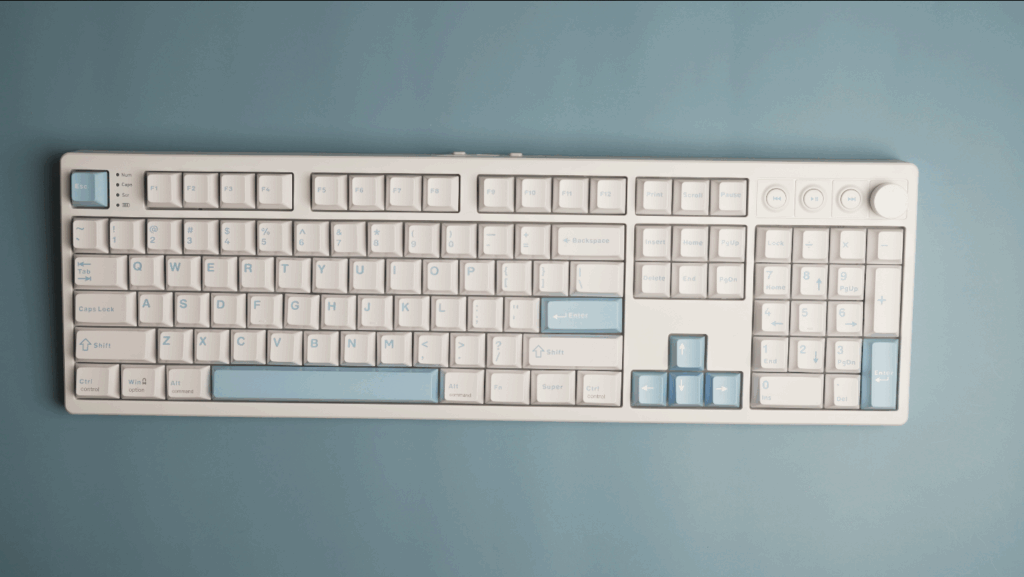
A full-size keyboard has 104 keys in the standard US ANSI layout, or 105–108 keys on ISO/European layouts that add an extra key near Enter and split the left Shift.
Full-size is the traditional office layout: complete number row, full F1–F12 row, arrow keys, a Home/End/Page Up/Down cluster, and a full numpad on the right. Nothing is removed or compressed, which is why it’s also the largest footprint on this list. We put exactly this layout through its paces in our Mechlands Vibe 108 review, which lands at the upper end of the full-size key count.
How Many Keys on a 96% Keyboard?
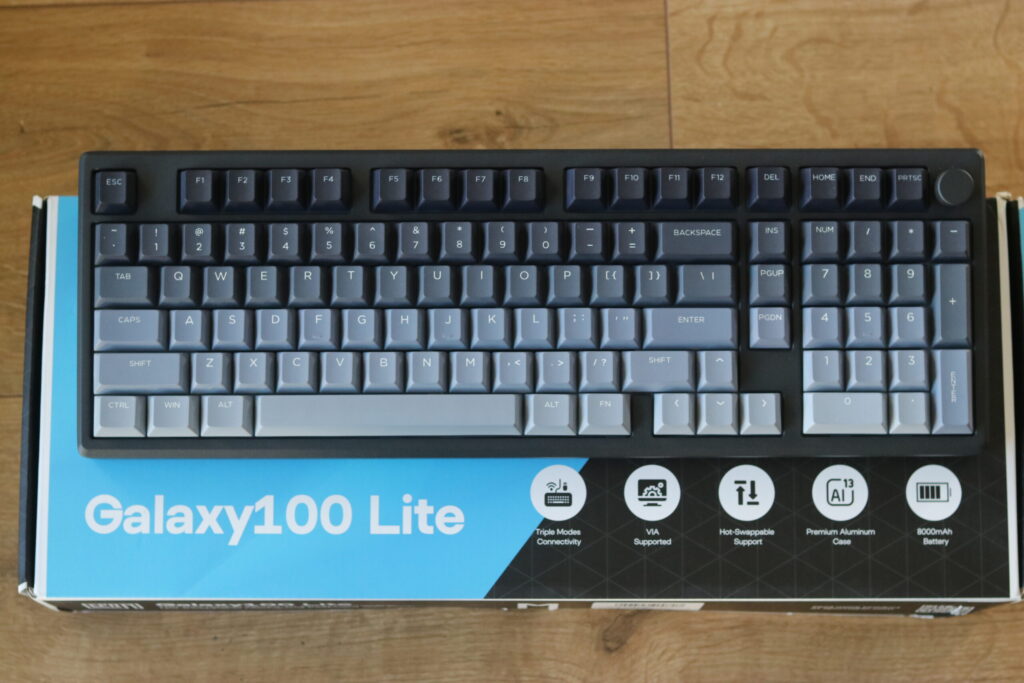
A 96% keyboard typically has 96–104 keys, with 100 being the most common count despite the “96%” name.
More Read

It keeps everything a full-size board has, including the numpad, but squeezes the navigation cluster and numpad closer to the main key block to cut down on width. Like 75% (81–84 keys, not 75) and 60% (61 keys, not 60), the percentage in the name is a rough size category, not a literal key count. You get full-size functionality in a noticeably smaller footprint. Our Epomaker Galaxy 100 Lite review is a good real-world example of this layout in action.
You’ll sometimes see a near-identical layout called an “1800 compact” keyboard. The difference is mostly naming: 1800 compact boards usually keep the full 104-key count of a full-size layout, just rearranged with no dead space between sections, while 96% boards trim a few of the less-used navigation keys to shave off a bit more width. In practice, many brands use the two terms interchangeably.
How Many Keys on a TKL Keyboard?
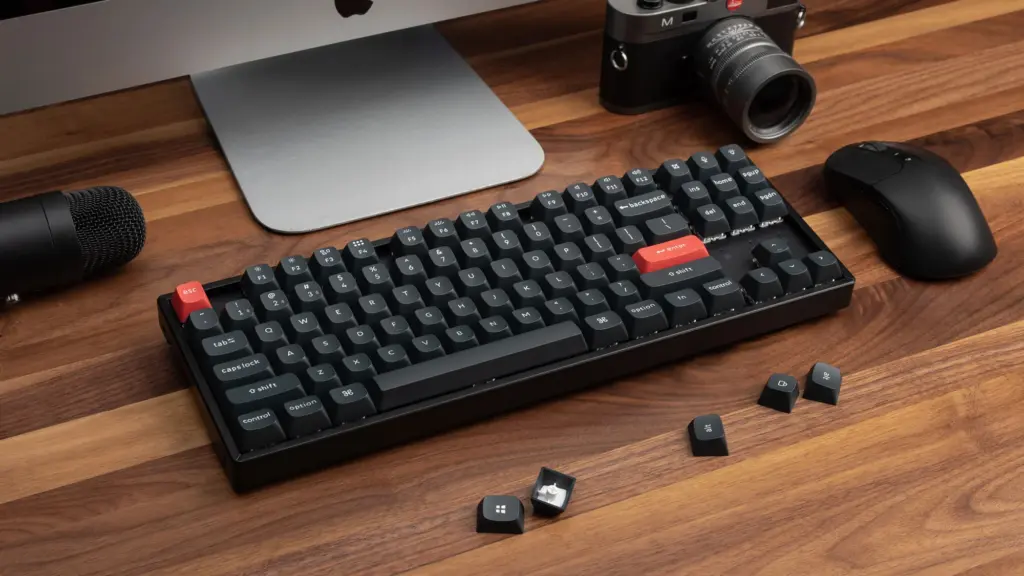
A TKL (Tenkeyless) keyboard has 87 keys in standard US ANSI layout.
“Tenkeyless” refers to the ten keys removed when you drop the numpad, that’s where the name comes from. Everything else from a full-size board stays: F-row, arrow keys, and the Home/End/Page Up/Down cluster. TKL is the most common size in gaming and office keyboards. For a full breakdown of who this layout suits best, see our complete TKL keyboard guide.
How Many Keys on an 84-Key / 80% Keyboard?
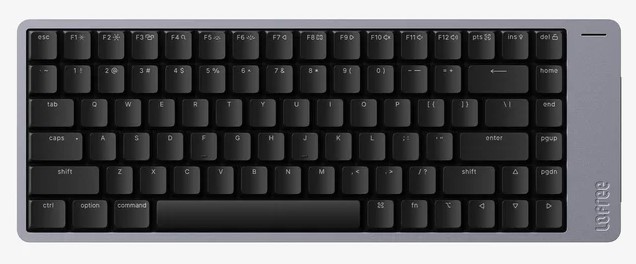
An 84-key or 80% keyboard has 84–87 keys, depending on the manufacturer.
This size sits between TKL and 75%. Some brands use “80%” as another name for TKL, while others use it for a slightly compressed TKL layout that trims a few keys from the navigation cluster. If you’re comparing two “80%” boards from different brands, check the spec sheet, the key count isn’t standardized the way 60% or 65% layouts are. The Epomaker HE80, for example, is marketed as an 80% layout and sits right in this range.
How Many Keys on a 75 Keyboard?
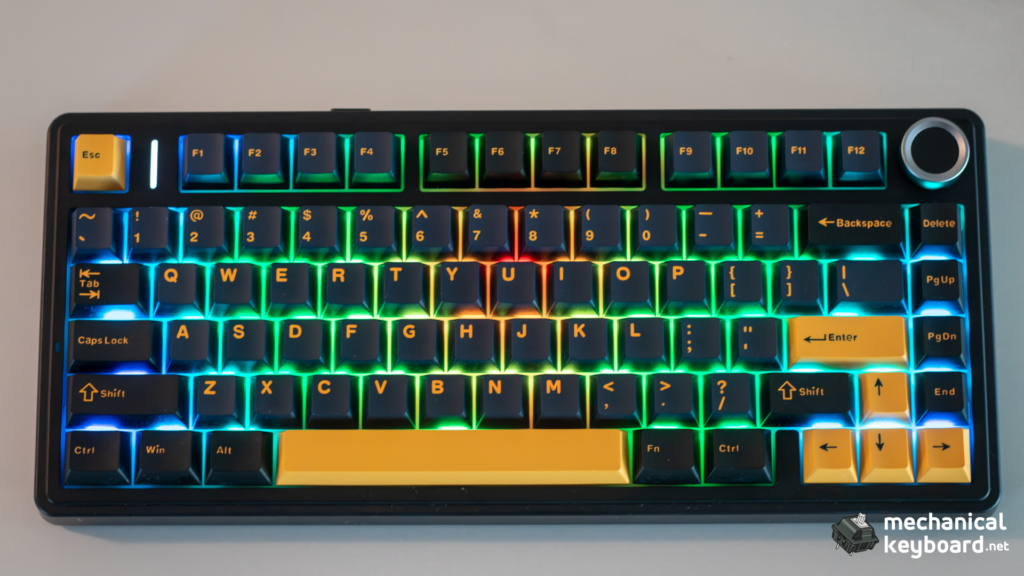
A 75% keyboard has 81–84 keys, with 84 being the most common count.
75% keeps the full F-row and a compact arrow/navigation cluster, but removes all the gaps between key sections that TKL has. That’s the layout’s defining trait: same functional keys as TKL, packed tighter, with no numpad. This is the most popular sub-full-size layout for users who still want dedicated F-keys, see our hands-on Aula F75 Max review and Epomaker x Aula F75 review for two examples at this exact key count.
How Many Switches on a 75% Keyboard?
A 75% keyboard needs 81–84 switches, one per key. If you’re building rather than buying, always order a few extra switches (5–10) beyond the exact key count in case of a bad switch or future hotswap testing. Not sure which type to buy? Our mechanical keyboard switches guide breaks down linear, tactile, and clicky options.
How Many Keys on a 70% Keyboard?
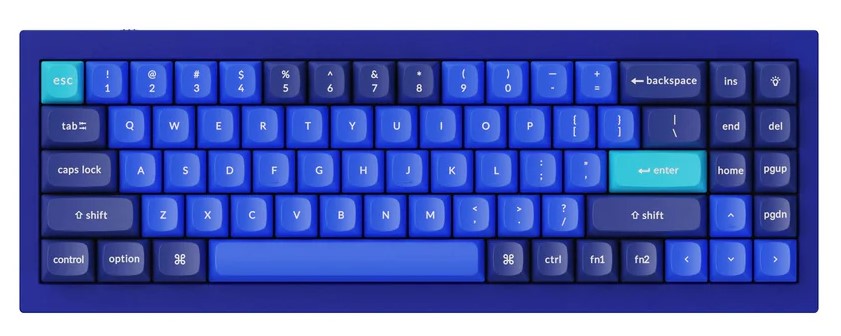
A 70% keyboard has 72–75 keys.
70% is less standardized than 75% or 65%. Most layouts in this range keep the F-row but compress or partially remove the dedicated arrow cluster, often folding arrow functions into a Fn layer on the bottom row instead.
How Many Keys on a 65% Keyboard?
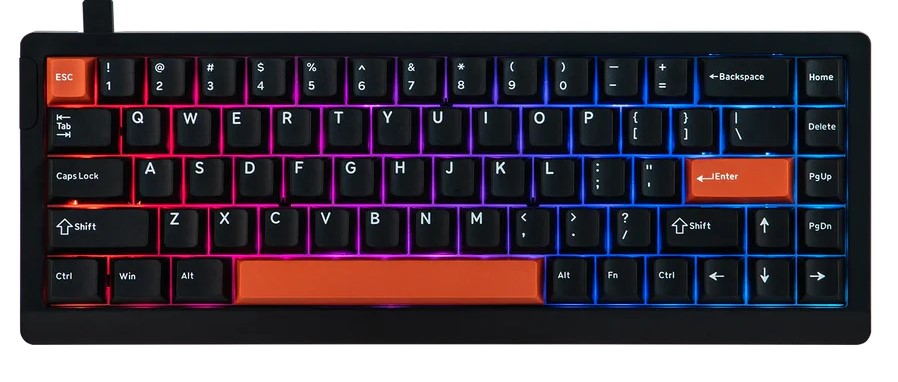
A 65% keyboard has 66–68 keys.
65% drops the F-row entirely (accessed via Fn layer) but keeps a dedicated arrow key cluster, which is the layout’s main selling point over 60%. It’s the smallest size that still gives you physical arrow keys without a function combo.
How Many Switches on a 65% Keyboard?
A 65% keyboard needs 66–68 switches, matching its key count exactly.
How Many Keys on a 60 Keyboard?
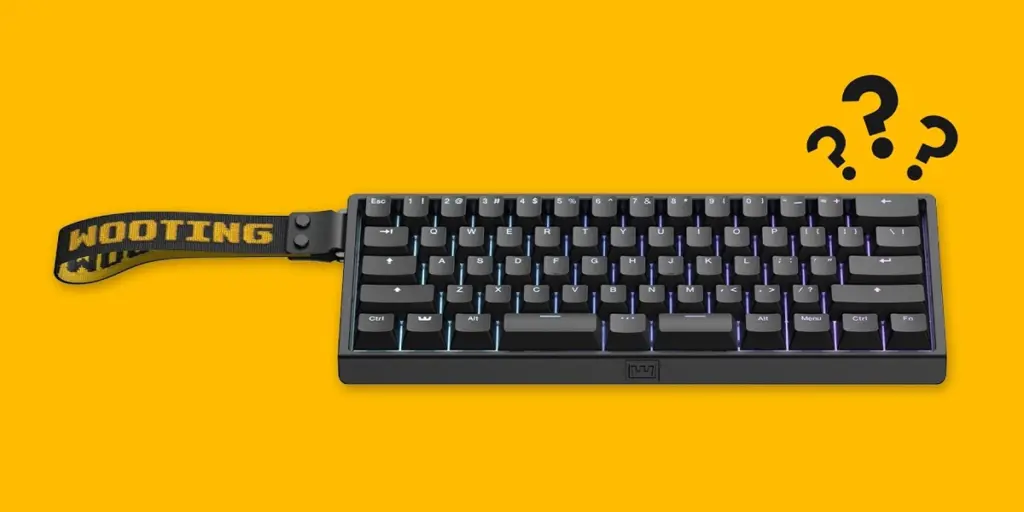
A 60% keyboard has 61–64 keys.
60% is the most popular layout in the custom keyboard scene. It keeps only the alphanumeric block, modifiers, and spacebar; everything else (F-row, arrows, navigation) moves to a Fn layer. The exact count varies slightly depending on whether the bottom row uses split modifiers (multiple small keys) or a few wider ones. If you’re considering one, check our 60% keyboard layout guide and the full Fn layer shortcut reference before you commit to the learning curve.
How Many Switches on a 60% Keyboard?
A 60% keyboard needs 61–64 switches. This is also the cheapest size to build for exactly this reason, fewer switches means lower per-board cost on switches, stabilizers, and keycaps.
How Many Keys on a 40% Keyboard?
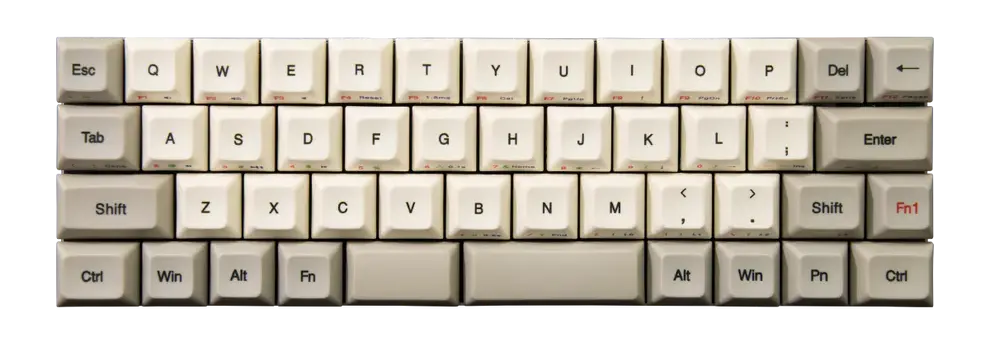
A 40% keyboard has 41–47 keys.
40% boards remove the number row in addition to everything 60% already removes. Numbers, symbols, and navigation all live on Fn layers, sometimes across multiple layers. These are mostly enthusiast and ortholinear builds rather than mainstream consumer products.
How Many Keys on a 35% Keyboard?
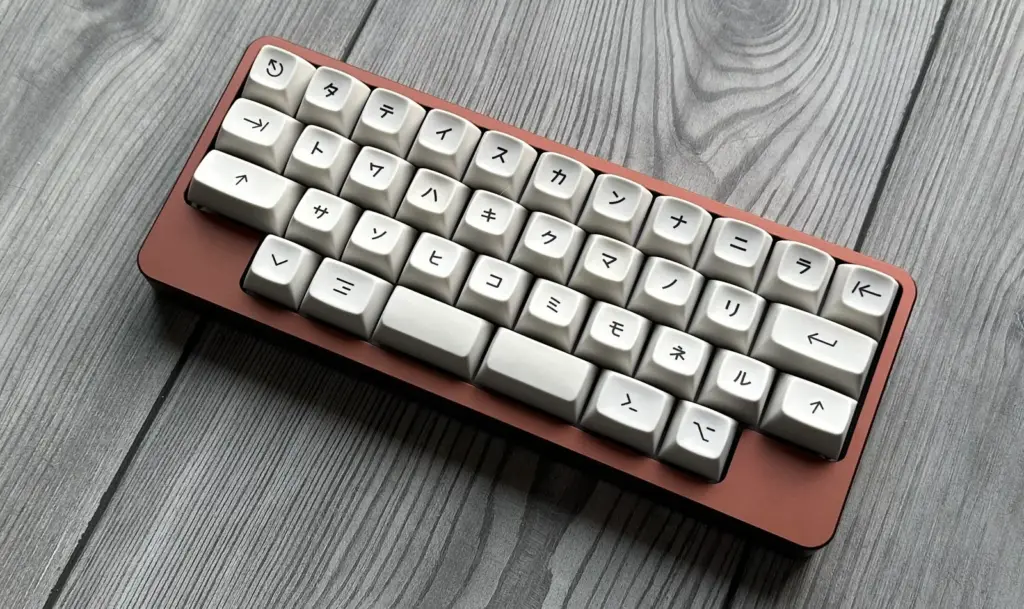
A 35% keyboard has roughly 30–35 keys.
This is about as small as mechanical keyboards get before moving into macro-pad territory. Expect a steep learning curve since nearly every key does double or triple duty across layers.
Why Don’t Two Keyboards of the Same Size Have the Same Key Count?
Keyboard size names (60%, 65%, 75%, etc.) describe a rough proportion of a full-size layout, not a fixed spec. Manufacturers make small layout choices, like splitting or combining modifier keys, adding a dedicated function key, or adjusting the bottom row, that shift the count by a few keys without changing what “size” the board is marketed as. ANSI vs ISO layouts also account for some of the variation, since ISO adds an extra key near Enter on most sizes.
Are Switches and Keys Always the Same Number?
Yes, on virtually every mechanical keyboard, switch count equals key count. Each keycap is mounted on its own individual switch. The only common exception is the spacebar on some boards, which can use one long switch with stabilizer wires rather than multiple switches, but it’s still counted as one key and one switch. Once you know your count, the next decision is switch feel, our linear vs tactile vs clicky guide covers how to choose.
Related Guides
- Mechanical Keyboard Sizes: Compare 60%, 65%, 75%, TKL, and Full Size
- What Is a Tenkeyless (TKL) Keyboard?
- What Is a 60% Keyboard? The Complete Guide
- 60% Keyboard Shortcuts: Every Fn Layer Combination
- Complete Guide for Mechanical Keyboard Switches
- Linear vs Tactile vs Clicky Switches