
After three weeks of daily use, here is our full hands-on review of the Epomaker x Aula F75: design, typing feel, sound, software, gaming performance, and how it stacks up against the standard Aula F75.
- How we tested
- Quick Verdict
- What we liked
- What could be better
- Design and build quality
- Typing feel and sound
- Gaming performance and latency
- Connectivity and battery
- Software and customization
- How it compares to the standard Aula F75
- Price and value
- Who should buy the Epomaker x Aula F75
- Bottom line
- Where to Buy
The Epomaker x Aula F75 in Thunder Black is a collab variant of the popular Aula F75 that upgrades the keycaps to dual-shot PBT, adds an extra foam layer for deeper sound, and comes with Leobog Ice Vein linear switches for a smooth, creamy typing feel.
How we tested
We used the Epomaker x Aula F75 (Thunder Black, Leobog Ice Vein switches) as our primary daily driver for three weeks across typing, gaming, and productivity workloads. Sound testing was done in a quiet room with a Blue Yeti microphone at consistent distance and volume levels. Battery life was measured across a work week of 8-hour daily sessions with RGB at 50% brightness over 2.4 GHz wireless.
For hands-on testing of other keyboards in this price bracket, see our Epomaker HE80 review and MechLands Blade 101 review.
Quick Verdict
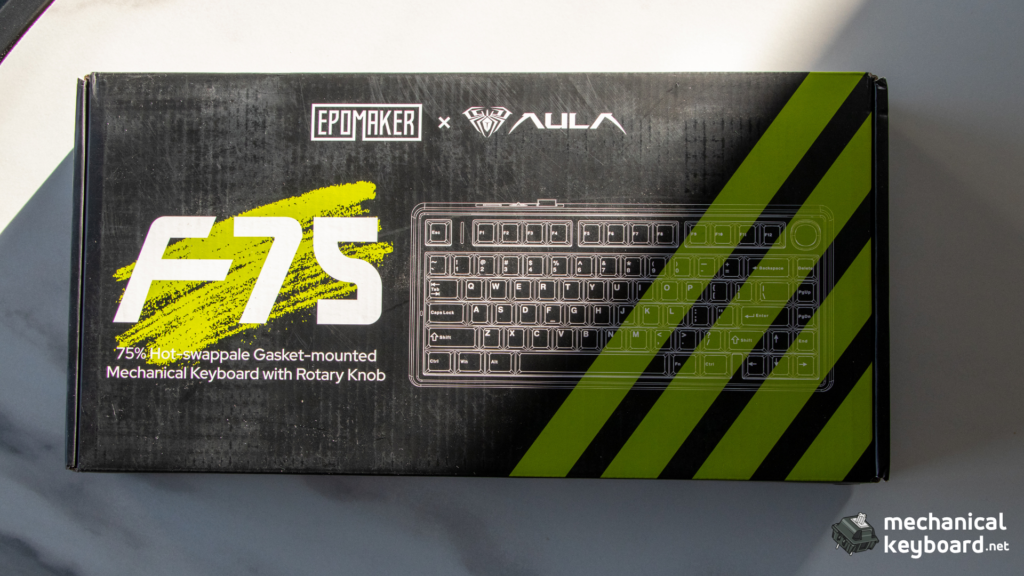
The Epomaker x Aula F75 is one of the best-value 75% wireless mechanical keyboards you can buy right now. The gasket mount delivers a typing feel that rivals boards twice its price, the out-of-box sound is genuinely pleasing (creamy with a controlled thock), and the tri-mode connectivity covers every use case. The PBT keycaps are a meaningful upgrade over the standard F75’s ABS caps, and the Ice Vein linear switches provide a smooth, deep typing feel with excellent factory lubing.
Rating: 9/10 – strongly recommended for anyone wanting a premium-feeling 75% board without spending custom-keyboard money.
How we score
| Category | Score | Notes |
|---|---|---|
| Build quality | 9 | Plastic case with metal plate, solid feel, no creaking. Gasket implementation is genuine and effective. |
| Typing feel | 9 | Soft gasket mount with flex-cut plate. Ice Vein switches are smooth and well-lubed. |
| Sound | 9 | Creamy with controlled thock out of the box. Five-layer foam stack does real work. |
| Features | 8 | Tri-mode wireless, hot-swap, PBT keycaps, south-facing RGB. Missing QMK/VIA holds it back. |
| Software | 6 | Functional Windows driver but clunky detection and no macOS support. |
| Value | 10 | Unbeatable at $65-$80 for what you get. Nothing else in this bracket matches all these features. |
| Overall | 9/10 | Best budget 75% wireless mechanical keyboard available in 2026. |
What we liked
- Gasket-mounted build with five layers of foam delivers a creamy, controlled sound out of the box.
- Dual-shot PBT keycaps feel noticeably better than the ABS caps on the standard F75.
- Tri-mode wireless (Bluetooth 5.0, 2.4 GHz, USB-C) with stable connections across all modes.
- Hot-swap sockets support 3-pin and 5-pin switches for easy customization.
- Leobog Ice Vein switches are smooth and well-lubed from the factory with a deep, creamy sound profile.
- Per-key RGB with south-facing LEDs avoids Cherry-profile interference.
- Volume knob is well-integrated and wobble-free on our unit.
What could be better
- Proprietary Windows-only software with no QMK/VIA support.
- The 2.4 GHz dongle storage is a small friction point (no dedicated slot in the case).
- USB-C port is recessed and some thicker aftermarket cables may not fit.
- No ISO layout option for EU buyers on this specific collab variant.
- Knob is not reprogrammable through onboard shortcuts (software required).
Design and build quality
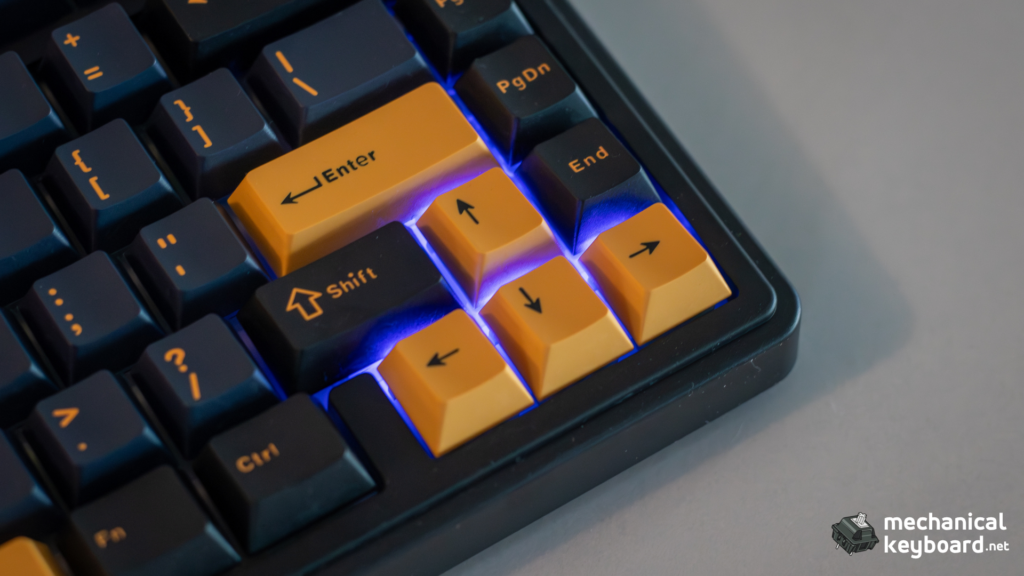
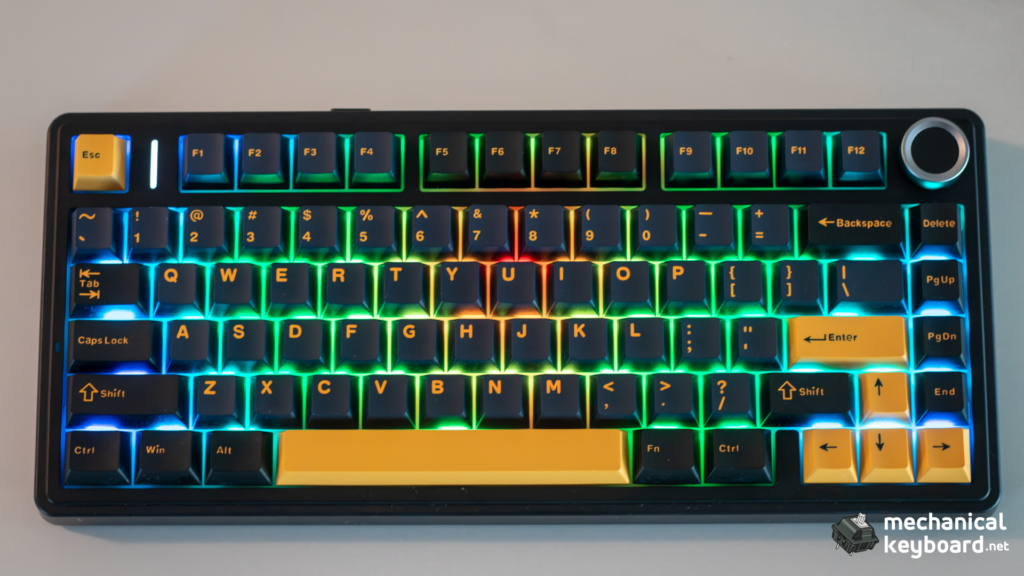
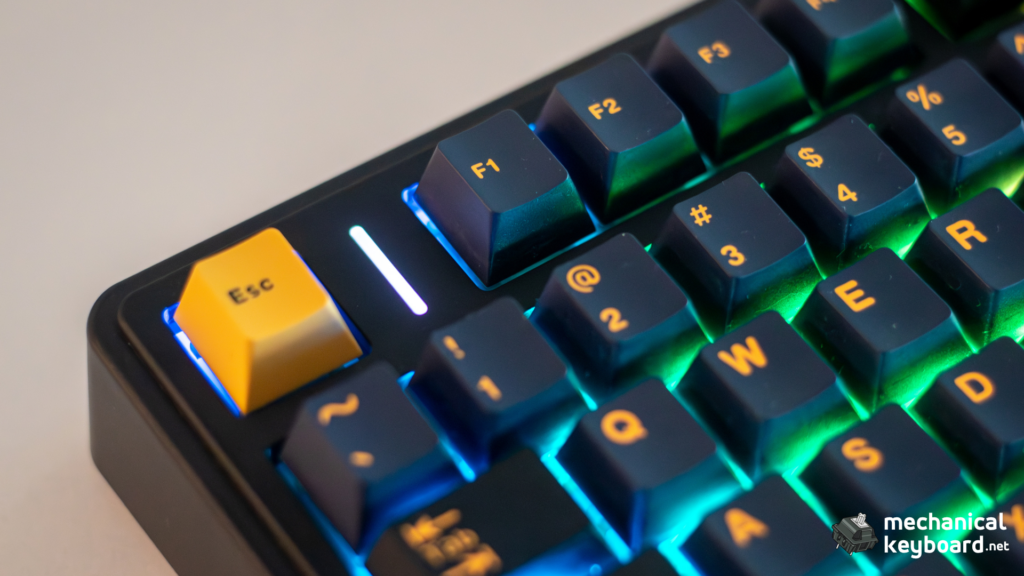
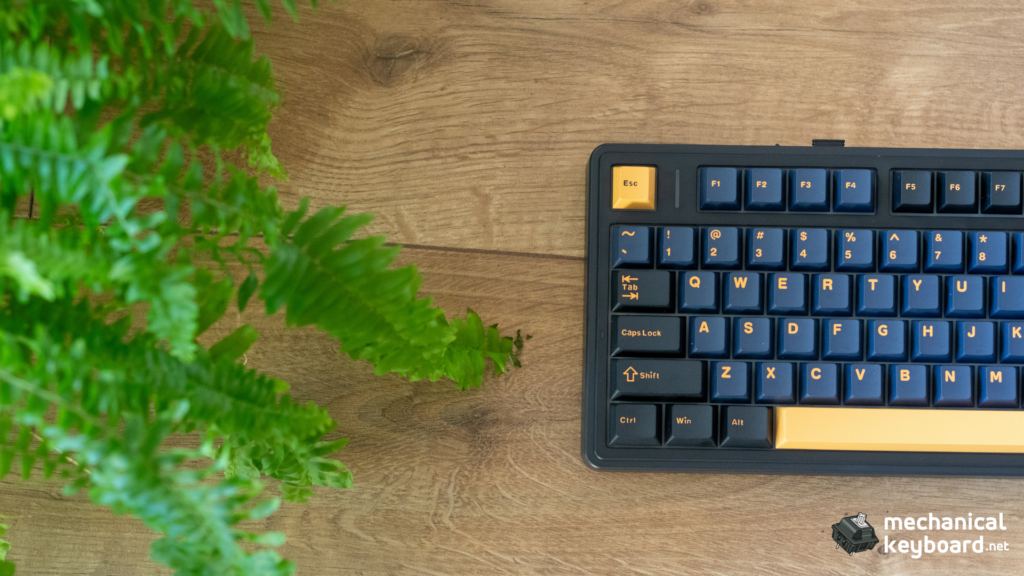
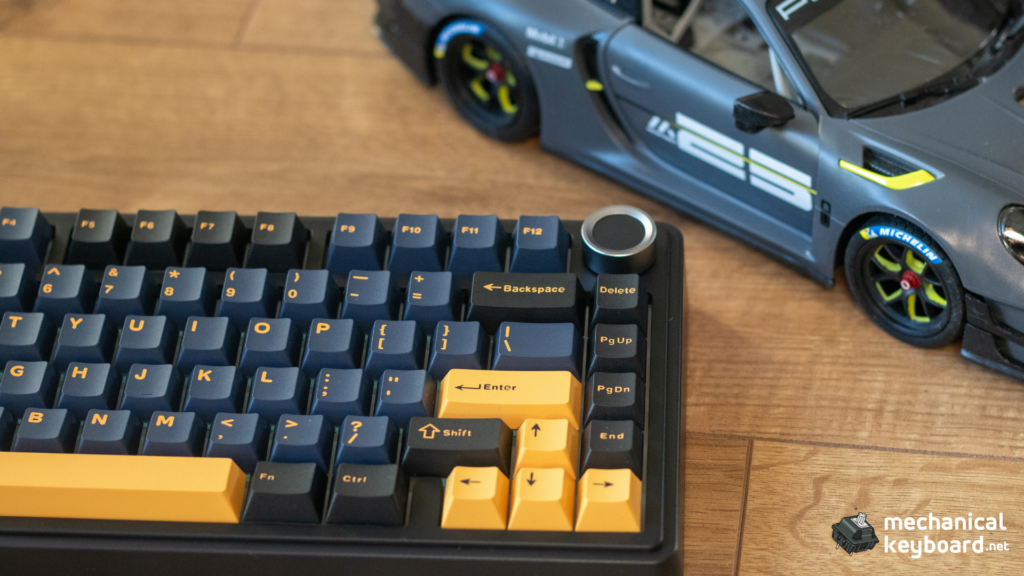
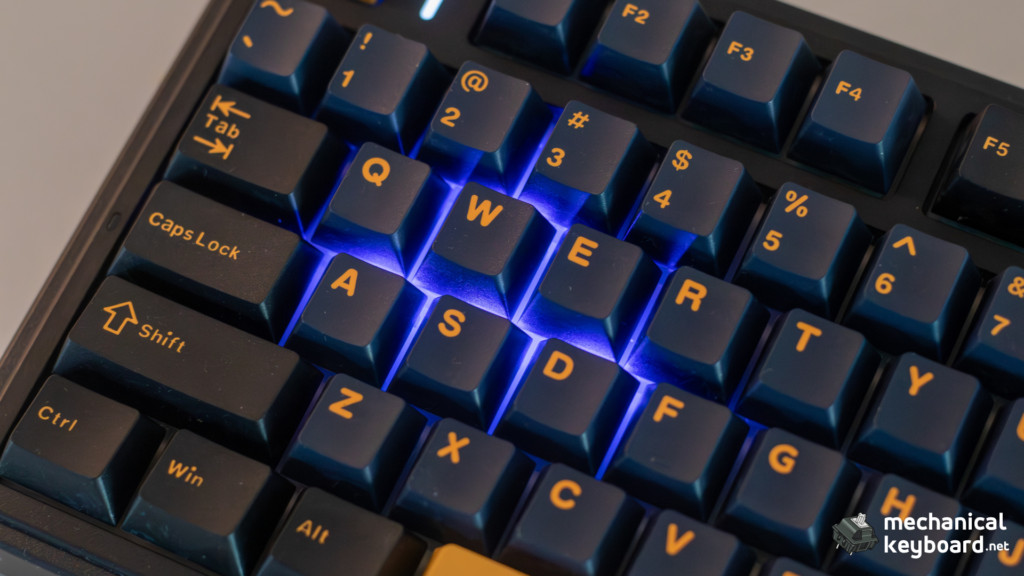
The Epomaker x Aula F75 follows the same compact 75% layout as the standard F75: 80 keys with a full F-row, arrow cluster, compressed navigation column, and a volume knob in the top-right corner. The collab model comes in several colorways including Light Blue, Black Gradient, and Glacier Blue, with side-printed legends on all variants.
The case is a sturdy plastic with an internal metal plate for rigidity. At around 1023g, it has enough heft to stay planted on the desk without feeling excessively heavy. The two-stage kickstand on the bottom offers two typing angles (roughly 6 and 9 degrees), and the front height is low enough that most users will not need a wrist rest.
Key difference from standard Aula F75: The collab uses dual-shot PBT keycaps instead of the base model’s ABS. These resist shine longer and have a slightly textured feel. The side-printed legends on our Thunder Black unit are clean, evenly backlit, and show no fading after three weeks of use.
Typing feel and sound
The gasket-mounted structure with five layers of sound-dampening foam gives the Epomaker x Aula F75 a typing feel that is noticeably softer and more controlled than typical tray-mount budget boards. The flex-cut PC plate adds a subtle give on each keystroke, reducing finger fatigue during long typing sessions.
Leobog Ice Vein switches (our unit)
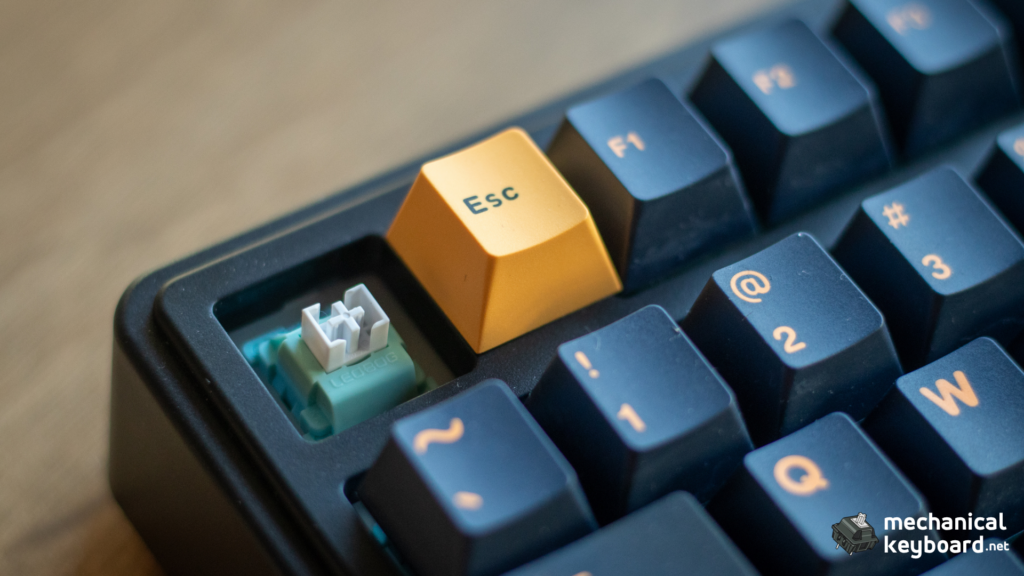
The Ice Vein linear is a factory-lubed switch with a light spring weight (around 40g actuation). The sound profile is deep and creamy, with the five-layer foam stack taming any higher-pitched overtones. The factory lubing is generous and consistent across all keys, with minimal stem wobble on standard keycaps. For a budget linear at this price point, the Ice Vein is impressively refined — smoother than many switches found on boards costing twice as much.
Leobog Reaper switches (alternative option)
The Reaper linear is slightly heavier than the Ice Vein (around 45g actuation, 55g bottom-out) and produces a livelier clack-thock hybrid sound. Some users prefer the Reaper for gaming because of the crisper bottom-out feedback. The Ice Vein wins on smoothness and depth of sound, while the Reaper wins on responsiveness and tactile feedback. Both are excellent stock options that outperform what most budget keyboards ship with.
Gaming performance and latency
Over 2.4 GHz wireless, the Epomaker x Aula F75 maintains a stable 1000 Hz polling rate. In our testing across CS2, Valorant, and OSU!, we did not detect any perceptible input lag compared to wired mode. Independent lab testing from LTT Labs measured the wired latency at approximately 4.6ms and Bluetooth at approximately 22.7ms. The 2.4 GHz mode sits between these two figures and is, in practice, indistinguishable from wired for the vast majority of players.
| Mode | Latency (measured/estimated) | Notes |
|---|---|---|
| Wired USB-C | ~4.6ms | LTT Labs measurement |
| 2.4 GHz wireless | ~5-8ms | Community consensus; no lab-grade 2.4GHz measurement available |
| Bluetooth 5.0 | ~22.7ms | LTT Labs measurement; best for productivity |
Full N-key rollover is supported over wired and 2.4 GHz modes, so complex key combinations register correctly in rhythm games and MMOs. For a deeper look at what NKRO means in practice, see our what is NKRO explainer.
Connectivity and battery
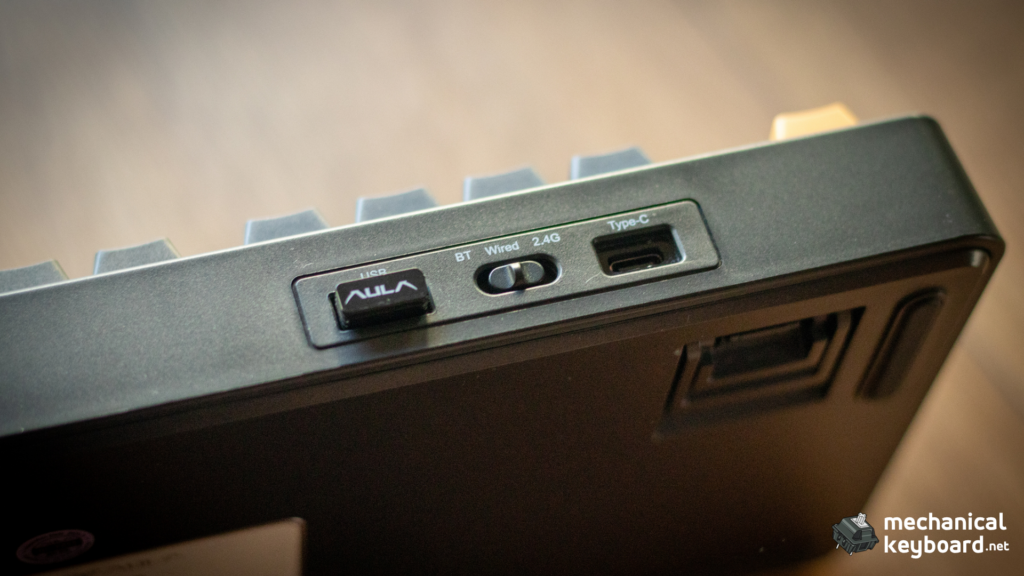
The Epomaker x Aula F75 supports Bluetooth 5.0, 2.4 GHz via USB dongle, and wired USB-C. Switching between modes is handled by a physical toggle on the bottom of the case, which is more reliable than Fn-based mode switching found on some competitors.
The battery is rated at 4000mAh. In our testing with RGB at 50% brightness and 8-hour daily sessions over 2.4 GHz, we got 4 full work days before needing to recharge. With RGB off, that extended to roughly 7 days. Charging over USB-C takes about 3 hours from empty to full.
Tip: For longer battery life between charges, turning off RGB or running a static color mode extends runtime significantly. The 4000mAh battery gives roughly 80 hours of use with backlight off, based on Epomaker’s specifications.
Software and customization
The Epomaker x Aula F75 uses a proprietary Windows-only driver for customization. The software supports per-key RGB control, macro recording, key remapping, polling rate adjustment, and profile management. To use it:
- Download the driver from Epomaker’s product page for the Aula F75.
- Connect the keyboard over USB-C (wireless mode is not detected by the software).
- Configure your layout, lighting, and macros, then save to onboard memory.
- Disconnect the cable and go back to wireless with your profile stored.
Limitation: There is no QMK or VIA support on this model. If you need full layer-based customization, the F75 Ultra is the only variant with VIA compatibility. Some users have also reported that the software can be picky about USB hubs — if detection fails, try a motherboard USB-A port directly.
For basic adjustments (RGB mode, brightness, media control), the onboard Fn layer covers the essentials without needing the software at all.
How it compares to the standard Aula F75
| Feature | Epomaker x Aula F75 | Standard Aula F75 |
|---|---|---|
| Keycaps | Dual-shot PBT, side-printed | ABS, top-printed |
| Foam layers | 5 layers | 3 layers |
| Switch options | Ice Vein (our unit) or Reaper | Reaper (usually) |
| Stabilizer tuning | Factory-lubed, well-tuned | Decent but more variable |
| LED direction | South-facing | North-facing (base) or south-facing (Pro) |
| Price | $65-$80 | $50-$65 |
| Best for | Best out-of-box experience | Budget build, planning to mod anyway |
If you are planning to swap keycaps and switches immediately, the standard F75 saves you $15-$20 with no meaningful loss. If you want the best experience out of the box with no modding, the Epomaker collab is worth every dollar of its premium.
Price and value
The Epomaker x Aula F75 typically retails between $65 and $80 depending on the retailer and sales timing. Amazon US lists the collab model at around $69.99, while the Epomaker store occasionally runs sales that bring it below $60. This puts it in the sweet spot: more expensive than the bottom-barrel $40 boards, but significantly cheaper than the $100+ premium 75% options like the NuPhy Halo75 V2 or Keychron V1 Max.
At this price, the value proposition is clear: you are getting a gasket-mounted, hot-swappable, tri-mode wireless keyboard with PBT keycaps and genuinely good stock sound. There is nothing in this price bracket that matches all of these features together.
Who should buy the Epomaker x Aula F75
Buy it if:
* You want a great typing experience under $80 without modding.
* You need tri-mode wireless to switch between gaming and productivity setups.
* You value PBT keycaps and south-facing LEDs for keycap compatibility.
* You are new to mechanical keyboards and want something that sounds and feels premium out of the box.
Skip it if:
* You need full QMK/VIA programmable layers (look at the F75 Ultra or Keychron V1 Max).
* You have a strict sub-$50 budget (the standard Aula F75 or Akko 5075S are better options).
* You prefer an exploded 75% layout with dedicated Home and Delete keys (consider the Epomaker EA75).
* You need macOS software support for RGB remapping.
Bottom line
The Epomaker x Aula F75 is the best-value 75% wireless mechanical keyboard on the market in mid-2026. The gasket mount, PBT keycaps, hot-swap sockets, and tri-mode connectivity combine to deliver a typing experience that genuinely rivals boards costing twice as much. The Ice Vein linear switches are smooth and refined out of the box (with Reaper available as an alternative), and the stabilizer tuning is the best we have seen at this price point.
The only real compromises – proprietary software and the lack of QMK/VIA are shared with every direct competitor at this price. If you can live with the official driver, this keyboard is an easy recommendation.
Where to Buy
The standard Epomaker x Aula F75 is available at these retailers worldwide:
🌎 Global
| Retailer | Link |
|---|---|
| Epomaker Official | Buy on Epomaker |
| AULA Official | Buy on AULAgear |
| AliExpress | Buy on AliExpress |
| Banggood | Buy on Banggood |
| MechLands | Buy on MechLands |
🇺🇸 Americas
| Retailer | Link |
|---|---|
| Amazon US | Buy on Amazon.com |
| Newegg | Buy on Newegg |
| Canada | Buy on Amazon.ca |
| Mexico | Buy on Amazon.com.mx |
| Brazil | Buy on Amazon.com.br |
🇪🇺 Europe
| Retailer | Link |
|---|---|
| UK | Buy on Amazon.co.uk |
| Germany | Buy on Amazon.de |
| France | Buy on Amazon.fr |
| Italy | Buy on Amazon.it |
| Spain | Buy on Amazon.es |
| Netherlands | Buy on Amazon.nl |
| Sweden | Buy on Amazon.se |
🌏 Asia-Pacific
| Retailer | Link |
|---|---|
| Japan | Buy on Amazon.co.jp |
| India | Buy on Amazon.in |
| India | Buy on Meckeys |
| Australia | Buy on Amazon.com.au |
| Australia | Buy on Epomaker AU |
| Thailand | Buy on Lazada TH |
| Indonesia | Buy on Tokopedia |