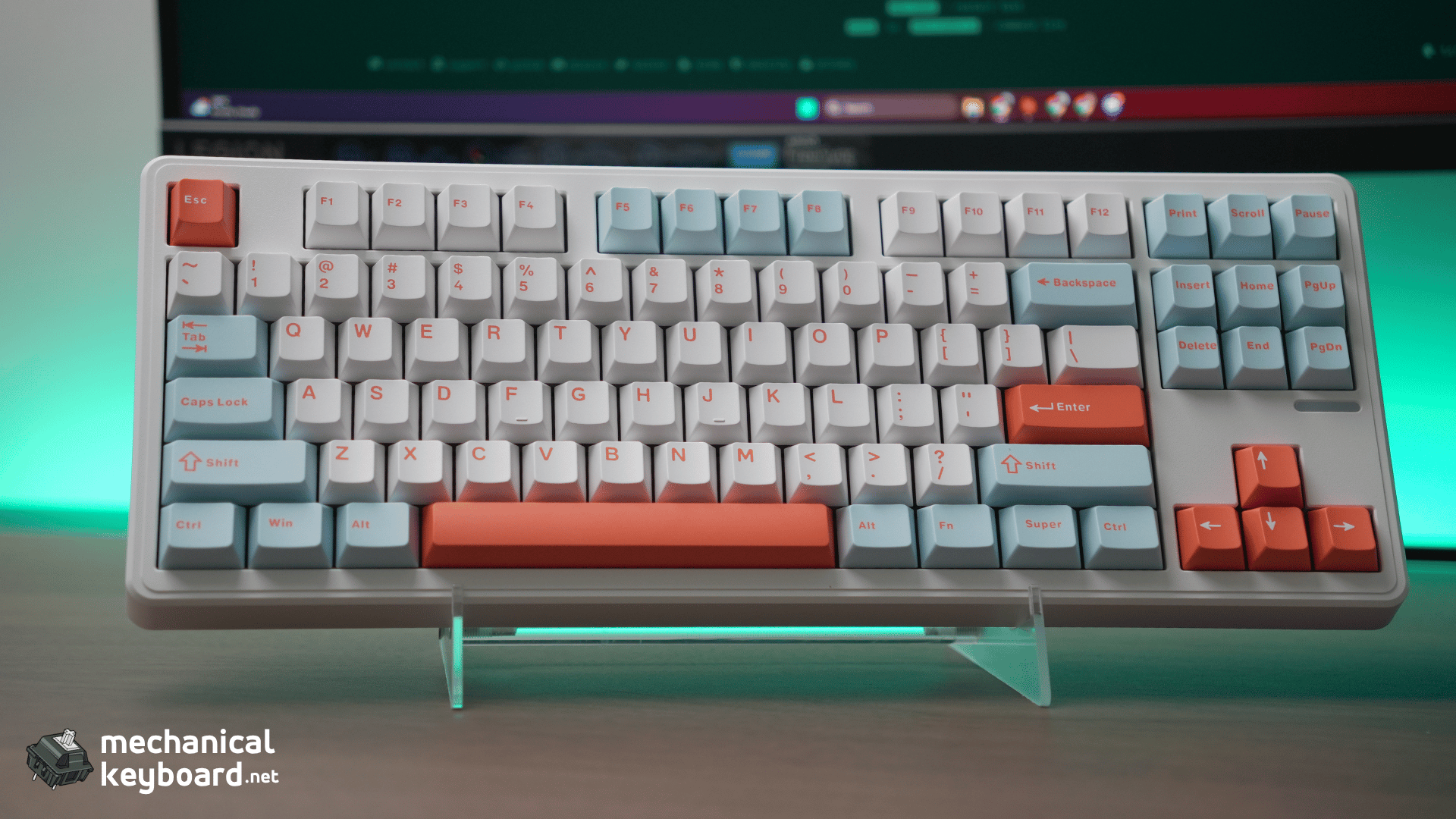
The PMOKEY Impact 80 is an 80% mechanical keyboard with gasket mount, tri-mode wireless, VIA compatibility, and HMX Cheese linear switches. Prices start at $49.99. And when I used it for the first time, I was honestly surprised how it feels and how good it sounds.
- Specs at a Glance
- Who Buys a $60 Keyboard?
- Unboxing & First Impressions
- Build Quality : Plastic Done Right
- HMX Cheese Switch Deep Dive
- Typing Experience : Stock
- Wireless & Battery
- Software : VIA Support
- RGB : South-Facing + Perimeter Strip
- The Big Bracket: 5-Way Budget 80% Comparison
- Is WOBKEY Legit? (And What About SmackApe?)
- Verdict
- Where to Buy
- FAQ
Score: 9/10 (on a budget scale. This is not a $300 keyboard, and it does not pretend to be one)
Best for: First-time buyers who want that creamy/thocky sound without learning to mod. Gamers who need a low-latency wireless 80%. Anyone who wants VIA support without spending more than $60.
Skip if: You need an aluminum case at any cost. You want a knob. You are a heavy typist who prefers 55g+ switches.
Bottom line: The Impact 80 is the best value 80% keyboard on the market right now. Gasket mount, tri-mode wireless, VIA support, and genuinely good stock switches for around $50 is a combination that did not exist before this keyboard.
Specs at a Glance
| PMOKEY Impact Specs | Detail |
|---|---|
| Layout | 80% (87 keys) |
| Case | ABS plastic |
| Mount | Gasket mount |
| Plate | PC (Standard/Pro), FR4 (Ultra) |
| Switches | HMX Cheese 45g linear (Pro), BSUN Polar 40g (Standard), Kailh Frost Blue 45g (Ultra) |
| Keycaps | Double-shot PBT, Cherry profile |
| Hot-swap | Yes (3-pin and 5-pin) |
| Sound dampening | Poron core foam + 8x IXPE switch pad + socket foam + PCB film |
| Connectivity | USB-C wired + Bluetooth 5.0 + 2.4GHz wireless |
| Latency | Ultra-low (2ms dual-MCU marketing) / 2.71ms per LumeKeebs |
| RGB | South-facing per-key + perimeter RGB strip |
| Battery | 4,000mAh (Standard/Pro), 8,000mAh (Ultra) |
| VIA support | Yes (configure in wired mode) |
| Weight | ~1.1kg (1100g) |
| Dimensions | 364.5 x 140.5 x 33.5mm |
| Price | $49.99 (Standard), $55.99 (Pro), $59.99 (Ultra) |
Who Buys a $60 Keyboard?
Before we get into the review, it helps to understand who this keyboard is for. The $50-70 mechanical keyboard market is the most competitive segment in the hobby, and the buyers fall into five groups:
- The First-Timer (about 35% of buyers): wants to try mechanical without risk. Has heard “gasket mount” and “thock” on YouTube. Budget ceiling is $60.
- The Budget Enthusiast (about 25%): knows the hobby, has limited funds. Wants VIA, hot-swap, and moddability.
- The Gamer-on-a-Dime (about 20%): needs low-latency wireless and a TKL for desk space. RGB is a bonus.
- The Office Upgrader (about 12%): moving from membrane to mechanical. Wants quiet, clean, wireless.
- The Second Board Buyer (about 8%): already owns a full-size board. Wants a compact TKL for travel.
Every single one of these buyers compares spec sheets mercilessly. They want to know exactly how much keyboard they get for their money. The Impact 80’s job is to win that comparison. And at this price point, you get one of the best sounding & feeling keyboard right out of the box.
Unboxing & First Impressions
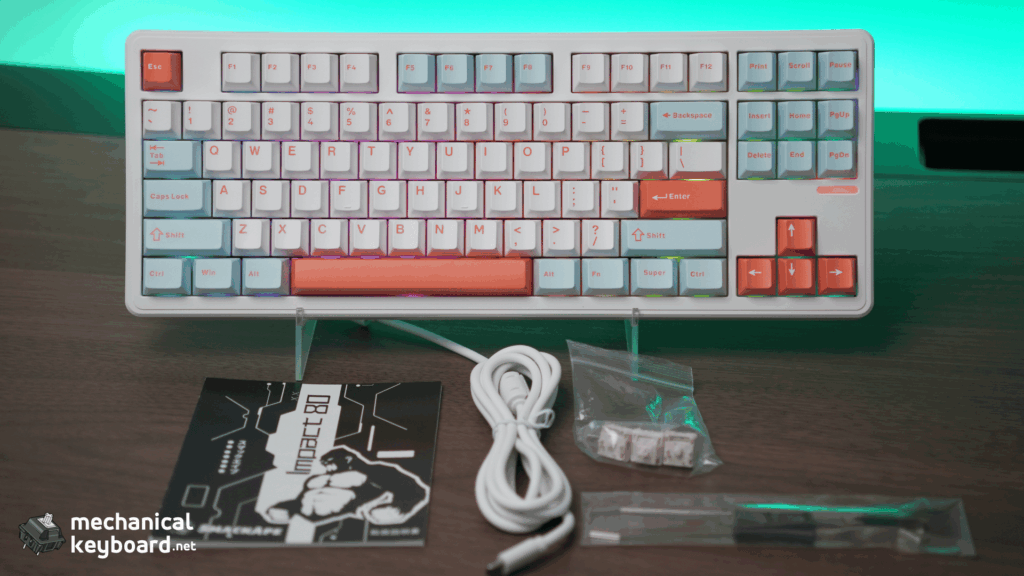
The Impact 80 arrives in a standard box with a USB-C cable, a keycap puller, a switch puller, and a manual. Nothing fancy, but nothing missing either.
First touch tells you this is a solid, dense board. At about 1.1kg, it is heavier than most plastic keyboards at this price. The board does not creak and does not flex under normal typing force.
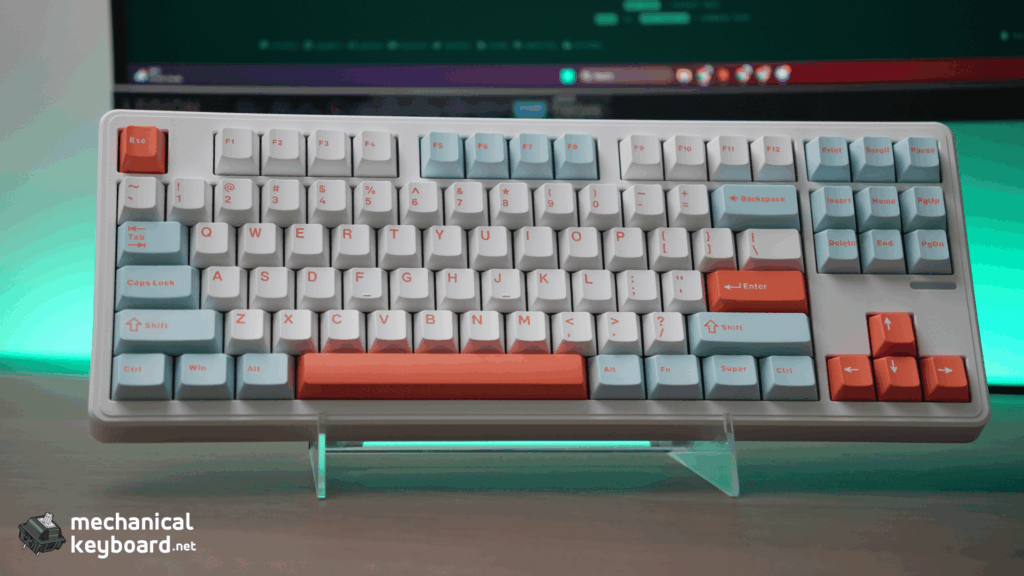
The first thing you will notice is the Cherry profile keycaps. At $49-59, most boards ship with OEM profile. Cherry profile is deeper, with a shorter height that produces a fuller sound. This is the first sign that PMOKEY made deliberate choices about where to spend the budget.
Build Quality : Plastic Done Right
The ABS Case
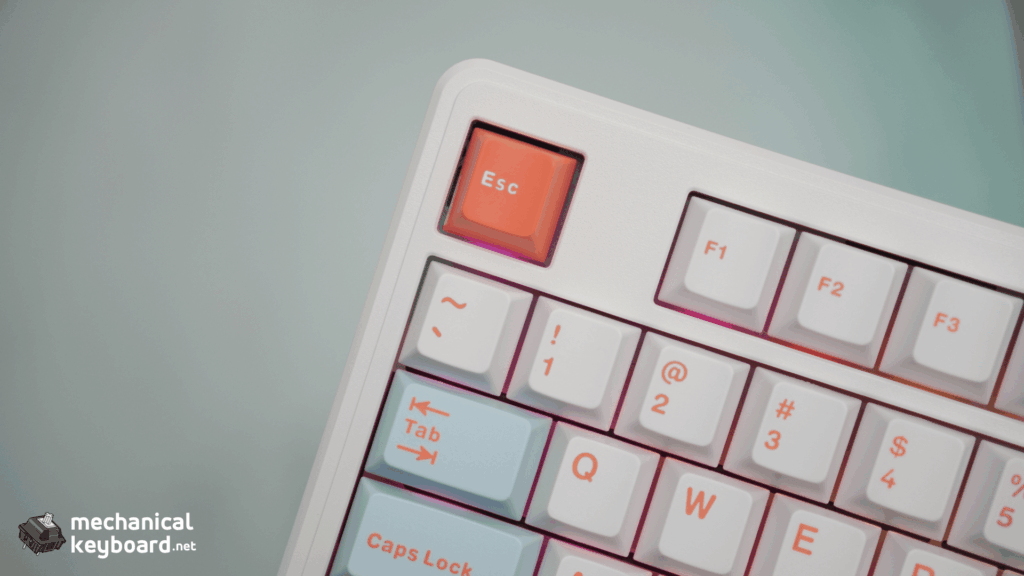
The Impact 80 uses an ABS plastic case. If you are used to CNC aluminum boards, this will feel light and hollow by comparison. But within the context of its price bracket, the build quality is excellent. The case halves fit together cleanly with no visible gaps. The USB-C port is recessed but accessible with most cables. The rubber feet are grippy and the board does not slide during typing.
| Keyboard | Weight |
|---|---|
| Impact 80 | ~1,100g (1.1kg) |
| Aula F87 (base) | 916g |
| Aula F87 Pro | 1,023g |
| RK84 | ~800g |
The Impact 80 is the heaviest among these confirmed figures, which aligns with its dense foam stack and solid internal construction.
Gasket Mount
The Impact 80 is marketed with a silicone particle gasket mount using a slotted PC plate (Standard and Pro) or FR4 plate (Ultra). On paper the slotted design should offer more give than a solid plate. In practice, the assembly still feels firm with limited perceptible flex at the plate level. Most of the “give” in the typing feel comes from the foam layers rather than the plate itself. Do not expect the soft, bouncy give of a premium gasket board.
That said, the acoustic benefits are real. Japanese reviewers have described the sound as “koto-koto” (a soft, rhythmic tapping), and the combination of the gasket structure and dense foam stack delivers a clean, controlled typing sound that is rare at this price.
Internal Sound Dampening
The Impact 80 uses a four-layer dampening stack: high-density poron core foam, an 8x IXPE switch pad, high-density poron socket foam, and a film layer on the slotted PCB itself. This is a denser stack than most boards at this price and is the primary reason the Impact 80 sounds cleaner and more controlled than its competitors.
HMX Cheese Switch Deep Dive
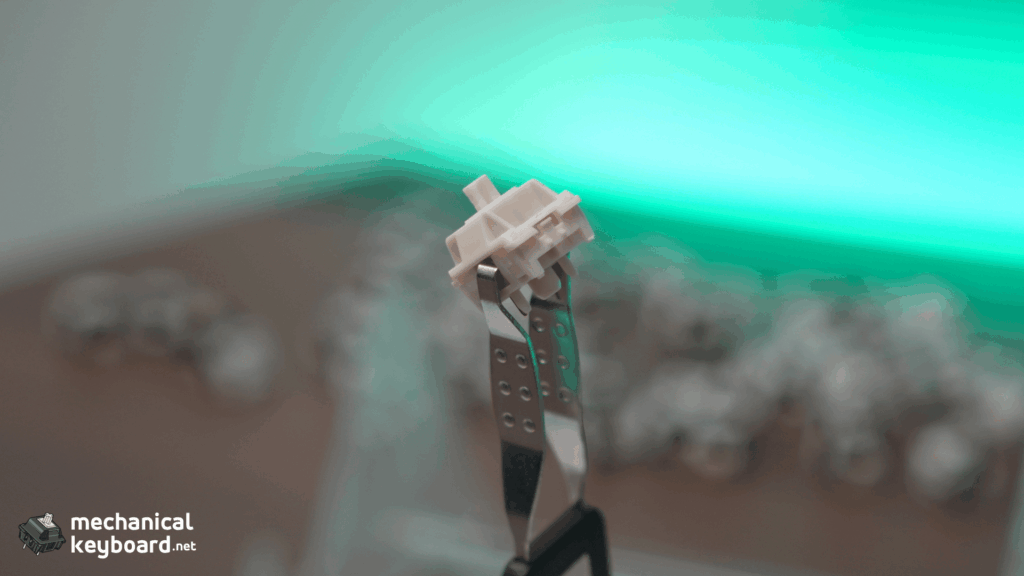
The Impact 80 ships with HMX Cheese linear switches. This is an unusual choice for a $55 keyboard. Most boards at this price use generic OEM switches or house-branded budget linears. HMX is an established enthusiast manufacturer with a strong reputation for smooth factory-lubed switches.
Who Is HMX?
HMX is a Chinese switch manufacturer based in Shenzhen, closely related to JWK (one of the largest OEM switch makers in the industry). They emerged around 2022 and quickly built a reputation for producing some of the smoothest stock linear switches in the budget tier. In enthusiast communities, HMX switches are frequently recommended as alternatives to Gateron Milky Yellows and Akko Creamy Yellows, often beating them on stock smoothness.
HMX Cheese Specs
| Spec | Value |
|---|---|
| Manufacturer | HMX |
| Type | Linear |
| Operating force | 45gf |
| Stem material | POM |
| Housing | PC top + nylon bottom |
| Pre-travel | 2.0mm |
| Total travel | 3.5mm |
| Lifespan | 60 million keystrokes |
| Factory lubed | Yes |
| Mount | 5-pin PCB mount |
Stock Performance
The HMX Cheese switches come factory lubed with a generous but consistent application. There is no scratchiness on the upstroke, no spring crunch, and no stem wobble beyond what you would expect from a budget linear. They feel noticeably smoother than stock Gateron Milky Yellows and significantly smoother than Cherry MX Reds.
The 45gf actuation is lighter than the 50gf Gateron Yellow standard. This makes the Cheese switch ideal for long typing sessions and for first-time mechanical keyboard users who may find heavier switches fatiguing. It is not so light that you will trigger accidental keystrokes.
Sound Profile
The HMX Cheese produces a creamy, slightly deep sound in the Impact 80. The combination of the POM stem, the gasket mount, and the dense foam stack gives a controlled thock that punches well above the price point. The board sounds genuinely good out of the box. No modding required.
Comparison to Other Budget Linears
| Switch vs HMX Cheese | Smoothness (stock) | Weight | Sound | Need Lube? |
|---|---|---|---|---|
| Gateron Milky Yellow | Slightly worse | Heavier (50g) | Brighter, clacky | Yes |
| Akko CS Creamy Yellow | Comparable | Heavier (50g) | Medium | Maybe |
| Kailh Box Red | Worse (scratchy) | Same (45g) | Brighter | Yes |
| Cherry MX Red | Worse | Same (45g) | Medium, scratchy | Yes |
| BSUN Polar | Comparable | Lighter (40g) | Deeper | Maybe |
The verdict is straightforward: the HMX Cheese switches are among the best stock linears you will find in a prebuilt keyboard at this price. If you built a custom board and chose these switches, you would not feel the need to swap them.
Typing Experience : Stock
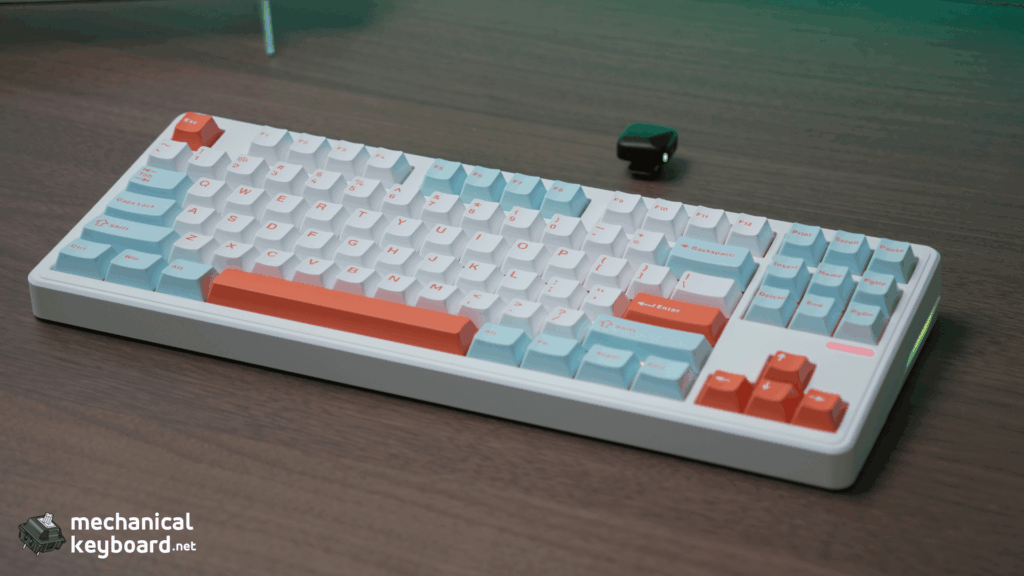
The Impact 80 delivers a genuinely creamy, thocky typing experience out of the box. This is not something you should expect from a $55 keyboard, but it is real. And I MEAN it.
The Cherry profile PBT keycaps play a significant role here. Cherry profile is lower and more curved than OEM, which produces a fuller, deeper sound. Most budget boards use OEM profile because it is cheaper to manufacture. PMOKEY’s decision to use Cherry profile is a direct upgrade to the typing sound.
The stabilizers are pre-lubed and well-tuned. The spacebar does not rattle. The enter key and backspace do not ping. At this price point, rattly stabilizers are the norm. The Impact 80’s stabilizer tuning is a genuine surprise and puts it in contention with our favourite thocky budget switches.
After a few weeks of daily use, the switches have smoothed slightly as the factory lube has worked into the stem rails. The sound has mellowed into a consistent, quiet thock that works well in an office environment.
Wireless & Battery
The Impact 80 supports three connection modes: USB-C wired, 2.4GHz wireless, and Bluetooth 5.0. The 2.4GHz dongle is stored magnetically in a compartment on the bottom of the case.
Latency: PMOKEY markets the Impact 80’s dual-MCU architecture for ultra-low latency (headline figure of 2ms). LumeKeebs’ listing cites 2.71ms. In practice, wired and 2.4GHz feel indistinguishable for typing and gaming. Bluetooth is fine for productivity but has a perceptible delay for fast-paced games, as is standard for BT keyboards generally.
Battery life depends on the variant:
With RGB off and moderate daily use (6-8 hours/day), the 4,000mAh battery lasts about a week. The 8,000mAh Ultra variant should last around two weeks. With RGB on, expect 2-3 days for the Standard/Pro and 5-6 days for the Ultra.
Software : VIA Support
VIA compatibility is fully supported and confirmed. The Impact 80 works with VIA for key remapping, custom layers, RGB control, and macros using a dedicated JSON file. VIA support is the single biggest differentiator between the Impact 80 and its closest competitor, the Aula F87, which uses proprietary software that is Windows-only and limited.
One practical note: VIA requires the keyboard to be in wired mode for detection and configuration. Changes then persist to wireless modes. There is also a separate proprietary firmware version that replaces VIA with advanced lighting effects, so check which firmware your unit ships with if VIA is essential to you.
VIA lets you remap every key, create custom layers, adjust RGB, and configure macros from a browser. No downloads, no account creation, no Windows-only limitations. It works on macOS and Linux too.
At $59.99, the Impact 80 is the cheapest VIA-compatible 80% keyboard on the market. The Keychron V1 also has VIA, but the wired-only version is the same price, and the wireless V1 Max is $89. The Impact 80 gives you VIA and tri-mode wireless for the same price that Keychron charges for VIA alone.
RGB : South-Facing + Perimeter Strip
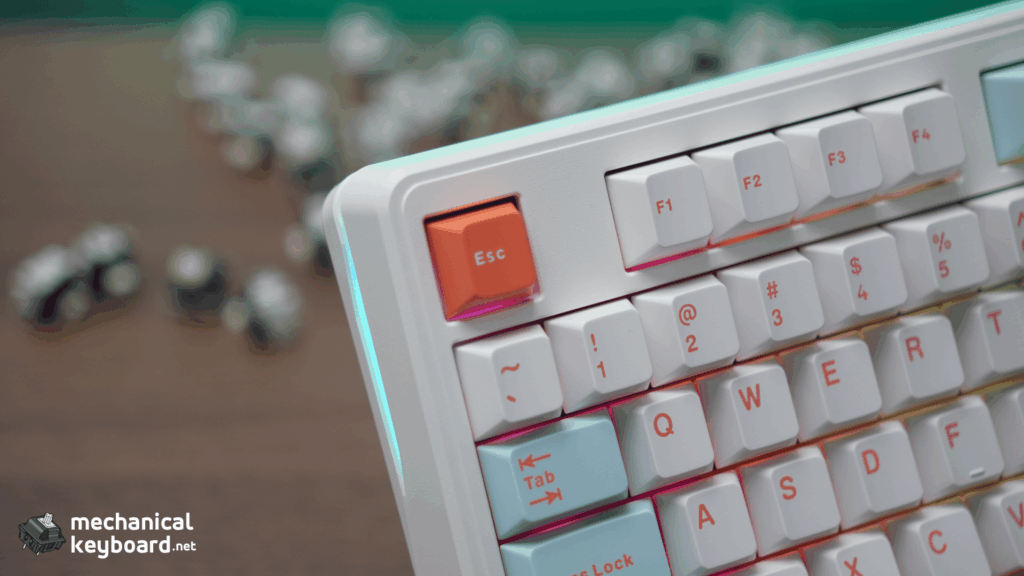
The Impact 80 has south-facing per-key RGB LEDs plus an additional perimeter light strip that runs along the bottom edge of the case. The perimeter strip is uncommon at this price. Most budget boards have backlighting only.
The south-facing orientation means no interference with Cherry profile keycaps. The lighting is bright and uniform, and the frosted switch housings diffuse the light evenly.
The Big Bracket: 5-Way Budget 80% Comparison
This is the section that matters most to a budget keyboard buyer. Here is how the Impact 80 stacks up against every major competitor in its price range.
Full Comparison Table
| Feature | Impact 80 | Aula F87 | Keychron V1 | RK RK84 | Epomaker TH80 V2 |
|---|---|---|---|---|---|
| Price | $49-59 | $50-60 | $59 (wired) | $55-65 | $60-70 |
| Layout | 80% (87) | 75% (87) | 75% (84) | 75% (84) | 75% (82) |
| Mount | Gasket | Gasket | Gasket | Tray | Gasket |
| Wireless | Tri-mode | Tri-mode | Wired only | Tri-mode | Tri-mode |
| VIA | Yes (wired mode) | No | Yes | No | Yes |
| Keycaps | Cherry PBT | OEM PBT | OSA PBT | OEM PBT | OEM PBT |
| Switches | HMX Cheese | Graywood V3 | Gateron Jupiter | RK switches | Flamingo/Wisteria |
| Stabs | Pre-lubed | Moderate | Good | Rattly | Decent |
| Knob | No | No | No | No | Yes |
| Battery | 4000-8000mAh | 4000mAh | N/A (wired) | 3750mAh | 8000mAh |
Round 1: Impact 80 vs Aula F87
The Aula F87 is the current budget king and the Impact 80’s closest competitor. Both have gasket mount, both are tri-mode, both cost about the same.
Impact 80 wins on: VIA support (F87 has no VIA), Cherry profile keycaps (fuller sound than OEM), stabilizer tuning (F87’s are decent but can ping).
Aula F87 wins on: Availability (easier to find on Amazon), slightly more known brand name.
Winner: Impact 80. VIA support alone makes the difference. If you care about remapping keys or custom layers, the Impact 80 is the clear choice.
Round 2: Impact 80 vs Keychron V1
Keychron is the established player, and the V1 is a solid gasket-mount board with full VIA support. But the standard V1 is wired only. The wireless V1 Max costs $89, which is $30 more than the Impact 80 Ultra.
Impact 80 wins on: Wireless at the same price, Cherry profile keycaps (V1 uses OSA), lower price for equivalent features.
Keychron V1 wins on: Slightly thicker case, more established brand, screw-in stabilizers.
Winner: Impact 80. If wireless matters to you, the Impact 80 is the better value. If you only type at a desk and never need wireless, the V1 is a solid alternative.
Round 3: Impact 80 vs RK84
The RK84 is one of the older designs on this list, and it shows. It uses tray mount instead of gasket mount, has proprietary RK software instead of VIA, and its stock stabilizers are notoriously rattly.
Impact 80 wins on: Gasket mount, VIA support, stabilizer tuning, better switches.
RK84 wins on: Slightly more compact layout (84 keys in a 75% footprint), longer market presence.
Winner: Impact 80. This is not close. The RK84 was a good board in 2022. The Impact 80 is a better board in 2026.
Round 4: Impact 80 vs Epomaker TH80 V2
The Epomaker TH80 V2 is the closest direct competitor from the Epomaker stable. It has gasket mount, tri-mode wireless, and VIA support, like the Impact 80. But it costs $10-15 more and uses OEM profile keycaps instead of Cherry profile.
Impact 80 wins on: Price ($10-15 less), Cherry profile keycaps, HMX Cheese switches (better than Epomaker’s house switches).
TH80 V2 wins on: Knob (the Impact 80 does not have one), 8000mAh battery standard (Ultra on Impact 80).
Winner: Impact 80. The knob is the TH80’s only real advantage, and it does not justify the price gap.
Bracket Winner
The Impact 80 wins every round. No other board at this price matches the combination of gasket mount, tri-mode wireless, VIA support, Cherry profile PBT keycaps, and well-lubed stock stabilizers. It is the best value 80% keyboard you can buy right now. For higher-end options from the same brand family, see our Epomaker Glyph review and Luma 40 review.
Is WOBKEY Legit? (And What About SmackApe?)
This is a real question that people search for.
A note on branding: this keyboard goes by several names depending on where you buy it. It is sold as the PMOKEY Impact 80 on WOBKEY’s store, as the PMOKEY Impact 80 on some third-party sites, and as the SmackApe Impact 80 on the unit itself (the box and the PCB both say SmackApe). Some sources also list it under a KIBU branding variant. They are the same keyboard from the same factory. If you are searching for reviews under any of these names, the information here applies.
WOBKEY is a Chinese keyboard brand that gained recognition with the Rainy75, an aluminum gasket-mount 75% that was widely praised as one of the best value releases of 2024. Since then, they have expanded into the Impact series and other budget models.
Their reputation in the enthusiast community is generally positive. They are seen as bringing premium features (gasket mount, VIA, good switch choices) to price points that did not exist before. They are compared favourably to brands like MonsGeek, Akko, and Yunzii.
If you are ordering from their US warehouse, shipping takes 1-3 days. If ordering from their China warehouse, expect 2-4 weeks.
Verdict
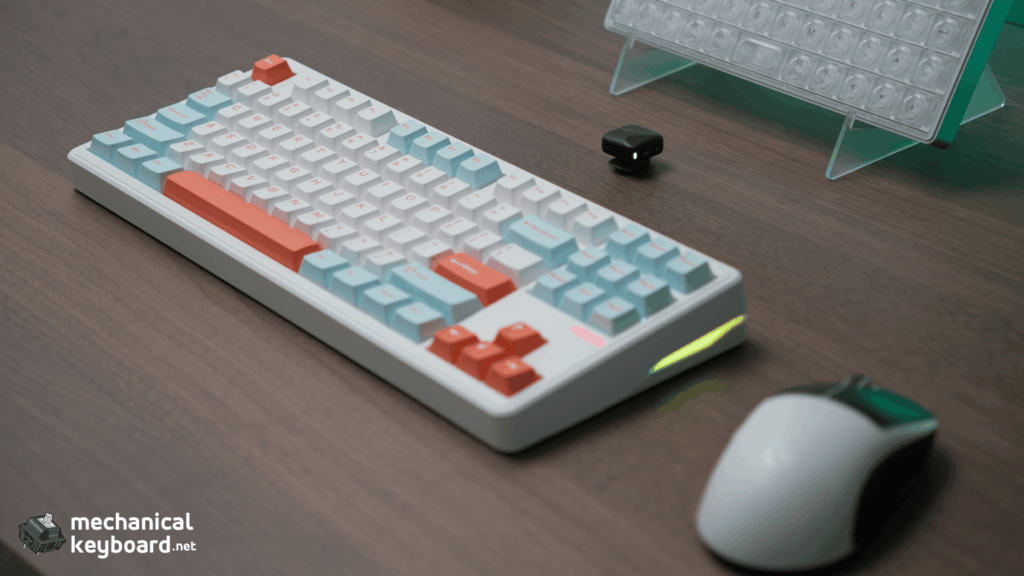
The PMOKEY Impact 80 is the best value 80% mechanical keyboard available in 2026. It delivers gasket mount, tri-mode wireless, VIA compatibility, Cherry profile PBT keycaps, and genuinely good stock switches for $49 to $59. No other board in its price bracket matches this feature set.
The ABS plastic case is the one place where the cost saving is visible, but the gasket mount and internal dampening do enough to make the typing experience feel more expensive than the chassis suggests. The HMX Cheese switches are a genuine highlight. They are smoother than the budget standard and produce a creamy, thocky sound that most boards at this price can only achieve with aftermarket modding.
Who should buy it: First-time buyers who want great sound without modding. Gamers who need wireless + 80% + VIA. Office workers upgrading from a membrane board.
Who should skip it: Anyone who needs an aluminum case. Anyone who requires a knob. People who prefer heavier switches (55g+) and do not want to swap.
Where to Buy
| Source | Price | Notes |
|---|---|---|
| WOBKEY Direct | $49.99 – $59.99 | Full warranty, all variants |
| LumeKeebs | $49.99 – $59.99 | US-based, fast shipping |
| Amazon | ~$55 – $65 | Prime shipping, easier returns |
FAQ
Is the PMOKEY Impact 80 good for typing?
Yes. The gasket mount, HMX Cheese linear switches, and Cherry profile PBT keycaps produce a creamy, thocky sound out of the box. The 45gf actuation is light enough for all-day typing without fatigue.
Does the Impact 80 support VIA?
Yes. The Impact 80 is fully VIA compatible using a dedicated JSON file. Configure in wired mode (VIA detects the board over USB), and changes persist to all wireless modes. Note that a separate proprietary firmware version replaces VIA with advanced lighting effects, so verify your unit’s firmware if VIA matters to you.
Is WOBKEY a trustworthy brand?
Yes, based on their track record with the Rainy75 and Impact series. Customer support can be slower than larger brands, but the hardware quality has been consistently good.
HMX Cheese vs Gateron Yellow. Which is better?
The HMX Cheese is smoother stock due to better factory lubing and is lighter at 45gf vs 50gf. The Gateron Yellow has a slightly deeper sound profile. Most users will prefer the HMX Cheese for typing comfort.
Impact 80 vs Aula F87. Which should I buy?
Get the Impact 80 if you want VIA support and Cherry profile keycaps. Get the Aula F87 if you want a slightly more established brand and easier Amazon availability. Both are excellent at their price.
Does the Impact 80 have wireless?
Yes. Tri-mode: USB-C wired, 2.4GHz wireless (with magnetic dongle storage), and Bluetooth 5.0.
What is the battery life?
The Standard and Pro models have a 4,000mAh battery (about one week with RGB off). The Ultra model has an 8,000mAh battery (about two weeks).
Can you change the switches?
Yes. The Impact 80 uses standard 5-pin hot-swap sockets compatible with almost all MX-style mechanical switches.