
The AULA WIN68 HE Series is a 65% Hall Effect keyboard with 8000Hz polling, Rapid Trigger, and SOCD support starting at $49.99. We tested the HE MAX variant in Black Red with WingChun Magnetic switches to see how it stacks up against the growing budget HE competition.
- Specs at a Glance
- Build and Design
- Layout and Day-to-Day Typing
- WingChun Magnetic Switches
- HE MAX vs Standard: What Is the Difference?
- Gaming Performance: 8000Hz and Rapid Trigger
- Software and Driver
- RGB and Aesthetics
- Hot-Swap and Modding
- Where to Buy
- Pros and Cons
- Verdict: Who Should Buy the AULA WIN68 HE Series?
- How It Compares to Alternatives
- FAQ
Specs at a Glance
| Spec | Detail |
|---|---|
| Layout | 65% (68 keys) |
| Connectivity | Wired USB-C |
| Structure | Tray-Mount (per manufacturer) |
| Case Material | ABS Plastic |
| Plate | Metal positioning plate |
| Keycap Profile | OEM / Cherry |
| Switches | WingChun Magnetic (Hall Effect) |
| Actuation Force | 36gf |
| Bottom-out Force | 49gf |
| Stroke | 3.4±0.1mm |
| Keystroke Accuracy (MAX) | 0.02mm (manufacturer specification) |
| Polling Rate | 8000Hz |
| Anti-Ghosting | NKRO |
| RGB | South-facing, per-key, 16M colors |
| Hot-swap | Yes (HE magnetic switches only) |
| Software | Web-based driver (magnet.aulastar.com) |
| Weight | 0.7kg |
| Dimensions | 321 × 109 × 37.6mm |
| Price (tested variant) | $69.99 (Black Red MAX) |
| Price range | $49.99–$69.99 |
Build and Design
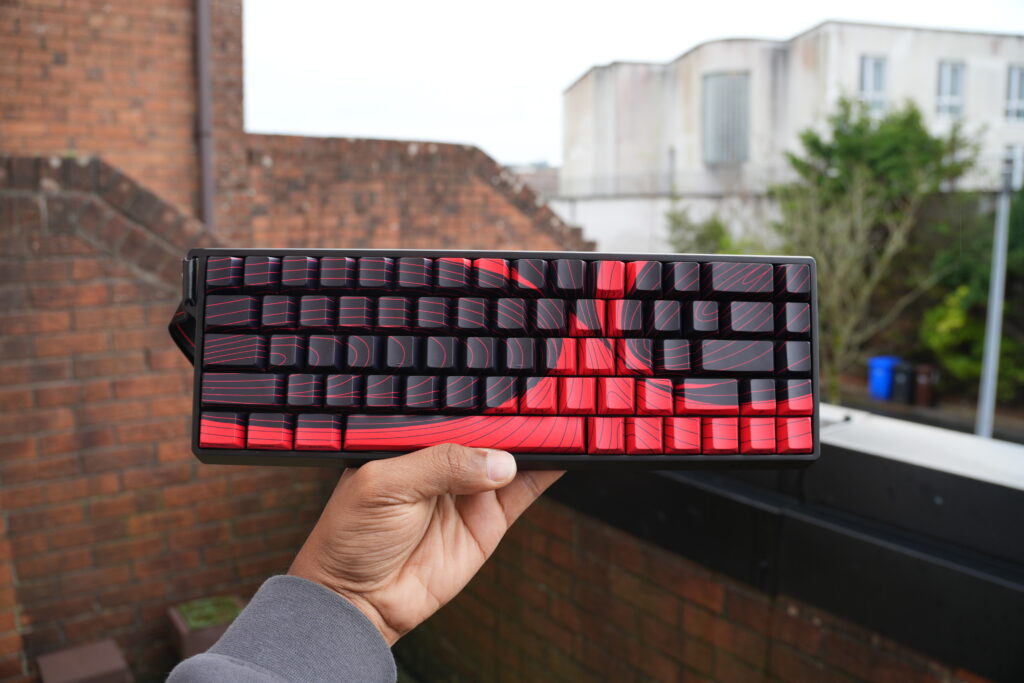
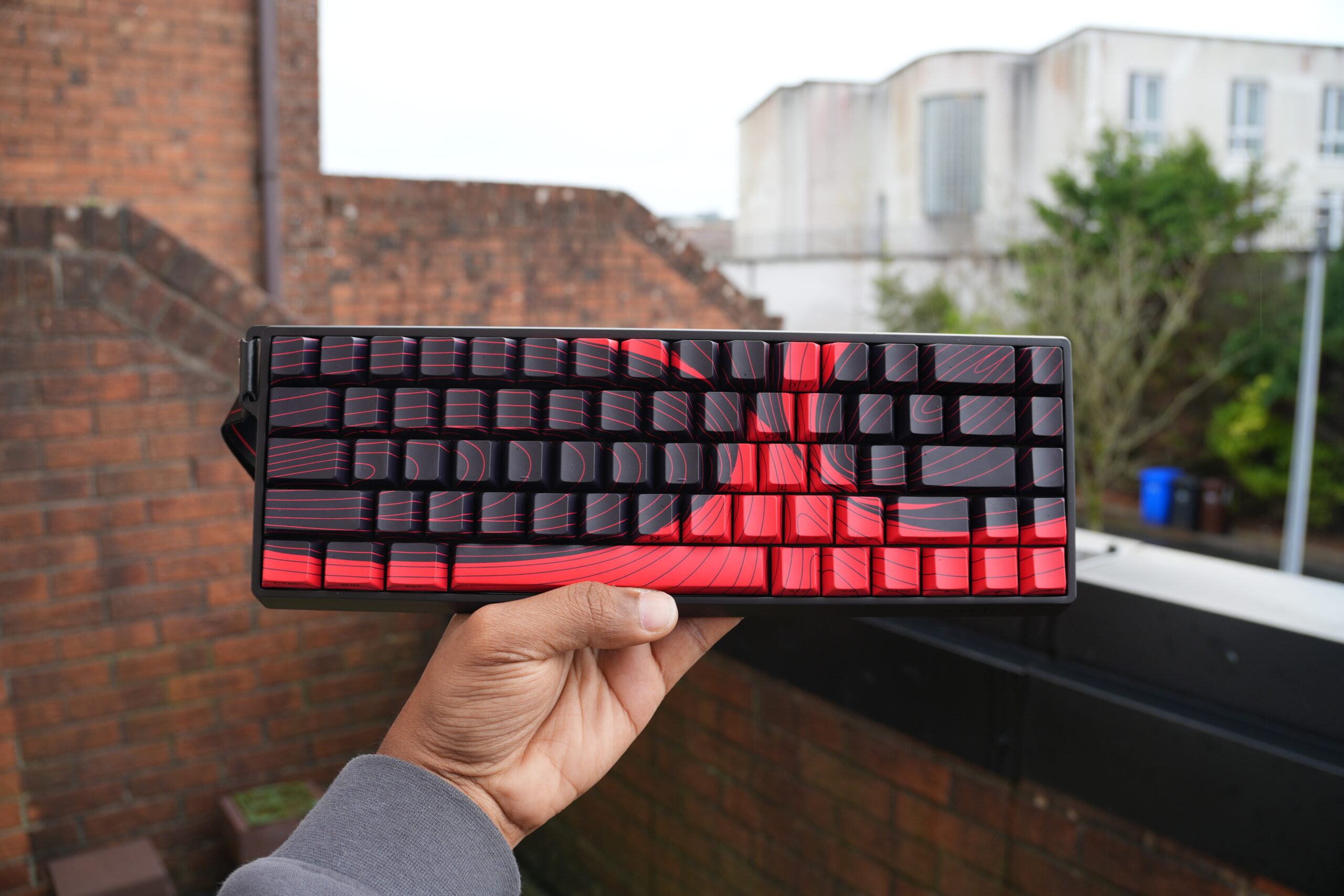
The AULA WIN68 HE Series comes in a compact 65% form factor with 68 keys. The case is ABS plastic, which keeps the weight down and the price accessible. The Black Red variant we tested has a dark grey case with red accent keys that give it a sporty look without going over the top.
One design detail worth noting is the compact ribbon-like accent on the top edge of the case, which adds some visual interest to what would otherwise be a straightforward black slab. The metal positioning plate adds rigidity and gives the board a more solid feel than you might expect at this price point.
A note on mount type: AULA’s product page specifies this as a tray-mount design, which aligns with the MechLands listing as well. During our testing, we observed what appeared to be gasket-like flex, which may be attributable to the plate and foam configuration rather than a true gasket mount. Treat this as a tray-mount keyboard – any flex you notice is a characteristic of the internal build, not a gasket suspension system.
The USB-C port is centred on the back edge and the cable is detachable. There are no wireless options here, which is expected for a board focused on high-polling-rate performance. The box includes two replacement switches and a wrist strap alongside the standard cable and keycap puller, which is a welcome inclusion at this price point.
Layout and Day-to-Day Typing
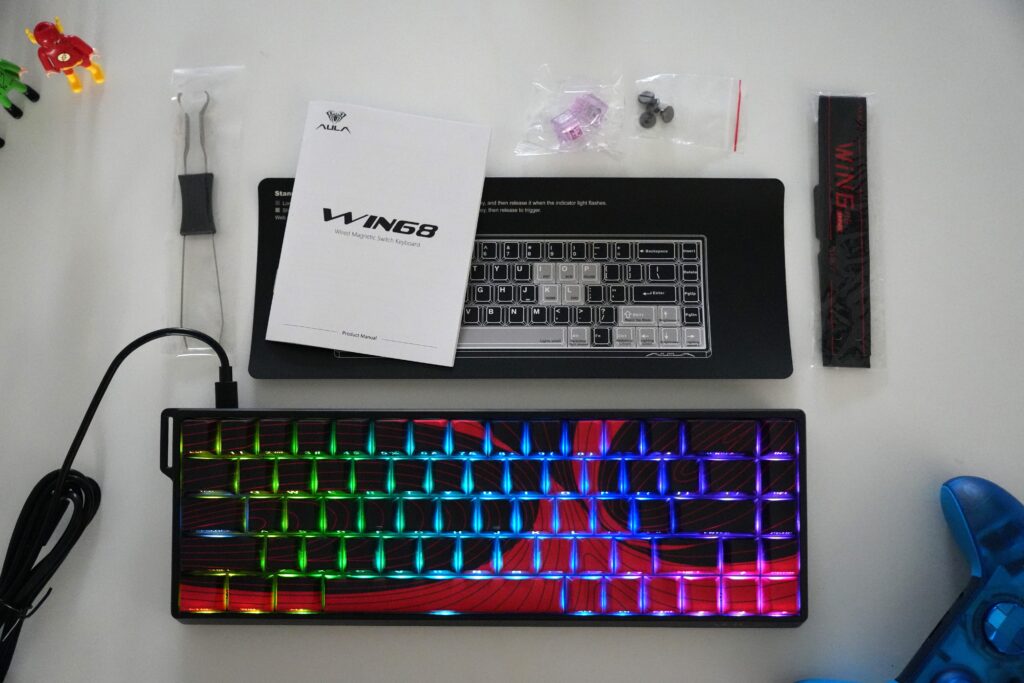
At 68 keys, the WIN68 keeps the arrow keys and a shortened right Shift row – the standard 65% arrangement. You get functional navigation without the desktop footprint of a TKL. The function layer is accessed via a dedicated Fn key in the bottom row.

The keycaps are available in OEM or Cherry profile depending on the SKU, with PBT construction. They feel textured out of the box and resist the shine that ABS keycaps develop over time. The legends are crisply doubleshot, and the south-facing RGB shines through well even without shine-through legends.
For everyday typing, the WingChun Magnetic switches at 36gf are on the lighter side of linear. They feel smooth with minimal scratch out of the box, which is a good sign at this price point. The 3.4mm total travel gives enough depth for comfortable typing, while the 0.02mm actuation precision on the MAX variant – per manufacturer specification – means keystroke registration can be tuned to very precise depth thresholds.
WingChun Magnetic Switches
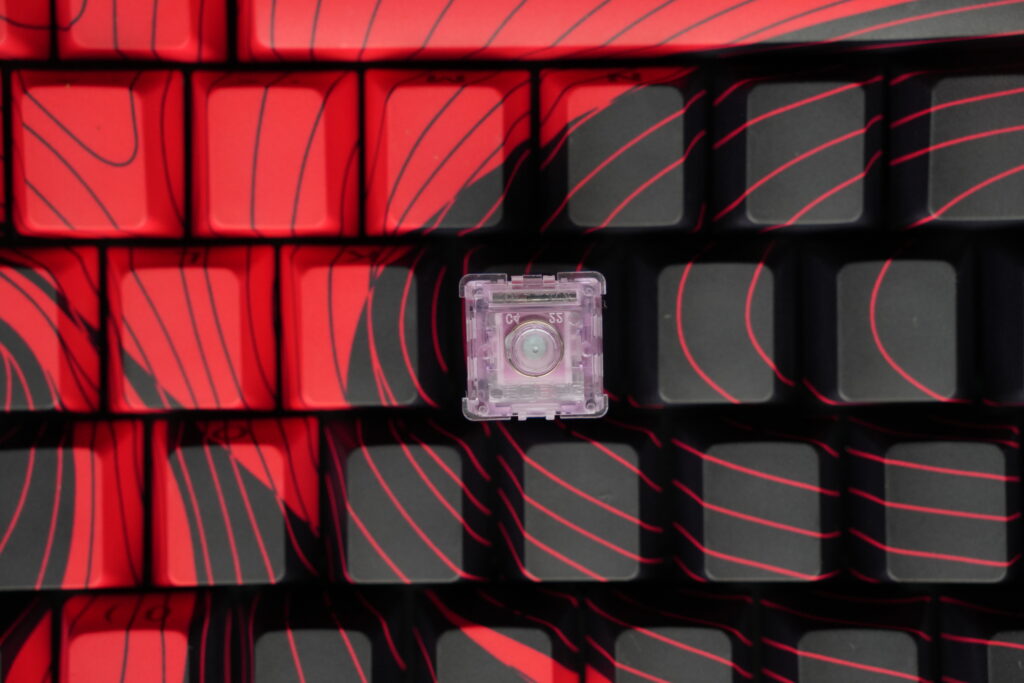
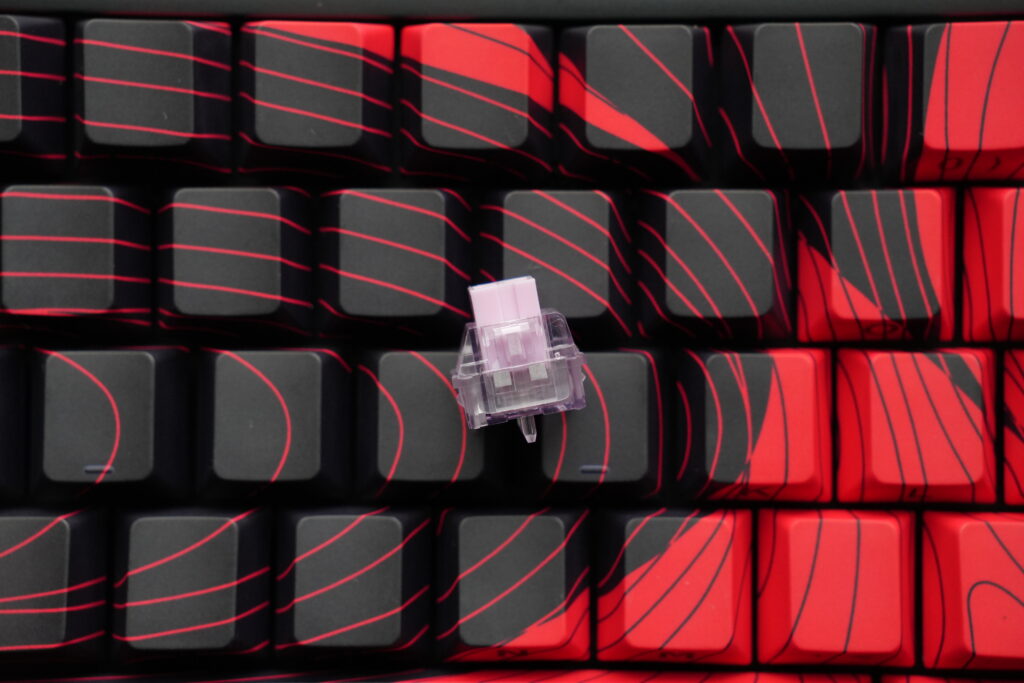
The WingChun Magnetic switch is a Hall Effect linear switch with 36gf actuation force and 49gf bottom-out. The 3.4±0.1mm stroke is standard for magnetic switches, and the 0.02mm accuracy claimed for the MAX variant is among the tighter tolerances available at this price range, according to manufacturer specifications.
Sound-wise, the switches are moderate in volume – not the quietest stock option, but not distractingly loud either. In our testing, there is a noticeable hollowness in the stock configuration, which is common with ABS cases and minimal internal dampening. The hollow character remains present without additional modding.
The 36gf actuation is comparable in finger effort to something like a Gateron Yellow or Cherry MX Red, with the advantage of adjustable actuation points via the web driver.
HE MAX vs Standard: What Is the Difference?
The AULA WIN68 HE Series comes in two tiers:
| Spec | HE MAX (WingChun) | HE Standard (Greywood) |
|---|---|---|
| Switch | WingChun Magnetic | Greywood Magnetic |
| Accuracy (mfr. spec) | 0.02mm | 0.04mm |
| Actuation | 36gf | 32gf |
| Bottom-out | 49gf | 50gf |
| Stroke | 3.4±0.1mm | 3.4±0.1mm |
| Price | $59.99–$69.99 | $49.99 |
| Software | magnet.aulastar.com | hed.aulacn.com |
The HE MAX is the stronger pick for gaming. The 0.02mm accuracy (per manufacturer spec) doubles the claimed precision of the standard variant, which is relevant for Rapid Trigger and SOCD where sub-millimetre sensing directly influences how precisely actuation points can be configured. The Greywood switch on the Standard variant uses 32gf, which is slightly lighter, but the lower accuracy rating and separate software platform make it a better fit for buyers who want Hall Effect features without the MAX-level specification.
For the $20 difference on most SKUs, the MAX is worth considering if you plan to use the advanced gaming features heavily.
Gaming Performance: 8000Hz and Rapid Trigger
The headline feature is the 8000Hz polling rate. Compared to a standard 1000Hz keyboard, the WIN68 reports its position to the PC eight times more frequently per millisecond. In practice, this can reduce input latency and produce more responsive-feeling gameplay, particularly in fast-paced competitive titles like Valorant or CS2. It is worth noting that the real-world benefit of 8000Hz over 1000Hz is relatively small in absolute terms and will vary depending on your system hardware, game engine, and individual sensitivity to input timing.
The keyboard supports a full suite of HE-specific features:
- Rapid Trigger (RT): Resets and retriggers the key at the same actuation point, allowing faster repeated inputs without fully releasing the key. Beneficial for strafe-tapping in shooters, though the degree of advantage varies by player skill level and title.
- Rapid Switch (RS): Optimised for quick directional changes.
- Dual Key Switching (DKS): Assigns two different key actions to different depths of the same keypress.
- Multi-Tap (MT): Registers multiple distinct inputs from a single keypress based on timing patterns.
- Toggle (TGL): Locks a key in the pressed state, useful for MMOs or auto-run binds.
- Multi-Press Timing (MPT): Sequences multiple inputs from a single keypress.
- SOCD (Simultaneous Opposite Key Detection): Handles conflicting directional inputs (e.g., W + S pressed together) with configurable priority rules. Useful for fighting games and movement-intensive FPS titles. Note that SOCD behaviour is restricted or banned in some competitive tournaments and game titles – check the rules for your specific scene before relying on this feature in organised play.
The adjustable dead zone lets you tune actuation distance to preference, from as short as 0.1mm for hair-trigger responses to a deeper threshold for accidental press protection.
Software and Driver
The WIN68 MAX uses a web-based driver at magnet.aulastar.com. No desktop app to install, which is convenient for cross-platform use. The interface covers key configuration, actuation point adjustment, RGB lighting, and the full suite of HE feature toggles. The web driver works best on Chrome-based browsers; if you encounter connection issues, trying a Chromium browser is the recommended first step.
The driver is functional and connects reliably over USB. Changes apply without needing to disconnect and reconnect the keyboard. The UI is not as polished as Wootility or Epomaker’s HE driver, but it covers all the necessary configuration options without issues in our testing.
The Standard variant uses a separate driver at hed.aulacn.com, which has a reduced set of configuration options compared to the MAX platform.
RGB and Aesthetics
The south-facing RGB LEDs provide per-key customisation across 16 million colours. The south-facing orientation means the lighting is aimed at the keycap surface rather than outward, which tends to produce more even illumination on opaque keycaps. The effect is clean and readable rather than flashy.
In the Black Red variant, the red accent keys against the dark grey frame create a cohesive look that works well with either a static red or warm white RGB setting. With the full spectrum enabled, the lighting is bright enough to be visible in a well-lit room without being distracting.
Hot-Swap and Modding
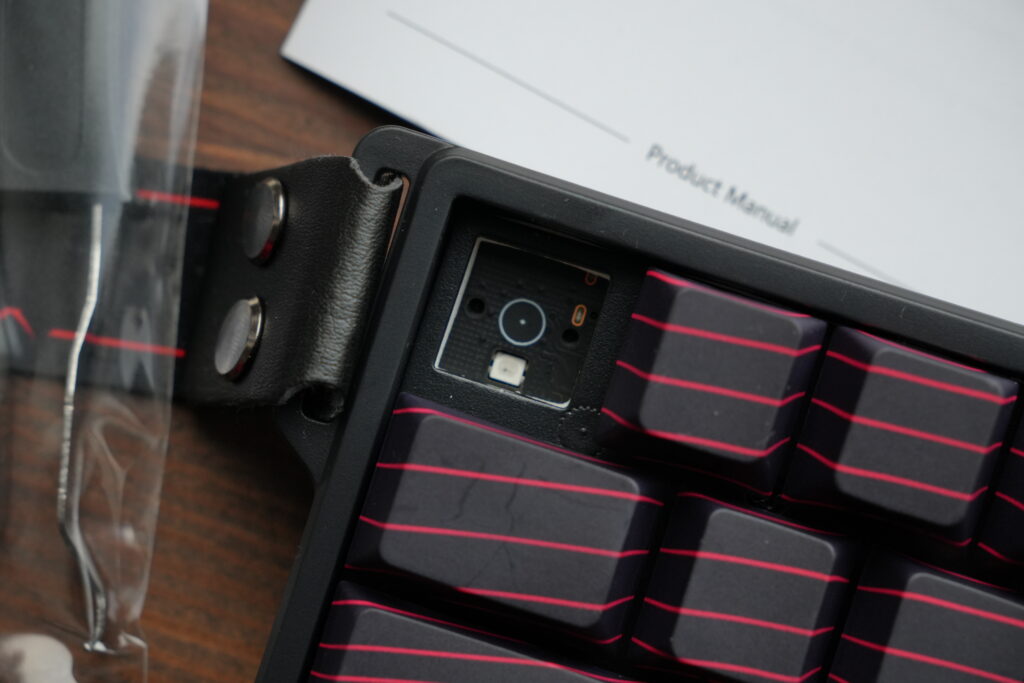
The WIN68 supports hot-swap for Hall Effect magnetic switches. The socket format is specific to HE switches, so standard MX mechanical switches are not compatible. You can swap between compatible Hall Effect switch families – including other AULA variants – provided they follow the same Hall Effect magnetic standard. The box ships with two spare switches, which is a practical touch for anyone who wants to test a swap immediately.
Acoustic modding: the stock hollow resonance is the biggest opportunity for improvement on this board. In our testing, the following mods made a noticeable difference:
- PE foam between plate and PCB – tightens the sound and adds a slight poppiness
- Case foam or polyfill in the bottom cavity – significantly reduces the hollow character
- Tape mod on the back of the PCB – further deadens high-frequency resonance
After a basic foam mod, the acoustic profile of our sample improved substantially and, in our opinion, approached the sound quality of some boards in a higher price bracket. Results will vary depending on your specific mod execution and personal preference for sound signature.
Where to Buy
| Retailer | Variant | Link |
|---|---|---|
| MechLands | HE MAX Black Red / WingChun | Buy on MechLands |
| MechLands | HE MAX Grey Yellow / WingChun | Buy on MechLands |
| MechLands | HE Standard Black / Greywood | Buy on MechLands |
| AULA Official | All variants | Check out more on aulagear.com |
| Amazon.com | Win68 HE Max | Buy on Amazon |
| Amazon.com | Win68 HE | Buy on Amazon |
Check Amazon and AliExpress for regional availability and potential discounts.
Pros and Cons
| Category | Score | Notes |
|---|---|---|
| Build Quality | 7 | ABS case is functional but not premium. Metal plate adds rigidity. Tray-mount construction per manufacturer spec. |
| Switches | 8 | WingChun magnetic switches are smooth stock. 0.02mm accuracy (per manufacturer spec) is among the better ratings at this price. Box includes 2 spare switches. |
| Gaming Features | 9 | Full suite of HE features (RT, SOCD, DKS, RS, MT, TGL, MPT) plus 8000Hz polling. No analog output support. |
| Sound (stock) | 6 | Noticeable hollowness out of the box. Responds well to basic foam modding. |
| Software | 7 | Web driver is functional and cross-platform (Chrome-based browsers recommended). Less polished than Wootility but reliable. |
| Value | 9 | At $49.99–$69.99, the combination of 8000Hz, HE switches, and a full feature set represents strong value among keyboards currently available in this price bracket. |
| Overall | 8/10 | A strong budget Hall Effect keyboard. The MAX variant offers the stronger specification for gaming use. |
Verdict: Who Should Buy the AULA WIN68 HE Series?
Buy it if:
- You want 8000Hz polling without spending $150+
- You play competitive shooters or fighting games and need Rapid Trigger and SOCD (and your game/tournament allows SOCD)
- You prefer compact 65% layouts and do not need wireless
- You are willing to do a basic foam mod to improve the acoustics
Skip it if:
- You need wireless connectivity
- You want a deeper typing sound out of the box without any modding
- You need full-size or TKL layout
- You need analog output support (the WIN68 is digital-only despite using Hall Effect switches)
How It Compares to Alternatives
| Keyboard | Key Difference | Price |
|---|---|---|
| AULA WIN68 HE MAX | 8000Hz, compact 65%, full HE feature set | $69.99 |
| Epomaker HE80 | TMR switches, 75% layout, tri-mode wireless | $79–$89 |
| CIDOO QK61 V2 | 60% layout, tray-mount, basic HE features | $49 |
| Wooting 80HE | Analog output, Lekker switches, premium build | $175 |
The WIN68 MAX sits in a competitive price bracket and offers one of the stronger HE feature sets available at this price. The Wooting 80HE remains the pick if you need analog output or want a premium build, but at more than double the price.
FAQ
Is the AULA WIN68 HE hot-swappable?
Yes. The WIN68 supports hot-swap for Hall Effect magnetic switches. Standard MX mechanical switches are not compatible with the HE socket format. The box includes two replacement switches.
Can you use the WIN68 without software?
Yes. The keyboard works as a standard keyboard out of the box. The web driver is needed to configure Rapid Trigger, SOCD, actuation points, and RGB lighting. A Chrome-based browser is recommended for the web driver.
Is the AULA WIN68 good for gaming?
Yes. The 8000Hz polling rate, Rapid Trigger, SOCD, and adjustable actuation make it well-suited for competitive gaming, especially FPS and fighting games. Note that SOCD may be restricted in some tournaments – check the rules for your specific competition before relying on it.
What is the difference between WIN68 HE and HE MAX?
The HE MAX uses WingChun Magnetic switches with a manufacturer-specified 0.02mm accuracy and the magnet.aulastar.com software platform. The Standard HE uses Greywood switches with a manufacturer-specified 0.04mm accuracy and the hed.aulacn.com driver.
Does the WIN68 work on Mac?
The keyboard works via USB-C on macOS for basic input. The web driver is accessible on Mac via a Chrome-based browser for configuration. The driver experience is optimized for Windows.
Can you mod the AULA WIN68 HE?
Yes. Adding PE foam, case foam, or the tape mod improves the stock sound profile noticeably in our testing, though acoustic results are subjective and will vary.
How does 8000Hz polling help in gaming?
An 8000Hz keyboard reports its position to the PC eight times per millisecond, compared to once per millisecond on a standard 1000Hz device. This can reduce input latency, though the perceptible difference depends on your system, game engine, and individual sensitivity. It is one factor in a responsive gaming setup rather than a standalone performance multiplier.
Is the WIN68 good for typing?
With the stock WingChun switches at 36gf, it is a light linear typing experience. Foam modding improves the acoustics noticeably for those who find the stock hollowness distracting.