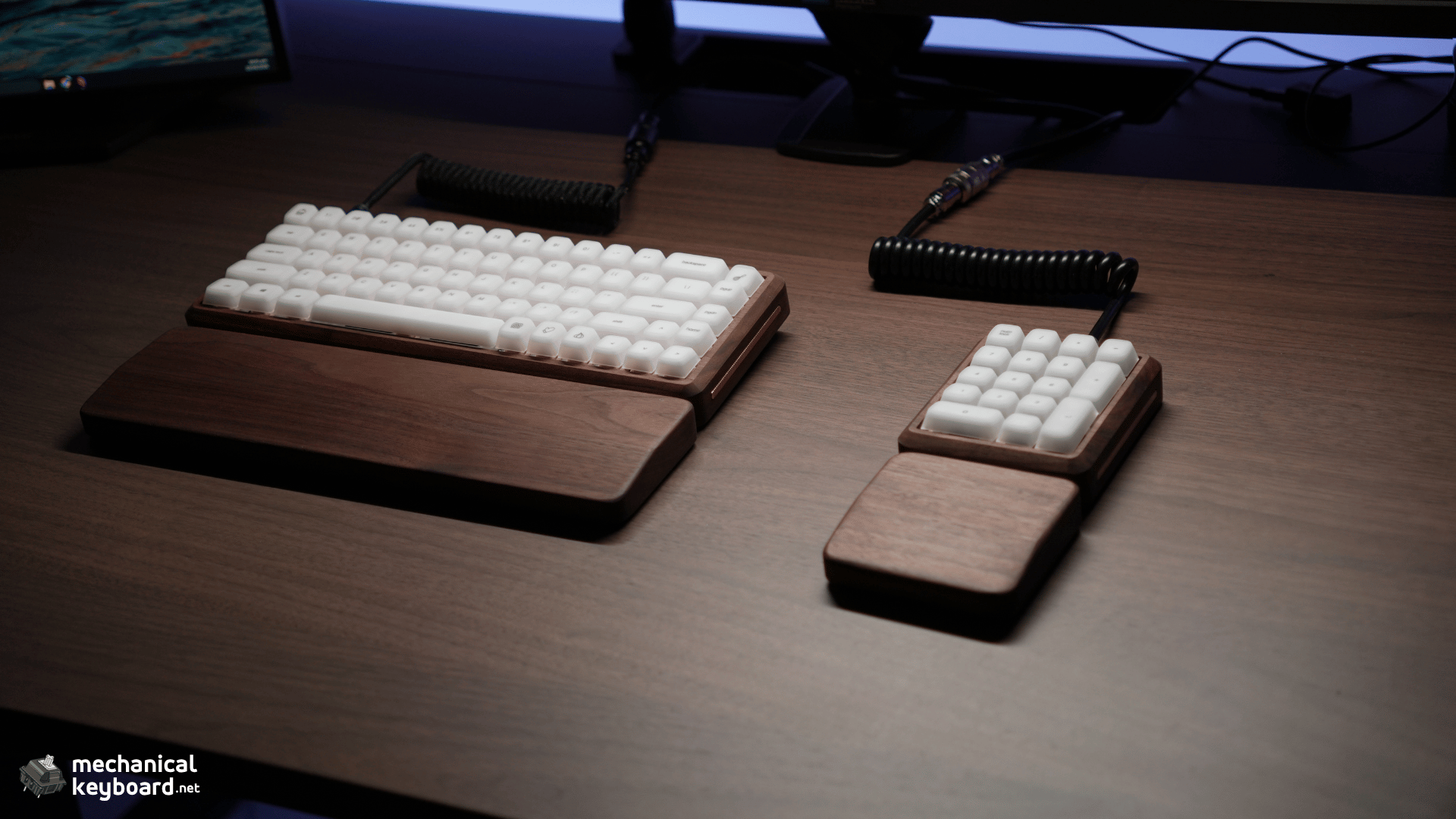
The Null Design Co NULL65 Series 2.0 is one of those keyboards that grabs your attention before you even type on it.
- Null Design Co NULL65 Series 2.0 Review: Quick Verdict
- My NULL65 Series 2.0 Configuration
- NULL65 Series 2.0 Specifications
- NULL Design Weight Configurator
- Design and Build Quality
- More Customisable Than It Looks
- This Keyboard Looks Perfect on a Wooden Desk
- Ergonomics and the Wooden Wrist Rest
- Typing Feel
- How Does the NULL65 Sound?
- Stabilizers and Spacebar
- Building the Retail Kit
- Typing Speed
- Gaming on the NULL65
- What Is It Like Living With a Wooden Keyboard?
- What About the Brass?
- NULLPAD Series 2.0 Review
- Is the NULL65 Worth $249?
- Buying From Null Design Co
- Who Should Buy the NULL65 Series 2.0?
- Final Verdict
- Frequently Asked Questions
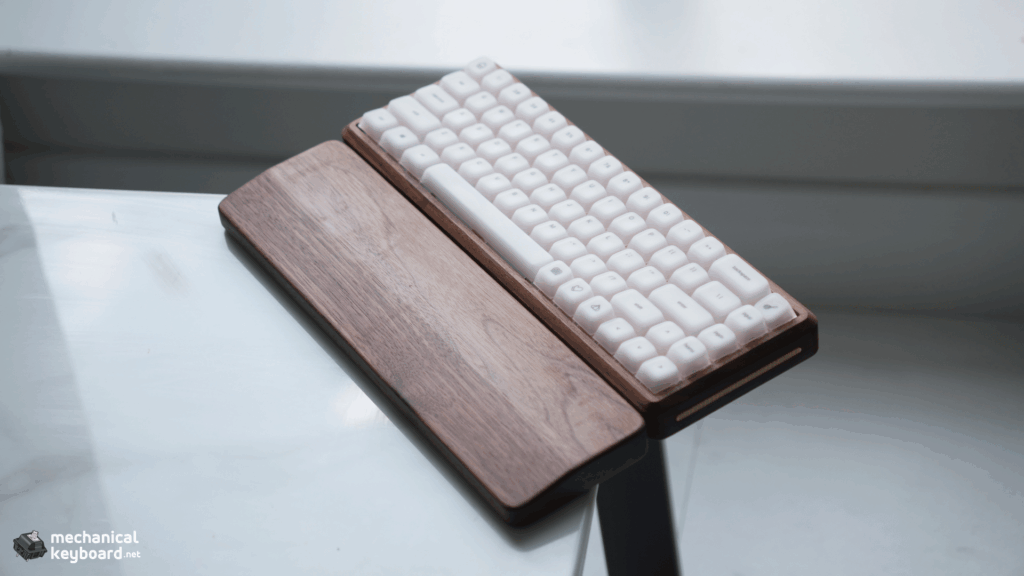
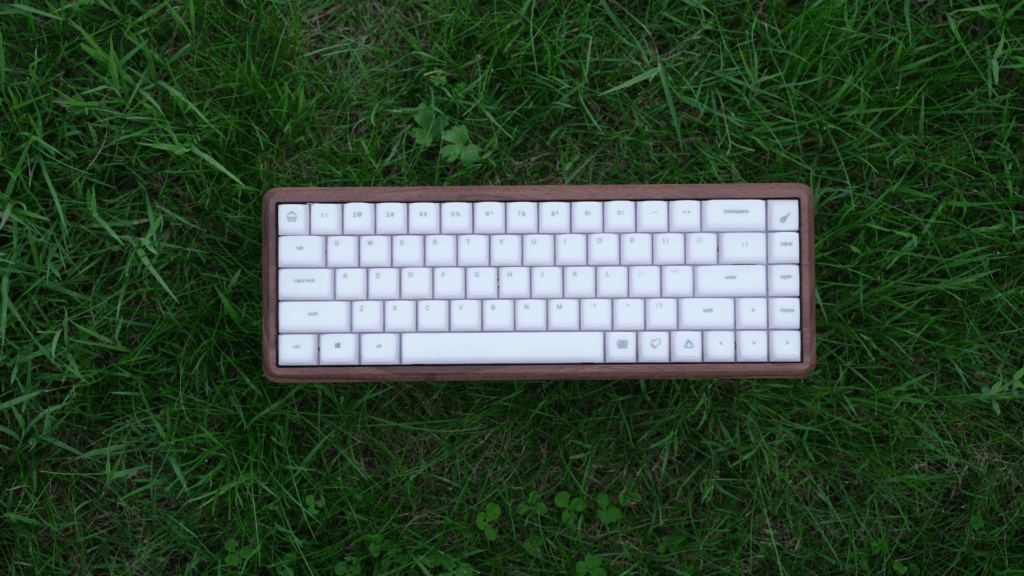
Mine is built around a solid walnut case with brass fluted side accents, brass feet, a brass USB accent and the standard internal weights. I paired it with Huano Sakura linear switches and Epomaker AegisSil silicone keycaps, and after using it for a few weeks, it has pretty much become my primary keyboard.
That surprised me a little.
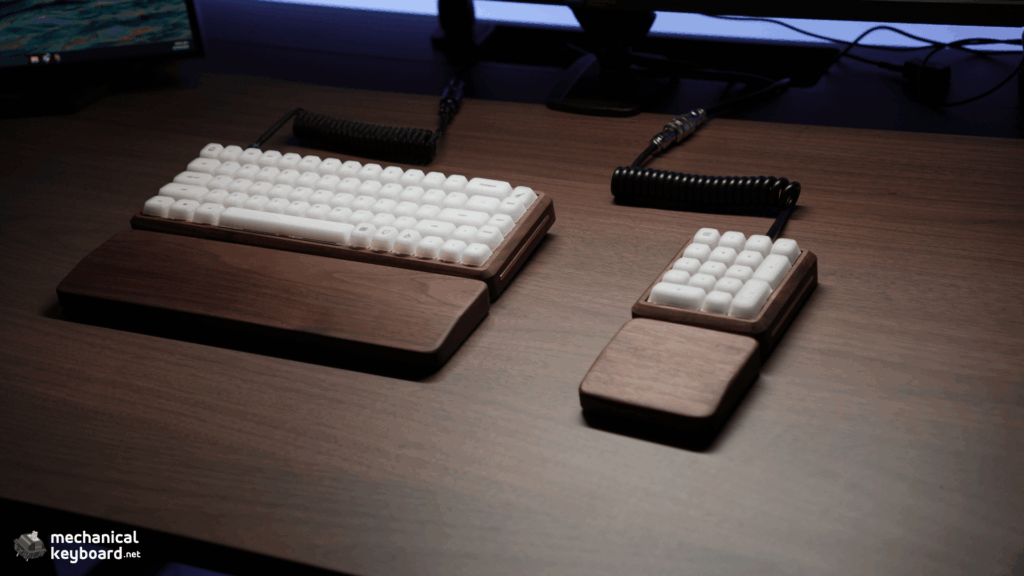
I expected to like the NULL65 because of how it looks. The walnut finish fits incredibly well with the wood finish on my IKEA desk, and aesthetically it is easily one of my favourite keyboards in my collection.
What I did not expect was to enjoy the actual typing experience just as much.
The build quality is immaculate. The sound is creamy. VIA works properly. The 65% layout has caused me zero problems for work or gaming.
More Read

There is one big question, though.
The NULL65 Series 2.0 starts at $249 for the barebones kit, before adding switches, stabilizers and keycaps. That puts it firmly into enthusiast keyboard territory.
After a few weeks of using it every day, here’s what I think you are actually paying for.
Disclosure: Null Design Co sent this keyboard free of charge for review. No payment was made and the company had no input into what follows. Some links on this page may earn a commission.
Null Design Co NULL65 Series 2.0 Review: Quick Verdict
Rating: 9.2/10
The NULL65 Series 2.0 is not the keyboard I would recommend to someone trying to get the longest possible feature list for $249.
That is not really what this keyboard is about.
You’re paying for a beautifully finished solid wood case, small-batch construction, extensive customisation, premium metal accents and an enthusiast-friendly platform underneath it.
My walnut review unit is basically flawless from a construction standpoint.
More importantly, it isn’t just nice to look at.
The combination of the walnut case, frosted polycarbonate plate, Huano Sakura switches and silicone AegisSil keycaps gives my build a genuinely excellent creamy sound and typing feel.
VIA worked without any issues. The tray-mount system also gives you more control than I initially expected because the middle standoffs can be removed for a softer setup, while foam and an O-ring kit give you further ways to change the sound and feel.
The main downsides are fairly obvious.
It is expensive for a wired barebones 65% keyboard, natural wood requires more care than aluminium or plastic, and I would strongly recommend the matching wrist rest if you plan to use the keyboard with the metal feet installed.
If the wooden case is just another material to you, the price might be difficult to justify.
If the case itself is part of what you’re buying, the NULL65 makes considerably more sense.
Pros
- Immaculate walnut construction on my review unit
- Beautiful brass detailing
- Excellent typing feel
- Creamy sound profile
- Frosted polycarbonate plate works extremely well in this build
- VIA worked perfectly during my testing
- Adjustable flat or 6 degree typing position
- Removable middle standoffs
- Several foam and mounting configuration options
- Good stabilizers and spacebar
- No visible wear after several weeks of daily use
- One of the best-looking keyboards I have used
Cons
- $249 starting price is expensive for a barebones keyboard
- Wired USB-C only
- High front height
- Wrist rest feels almost necessary with the feet installed
- Natural wood needs more care than aluminium or plastic
- Made-to-order purchases have more restrictive return conditions
- Some of the official documentation could be clearer and more consistent
My NULL65 Series 2.0 Configuration
Before getting into the review, my configuration needs some context because Null Design Co offers quite a lot of customisation.
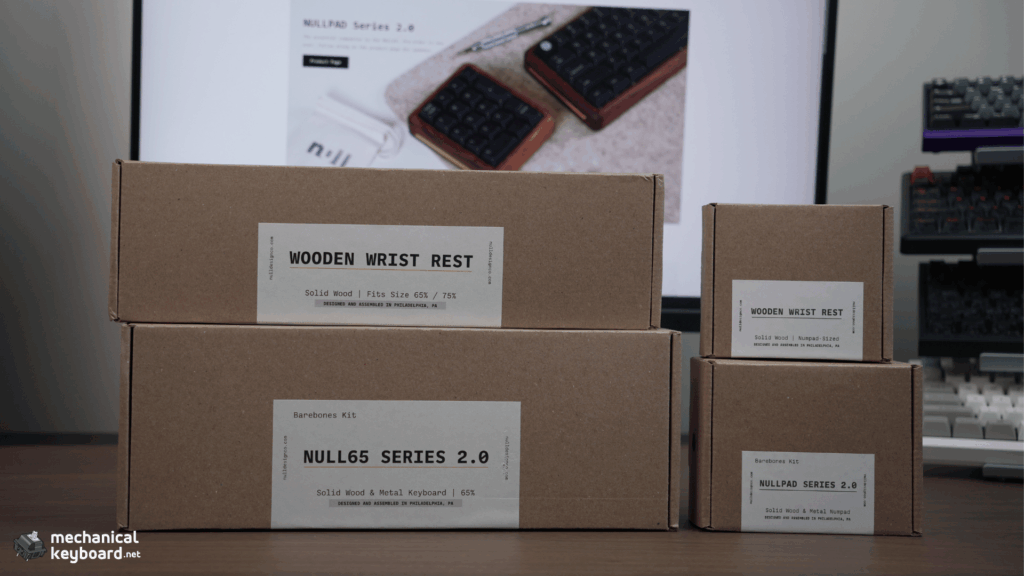
The retail NULL65 is a barebones kit.
My review sample was supplied pre-built by Null Design Co, including the switches and stabilizers. I installed my own Epomaker AegisSil keycaps afterwards.
My review unit has:
| Component | Configuration |
| Keyboard | NULL65 Series 2.0 |
| Layout | ANSI 65% |
| Case | Walnut |
| Mount | Tray mount |
| PCB | NULL65 V1 hotswap |
| Plate | Frosted polycarbonate |
| Side accents | Brass, fluted |
| USB accent | Brass |
| Metal feet | Brass |
| Internal weights | Standard internal weights, likely aluminium based on my measured weight |
| Stabilizers | TX AP White TKL |
| Switches | Huano Sakura linear |
| Keycaps | Epomaker AegisSil silicone |
| Connection | Wired USB-C |
| Firmware | VIA and QMK compatible |
| Wrist rest | Matching walnut |
Null Design Co also supplied the matching foam kit, O-ring modification kit and wrist rest as part of the collaboration.
I have not treated those extras as standard inclusions where they are normally sold separately.
The current retail kit starts at $249 and includes the wood case, removable metal side accents, standard internal weights, silicone feet, metal feet, hotswap PCB, switch plate, hardware, assembly tools, linen carrying bag and spacebar foam.
My creator configuration uses the standard internal weights rather than the optional brass weight upgrade. Based on my measured 807 g finished weight and Null Design Co’s weight configurator, these appear to be aluminium.
NULL65 Series 2.0 Specifications
Here are the main specifications for the standard keyboard.
| Specification | NULL65 Series 2.0 |
| Layout | 65% |
| ANSI switches required | 68 |
| Mounting style | Tray mount |
| Case profile | High profile |
| Advertised front height | 25 mm |
| Advertised dimensions | 324 x 115 x 25 mm |
| Typing angle | Flat or 6 degrees with feet |
| PCB | 1.6 mm hotswap |
| Hotswap sockets | Kailh Gen 2 |
| Layout support | ANSI or ISO PCB options |
| RGB | Per-key RGB |
| Remapping | VIA |
| Firmware | QMK compatible |
| Wireless | No |
| Connection | USB-C |
Null Design Co lists the case at 324 x 115 x 25 mm with a 25 mm front height. The keyboard can sit flat without the metal feet or at a 6 degree angle with them installed.
My measured weights
I also weighed the finished keyboards and wrist rests myself.
| Item | My Measurement | Measurement Setup |
| NULL65 with switches and keycaps | 807 g | Brass metal feet installed; standard internal weights |
| NULL65 wooden wrist rest | 345 g | Wrist rest only |
| NULLPAD with switches and keycaps | 281 g | Metal feet not installed; aluminium internal weight strongly supported by configurator |
| NULLPAD wrist rest | 100 g | Wrist rest only |
That last column matters.
The 807 g NULL65 measurement includes the brass risers, while the 281 g NULLPAD measurement was taken without its metal risers installed.
So these numbers are useful as records of my actual review setups, but the NULL65 and NULLPAD figures should not be treated as a perfectly controlled weight comparison.
Null Design Co previously had an incorrect metric conversion listed for the NULL65’s weight. After I raised it during the review process, the specification was corrected to approximately 2.5 lb / 1.1 kg.
My finished review configuration weighed 807 g, including the Huano Sakura switches, AegisSil keycaps, TX AP stabilizers and brass metal feet. Because the NULL65 can be configured with different woods, plates, weights, accents and foam, the final weight can vary considerably from one build to another.
Null Design Co has since created a weight configurator to make this clearer. Depending on the selected components, Sarah’s configurator puts a finished NULL65 build between approximately 736 g and 1,281 g, or 1.62 to 2.82 lb.
Nulldesign Weight Configurator :
Interactive Tool
NULL Design Weight Configurator
Choose your exact build configuration to estimate the finished weight of the NULL65 or NULLPAD.
Configure your NULL65
Two internal weights are included in the NULL65 calculation.
Estimated Finished Weight
928 g
Possible finished-weight range
Calculated from the component weights supplied in the NULL65 and NULLPAD weight configurator spreadsheets.
Design and Build Quality
This is where the NULL65 really earns most of its appeal.
I’ve used plenty of aluminium and plastic mechanical keyboards at this point. A proper wooden keyboard feels very different when you put it on your desk.
And I don’t mean a keyboard with wood-coloured plastic or a thin wooden accent.
The actual case is wood.
My unit uses walnut, and the first thing I noticed after taking it out was just how clean everything looked.
I went over this keyboard looking for something to complain about.
Rough edges, uneven finishing, bad joins, scratches, machining marks, gaps around the brass accents.
I genuinely couldn’t find anything meaningful.
The finish on my review unit is immaculate.
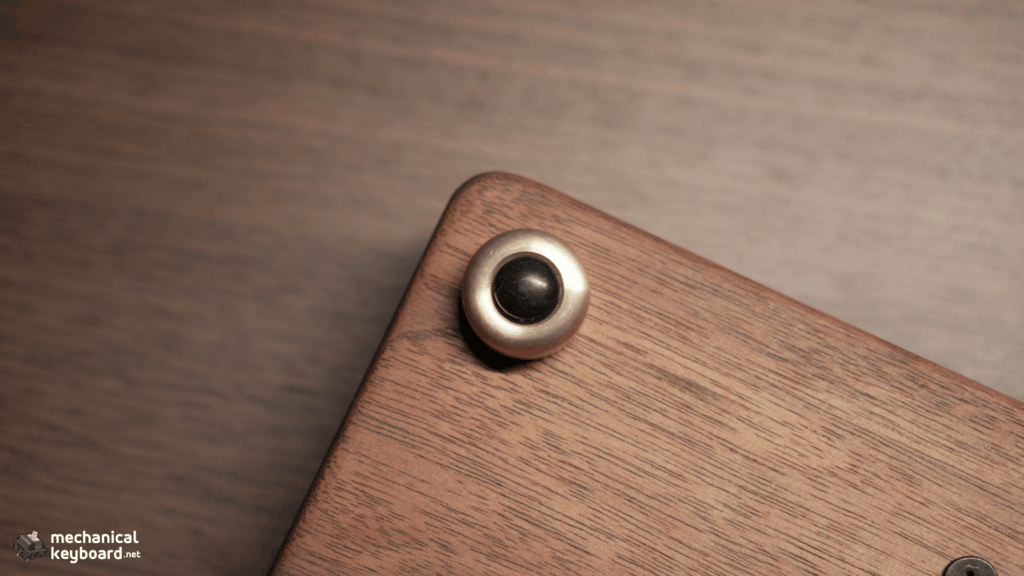
Null Design Co uses a hardwax oil finish rather than a thick film finish, which is why the case still feels like actual wood instead of wood buried underneath a plastic-like coating. The company also says that small scratches or dry areas can be spot-treated rather than requiring the entire finish to be stripped.
The walnut feels smooth without losing the texture and character you expect from natural wood.
The grain remains visible across the case, and because it is real wood, it has a much warmer appearance than the perfectly uniform finish you normally get from painted aluminium.
The brass works incredibly well with it too.
My configuration has fluted brass side accents rather than the brushed style, and I think this is one of the details that makes the keyboard.
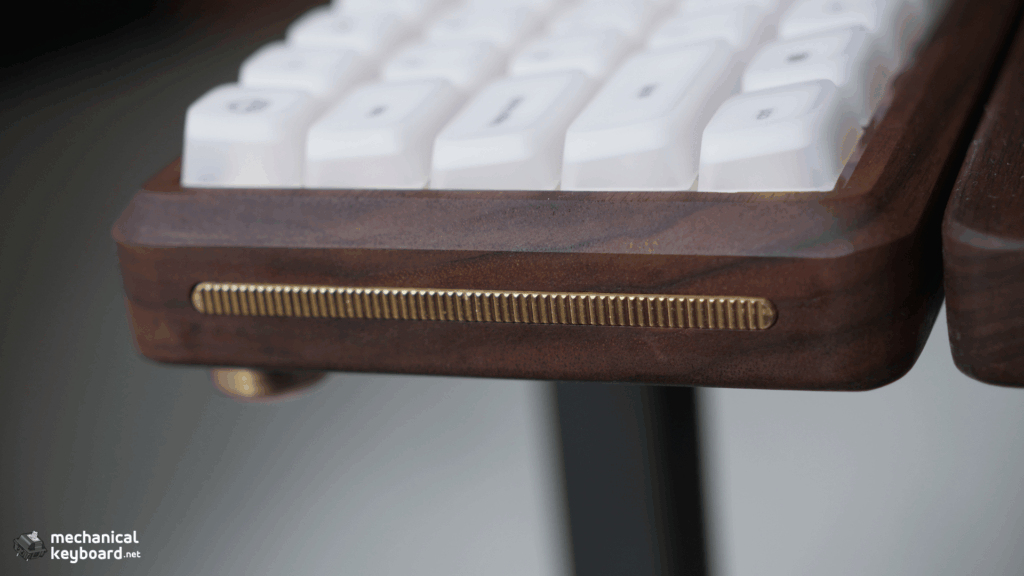
The Series 2.0 accents are not only decorative. They are also part of how Null Design Co deals with the natural movement of a solid wood case.
Null Design Co says the thicker removable side accents help stabilise the wooden case and reduce unwanted movement as temperature and humidity change. Series 2.0 also added a second internal metal weight. Together, the side accents and internal weights act as structural stabilisers, similar to the metal bracing used to control movement in solid-wood furniture.
That is an important detail on a keyboard made from solid wood because some seasonal movement is normal as temperature and humidity change. Rather than relying on the wood alone to stay perfectly static, the Series 2.0 design actively adds metal reinforcement to help control that movement.
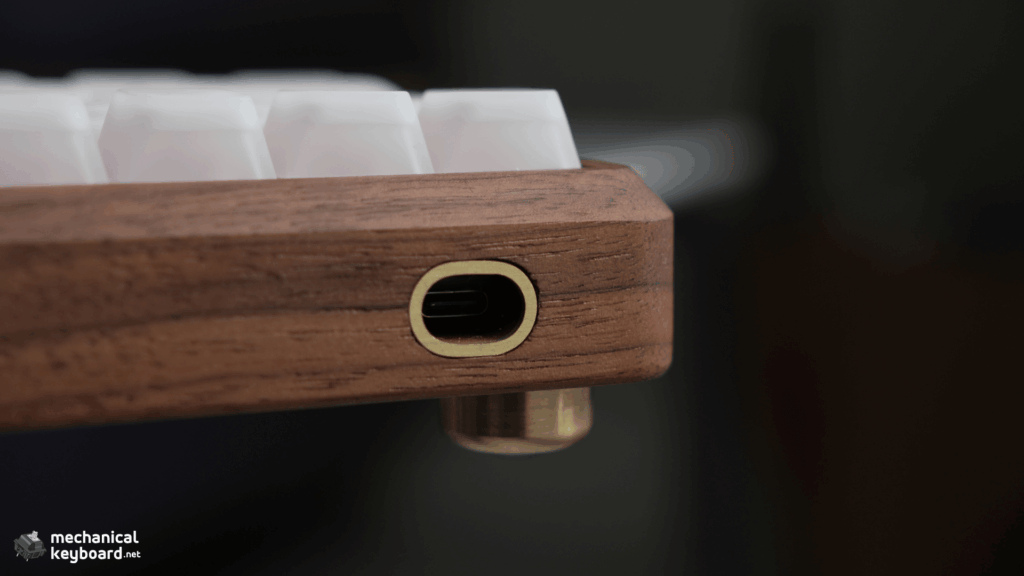
The USB-C cutout also gets its own metal accent.
Null Design Co describes this as both a design element and a way of protecting the port area from wear.
Again, the fit on my sample is excellent.
My review unit uses the standard internal weights rather than the optional brass upgrade. Based on Sarah’s component-weight data and my 807 g measurement, they appear to be aluminium.
You obviously can’t see the internal weights during normal use, but they serve a more important purpose than simply adding mass. Null Design Co uses the metal weights as structural stabilisers inside the wooden case, similar to the metal supports used to control movement in solid-wood furniture.
More Customisable Than It Looks
One thing I understood better after going through Null Design Co’s build documentation is how much of the NULL65 can actually be changed internally.
It is easy to look at the wooden case and assume the customisation is mostly cosmetic.
It isn’t.
The official guide supports optional PCB foam, plate foam and case foam. The O-ring configuration also uses a different standoff setup, with shorter standoffs for the O-ring build and longer ones for the standard tray-mounted configuration.
The O-ring itself is installed around the PCB mounting points so the PCB is sandwiched between the rings rather than sitting directly against a completely rigid mounting point.
You can also remove the middle tray-mount standoffs to reduce firmness. Null Design Co specifically presents that as a way to create a softer, more flexible typing feel.
Mine does not use the middle standoffs.
So even though the NULL65 is fundamentally a tray-mounted keyboard, there is quite a bit of room to tune the final result.
Plate material, foam layers, O-rings, standoffs, switches, keycaps and the internal weights can all influence how the final keyboard feels and sounds.
That is much more interesting to me than a wooden case with completely fixed internals.
This Keyboard Looks Perfect on a Wooden Desk
Aesthetics are subjective, but they are a huge part of why I like this keyboard.
My desk already has a similar wood finish, and the walnut NULL65 looks like it was made for it.
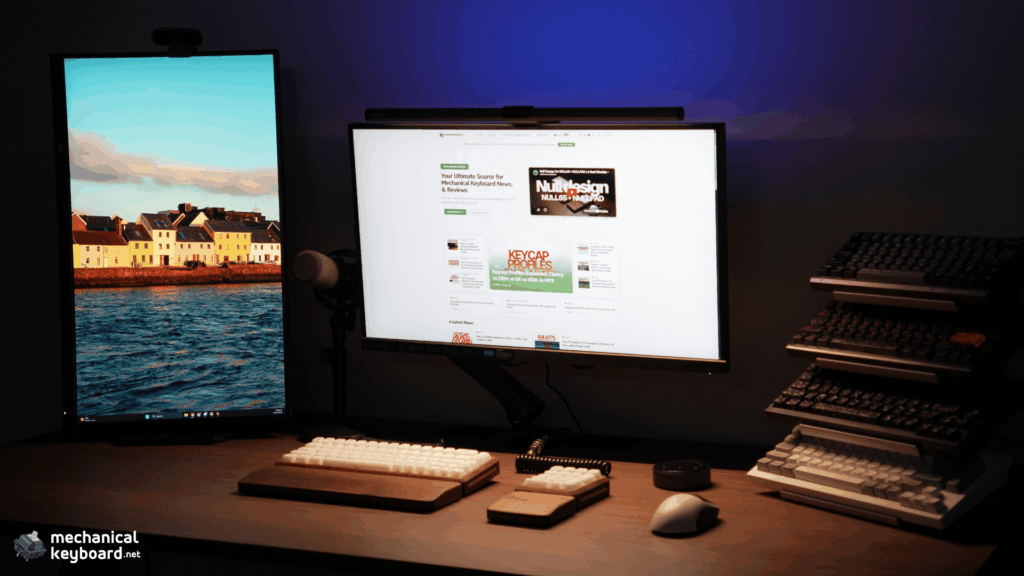
It does not have the usual contrast where a black, white or brightly coloured keyboard is sitting on top of a wood desk.
The NULL65 blends into the setup while the brass accents give it enough contrast that it still stands out.
This is also the main reason I would personally consider spending this much on the keyboard.
If I looked at the NULL65 purely as a list of specifications, I could find plenty of cheaper keyboards.
But I see keyboards as part of my desk setup too.
This is something I look at and touch for hours every day.
Once you start thinking about it as a piece of functional desk furniture as well as a keyboard, the appeal becomes easier to understand.
Ergonomics and the Wooden Wrist Rest
The NULL65 is a high-profile keyboard, and I think this is something buyers need to consider before ordering one.
Null Design Co lists the front height at 25 mm. You can either leave the keyboard flat or install the metal feet for a 6 degree typing angle.
I tried both.
Without the risers, I can use the NULL65 without a wrist rest and it is manageable.
With the brass risers installed, the situation changes.
My wrists are pretty much floating if I try to type without the matching wooden wrist rest.
That gets uncomfortable.
Once the wrist rest is in place, though, everything makes much more sense.
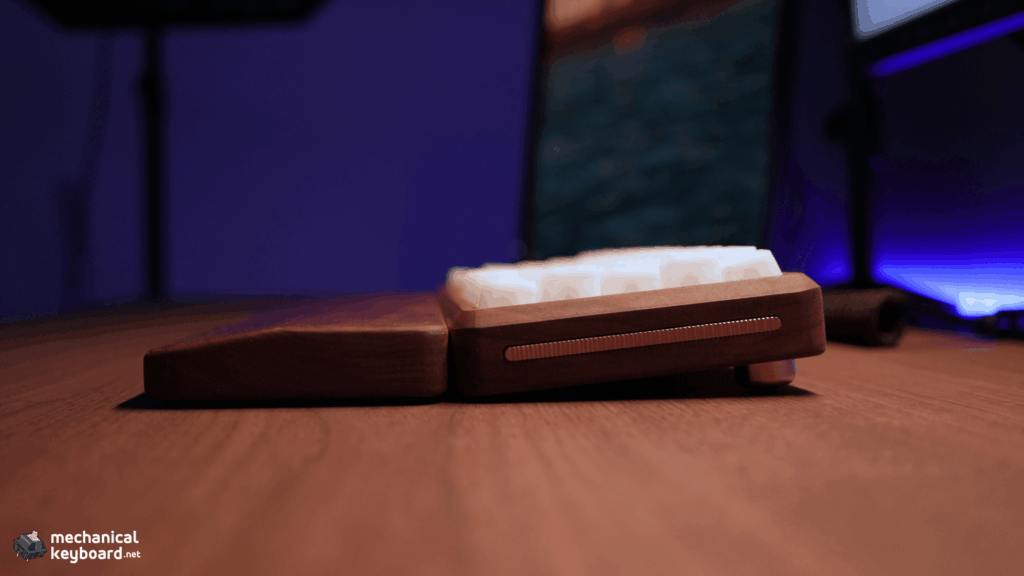
My walnut wrist rest weighs 345 g, so it is not a lightweight accessory that constantly slides around the desk.
It feels like a proper continuation of the keyboard.
The matching wood also makes the whole setup look much cleaner than using a generic foam wrist rest.
Would I say you absolutely need it?
Without the risers, no.
With the 6 degree setup, I would personally want it.
If you’re buying the keyboard because you like the complete wooden aesthetic anyway, I would budget for the wrist rest.
Typing Feel
This is the part of the review that surprised me most.
The NULL65 feels insanely good to type on.
My configuration uses a frosted polycarbonate plate and Huano Sakura linear switches, with the middle tray-mount standoffs removed.
That final detail matters.
Null Design Co allows the middle standoffs to be removed for a softer configuration or retained for more firmness and stability.
Mine does not use them.
I think that was the right choice for this particular setup.
It is still a tray-mounted keyboard, so don’t expect huge visible movement from the plate.
But it does not feel harsh.
The frosted polycarbonate plate helps here too. Combined with the light Sakura switches, the overall typing experience feels smooth and easy rather than stiff or tiring.
The Huano Sakuras are light linears, and I can type for long periods without feeling like I’m fighting the switches.
My Epomaker AegisSil keycaps make a surprisingly big difference as well.
They are silicone keycaps in Cherry profile, so they feel and sound quite different from a normal PBT or ABS set.
I wouldn’t say this exact typing experience represents every NULL65 configuration because changing the plate, switches, foam and keycaps could make the keyboard feel completely different.
But this combination is excellent.
How Does the NULL65 Sound?
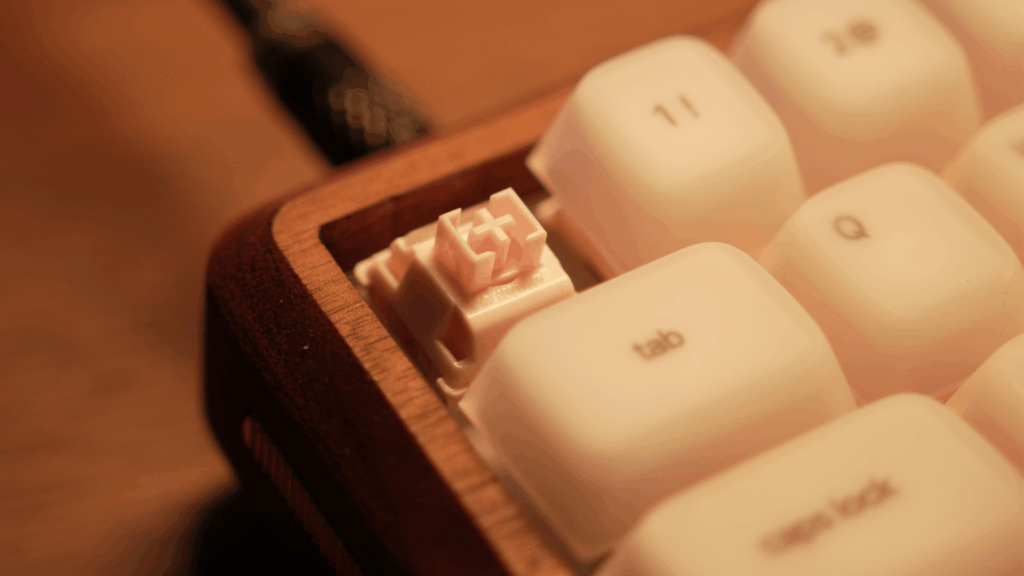
Creamy.
That is the easiest way I can describe my build.
There is a softer character to the sound than I normally get from a standard aluminium keyboard.
The Huano Sakura switches are smooth and light, but the final sound is coming from the complete build.
The walnut case matters.
The frosted polycarbonate plate matters.
The silicone AegisSil keycaps matter a lot.
The mounting configuration matters.
And depending on how you build the retail kit, the foam and O-ring options can change the final result even further. The official guide supports PCB foam, plate foam, case foam and an optional O-ring mounting configuration.
This is why I don’t really like describing a switch on its own as automatically “thocky” or “creamy”.
The exact same switch can sound completely different once you change the plate, case, foam and keycaps around it.
My NULL65 has a creamy, relatively soft sound without becoming completely muted.
There is still enough definition between keystrokes that the board doesn’t feel dead.
The spacebar sounds and feels good as well.
I haven’t noticed annoying metallic ping or anything that makes me immediately want to open the board and start modifying it.
That is probably one of the biggest compliments I can give it.
Stabilizers and Spacebar
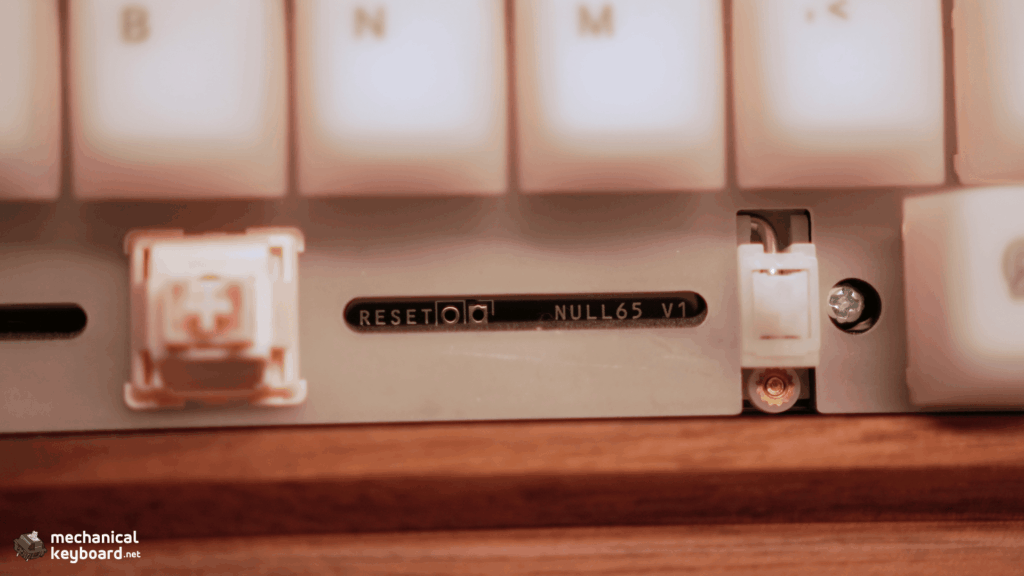
My review unit arrived with TX AP White stabilizers installed by Null Design Co.
That is important because stabilizers are not included with the standard $249 barebones configuration.
The stabilizers on my unit have been very good.
The spacebar feels good, and I haven’t had rattling bad enough to distract me during normal typing.
The larger keys feel consistent with the rest of the board.
Because Null Design Co assembled this review unit for me, I can’t tell you what the stabilizer installation and tuning process was like first-hand.
The official build guide recommends lubing and tuning screw-in stabilizers before installation, then attaching them directly to the PCB before the plate and switches are fitted.
I can only judge the finished keyboard I received.
And on that keyboard, I have no complaints.
Building the Retail Kit
My review unit was pre-built, so I am not going to pretend I personally spent two hours assembling it.
But I did go through Null Design Co’s official build documentation because it matters if you’re considering buying the $249 barebones version.
The official NULL65 guide estimates 90 to 120 minutes for a full build. It assumes you already have stabilizers, switches, keycaps and a USB-C cable, and it also recommends having a switch puller, tweezers and lubricant available.
The process is more thorough than simply dropping switches into a hotswap PCB.
The guide has you test the PCB in VIA before assembly, including using VIA’s matrix tester to verify the switch sockets before the board is installed into the case.
Switches near the USB-C area are installed north-facing, while the remaining switches are south-facing.
Once the plate, PCB, switches and stabilizers are together, the completed module is inserted into the wooden case at an angle with the USB-C side going in first, then screwed onto the standoffs.
The case stage is also where you choose whether to use foam, O-rings, different standoffs, alternative weights or different side accents.
That means the retail NULL65 is genuinely a custom keyboard kit rather than just a wooden shell with a hotswap PCB thrown inside.
VIA Support
Software can ruin an otherwise good enthusiast keyboard very quickly.
Thankfully, that has not been an issue here.
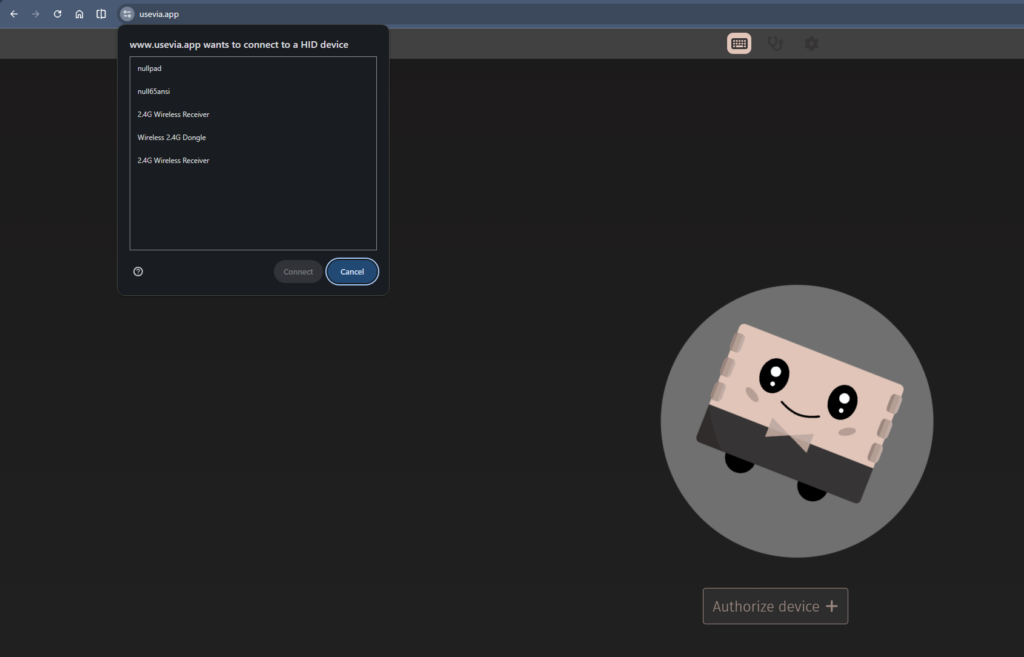
The NULL65 V1 PCB is pre-flashed and supports VIA configuration, per-key RGB and QMK according to Null Design Co.
I personally tested VIA.
The keyboard was detected, I remapped keys, changed the RGB settings and generally configured it the way I wanted.
I had zero connectivity or recognition issues.
The official build guide is also quite good here.
Before assembly, it tells users to connect the PCB, authorise it through usevia.app, select the appropriate null65ansi or null65iso layout and test the switch matrix.
That is exactly the sort of step I like seeing in a custom keyboard guide because it catches PCB problems before you have already assembled everything.
What about QMK?
I did not personally flash QMK firmware during this review.
Null Design Co advertises full QMK compatibility. At the same time, the PCB care section on the current product page warns owners not to flash custom firmware outside the provided instructions because improper flashing can brick the PCB.
So I am keeping my first-hand software verdict limited to VIA.
VIA worked perfectly for what I needed.
Typing Speed
I normally type at around 90 to 95 WPM, with my best runs getting closer to 110 WPM.
The NULL65 hasn’t meaningfully slowed me down.
That matters because sometimes a keyboard can feel great during casual use but introduce enough of a change in key height, switch weight or layout that you need time to adjust.
I didn’t have that issue here.
The Sakura switches are light, the Cherry-profile AegisSil keycaps are familiar enough, and the 65% layout retains the keys I regularly use.
I’ve been able to get very close to my normal typing performance.
I don’t think WPM should be treated as a serious keyboard benchmark because there are far too many variables involved.
But it tells me something useful here.
I adapted to the NULL65 very quickly.
Gaming on the NULL65
I’ve also used the NULL65 for gaming.
No complaints.
I experienced zero practical inconvenience from the layout.
A 65% keyboard keeps the alphanumeric section compact while still retaining dedicated arrow keys, which is one reason I find the format easy to live with.
Obviously, this isn’t a Hall Effect gaming keyboard with adjustable actuation and Rapid Trigger.
That isn’t what Null Design Co is trying to build.
For the games I’ve played on it, the traditional mechanical setup has been perfectly fine.
I didn’t notice input problems, connectivity problems or anything else that made me want to swap keyboards before playing.
What Is It Like Living With a Wooden Keyboard?
This was one of the things I was genuinely curious about.
Wood is not aluminium.
It reacts to its environment.
Null Design Co specifically warns owners to keep the case dry, avoid cleaners, and avoid major changes in temperature or humidity because natural wood can potentially warp.
The case uses a hardwax oil finish, which also means small scratches or worn areas can be sanded and re-oiled rather than requiring an entire coating to be stripped.
That sounds more intimidating than my actual ownership experience has been.
I’ve used the NULL65 as my primary keyboard for a few weeks now.
So far:
- No visible wear
- No noticeable colour change
- No warping
- No loosening
- No deterioration in the finish
It still looks essentially the same as it did when I unboxed it.
A few weeks obviously isn’t long enough for me to tell you how the case will look after several years.
I will update this review if anything changes over longer-term use.
For now, ownership hasn’t required anything beyond treating it like an expensive piece of wood rather than something I can spill water over and clean with random chemicals.
What About the Brass?
The visible brass is another part of this keyboard that can naturally change with use.
Null Design Co leaves its visible brass components unlacquered so they can develop patina over time. The brass switch plates and internal weights are treated differently and receive a protective lacquer because they sit inside the keyboard.
Personally, I don’t mind the idea of some patina.
On a keyboard built around natural walnut, having the brass slowly change doesn’t feel out of place.
It adds to the whole idea of the keyboard ageing with your setup rather than staying perfectly factory-fresh forever.
NULLPAD Series 2.0 Review
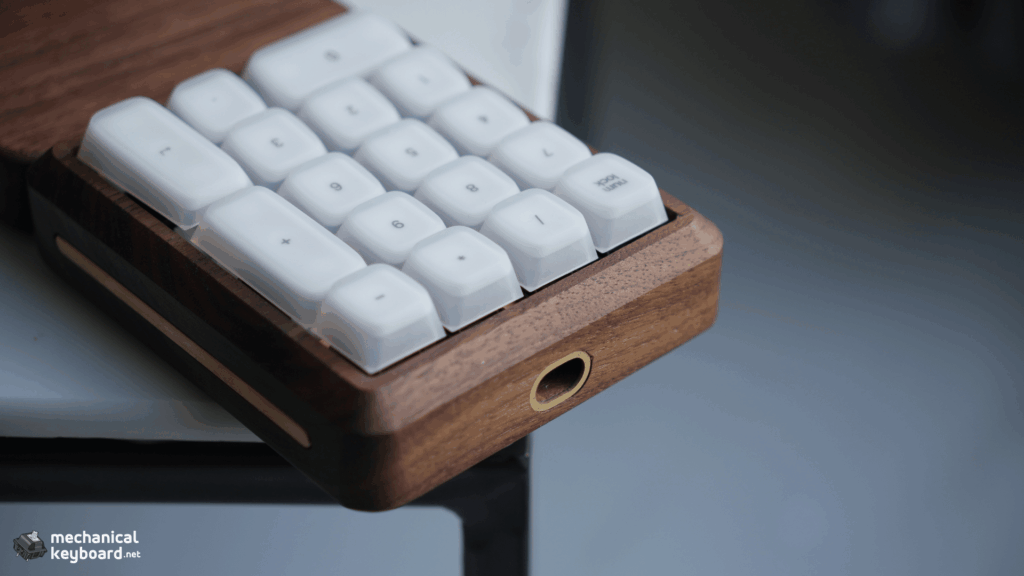
Null Design Co also sent me the matching NULLPAD Series 2.0.
I don’t want to turn this NULL65 review into a full numpad review, so I will keep this short.
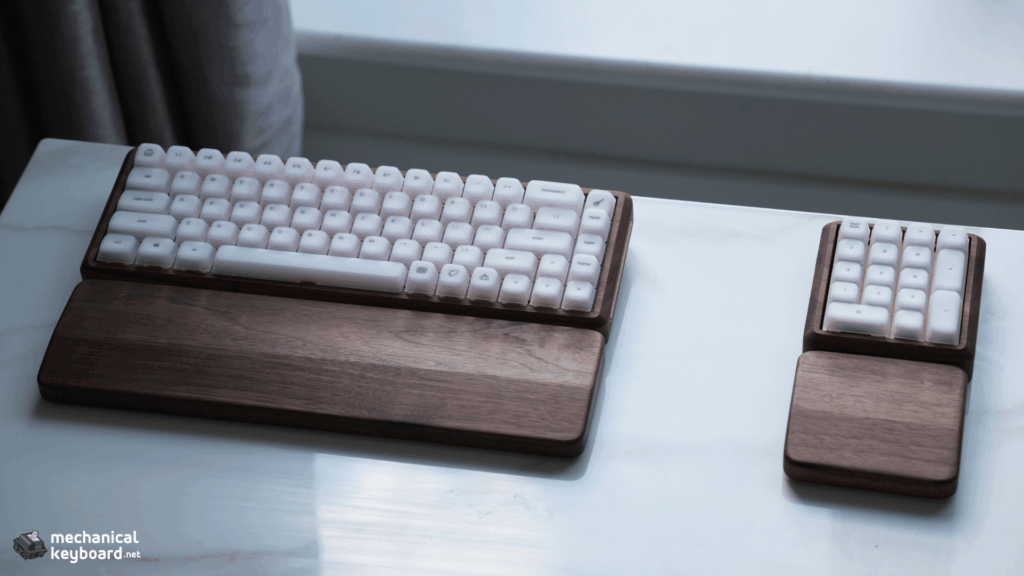
My NULLPAD configuration uses:
- Walnut case
- Brass plate
- Brass USB accent
- Brushed brass side accents
- TX AP White stabilizers
- Gateron Oil King Silent Tactile switches
- Matching walnut wrist rest
My assembled NULLPAD weighed 281 g without the metal risers installed. Interestingly, Sarah’s weight configurator predicts 282 g for my walnut, brass-accent and brass-plate configuration with the standard aluminium internal weight, almost exactly matching my scale.
The matching NULLPAD wrist rest weighed another 100 g.
That measurement detail is important because the NULL65’s 807 g figure was taken with its brass risers installed, while the NULLPAD’s 281 g figure was taken without its risers, They therefore should not be treated as directly comparable measurements.
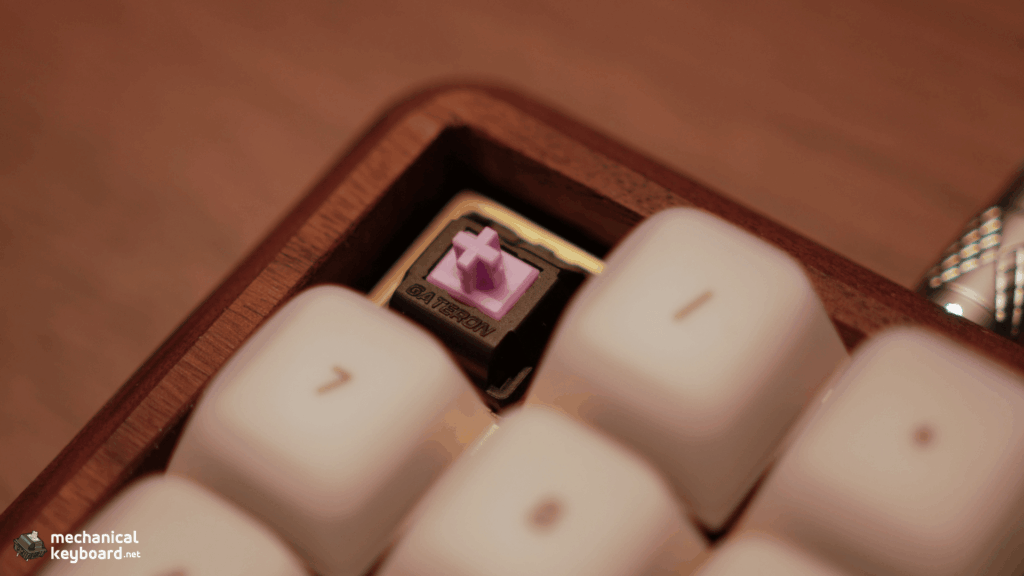
The Oil King Silent Tactiles feel really nice here.
They’re obviously a completely different experience from the Sakura linears on the NULL65, but I actually like that.
The NULLPAD feels quieter and more controlled, while the main keyboard has the creamier linear character I prefer for long typing sessions.
The NULLPAD uses a standard 17-switch numpad layout, a 1.6 mm hotswap PCB and the same general QMK/VIA and per-key RGB approach as the NULL65.
The current pre-order listing starts at $169 and is sold out at the time of writing.
I think it deserves a separate review rather than being squeezed into this one.
Is the NULL65 Worth $249?
This is the difficult part.
Because $249 is a lot of money for a wired barebones 65% keyboard.
And remember, that is the starting price.
The standard barebones kit does not give you a complete keyboard.
You still need switches, stabilizers, keycaps and a USB-C cable before you can actually use it.
There are also optional upgrades and accessories including brass weights, alternative plates, foam, O-rings and the matching wrist rest. My review unit uses the standard internal weights, not the optional brass weight upgrade.
So no, this isn’t what I would call a value keyboard.
But I also don’t think value is the right way to judge it.
If you only care about getting the longest specification sheet for your money, there are countless mass-produced keyboards that make more sense.
The NULL65 feels closer to buying a custom piece for your desk.
The case is real walnut.
The finishing on my unit is exceptional.
The brass detailing looks fantastic.
You can change the plate, foam, mounting configuration, side accents, weights, switches and keycaps.
It supports VIA.
The typing experience is excellent.
And most importantly for me, the keyboard actually feels special every time I sit down at my desk.
That last part is difficult to put into a specification table.
If I had spent $249 of my own money on the base kit, would I feel happy with what I received?
For this particular configuration and my setup, yes.
The aesthetics are probably the biggest reason.
The walnut goes perfectly with my desk, and after a few weeks I still find myself choosing this keyboard over the others I have available.
That says more to me than a spec sheet does.
Buying From Null Design Co
There are a couple of things you should know before placing an order.
At the time of this review, the NULL65 Series 2.0 is listed as a made-to-order product from $249, with a stated processing time of 6 to 14 days on the current product page.
Made-to-order products also have stricter return conditions than standard stocked goods according to Null Design Co’s policies.
International customers should also factor in potential import charges.
The company is based in Philadelphia and says its wood cases are made in the USA, with assembly completed in-house and manufacturing partnerships with small family-owned shops in Pennsylvania.
This is part of what separates the NULL65 from a typical mass-market keyboard, but it also helps explain why the pricing is very different.
Who Should Buy the NULL65 Series 2.0?
I think the NULL65 makes the most sense for someone who already knows why they want it.
Buy it if:
- You specifically want a real wooden mechanical keyboard
- You care heavily about the appearance of your desk setup
- You appreciate small-batch enthusiast designs
- You want to choose your own switches and keycaps
- You want VIA support
- You like the 65% layout
- You enjoy tuning foam, mounting and plate configurations
- You prefer something less common than another aluminium custom keyboard
- You are willing to pay for craftsmanship rather than maximum features
Skip it if:
- Your priority is getting the most features possible for $249
- You need Bluetooth or 2.4 GHz wireless
- You want a complete keyboard straight out of the box
- You prefer very low-profile keyboards
- You don’t want to think about caring for natural wood
- You want a keyboard specifically focused on competitive Hall Effect gaming features
Final Verdict
The NULL65 Series 2.0 got me with the aesthetics first.
The walnut case and brass accents were always going to be the reason I wanted it on my desk.
What has kept it there is everything else.
The build quality on my unit is immaculate.
The walnut finish feels fantastic.
The brass details are beautifully integrated.
VIA worked without any problems.
I can type at essentially my normal speed, gaming has been completely fine, and after a few weeks of daily use there are no visible signs of the wood deteriorating.
Most importantly, it feels really good to type on.
My configuration with the frosted polycarbonate plate, Huano Sakura switches and AegisSil silicone keycaps has this creamy sound that I keep coming back to.
And after looking deeper into the actual build documentation, I appreciate the platform itself more too.
The NULL65 is not simply a wooden shell.
You can change the plate, remove standoffs, experiment with multiple foam layers, use an O-ring configuration, change internal weights and swap the external accents.
That gives the board far more room to grow with you than I initially expected.
Is $249 for a wired barebones 65% keyboard expensive?
Absolutely.
But I don’t think someone buys a NULL65 because they ran a spreadsheet and decided it had the best specifications per dollar.
You buy it because you want a keyboard made from real wood that feels like it belongs permanently on your desk.
For me, that is exactly what happened.
Frequently Asked Questions
Is the Null Design Co NULL65 Series 2.0 worth $249?
It can be if you specifically value the walnut construction, craftsmanship, customisation and enthusiast features.
Buyers who only care about specifications per dollar can find cheaper options.
The $249 starting price is also for a barebones kit, so switches, stabilizers, keycaps and a USB-C cable need to be added separately.
Is the NULL65 wireless?
No.
The NULL65 Series 2.0 is a wired USB-C keyboard and the case is not designed around a battery.
Does the NULL65 support VIA?
Yes.
I personally tested VIA with my NULL65.
The keyboard was detected correctly and I was able to remap keys and change RGB settings without recognition or connectivity problems.
The official build guide also walks buyers through testing the PCB through VIA before final assembly.
Is the NULL65 a complete keyboard?
No.
The retail NULL65 Series 2.0 is sold as a barebones kit.
You will need switches, stabilizers, keycaps and a USB-C cable to complete the build.
How long does the NULL65 take to build?
Null Design Co’s official build guide estimates approximately 90 to 120 minutes for a complete barebones build.
How many switches does the NULL65 need?
The ANSI version uses 68 switches, while the ISO version uses 69 switches.
Can you change the mounting feel of the NULL65?
Yes.
The middle tray-mount standoffs can be removed for a softer setup, while the official build system also supports an optional O-ring configuration using shorter mounting standoffs.
Does the NULL65 support foam?
Yes.
Null Design Co offers a foam kit, and the official build guide covers PCB foam, plate foam and case foam as optional layers.
This gives you quite a bit of control over dampening and resonance.
Are wooden keyboard cases good?
They can be excellent if you specifically want the feel and appearance of natural wood.
My NULL65 has been extremely well finished and gives my build a distinctive sound and aesthetic.
Wood does require more care than aluminium or plastic because moisture, temperature and humidity can affect it over time.
Can a wooden keyboard case warp?
Yes. Solid wood can naturally move, cup or warp when exposed to significant changes in temperature or humidity.
Null Design Co accounts for this in the Series 2.0 design rather than simply treating the case like an unsupported block of wood. The thicker removable side accents help stabilise the case, while the internal metal weights act as structural braces, similar to the metal supports used on solid-wood furniture. The company still recommends avoiding extreme temperature and humidity changes.
The kit also includes six leveling washers, three thin and three thick, as part of its hardware system. These can be stacked to help level the keyboard if small variations in the natural wood cause it to sit unevenly. I have not experienced any warping or unevenness with my review unit after several weeks of daily use.
Do you need the NULL65 wrist rest?
Not necessarily.
I find the NULL65 manageable without a wrist rest when the metal risers are removed.
When I install the brass risers for the 6 degree typing angle, I strongly prefer using the matching wrist rest because otherwise my wrists feel like they are floating above the desk.
What plate did I test in the NULL65?
My review configuration uses the frosted polycarbonate plate.
The rest of my configuration consists of a walnut case, brass weights, brass fluted accents, TX AP stabilizers, Huano Sakura linear switches and Epomaker AegisSil silicone keycaps.
Does the NULL65 have RGB?
Yes.
The NULL65 V1 PCB has per-key RGB lighting that can be configured through VIA. I tested the RGB controls through VIA and they worked correctly.