Quick Verdict : TL;DR
The RK Royal Kludge R99 is a 99-key wireless mechanical keyboard with gasket mount, tri-mode connectivity, a 10,000mAh battery, and RK Cream linear switches. It costs $99.99 and sits at the top of the budget wireless keyboard bracket.
Score: 8.5/10 (budget value scale)
Should I buy the R99? If you need a numpad, want wireless, and care about RGB lighting, yes. For $99.99 you get the same gasket mount, tri-mode wireless, and hot-swap sockets you would pay 50% more for on enthusiast boards. If you need QMK/VIA, genuinely silent switches, or Mac software support, look elsewhere.
Best for: Budget buyers who need a numpad and wireless under $100. First-time mechanical keyboard owners. Anyone who wants gasket mount feel without paying premium prices.
Skip if: You need QMK or VIA. You want genuinely silent switches. You are on macOS and need first-class software support.
Bottom line: The R99 is the most complete budget wireless board with a numpad we have tested. The software is the weak link, and the Cream switches are good but not exceptional. If you want a reliable wireless board with a numpad and do not care about QMK, this is one of the best budget wireless keyboards you can buy.
More Read

Variants
The R99 comes in three colourways and two stock switch options:
| Colourway | Look |
|---|---|
| Halo (ours) | White-blue gradient theme |
| Rhythm Blue | White-blue, cleaner design |
| Slide | Black-blue |
Switch options are the Cream (linear, 45g) and Beige (linear). Tactile and silent linear options are also available at RK’s US store. We are reviewing the Halo with Cream switches.
Specs at a Glance
| Spec | Detail |
|---|---|
| Layout | 99-key compact full (numpad included) |
| Case | ABS plastic |
| Mount | Gasket mount |
| Switches | RK Cream linear (45g actuation, ~55g bottom-out, 2.0mm pre-travel, 3.4mm total travel, factory lubed) |
| Keycaps | Shine-through spherical profile PBT |
| Hot-swap | Yes (3-pin and 5-pin MX) |
| Connectivity | USB-C / 2.4GHz / Bluetooth |
| Battery | 10,000mAh |
| Polling | 8000Hz claimed (unverified) |
| RGB | Per-key south-facing + RGB light bar |
| Software | RK Launcher + web driver |
| Weight | ~1.2kg (measured) |
| Price | $99.99 (rkgamingstore.com) |
Unboxing and First Impressions
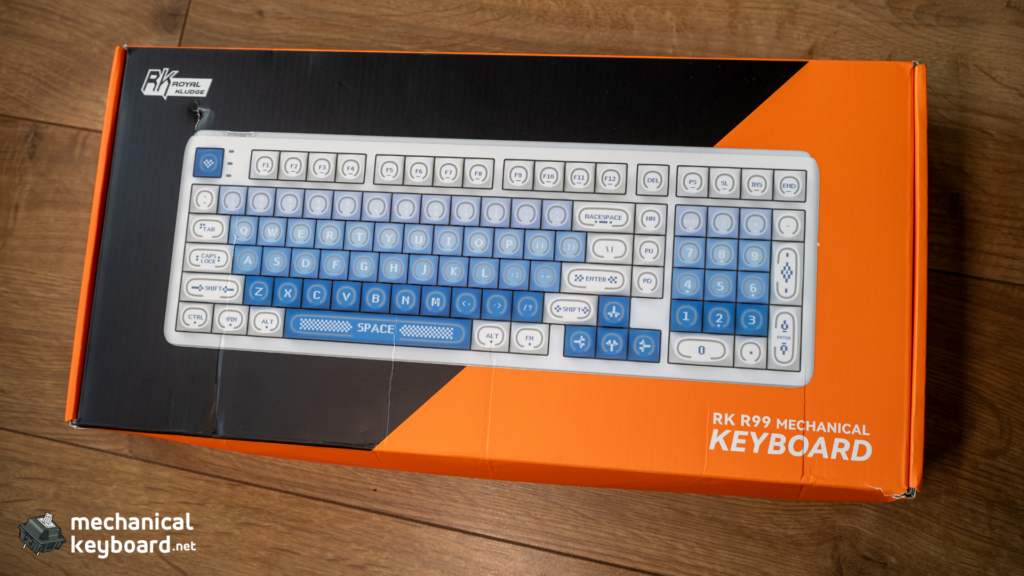
The R99 arrives in a bright neon orange box with the keyboard, a USB-C cable, a keycap puller, a switch puller, and a manual. The Halo colourway is a soft gradient from light blue to warm white, which looks premium on a desk even before the RGB is on.
The first thing you notice is the RGB light bar running across the top of the case. It is not a gimmick on paper and it is not a gimmick in person. The light bar plus the shine-through spherical keycaps give the R99 a distinctive look that most budget boards cannot match.
The build feels solid for a plastic case. There is no creaking when you twist the board, and the gasket mount gives a soft, controlled bottom-out on the first keystroke. At about 1.2kg measured, the R99 has enough weight to feel planted.
Build Quality
The ABS Case
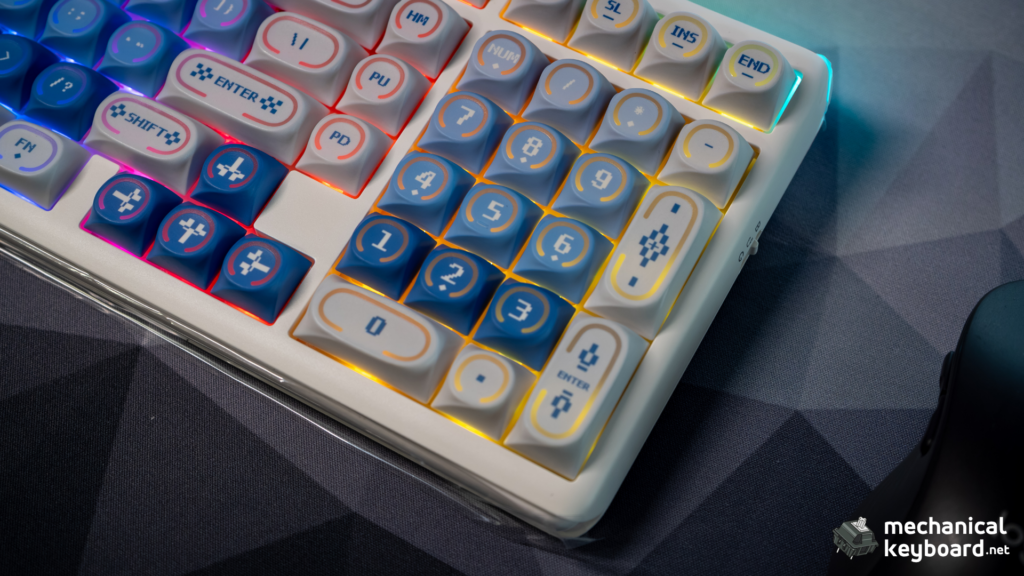
The R99 uses an ABS plastic case with a gasket mount structure. For a budget board, the build quality is above average. The case halves fit together cleanly, the USB-C port is recessed but accessible, and the rubber feet keep the board stable.
It is worth noting the weight discrepancy: the store lists 1.6kg, but our unit measured about 1.2kg. The measured weight is still substantial for a plastic board and does not affect the typing experience.
Gasket Mount
The gasket mount is the headline feature at this price. Silicone gaskets sit between the plate and the case, absorbing vibration and softening the bottom-out. The typing feel is noticeably more comfortable than a tray-mount board like the Aula F99 or Akko 3098B.
The gaskets are firmer than the ones in premium boards. You do not get the deep bounce of a $200 gasket board, but you get the important part: no harsh impact, no metallic ping, and a controlled sound profile.
RGB Light Bar
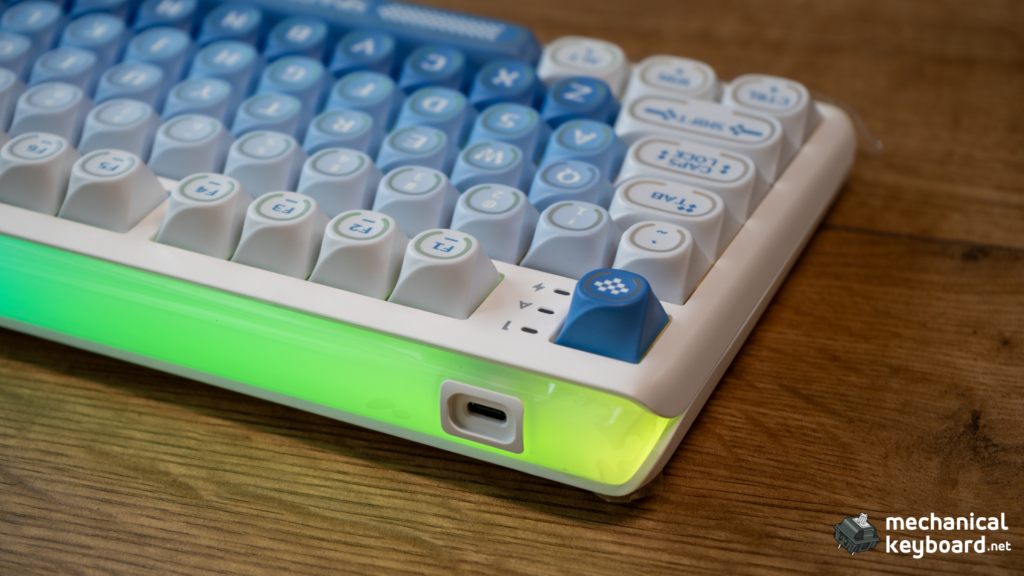
The RGB light bar across the top of the case is the R99’s signature feature. It runs independent lighting effects from the per-key RGB, and RK markets it as “Control the Glow.” You can sync effects, set static colours, or let it run its own patterns. It is a genuine differentiator that no competitor in this price range offers.
Layout : 99 Keys
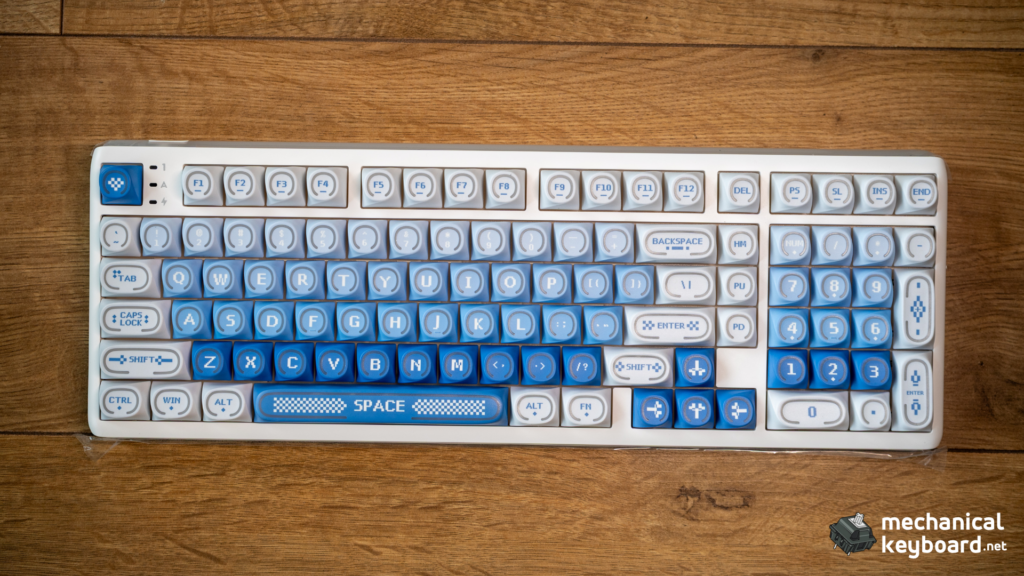
The R99 uses a compact full layout with 99 keys including a full numpad. The nav cluster (Insert, Delete, Home, End, Page Up, Page Down) is present, and the arrow keys sit in the bottom right in a standard arrangement.
One note on the key count: RK’s global site lists this as a 99-key board, but some sources count 101 keys. We counted our unit and it matches the 99-key spec. Either way, this is a compact full-size board: everything from a standard full-size keyboard, minus the wasted gaps between clusters.
For anyone coming from a full-size board, the adjustment is minimal. The numpad is exactly where you expect it. The only difference is the tighter spacing, which actually feels better once you get used to it.
RK Cream Switch Deep Dive
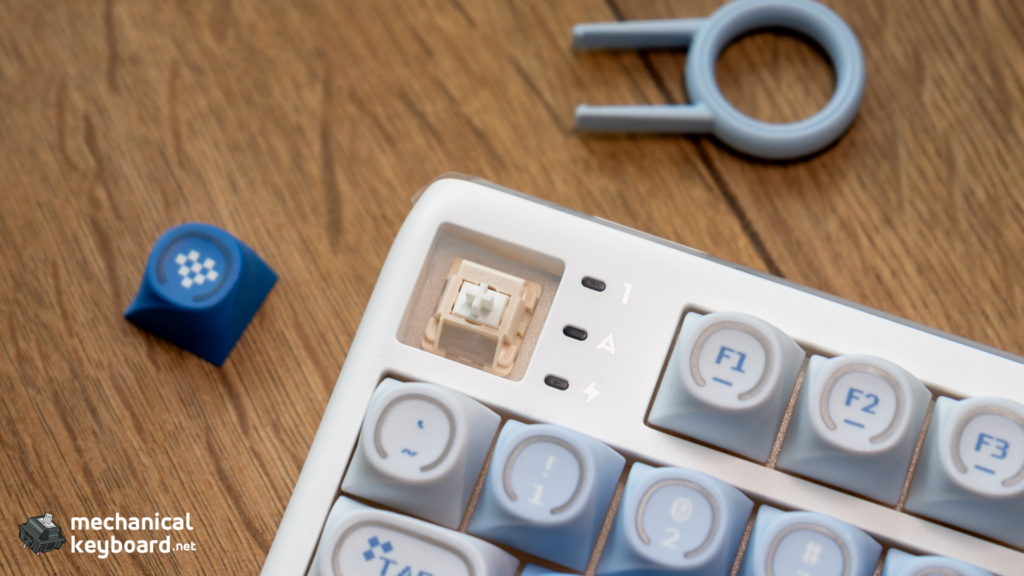
The R99 ships with RK Cream linear switches. These are RK’s house linear, and they are only available inside RK keyboards. You cannot buy them standalone.
Specs
| Spec | Value |
|---|---|
| Type | Linear |
| Actuation force | 45g |
| Bottom-out force | ~55g |
| Pre-travel | 2.0mm |
| Total travel | 3.4mm |
| Factory lubed | Yes |
| Stem | Light-diffuser (for RGB) |
The Cream switch is a light 45g linear with a short 3.4mm total travel. The factory lube is applied consistently, and the light-diffuser stem is the reason the shine-through keycaps look so good. The stem channels light evenly through the cap.
Sound and Feel
The Cream switch has a light, creamy character: a soft, mid-pitched linear that is neither silent nor deep-thocky. It does not thock like a long-pole switch (the HMX Cheese has that honour), and it does not clack like a cheap budget switch. In the R99’s gasket-mounted, foam-filled case, the sound is pleasant and controlled with no metallic ping.
The 45g actuation is light enough for all-day typing. The feel is smooth thanks to the factory lube, with average stem stability. Nothing exceptional, but nothing offensive either. For a stock budget switch, the Cream is a solid performer.
RK Cream vs Gateron Yellow
| Switch | Actuation | Bottom-out | Travel | Notes |
|---|---|---|---|---|
| RK Cream | 45g | ~55g | 3.4mm | Factory lubed, light-diffuser stem |
| Gateron Yellow KS-3 | 50g | 60g | 4.0mm | Heavier, deeper, the budget benchmark |
The Gateron Yellow is heavier and has a deeper, more classic linear sound. The RK Cream is lighter and has the light-diffuser advantage for RGB. Most typists will find the Cream slightly easier for long sessions; enthusiasts chasing the classic Yellow sound will prefer the Gateron.
Typing Experience
The R99 types well out of the box. The gasket mount softens the bottom-out, the Cream switches are smooth, and the shine-through spherical keycaps have a pleasant feel.
The stabilizers are pre-lubed and notably quiet. The spacebar, enter, and backspace have no rattle and no ping. This is a genuine surprise at this price point. Budget boards usually ship with rattly stabilizers.
The shine-through spherical profile keycaps are a highlight. They have a slight dish to them that feels natural, and the shine-through effect with the light-diffuser stems produces even, bright lighting. In a dim room, the R99 looks far more expensive than it is.
For a typing speed reference, I sustained around 85-95 WPM on Monkeytype (English 1k, 60 seconds) with the stock Cream switches, which matches my baseline on other boards. No adjustment period needed.
Wireless and Battery
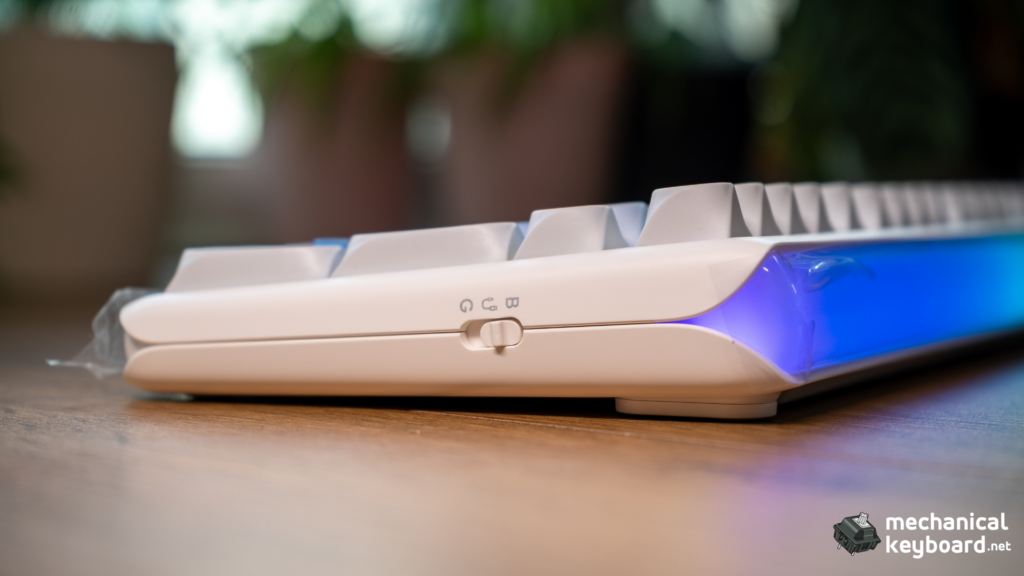
The R99 supports three connection modes: USB-C wired, 2.4GHz wireless via dongle, and Bluetooth.
The 10,000mAh Battery
The 10,000mAh battery is the largest in its price bracket: – Aula F99: 8,000mAh – Akko 3098B: 3,000mAh – Keychron V5 Max: 4,000mAh
In practice, with RGB off and the 2.4GHz connection, the R99 lasts well over a month of daily use. With RGB on at medium brightness, expect two to three weeks. To put a number on it: after 9 days of full workdays (roughly 7 hours a day) with RGB on at 50% brightness, the battery meter showed 61% remaining. That projects to about three weeks on a single charge. When you do charge it, it is USB-C.
The 8000Hz Polling Claim
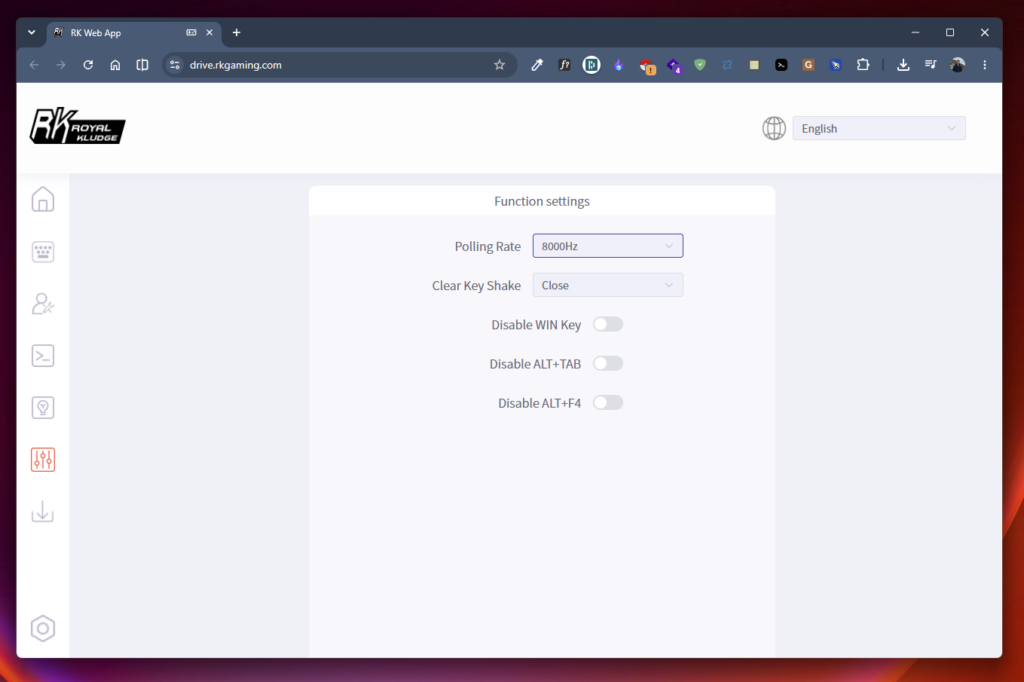
RK markets the R99 with an 8000Hz polling rate claim. We cannot verify this without specialised testing equipment, and we are honest about that. What we can say: I ran the R99 through a week of daily CS2 sessions on the 2.4GHz connection and could not tell it apart from a wired board. No dropped keystrokes, no input lag spikes, no reconnects mid-round. For the vast majority of users, the difference between 1000Hz and 8000Hz is not measurable in practice.
RGB Light Bar and GIF Lighting
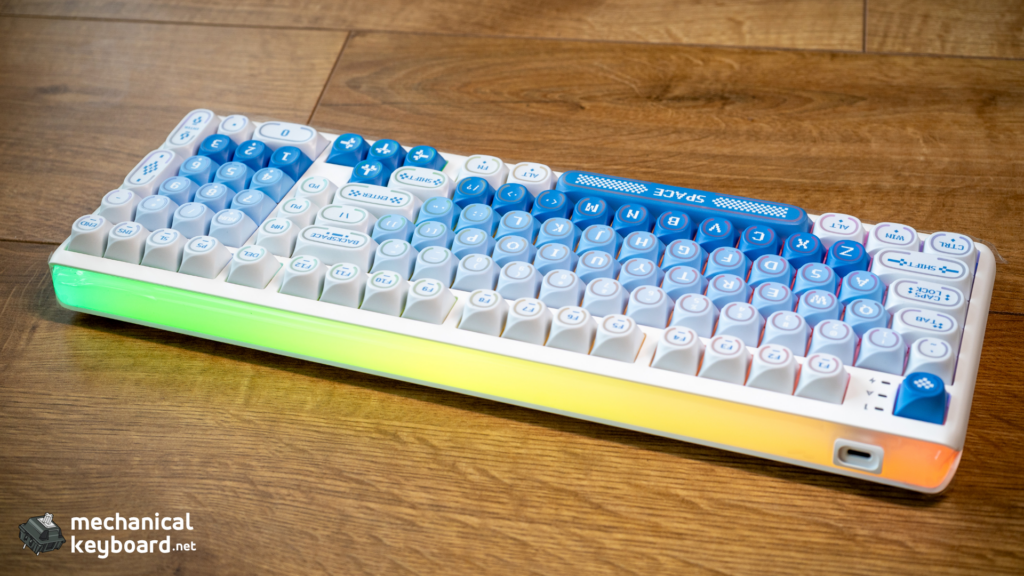
The RGB light bar is the R99’s party piece. Combined with the shine-through keycaps and light-diffuser stems, the R99 produces one of the best light shows in the budget category.
RK’s software supports custom lighting effects on both the per-key RGB and the light bar, and you can load custom patterns. The “Control the Glow” marketing is accurate: this is a board you buy partly for the lighting, and it delivers.
Software : RK Launcher
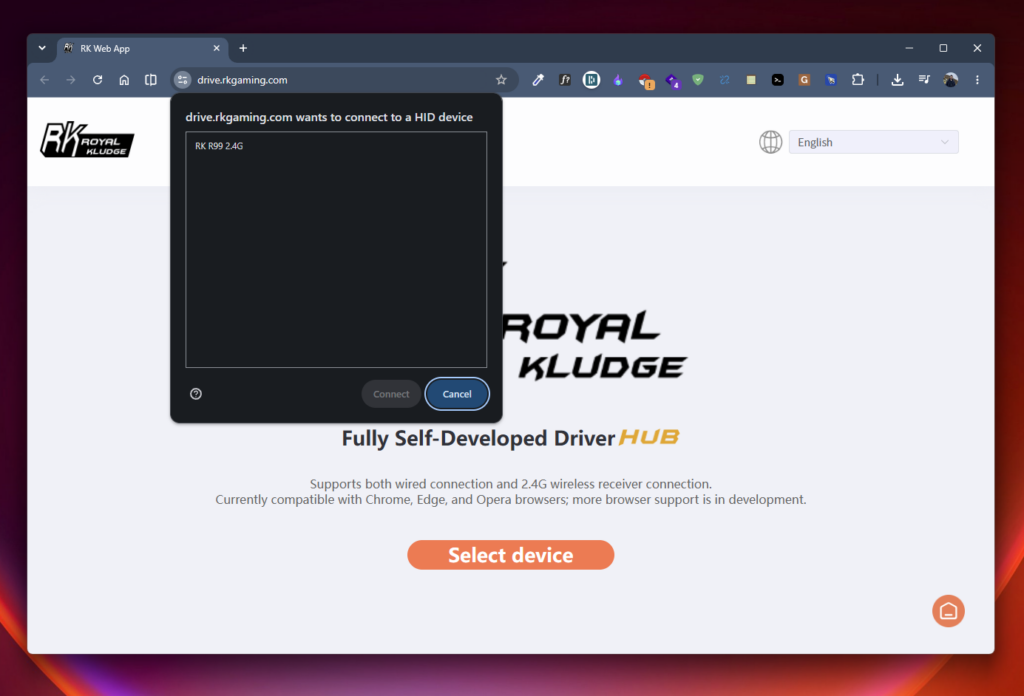
Here is where the R99 loses points. RK’s software situation is the weakest part of the experience.
The R99 uses RK Launcher and a web-based configurator. You can remap keys, adjust RGB, set macros, and configure the light bar. Basic functionality works.
The problems:
- The FN-layer bug. The software’s FN-layer configuration does not support SpaceFN or some advanced layer behaviours that power users expect. The firmware simply does not expose them.
- Driver confusion. RK’s model-specific drivers are scattered across multiple download domains. The US site has been known to host the wrong driver for some models, which causes the keyboard to appear as an unknown device.
- Windows-centric. The software is Windows-first. macOS support is limited or nonexistent depending on the driver, which is a real limitation if you are on a Mac.
- No QMK or VIA. The R99 does not support QMK or VIA. This is the biggest structural weakness versus the Keychron V5 Max, which ships with full QMK/VIA at the same $99 price.
If you remap a couple of keys and set a lighting effect once, the software is fine. If you want deep layer control or Mac support, look elsewhere.
Portability
At about 1.2kg with a full numpad, the R99 is not a travel keyboard. It is a desk keyboard you can move between work and home without much hassle. The tri-mode connectivity helps here: plug the 2.4GHz dongle into one machine, pair Bluetooth to another, and move between them without touching any cables.
The plastic case means you do not need to worry about dents in a bag, and the USB-C charging is universal. If you split your week between an office desk and a home desk, the R99 is one of the easiest boards to carry between the two.
Verdict
The RK Royal Kludge R99 is one of the best budget wireless keyboards with a numpad you can buy. The build quality is solid, the stabilizers are pre-lubed, and the Cream switches are a competent stock option. At $99.99, the R99 undercuts boards with a fraction of its feature set.
The software is the dealbreaker test. If you never touch the software beyond a basic remap, the R99 is an easy recommendation. If you need QMK, VIA, or Mac support, the Keychron V5 Max at the same price is the better choice.
For the vast majority of budget buyers, people who want a reliable wireless keyboard with a numpad that looks great and feels good, the R99 delivers exceptional value.
Price & Availability
The R99 is available for $99.99 through rkgamingstore.com (US). Note that it is not currently listed on Amazon US, so the official store is the primary purchase channel.
| Source | Price | Notes |
|---|---|---|
| RK Gaming Store (US) | $99.99 | Official, full warranty |
| rkgaming.shop (HK) | ~$80-105 | Hong Kong store, occasional coupon codes |
RK’s stores have run discount codes bringing the R99 down to around $80. If you are not in a hurry, it is worth checking both stores before buying.
FAQ
Is the RK R99 good?
Yes. It delivers gasket mount, tri-mode wireless, a 10,000mAh battery, and an RGB light bar for $99.99. The software is the only significant weakness.
Is Royal Kludge a good brand?
Yes, for hardware. Royal Kludge is one of the most established budget keyboard brands, with strong value across its lineup and generally positive user reviews. The software quality is the recurring criticism.
Does the R99 have a numpad?
Yes. It is a 99-key compact full layout with a full numpad and nav cluster.
How long does the battery last?
About a month of daily use with RGB off, two to three weeks with RGB on. The 10,000mAh battery is the largest in its price bracket.
Does the R99 support QMK or VIA?
No. It uses RK Launcher software. If QMK or VIA is essential, the Keychron V5 Max at the same price supports both.
Does the R99 work with a Mac?
The keyboard itself works fine with a Mac over wired, 2.4GHz, and Bluetooth. The limitation is the configuration software: RK Launcher is Windows-first, and macOS support is limited or nonexistent depending on the driver version. If you only need the keyboard to type, it works. If you need to remap keys or configure lighting from a Mac, expect friction.
Are the Cream switches good?
Yes, for a stock budget switch. They are a light 45g linear, factory lubed, with a light-diffuser stem for better RGB. They are not silent and not exceptional, but they are smooth and pleasant.