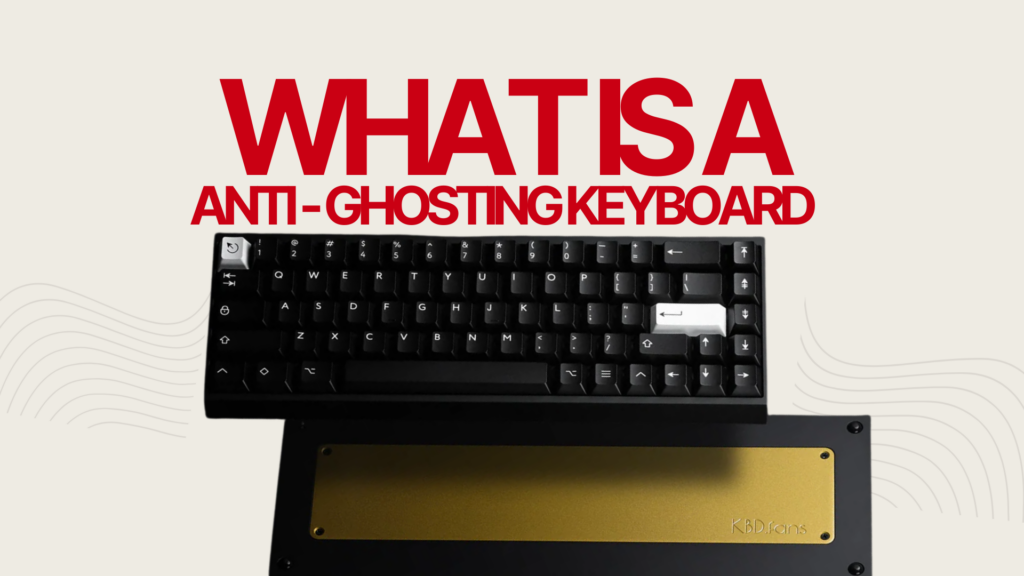
Anti-ghosting is a keyboard technology that ensures every key you press registers correctly, even when you press several keys at the same time. It works by preventing “ghosting” a wiring limitation in basic keyboards that can cause phantom keypresses (keys registering that you never touched) or dropped keypresses (real keys that get ignored). Most anti-ghosting keyboards use a diode on each key switch to isolate the signal and stop this from happening.
- What Is Keyboard Ghosting?
- What Is Anti-Ghosting?
- How USB HID Limits Rollover
- Anti-Ghosting vs NKRO
- 6KRO vs NKRO: What Is the Difference?
- Do You Need Anti-Ghosting?
- Do Hall Effect Keyboards Have Anti-Ghosting?
- Boards I’ve Actually Tested
- How to Check if Your Keyboard Has Anti-Ghosting
- Anti-Ghosting on Membrane vs Mechanical Keyboards
- FAQ
What Is Keyboard Ghosting?
Keyboard ghosting happens when a keyboard can’t correctly handle multiple simultaneous keypresses. Inside the keyboard, a grid of rows and columns detects which keys are pressed. Press the wrong combination and the circuit can register a key you never touched a phantom keypress. Sometimes it goes the other way: instead of adding a fake key, the keyboard drops one of your real inputs entirely. The technical terms are ghosting and masking, but in everyday use, people lump both under “ghosting.”
Here’s a real example: on a basic keyboard, pressing W, S, and the left arrow together might add an extra D or E to the input, or just drop one of the three keys. In a game, that’s your character freezing or drifting the wrong way at the worst possible moment.
This isn’t a defect it’s a limitation of how basic membrane keyboards are wired. Without diodes at each switch, the matrix creates electrical paths that can short-circuit under certain key combinations. Some modern membrane keyboards improve on this with better matrix design, but it’s still far more common on entry-level boards.
For the technical side of matrix design and signal routing, see our What Is NKRO? guide.
What Is Anti-Ghosting?
Anti-ghosting is the fix. The most common approach adds a diode to every key switch in the matrix. Diodes only let current flow one way, which blocks the false electrical paths that cause phantom keypresses. Controller/firmware design plays a role too some boards combine both approaches.
More Read

How it actually works: each key sits at the intersection of a row wire and a column wire. Without a diode, pressing multiple keys can open up alternate paths the controller misreads as extra keypresses. Put a diode on each switch, and only the keys you actually pressed get registered.
Anti-ghosting shows up mostly on mechanical keyboards, since each mechanical switch can carry its own diode easily. Some membrane boards include limited anti-ghosting too, usually capped at a handful of simultaneous keys. For the switch-level differences, check our mechanical keyboard switches guide and complete guide to mechanical keyboards.
One thing worth being direct about: “anti-ghosting” gets used loosely by manufacturers. It’s a marketing term as much as a technical one. Key rollover (KRO) and NKRO are the more precise specs check those numbers before you check the marketing copy.
How USB HID Limits Rollover
Here’s something most explainers skip: 6-key rollover (6KRO) is so common largely because of the USB HID protocol itself, not just cost-cutting. The USB HID standard for keyboards caps a single report at 6 simultaneous non-modifier keys plus 4 modifiers (Ctrl, Shift, Alt, Win). That’s the ceiling unless a manufacturer works around it usually by sending multiple HID reports per scan cycle, or by switching to a vendor-specific protocol. Most gaming keyboards advertising NKRO over USB are using one of these workarounds.
Anti-Ghosting vs NKRO
Related, but not the same thing.
| Feature | Anti-Ghosting | NKRO (N-Key Rollover) |
|---|---|---|
| What it does | Prevents phantom keypresses | Ensures every key is registered |
| How many keys | Varies; 6KRO is common | All keys simultaneously |
| Where it’s found | Many gaming keyboards | High-end mechanical keyboards |
| Uses diodes | Most commonly, yes | Yes, typically per-switch |
For most people, anti-ghosting alone is enough you rarely need more than six keys at once, and 6KRO or higher covers that. If you’re playing something that demands precise multi-key combos under pressure, NKRO is the extra layer of reliability worth paying for.
6KRO vs NKRO: What Is the Difference?
6KRO handles any combination of up to 6 simultaneous non-modifier keys. NKRO handles all of them. In practice, 6KRO covers almost every gaming scenario the gap only shows up in extreme cases where you’re stacking several keys and modifiers at once. Most players will never notice the difference. Competitive FPS and MOBA players running complex key combos are the exception.
Do You Need Anti-Ghosting?
For gaming: yes. Running (W), sprinting (Shift), jumping (Space), and switching weapons (1-4) all at once is a completely normal input pattern in most modern games. Without anti-ghosting, you’re gambling on dropped inputs and phantom actions at the exact moment you can’t afford them. Competitive shooters (Valorant, Counter-Strike, Overwatch) and MOBAs (League of Legends, Dota 2) push this the hardest. For recommendations, see our Best Hall Effect Keyboard 2026 guide.
For typing: most typing never needs more than two or three keys at once. But certain shortcuts can trigger ghosting on boards without anti-ghosting Ctrl+Shift+Esc, Ctrl+Alt+Del, modifier-heavy shortcuts in design software. Whether it actually causes a problem depends on the specific shortcut and how your keyboard’s matrix is laid out, so it’s not a guaranteed issue, just a real possibility worth protecting against.
For daily use: not strictly necessary. Browsing, email, and document editing rarely involve more than two simultaneous keys. If you’re in an office and don’t game, a standard keyboard without anti-ghosting will be fine. If you want the upgrade anyway, any budget mechanical keyboard with anti-ghosting is a solid step up.
Do Hall Effect Keyboards Have Anti-Ghosting?
Yes, and by design rather than as an add-on. Hall Effect keyboards use magnetic sensors that continuously measure key position, which sidesteps the electrical matrix issue that causes ghosting in the first place. Every Hall Effect board on the market supports full NKRO or high KRO as a baseline, plus features like Rapid Trigger and adjustable actuation that go further than traditional anti-ghosting. See our Hall Effect keyboard guide or our optical vs mechanical vs magnetic switches guide for the full comparison.
Boards I’ve Actually Tested
Rather than just explain the spec sheet, here’s what I found running our NKRO test tool across keyboards I own and have reviewed on this site. Same test each time: press W+A+S+D, then add Shift, Space, and Ctrl one at a time, checking whether every key stays lit or anything drops or phantom-registers.
| Keyboard | Rollover Result | Notes |
|---|---|---|
| Epomaker HE68 | Full NKRO | No dropped or phantom keys across all combinations tested |
| Epomaker HE80 | Full NKRO | Same result as the HE68 — consistent across the full board, not just WASD zone |
| Epomaker Galaxy 100 Lite | Full NKRO | Passed even with modifier-heavy combos (Ctrl+Shift+multiple letters) |
| Mechlands Vibe 108 | Full NKRO | No issues detected in repeated testing across different key zones |
How to Check if Your Keyboard Has Anti-Ghosting
Easiest method: use our NKRO test tool. Press multiple keys at once and watch which ones the tool detects. This tests real-world behavior rather than a spec sheet claim, which matters a keyboard can advertise a KRO number and still behave differently in practice.
What to look for: press four or five common gaming keys together (W, A, S, D, Space), then add Shift and Ctrl. If a key drops out or an unpressed key lights up, the board’s anti-ghosting isn’t holding up. If everything registers correctly, you’re covered.
Repeat the test with different key combinations across the board some zones are more prone to ghosting than others depending on the matrix layout, which is exactly why I test more than just WASD on the boards above.
You can also run our keyboard polling rate test to check report speed and accuracy are separate things, but both affect how responsive a keyboard feels.
Anti-Ghosting on Membrane vs Mechanical Keyboards
| Feature | Membrane (with anti-ghosting) | Mechanical (with anti-ghosting) |
|---|---|---|
| Anti-ghosting level | Usually 6-key rollover or similar | Up to full NKRO on many models |
| Implementation | Extra circuitry on membrane layer | Diode on each switch |
| Reliability | Good when new, may degrade | Consistent over the life of the keyboard |
| Cost | $20–$50 | $30–$200+ |
| Lifespan | 5–10 million keystrokes | 50–100 million keystrokes |
Membrane keyboards with anti-ghosting are a real step up from standard membrane boards. They still keep the rubber dome feel that wears down over time, and they typically cap out lower on simultaneous keypresses than mechanical boards.
Mechanical keyboards with anti-ghosting are generally the stronger option a diode per switch makes higher rollover straightforward to build. That said, not every mechanical keyboard ships with full NKRO, so check the spec before buying rather than assuming. Our mechanical keyboard switches guide covers which switch types suit different game genres, and our linear vs tactile vs clicky switches guide helps with switch selection. If you’re also weighing form factor, our mechanical keyboard sizes guide covers how compact layouts affect key positioning and matrix design.
FAQ
What is the difference between anti-ghosting and NKRO?
Anti-ghosting prevents phantom keypresses using diodes or a modified matrix design. NKRO goes further, registering every keypress independently no matter how many keys are down at once. Many anti-ghosting keyboards land at 6-key rollover or higher, but anti-ghosting itself isn’t defined by one fixed number NKRO is the ceiling. See our What Is NKRO guide for more depth.
Can a membrane keyboard have anti-ghosting?
Yes. Some membrane keyboards include anti-ghosting circuitry, though they typically cap out at fewer simultaneous keypresses than mechanical boards. The membrane feel and shorter lifespan don’t change either way.
How many keys do I need to press at once for ghosting?
It can happen with as few as three keys, depending on which keys share rows and columns in the matrix. Keys close together on the grid are more likely to trigger it than keys spread across different matrix positions.
Is anti-ghosting the same as rollover?
No, though they’re related. Anti-ghosting stops phantom keypresses. Rollover is how many keypresses the keyboard can detect at once. A board can have anti-ghosting with 6-key rollover, or anti-ghosting with full NKRO.
How do I test keyboard ghosting?
Use our NKRO test tool. Press groups of keys together and watch for missed or phantom inputs. Start with W+A+S+D, then add Shift, Space, Ctrl, and Tab one at a time that’s the same method I used on the boards tested above.
Does polling rate matter for anti-ghosting?
Not directly. Polling rate is how often the keyboard reports its state to the computer (typically 125Hz on membrane, 1000Hz on mechanical). Anti-ghosting and NKRO control whether keys are detected correctly in the first place. Both matter for how a keyboard feels overall, but they’re independent specs. See our keyboard polling rate guide.
Does anti-ghosting affect typing speed?
Not directly, but knowing every keypress registers correctly means you don’t have to slow down to avoid simultaneous keypress conflicts which can feel like a speed improvement even though the mechanism isn’t about speed.
What is the best anti-ghosting keyboard?
A mechanical or Hall Effect keyboard with confirmed full NKRO is the safest bet look for boards that state their KRO level clearly rather than just slapping “anti-ghosting” on the box. All four boards I tested above (Epomaker HE68, HE80, Galaxy 100 Lite, and the Mechlands Vibe 108) passed full NKRO in testing.
Why is 6KRO so common?
The USB HID protocol natively supports up to 6 simultaneous non-modifier keys per report, so most keyboards ship at 6KRO by default it matches the USB standard without needing custom driver workarounds. Keyboards offering NKRO over USB use techniques like multiple HID reports or vendor-specific protocols to get past that limit.
What is the difference between ghosting and masking?
Ghosting is the keyboard registering a key you didn’t press. Masking (or dropping) is the keyboard failing to register a key you did press. Both come from the same matrix limitation and usually get grouped under “ghosting” in casual conversation.