

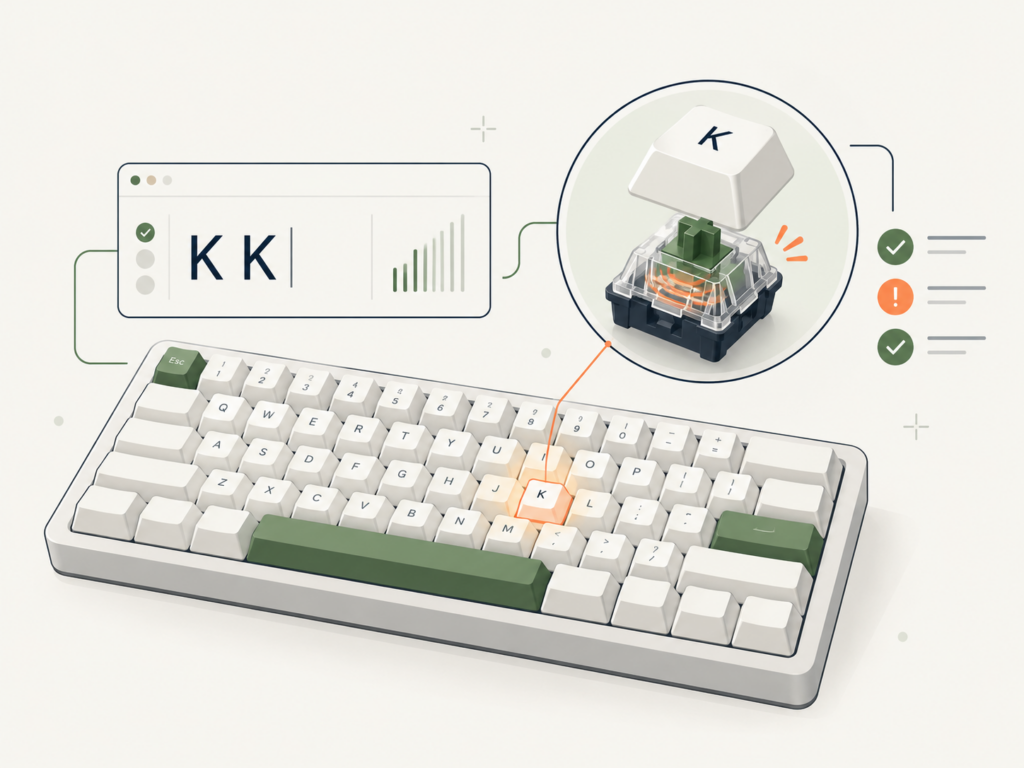
Keyboard Chatter Test
Does your keyboard type two letters when you press a key once? Test for possible keyboard chatter and double typing, see rapid re-press timing, and check which physical keys deserve a closer look. No installation required.
Start the test
Activate the tester and focus the keyboard area.
Tap a suspect key
Make 20–30 separate taps, releasing fully each time.
Check the events
Inspect the short gaps and export your report.
Results appear here after your first key press.
Check completed taps and repeat patterns for each key.
| Physical key | Completed taps | Possible chatter | Shortest gap |
|---|---|---|---|
| No keys sampled yet. | |||
Newest events first. Times are browser-observed.
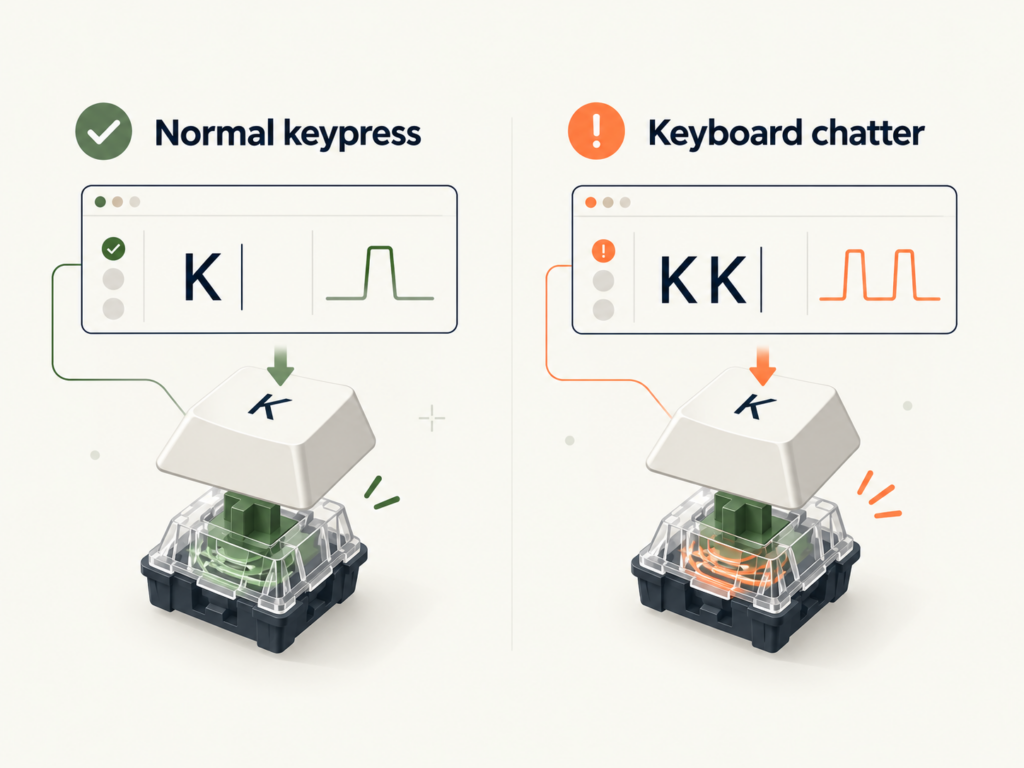
How to test your keyboard for double typing
A keyboard chatter test works best when you check one suspicious key at a time. It compares the browser-observed release of a key with its next press. It does not read raw electrical switch signals.
Start recording
Use a physical keyboard on your computer. Click Start test above, then keep the tester focused.
Tap and fully release
Choose a problem key, such as E, and perform 20–30 deliberate press-and-release cycles. Don't hold it down.
Compare the results
Look at possible chatter events and the per-key timing. Then try the same key in a plain text editor.
Quick example: If typing hello occasionally produces helllo, test the L key repeatedly. A single rapid event is a clue, not proof that your switch is faulty.
Tip: Avoid testing passwords or sensitive information. The checker records physical key codes and event timing in page memory rather than reconstructing text.
What your keyboard chatter test results mean
The tool flags a second non-repeat keydown when it happens shortly after the same key was released. The initial window is 35 ms and you can adjust it to 10–100 ms. Increasing the window flags more rapid taps, including more intentional ones.
| Metric | What it counts | How to interpret it |
|---|---|---|
| Completed taps | Keyboard press-and-release cycles observed by the browser. | A keydown without a matching release is not counted as a completed tap. |
| Possible chatter events | Rapid re-presses of the same physical key after its release, within your selected window. | Investigate repeated flags while making deliberate separate taps; intentional double taps can look the same. |
| Unique keys pressed | Distinct physical key codes that produced a keydown. | One press is enough to appear here. This is not a count of keys thoroughly tested. |
| Keys tested (20+) | Individual keys with at least 20 completed taps in the current session. | Shows testing coverage, not a pass/fail guarantee. |
| Shortest gap | The shortest recorded release-to-repress interval for a particular key. | A short interval is useful context but cannot by itself identify an electrical fault. |
Important: Zero possible chatter events means no qualifying rapid re-press was observed in this browser session. It does not confirm that every switch is healthy. Keyboard firmware, the operating system and the browser may filter events before the tester sees them.
You can use Export CSV to inspect events in a spreadsheet or Export JSON for a more detailed technical report. Both are generated locally by the tool.
Keyboard chatter vs normal key repeat
Repeated characters are not always a hardware problem. Here are the differences between keyboard chattering, a held key and a deliberate fast double tap.
Held-key repeat
Hold A and get aaaaaa. Your system is repeating the key while it is held. Browser events marked repeat are ignored by this chatter checker.
Possible chatter
Tap A once and occasionally get aa. This may come from switch, firmware or software behavior and needs further testing.
Fast double tap
Tap A twice very quickly on purpose. The tester may flag the timing, even though both presses were intended.
For the technical meaning of operating-system key repetition, see MDN's KeyboardEvent.repeat documentation.
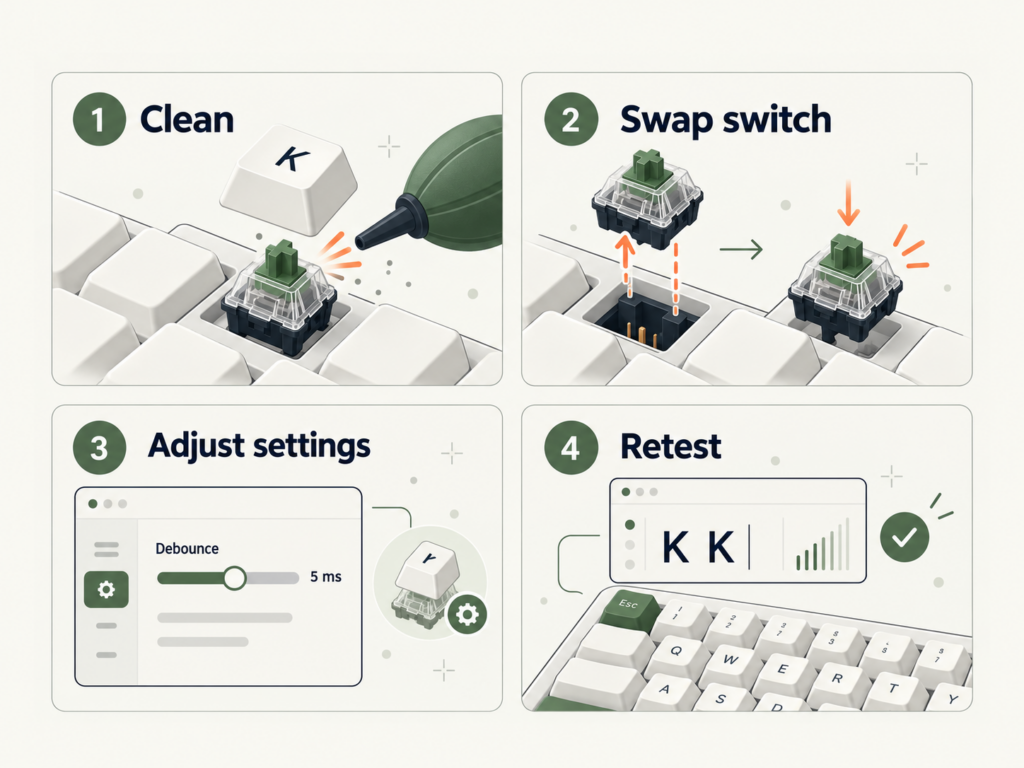
Keyboard double typing? What to try next
A test flag is a starting point. To narrow down why a keyboard is registering multiple characters, check whether the issue follows the same key, the keyboard or the computer.
- Verify the extra character in a text editor. Tap the suspect key separately 30–50 times. A text editor helps you confirm actual unwanted output.
- Try another USB port, cable or wireless mode. Reconnect the keyboard before testing again.
- Disable remaps and macros temporarily. Custom software can create duplicate or unexpected input.
- Try a different browser or computer. If the symptom moves with the keyboard, its hardware or firmware deserves more attention.
- Check the switch if your board supports it. For an appropriate hot-swappable board, a known-good replacement switch can help isolate the problem. Respect cleaning and warranty guidance.
Need the full fix? Follow our keyboard double-typing troubleshooting guide or read our keyboard debounce time guide. The tester's 35 ms flag window is not the firmware debounce setting.
Keyboard chatter test FAQs
How do I know if my keyboard is chattering?
Make 20–30 separate taps on a suspect key. Repeated possible chatter flags together with unwanted extra characters in a text editor are worth investigating. Browser events alone cannot confirm electrical switch chatter.
What threshold should I use?
Start at 35 ms, then compare with a lower window if appropriate. A larger window flags more rapid intentional presses too. This setting only changes the test's classification and does not change your keyboard's debounce configuration.
Why is my keyboard typing double letters?
Possible reasons include switch problems, firmware debounce behavior, remapping, macros, connection issues and software interference. Our double typing guide goes through the full diagnosis.
Can this test detect Hall Effect keyboard problems?
It can observe browser key events from many Hall Effect and gaming keyboards, but it cannot inspect magnetic sensor signals, rapid-trigger configuration or the board's internal firmware logic.
Does the tool upload what I type?
The tester processes physical key codes and event timings within the page and doesn't transmit those key events. The tool doesn't reconstruct sentences. Downloaded reports are created locally. For wider site data handling, see the privacy policy.
Will it work on mobile?
A physical keyboard connected to the phone or tablet may supply usable browser key events. On-screen touch keyboards do not meaningfully test physical switch chatter.
Why are some keys not on the visualizer?
It uses a US ANSI reference layout, but supported additional physical key codes can still appear in the per-key results. Fn and many system shortcuts are handled before reaching the page.
More free keyboard tools and guides
Check other common keyboard behaviors with our existing tools, or dive deeper into debounce and repeated-key troubleshooting.
NKRO & Ghosting Test
See which simultaneous key presses your keyboard reports.
Open tool → INTERACTIVE TOOLKeyboard Polling Rate Test
Explore browser-observed keyboard event timing.
Open tool → KEYBOARD GUIDEKeyboard Debounce Time
Learn how switch input filtering works and why settings differ.
Read guide →About this keyboard chatter checker: MechanicalKeyboard.net's tool analyzes keydown and keyup events provided by your browser. It does not access electrical switch contacts or establish keyboard latency, hardware polling rate or a confirmed defect. It excludes ordinary events marked as held-key auto-repeat. KeyboardEvent documentation. Updated October 22, 2026.