

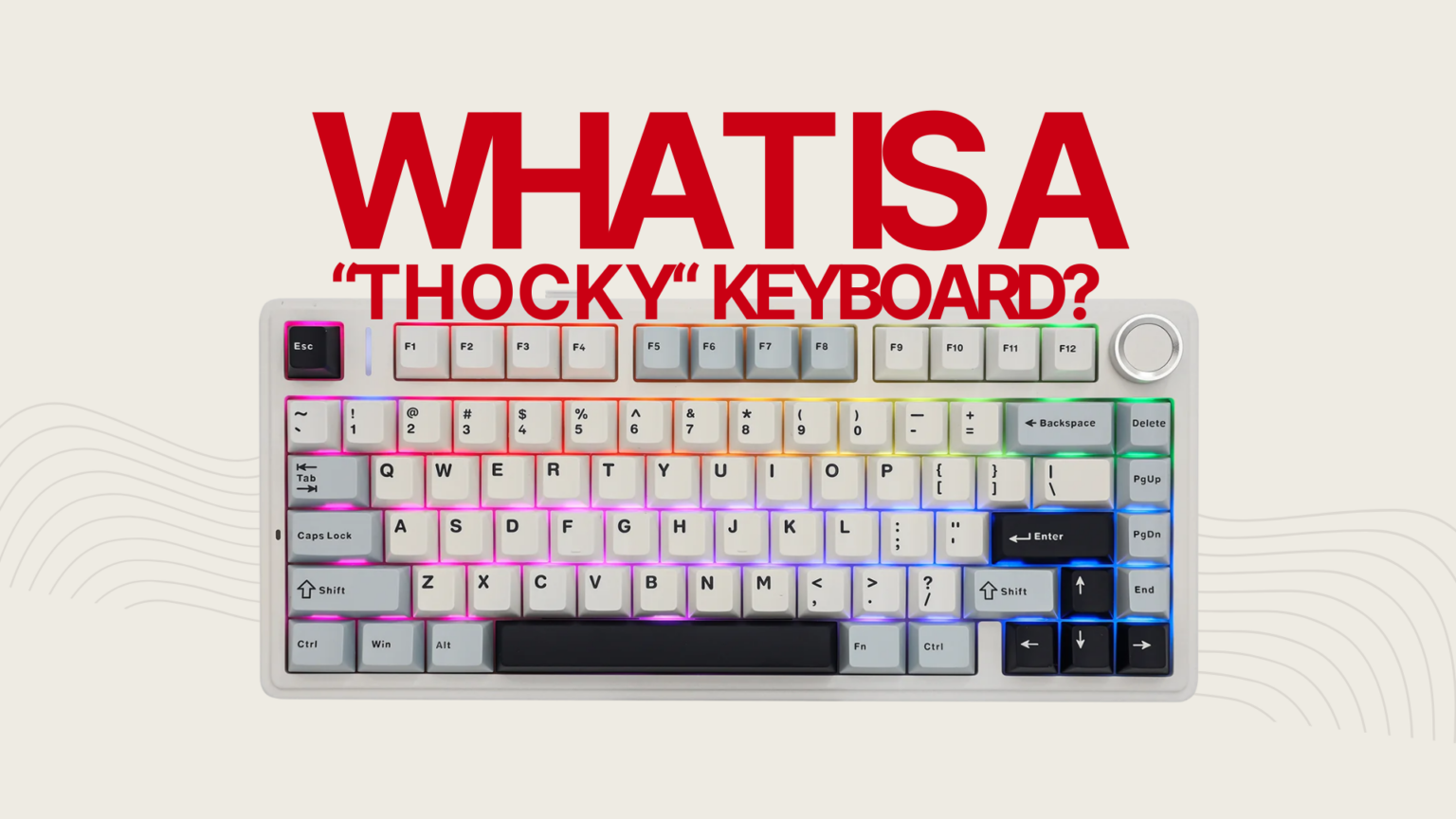
You keep hearing the word thocky. You have watched the sound test videos. But what does thocky actually mean, how is it different from creamy or clacky, and what makes a keyboard produce that sound in the first place? Here is everything you need to know before you buy or build anything.
What Is a Thocky Keyboard?
A thocky keyboard is a mechanical keyboard that produces a deep, low-pitched, cushioned sound when you press the keys. Instead of a sharp crack or a high plastic clack, you get a soft, rounded thud with a short decay. People describe it as satisfying, dense, and bass-heavy.
The best way I can describe it from my own experience: it is the creamy and thocky feeling you get mostly from linear switches in a heavy case, or from a lighter board that has been properly modded with foam and tape. When you bottom out a key and the sound just stops cleanly without any hollow echo or metallic ring, that is thock. The Mechlands Vibe 108 was the board that made this click for me. Pick it up, feel the weight, type a sentence, and the sound is immediately different from anything in the same price range.
The word itself comes from the sound. Type on a keyboard that has been properly tuned with foam, lubed switches, and a solid case and the keystroke makes a sound that resembles “thock.” It is not a technical specification. No brand certifies a board as thocky. It is community shorthand for a specific end of the sound spectrum that enthusiasts actively tune toward.
I test and review mechanical keyboards at MechanicalKeyboard.net, covering everything from budget prebuilts to enthusiast-grade boards. The thocky sound is consistently the profile people are happiest with after extended use. It does not fatigue you the way a bright clacky board can, and it does not call attention to itself in a room the way a clicky switch does.
What does thock sound like?
The easiest way to understand thocky is to hear it directly. Below is a sound test from the Mechlands Vibe 108, one of the thockiest prebuilt boards I have reviewed. The Vela Silent switches and the dense full-size case produce a deep, uniform sound across every key.
Compare that to this recording of a Gamakay LK67 with Gateron Milky Yellow switches after a tape mod and foam mod. This is what a budget board sounds like when you push it toward thocky with basic modifications.
The difference between those two boards captures the range of thocky sound well. The Vibe 108 achieves it through hardware. The Gamakay gets there through modding. Both are genuinely thocky. The path to get there is different.
Thocky vs Creamy vs Clicky vs Clacky: What Is the Difference?
These four terms describe different positions on the keyboard sound spectrum. Understanding them helps you know what you are actually looking for before you spend money.
| Sound Profile | Pitch | Character | Real World Example | Good For |
|---|---|---|---|---|
| Thocky | Low / bass-heavy | Deep, cushioned, short decay | Mechlands Vibe 108 with Vela Silent switches, Epomaker Galaxy 100 Lite with Wisteria linears | Daily typing, long sessions, office with the right switches |
| Creamy | Mid-range | Smooth, warm, pleasant | Most lubed linears in a gasket mount board without heavy foam | Daily typing, first upgrade boards |
| Clacky | High / bright | Sharp, crisp, punchy | Budget boards with ABS keycaps and metal plates, no foam | Those who like presence and feedback in the sound |
| Clicky | High with tactile click | Loud, attention-grabbing, precise | MX Blue, Kailh Box White, Kailh Box Jade switches | Those who want audible click feedback per keystroke |
There is no hard border between these profiles. A board that sounds creamy to one person may be described as thocky by another, depending on what they have used before. The table above reflects the consensus in the enthusiast community rather than a fixed standard.
Thocky vs creamy: where most people get confused
Creamy and thocky are the two profiles people most often mix up, and honestly the line between them is blurry on purpose. Both involve linear switches and some level of dampening. The difference is in pitch and density. Creamy boards sit in the mid range and feel smooth without being heavily muted. Thocky boards sit lower in pitch, have more dampening, and the bottom-out sounds and feels more solid.
The Epomaker Galaxy 100 Lite with Wisteria linears is a good example of a board that sits right on that line. The typing feel is creamy in the way the switch travels but the bottom-out has a genuine thocky quality to it because of how the case handles vibration. Some people would call it creamy. I would call it thocky-creamy, and that is a completely valid place to land.
A useful mental model: creamy is like typing on a well-maintained office chair. Thocky is like closing a solid car door. Both are good. The second one just has more density to it.
Thocky vs clacky: the most common upgrade path
Most people who end up chasing thock started on a clacky board. Budget mechanical keyboards with ABS keycaps, metal plates, and no foam almost always sound clacky. The brightness is not unpleasant but it gets tiring over long sessions. Adding foam, switching to PBT keycaps, and changing switches is the most common path from clacky to thocky. I did exactly this on a Gamakay LK67 with Gateron Milky Yellow switches and the tape mod plus foam mod turned a bright budget board into something I genuinely enjoyed typing on.
For a deeper breakdown of how switch types affect sound, see our guide to linear vs tactile vs clicky switches.
What Is Marbly Sound and How Does It Relate to Thocky?
Marbly is a more specific term within the thocky family. If thocky describes a deep and dampened sound in general, marbly describes a thocky sound that also has a slightly rounded, hollow quality to it, like dropping a marble onto a soft surface rather than a hard one.
The marbly sound is most often associated with PE foam mods, polycarbonate plates, and linear switches with longer pole stems. It is popular in the community because it sounds extremely controlled and refined while still retaining that satisfying low pitch. If you have watched build videos where someone describes their keyboard as “super marbly,” they usually mean it sits at the softer, more cushioned end of the thocky range.
For most practical purposes, marbly and thocky overlap significantly. If you want a marbly sound specifically, focus on PE foam and a flex-mount board with a softer plate material like FR4 or polycarbonate.
What Actually Makes a Keyboard Thocky?
No single part makes a keyboard thocky. The sound you hear when you type is a result of five things working together. Change one and you can push a board toward thocky. Change all five and you will get there even on a budget board.
1. Case material and weight
Heavier cases absorb vibration instead of amplifying it. The Mechlands Vibe 108 is a good example of this. The full-size case has a density that you notice immediately when you pick it up, and that weight directly contributes to how controlled the sound is. A lightweight hollow case rings and echoes, producing that bright clacky sound. When you pick up a keyboard and it feels solid and substantial, that is usually a good sign for thocky potential.
2. Mounting style and plate material
How the PCB and plate connect to the case affects sound significantly. Gasket mount designs isolate the typing surface from the case walls, which adds flex and produces a softer, more rounded sound. Tray mount boards connect the PCB directly to the case bottom, which transmits more vibration and often sounds brighter unless you add foam to compensate.
Plate material matters too. FR4, polycarbonate, and POM plates are softer and produce a deeper sound. Aluminum and steel plates are stiffer and add brightness. Many enthusiasts swap the stock aluminum plate for polycarbonate as one of the first modifications they make.
3. Switches
Switches are often the single biggest variable. Linear switches with solid housings and a smooth bottom-out tend to produce the cleanest thocky sound. From my own testing, the Epomaker Wisteria Linear switches are a standout for this. They have a slightly heavier bottom out than most budget linears and the housing dampens the sound in a way that pairs well with a dense case. The result in the Galaxy 100 Lite is a board that sounds and feels thocky without any modifications at all.
The Mechlands Vela Silent switches on the Vibe 108 take a different approach. They are silent linears, so the click noise is almost entirely absent, and what you are left with is a very pure, deep bottom-out sound with almost no top-end noise. For people who want thock without volume, silent linears in a heavy case is one of the cleanest combinations available.
For a tested list of the best switches for deep thocky sound across different price points, see our best deep sounding switches guide. The complete mechanical keyboard switches guide covers all the fundamentals if you are still deciding between switch types.
4. Foam and dampening
Foam is the most accessible tool for moving any board toward a thocky sound. I used a tape mod and foam mod on a Gamakay LK67 with Gateron Milky Yellow switches and the transformation was significant. A board that previously sounded bright and hollow became noticeably deeper and more controlled. The total cost of the mod was essentially nothing beyond a roll of masking tape and some craft foam.
There are three common foam types used in builds:
- Case foam sits between the PCB and the bottom of the case. It kills hollow echo and tightens the overall sound. This is the first mod to try on any board that sounds hollow.
- Plate foam sits between the plate and the PCB. It reduces high-frequency noise from each keystroke and adds consistency across the board.
- PE foam is placed directly on the PCB before the switches are inserted. It gives a very muted, marbly sound and is popular in builds that chase that specific tone.
You do not need all three. For most boards, case foam alone produces a noticeable improvement. Adding plate foam on top of that gets you most of the way to a genuinely thocky result.
5. Keycaps and desk setup
Thick PBT keycaps in a taller profile produce a heavier, more solid sound than thin ABS keycaps. The keycap does not change the fundamental character of your board dramatically, but it can push a borderline board over the line from creamy to properly thocky. For a full breakdown of how keycap material and profile affect sound, see our mechanical keyboard keycaps guide.
A desk mat under your keyboard absorbs vibration that would otherwise transfer into your desk surface and bounce back as extra noise. It is one of the cheapest additions you can make to any build and it makes a consistent difference on almost every board.
Real Boards and Switches That Are Genuinely Thocky
There is a lot of noise online about which boards are thocky. Below are the ones I have personally typed on and would confidently describe as thocky, with a short note on why.
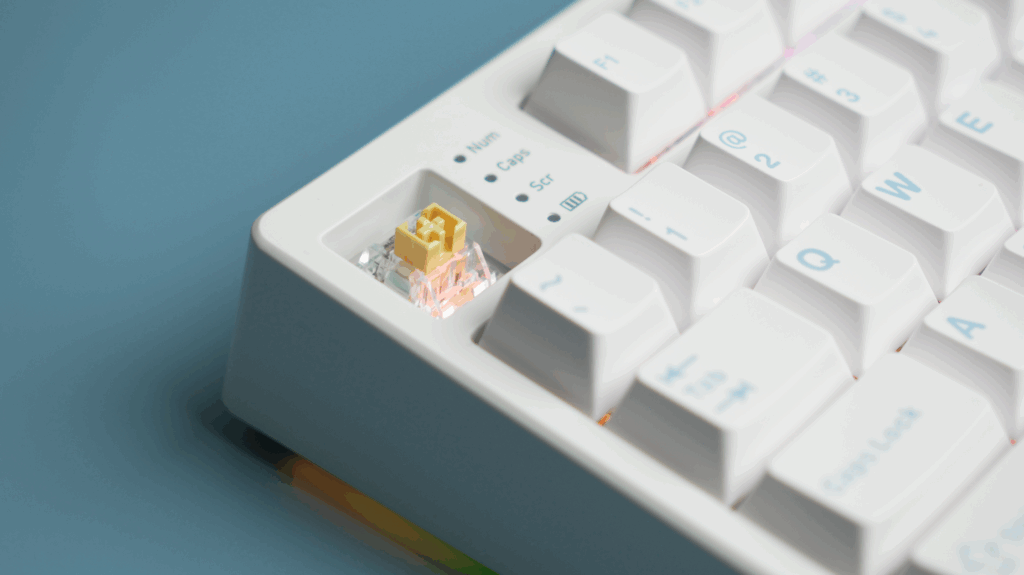
Mechlands Vibe 108
The Vibe 108 is the thockiest prebuilt I have reviewed at this price point. The full-size case is heavy enough that it sits firmly on the desk without a mat, and the Vela Silent switches produce a deep, uniform sound across every key. There is no metallic ping, no hollow echo, and no inconsistency between keys. If you want thocky out of the box without touching a single screw, this is the board I would point you toward first. Read the full Mechlands Vibe 108 review for the complete breakdown.
Epomaker Galaxy 100 Lite
The Galaxy 100 Lite with Epomaker Wisteria Linear switches sits right at the intersection of creamy and thocky. The typing feel is smooth and the sound is deep enough that most people would call it thocky on first listen. It is not as aggressively dampened as the Vibe 108 but the bottom-out has a satisfying density to it. For a full-size board at this price it overdelivers on sound quality.
Gamakay LK67 with tape and foam mod
This is my personal example of what modding can do to a budget board. Stock, the LK67 with Gateron Milky Yellow switches sounds like a decent budget mechanical with some brightness to it. After a tape mod on the PCB and case foam added underneath, it moved into genuine thocky territory. The Milky Yellow switches are smooth and the mod removed the hollow quality that was holding the sound back. Total cost of the mods was negligible and the result is a board I still enjoy typing on. You can hear both the stock and modded sound in the video earlier in this article.
Switches worth knowing
From personal testing, the Epomaker Wisteria Linear switches are one of the better options for achieving a thocky sound without heavy modding. The Mechlands Vela Silent switches are the best option if you want thocky and quiet at the same time. For a wider tested list including Gateron Oil Kings, Boba U4T tactiles, and Akko Rosewood switches, see the best deep sounding switches guide.
Is a Thocky Keyboard Good for Typing, Gaming, and Office Use?
Thocky keyboard for daily typing
Thocky boards are widely considered the best sound profile for long typing sessions. The low pitch and short decay do not fatigue your hearing the way bright clicky or clacky boards can over hours of use. Writers, programmers, and anyone who types for most of their working day consistently prefer this end of the sound spectrum once they have tried it. After switching to thocky boards for daily use, going back to a bright budget mechanical feels noticeably worse.
Thocky keyboard for gaming
A thocky sound profile does not affect gaming performance. It is a purely acoustic characteristic of how the keyboard sounds, not how fast it registers inputs. You can have a thocky keyboard with fast linear switches and rapid actuation. Many competitive players use heavily dampened boards because they find the quieter, more controlled sound less distracting during long sessions.
If you are interested in fast-actuation keyboards that also sound good, our Epomaker HE80 review covers a hall effect board that manages to be both performance-oriented and relatively deep sounding for its price. For more on how hall effect switches work and how they differ from standard mechanicals, see our hall effect keyboard guide.
Thocky keyboard for office use
A well-tuned thocky keyboard is one of the more office-friendly options available. The dampened, low-pitched sound carries less in a shared space than a clicky or clacky board. The Mechlands Vibe 108 with its Vela Silent switches is a genuinely usable office board. The sound is deep rather than loud. That said, no mechanical keyboard is silent. If your office is very quiet or open plan, pairing a thocky board with silent linears and a desk mat is the right approach. The goal in that environment is deep and quiet, not loud and thocky.
For context on keyboard sizes and layouts that work well in office environments, see our TKL keyboard guide and our complete guide to mechanical keyboard sizes.
Are Thocky Keyboards Worth It?
This is the most common question from people who are new to the hobby and I want to give an honest answer rather than an enthusiast answer.
If you type or use a keyboard for more than three or four hours a day, a good sounding board genuinely improves the experience. The thocky profile in particular is satisfying without being distracting. Once you have typed on a properly tuned thocky board, going back to a cheap hollow keyboard feels noticeably worse, in the same way that a good chair makes a bad one uncomfortable.
The entry point is also lower than most people think. The Epomaker Galaxy 100 Lite with Wisteria linears delivers a genuinely thocky experience at a price that is accessible to most people. The Gamakay LK67 modded with tape and foam costs even less and sounds excellent. You do not need a custom build or a high-end case to get there.
Where the hobby can become expensive is when you start chasing perfection across multiple boards and switch combinations. If you approach it as optimising the one board you already own or will buy, the cost is very manageable and the result is something you will enjoy every day.
For people who are newer to mechanical keyboards in general, our introduction to mechanical keyboards covers the fundamentals before you get into sound tuning.
Thocky Keyboard: Common Questions Answered
What does thock mean in keyboards?
Thock is the sound a well-dampened mechanical keyboard makes when you bottom out a key. It is deep, low-pitched, and cushioned. The term is community shorthand for a specific end of the sound spectrum that enthusiasts tune toward using heavy cases, foam, and lubed linear switches.
What is the difference between thocky and creamy?
Creamy is a smoother, mid-pitched sound associated with lubed linears in a moderately damped board. Thocky sits lower in pitch, has more dampening, and the bottom-out has a denser, more solid quality. The Epomaker Galaxy 100 Lite with Wisteria linears is a real-world example of a board that sits right between both, which is a very pleasant place to land.
Can any mechanical keyboard be made thocky?
Almost any mechanical keyboard can be moved toward a thocky sound with foam, lubing, and switch swaps. The Gamakay LK67 is a good example of a budget board that becomes genuinely thocky after a tape mod and foam mod. Boards with hot swap sockets make this easiest. Very thin or very cheap plastic cases are harder to transform fully, but they still improve with foam and a desk mat.
Do I need to spend a lot to get a thocky keyboard?
No. The Epomaker Galaxy 100 Lite delivers a thocky result at an accessible price with no modifications needed. If you already own a board, a tape mod and foam mod cost almost nothing and can produce a significant improvement. For more budget options see our tested deep sounding switches guide.
Is a thocky keyboard good for office use?
Yes, with the right setup. The Mechlands Vibe 108 with Vela Silent switches is a board I would comfortably use in most office environments. The low pitch carries less in a shared space than a bright clicky board. For very quiet open offices, pair a thocky board with silent linears and a desk mat.
What is marbly keyboard sound?
Marbly is a subset of thocky. It describes a deep, rounded sound with a slightly hollow quality, like a marble dropping onto a padded surface. It is most often produced by a PE foam mod combined with a polycarbonate or FR4 plate and lubed linears.
What is the easiest way to start?
If you already own a mechanical keyboard, start with a tape mod and case foam. Those two changes alone can move most boards noticeably toward thocky. If you are buying new, the Epomaker Galaxy 100 Lite or the Mechlands Vibe 108 are boards I have personally tested and can recommend without hesitation for people who want thocky sound straight out of the box.
Understanding thocky sound is the foundation for everything else in keyboard tuning. Once you know what you are chasing and why, the path to getting there whether through a new board or modding what you already own becomes much clearer. Use the links above to go deeper on whichever direction suits you.